
 Join The Club





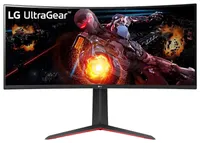
Though memory, graphics, and potentially even CPUs are getting harder to find at retail price, monitors are only getting better.
- Join us on WhatsApp for daily deals, direct to your phone.
Starting with that resolution, 1440p is where I like my monitors right now. It's a sweet spot between lower detailed 1080p panels and GPU-intensive 4K ones. Your games should look pretty and won't need a high-end card and/or frame generation for a smooth frame rate.
34 inches is a relatively sizable screen, and the 160 Hz refresh rate should be plenty snappy, especially when paired with the 1 ms response time. It is VA, which isn't quite as nice as IPS or OLED, but acceptable at its price point. VA offers deeper contrasts than the likes of IPS, but less rich colours and smaller viewing angles.
The standout feature of this monitor is its ultrawide 21:9 aspect ratio. Effectively, this format gives you access to more real estate on your screen. In first-person games, this wider view can feel more immersive and just gives you more visual information.
In strategy games, an ultrawide screen's ability to present more of the game at once means it's actually a bit of a tactical advantage. The ability to get more information at once is a boon in many games.
One consideration, though, is that ultrawide is still a bit of a niche panel type, and therefore, support isn't there for every game. Worst-case scenario, the game will pop black borders around the screen to make it look 16:9. However, there is a way around this. Tools like Flawless Widescreen can force support for non-supported games.
Widescreen support has gotten much better over the last few years, though, and many games do come with support. Some recent games that don't include Elden Ring, Sekiro: Shadows Die Twice, and Final Fantasy 7 Rebirth. The likes of Warhammer 40,000: Space Marine 2 only got it after release.
The panel is also slightly curved, which also contributes to immersion. At 1800R, it's on the straighter end, though this means others can watch your monitor with you without distortion or being too excluded by that curve.
I count up the best cheap gaming monitor deals every single week, and this LG monitor is by far the cheapest ultrawide I'd actually recommend to any prospective PC gamers. It's a solid introduction into ultrawide and curved gaming, and solid enough in other stats to be a decent monitor either way.
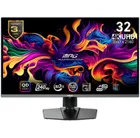
1. Best overall / 4K:
MSI MPG 321URX
2. Best budget 4K:
Asus ROG Strix XG27UCG
3. Best 1440p:
MSI MPG 271QRX
4. Best budget 1440p:
KTC H27T22C-3
5. Best 1080p:
AOC Gaming C27G4ZXE
6. Best Ultrawide:
Gigabyte MO34WQC2
7. Best budget ultrawide:
Xiaomi G34WQi
8. Best 32:9:
Samsung Odyssey OLED G9
9. Best dual-mode:
Alienware AW2725QF

You must confirm your public display name before commenting
Please logout and then login again, you will then be prompted to enter your display name.

