Monitors are a flashy 'ol business: If you want to shop for one, you have to consider your dream resolution, size, and panel technology. That's before mentioning refresh rate, response time, and a whole host of other specs. But manufacturer AOC's gaming monitors have caught flack for something more prosaic: Their on-screen display (OSD), the interface you have to mess with should you want to adjust the settings.
But the company's aware of this problem, and working on a solution. At a press event in Croatia today, Cesar Reyes Acosta, the European Commercial Leader for AOC, told us, "I've read your reviews", and that AOC's software is "one of the most highlighted cons in reviews."
To fix this, all of the latest and upcoming monitors from the brand will come with a new OSD. I've tested it out myself, and found it mostly pretty easy to understand.
When you first open it up, it shows you basic information like the game mode, resolution, shadows and brightness, allowing you to adjust these light settings without going into any new menus.
If you want more control, you can then open up a second wave of more in-depth options, which give you more granular control. The point here seems to be finding what settings work for you and mostly swapping between those on the fly, then getting more granular should you want that.

The OSD will also highlight the type of AOC monitor you have. AOC Gaming is the more value-oriented end of AOC's offerings, and it has an orange UI. The mid-range Agon has a red UI, and the Agon Pro has a purple UI. This unified UI will be brought across to any new AOC monitors.
Though a bad UI is not the end of the world, AOC is continuing to add new dual-mode monitors to its lineup, and that is something that benefits from a good OSD. Effectively, dual-mode monitors can swap between different resolutions (and refresh rates) on the go, so being able to navigate its software better is certainly a boon.
Still, I was a little surprised to hear that the OSD took such a beating from users prior to now. Other than maybe looking through OLED settings or swapping refresh rate, I almost never touch my settings. I certainly think I would more, if I had my hands on one of those tasty dual-mode monitors, though.
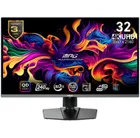
1. Best overall / 4K:
MSI MPG 321URX
2. Best budget 4K:
Asus ROG Strix XG27UCG
3. Best 1440p:
MSI MPG 271QRX
4. Best budget 1440p:
KTC H27T22C-3
5. Best 1080p:
AOC Gaming C27G4ZXE
6. Best Ultrawide:
Gigabyte MO34WQC2
7. Best budget ultrawide:
Xiaomi G34WQi
8. Best 32:9:
Samsung Odyssey OLED G9
9. Best dual-mode:
Alienware AW2725QF