Wireless gaming headsets deliver audio without anchoring you to your desktop, so making a cup of coffee while in the group chat becomes a breeze, and you can run to get the door without ripping your headset out of the jack. And yes, I have broken many an audio cable and 3.5 mm jack on many a PC by doing just that.
The best wireless gaming headset is the Razer BlackShark V3. It has great audio chops, a solid mic, and it's comfortable to wear all day. For those looking to save their pennies, the best budget wireless gaming headset is the Logitech G321 Lightspeed, which is lightweight and has great audio for the price. Now, you might have expected to see the Audeze Maxwell 2 popping in here sitting atop the wireless pile, but after testing it we're sticking with the original Audeze Maxwell as the best high-end wireless gaming headset. It still sounds great, and doesn't have the comfort issues of the newer cans.
If you're a serious audiophile, you should check out our picks for the best headphones for gaming, and bargain hunters should read through our best gaming headsets guide, though not all of them provide the cableless freedom the ones below will. This list is dedicated to the best wireless headsets only, and my goodness do we have some seriously brilliant headset recommendations for you.
The quick list

Expect to pay: $120 | £130

Expect to pay: $50 | £60

Expect to pay: $90 | £76

Expect to pay: $299 | £250

Expect to pay: $110 | £110

Expect to pay: $100 | £100

Expect to pay: $220 | £229

Expect to pay: $150 | £122
May 13, 2026: I've added in three new recommendations for our budget gaming headset, the pick for best spatial audio for gaming, and a fresh set of great earbuds for gaming. The Logitech G321 didn't set our world alight when we first put them on, but the affordable cans have really grown on us. And the new HyperX Cloud Flight 2 might not be the prettiest, but she's got it where it counts: positional audio. And if you want a feature packed, great sounding set of buds, the EarFun Air Pro 4+ has got the lot.
February 12, 2026: I've updated the page with a quick video at the top detailing exactly why we're picking the Razer BlackShark V3 as the best wireless gaming headset you can buy. We've also noted that while we have now reviewed the Audeze Maxwell 2, we still recommend the originals as the best high-end wireless gaming headset.
November 17, 2025: We have added the Fractal Design Scape, Nacon Rig 900 Max HS, Razer Blackshark V3 Pro, and HyperX Cloud Alpha 2 Wireless to also tested. While HyperX's latest headset is impressive, it comes in with a smaller battery life and weaker frequency response than its predecessor, but it does still get a nod for its 250 hours of run time.

Dave's been a born-again audiophile since his time running Techradar's Home Entertainment channel around half a million years ago (give or take) and after his first taste of high-resolution audio, speakers worth tens of thousands of dollars, and $51,000 headphones, he's been all in on what sounds good. Having tested the whole spread of different quality gaming gear he's best placed to say which budget cans still sound good, and which high-end headsets are worth the cash.
Best wireless gaming headset overall


✅ You want a lightweight headset: Lighter than the competition, predecessor, and premium model, the BlackShark V3 is a good pick for long-term comfort.
✅ You want a low-latency connection: If you're all for chasing digits, the low-latency mode on the BlackShark V3 gives you an especially low 10 ms latency.
❌ You're prepared to dive into audiophile territory: The BlackShark V3 sounds superb for a gaming headset, but there's a whole other world of audiophile (or at the very least high-end) headphones out there.
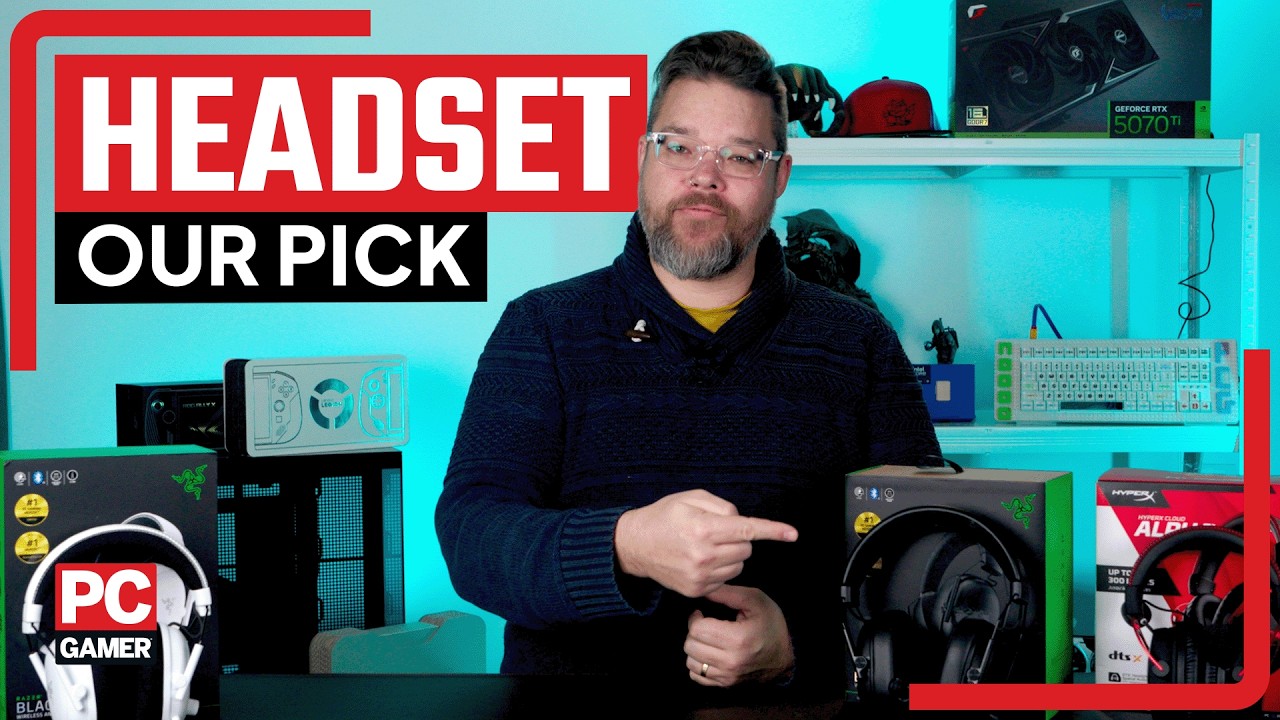
Razer is back on top form with the Razer BlackShark V3. Sitting as our new pick for the best wireless gaming headset, the BlackShark V3 has the low latency, comfort and audio quality it needs to beat out the competition. And not for a bad price, either.
Let's talk about the BlackShark V3's drivers first of all. They're similar, but not the same, as those found in the more expensive BlackShark V3 Pro. Importantly, they're almost indistinguishable from one another in our testing—not bad for the plucky non-Pro set.
With a new design for the actual earcup, the driver produces excellent bass response, but most of all, clarity. That's actually what saw us award the BlackShark V3 the top spot in this guide versus our previous pick, the HyperX Cloud Alpha Wireless. The Cloud Alpha sound equally excellent, until lots is happening in-game. That's when the clarity of the BlackShark wins out. It's close, though, and the BlackShark's 70-hour battery life isn't a scratch on the Cloud Alpha at 300 hours. But with quick-charging up to 6 hours of juice in 15 minutes on Razer's unit, battery life isn't a huge issue.
You miss out on ANC, an improved microphone, and some fancy stiching on the non-Pro BlackShark V3, but it's not such a big loss. The microphone is still excellent, the stitching isn't necessary, and the ANC on the Pro model is one of its weakest features.
The BlackShark V3 shares the best bits with the Pro model, which is impressive considering it's a good bit more affordable than it. The clarity in audio is unmatched at this price point, too. The BlackShark V3 are some of the best sounding gaming cans we've listened to in a very long time. At least since we tried some more audiophile/high-end headphones, but you'll have to spend a lot more on those than the BlackShark. That's worth doing in some instances, especially if you value sound quality over all else, but for most gamers, the BlackShark V3 will be just right.

Click through to read our full Razer BlackShark V3 review.
Best budget wireless gaming headset


✅ You want an everyday headset: Thanks to a comfortable feel and well-balanced weight, the G321 is a headset you can wear for hours of gaming, watching movies, and a quick call, with little trouble.
❌ You want an immersive headset: The light fabric and soft clamping power mean the G321 barely blocks out noise. At lower volumes, you will hear the ambient noises in your home.
You're always going to have to manage your expectations when it comes to picking up a budget headset, but the more time we've spent with the Logitech G321 Lightspeed the more we like it. And that, along with its stellar value proposition, is why it sits pretty as our pick for the best budget wireless gaming headset.
Sure, it feels a little cheap in terms of its construction, but that is how you get down to this sort of price point and still maintain a reliable 2.4 GHz wireless connection and a still solid 20-hour battery life. What's more, the materials Logitech has picked for the G321 make it feel really light on the head, and we've bent them all around—more than we probably should—and it still pops back into shape without breaking.
The audio and microphone quality are nothing to write home about, but they are clear, responsive, and don't detract from your gaming experience. I'd prefer a dial for my volume rather than the finicky buttons of the G321 Lightspeed, but they're functional at least.
We didn't have a great first impression of the affordable G321 Lightspeed headset, but it has absolutely grown on us the more we've come to use it.

Click through to read our full Corsair HS55 Wireless review.
Best mid-range wireless gaming headset


✅ You want versatile headphones for any occassion: The Nova 3X can be used out and about or plonked at your desk.
❌ You want to connect to multiple Bluetooth devices at the same time: It's a bit of a niche use, but if you have this need, look elsewhere.
The best mid-range wireless gaming headset is the SteelSeries Arctis Nova 3X. These colorful headphones offer a great package for sitting at your desk or heading into the great outdoors. At the very least, they look good enough to wear them on the bus.
With both Bluetooth and 2.4 GHz connectivity, you can easily switch between your gaming PC and your phone, and the microphone is removeable so you don't have to take that with you. Just don't forget where you put it. Speaking of which, it comes through clear over voice chat, though if you want something to record a podcast on, I'd look elsewhere.
Fast charging is possible with the Arctis; juicing it up to nine hours of battery life after a mere 15 minutes. That helps make up for the otherwise a little slim battery life of around 30 to 40 hours.
As for audio quality, SteelSeries has some quality 40 mm drivers in here. They're pretty well balanced out of the box, not booming the bass too much like some, and you can tweak them further in the SteelSeries companion app, with a few good EQs in there, such as deep bass, which actually pumps the low frequencies a good amount without blowing them out. Though you should be aware of accidentally doubling up on the EQs in the various software SteelSeries provides.
While we're easily distracted by the colorful finishes, underneath it all sits an impressive gaming headset that offers good value for money for the features it provides. If you want a single headset that can do it all, this offers that at a much more attainable price tag than some.

Click through to read our full SteelSeries Arctis Nova 3X review.
Best high-end wireless gaming headset


✅ You need the very best audio quality: Planar magnetic drivers are big and heavy, but boy howdy do they make such wonderful sounds. Everything else will sound cheap once you've tried these.
❌ You want a lightweight headset: The Maxwell isn't excessively heavy but you'll certainly notice the overall mass of materials here, thanks to those beefy drivers.
The Audeze Maxwell is the best high-end wireless gaming headset because it shows that true high-end headphones and headsets can, indeed, be versatile. It shows that you can have your audiophile cake and eat it, too. Thrice over, in fact. First, by chomping down on its stellar audio quality (duh), second, by chewing on its wireless capabilities, and third, by swallowing and digesting its extra features such as a detachable mic and Bluetooth connectivity.
It's keeping its position in our guide even in the face of its younger sibling, the Audeze Maxwell 2, having just been released. That is an excellent gaming headset, with the same stunning planar magnetic drivers and a little extra SLAM technological frosting. But that new tech also adds a chunk of weight which makes them much less comfortable for the long haul.
But it's worth saying, that's only going to be true for as long as you can still buy these original Maxwell cans. There's a good chance that Audeze may well just seek to replace them as soon as possible, which means they might disappear from the market rather rapidly.
But, for now, this is the pinnacle of wireless gaming headsets, and with the Maxwell you're getting far more than just the audiophile experience. But we should take a moment to touch on the audio experience itself. The real sign of a set of high-end cans is planar magnetic drivers, which these have.
These drivers have a wider and flatter structure, which allows for more natural-sounding audio. Naturally, these drivers are more expensive to include than standard dynamic ones, but they're well worth the price for audio quality, and this thing delivers quality in spades. It offers a natural, clean, crisp (and just about every other positive adjective you can think of) soundstage, which benefits games and music alike.
In addition to this stellar quality, Audeze has thrown in a superb hypercardioid mic, which even has a pretty effective noise filter you can enable. Throw in its versatile connectivity options (3.5 mm cable, Bluetooth 5.3, 2.4 GHz wireless, or USB Type-C cable) and you have a headset that doesn't just feel like a high-end option for audiophiles, but a genuine star for gamers and audio connoisseurs.

Click through to read our full Audeze Maxwell review.
Best spatial audio wireless gaming headset


✅ You play competitive shooters: The imaging is sharp enough to genuinely improve how you play, with precise positional cues you can actually act on.
❌ You expect a premium feel: The plasticky build is functional but lacks that dense, high-end finish you might want at this price.
Surround sound isn't for everyone, but if it is for you, you can't go wrong with the Corsair HS80 RGB Wireless, which we reckon to be the best wireless gaming headset for spatial audio.
Corsair seems to have recognized that the primary audience for spatial audio headsets is those who are looking to become immersed in their games, and it seems to have catered to this perfectly with the HS80 RGB Wireless.
Surround sound or not, you can't really become immersed in a game if you're constantly being reminded of the headset sitting on your head. That's why the HS80 not only cuts the cord but also keeps things nice and comfy, too, with an adjustable floating headband. And its Slipstream wireless tech ensures a lag-free experience, which is another thing that should allow you to keep your head in the game.
Of course, the spatial audio itself must be great for immersive gaming as well, and the HS80 RGB Wireless delivers on this front. Whilst it can pump out up to 96 kHz with supported audio files when plugged in, its wireless 48 kHz audio is more than enough for immersive spatial audio, too. Sub-bass is a little lacking, but 3D audio sounds great and it supports Dolby Atmos, something the headset provides you with a license for.
Throw in its surprisingly stellar microphone (one of the best we've tried, in fact) and you have not only a cracking wireless headset for immersive surround sound gaming, but a great all-rounder, too.
Corsair HS80 RGB Wireless review.

Click through to read our full HyperX Cloud Flight review.
Best wireless earbuds for gaming




✅ You want crisp audio: The new armature drivers that sit alongside the 10 mm dynamic ones really push the Air Pro 4+ to a new level of audio quality for a pair of sub-$100 earbuds.
❌ You only play competitive games: The lack of 2.4 GHz wireless connectivity does mean there is some latency, even if it's barely noticeable with game mode enabled.
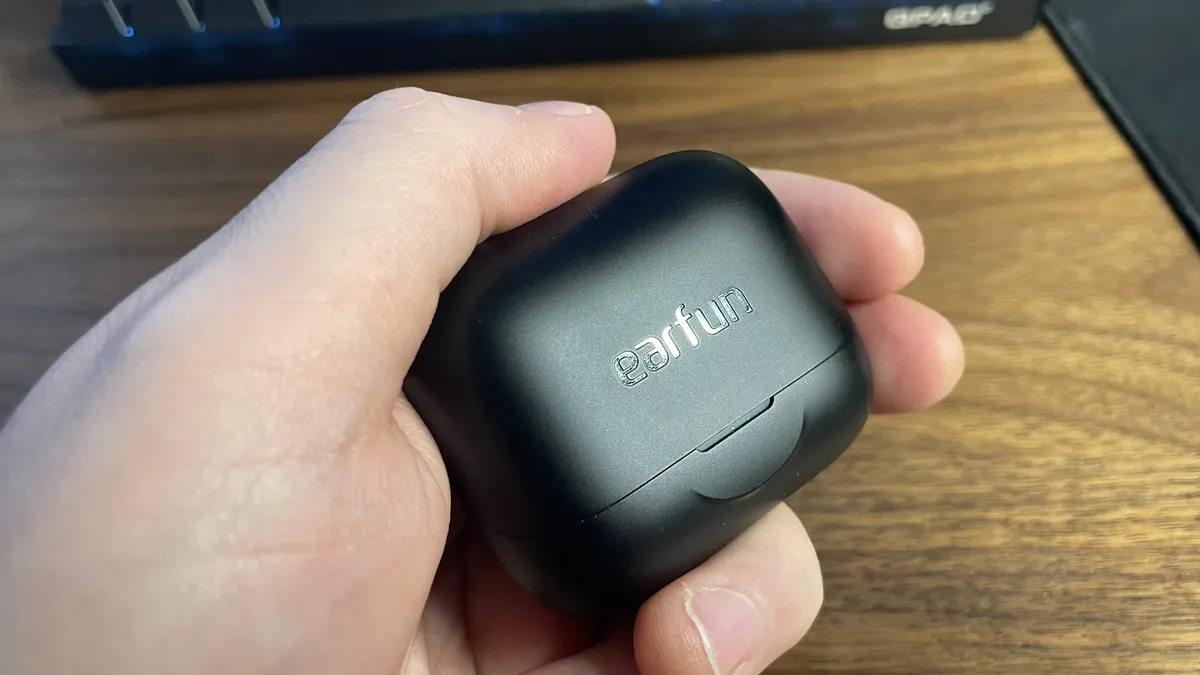
The excellent EarFun Air Pro 4+ buds are now our pick for the best gaming earbuds you can buy. Their mix of affordability, functionality, and effectiveness make them an easy recommendation right here. We were previously recommending SteelSeries' Arctis GameBuds as our go-to pick, but having used them for a long while now, we've completely switched over to the EarFun buds as our main sets after some not inconsiderable frustration with the long-term quality of the SteelSeries option.
That, and the EarFun buds are great. The addition of armature drivers to the standard 10 mm ones mean you get a real boost in aural clarity, which is great for music, calls, and gaming. The tonal separation is now beautifully distinct, too, without holding back the complete soundscape.
It's worth noting that you are only getting a Bluetooth 6.0 connection here, so no 2.4 GHz dongling, which means there is a little more latency than you would otherwise get. But the specific low latency game mode works really well, and we found that even in FPS games the delay becomes almost imperceptible. The rest of the feature set is just as rich, with adjustable ANC, dual connectivity, in-ear detection, wireless charging, and transparency mode.
These affordable buds are maybe not the first name you might think of for great audio, but they represent an excellent option for handheld gaming.

Click through to read our full EarFun Air Pro 4+ review.
Best battery life wireless gaming headset


✅ You need a headset that works indefinitely: The twin battery packs make it a breeze to keep the Nova Pros going hour after hour, and never miss a beat.
❌ You don't want to spend too much money: There's no escaping the fact these SteelSeries cans are mightily expensive but that's the price you pay to have it all.
❌ You want 'traditional' battery life: This headset allows you to easily swap out its battery to keep it constantly charged, but if you want one that has tons of battery life in one chargeable battery, the HyperX Cloud Alpha Wireless is a better option.
You might think the HyperX Cloud Alpha Wireless to be the gaming headset with the best battery life, but you'd be wrong. It's the SteelSeries Arctis Nova Pro Wireless. Yes, the Cloud Alpha has a whopping 300 hours of traditional battery life, and this is incredibly impressive, but can it beat practically infinite battery life? Hear me out.
The Nova Pro Wireless has hot-swappable batteries that charge up in under an hour, which essentially means you can keep your headset charged at all times, provided you remember to actually charge your extra battery before the 30 hours of charge on the current one expires. This is a similar approach to many controllers, and it's one I think works well. SteelSeries definitely deserves a tip of the hat for making the batteries accessible in this one.
It's a great headset all around, too. We're talking superb bass response, clarity, and even active noise cancellation for those of you gaming in loud environments. And if you're into this kind of thing, you can even get down and dirty in the SteelSeries software with a completely adjustable equalizer.
It also comes with a DAC that has two USB-C inputs and two 3.5 mm ports and serves as an amp—a DAC, I might say, that looks positively gorgeous. Throw in the fact that this headset can connect to two devices simultaneously over 2.4 GHz wireless or Bluetooth, and you have quite the package.
The only real downside to this headset is its mic quality, which is a little fuzzy. Oh, and its hefty price tag, of course. Still, you're getting a lot of desirable features for the cash, and that makes it a worthy addition to this list.
If you don't fancy swapping out your batteries then the Cloud Alpha Wireless has a much larger battery and will serve you better, but if you don't mind a quick swap every now and then, the Arctis Nova Pro is ideal.

Click through to read our full SteelSeries Arctis Nova Pro Wireless review.
Best open-back wireless gaming headset


✅ You're after an expansive soundscape: The open-back operating principle doesn't get in the way of the game audio in the same way as a standard closed-back system does; making it feel far more natural.
✅ You prioritize comfort: It's not the lightest headset around, but the floating ear cup design and headband make it feel lighter than it is.
❌ You share your gaming environment: The single issue with open-back headsets is that they will inevitably let sound out, bothering others, and let sound in, bothering you.
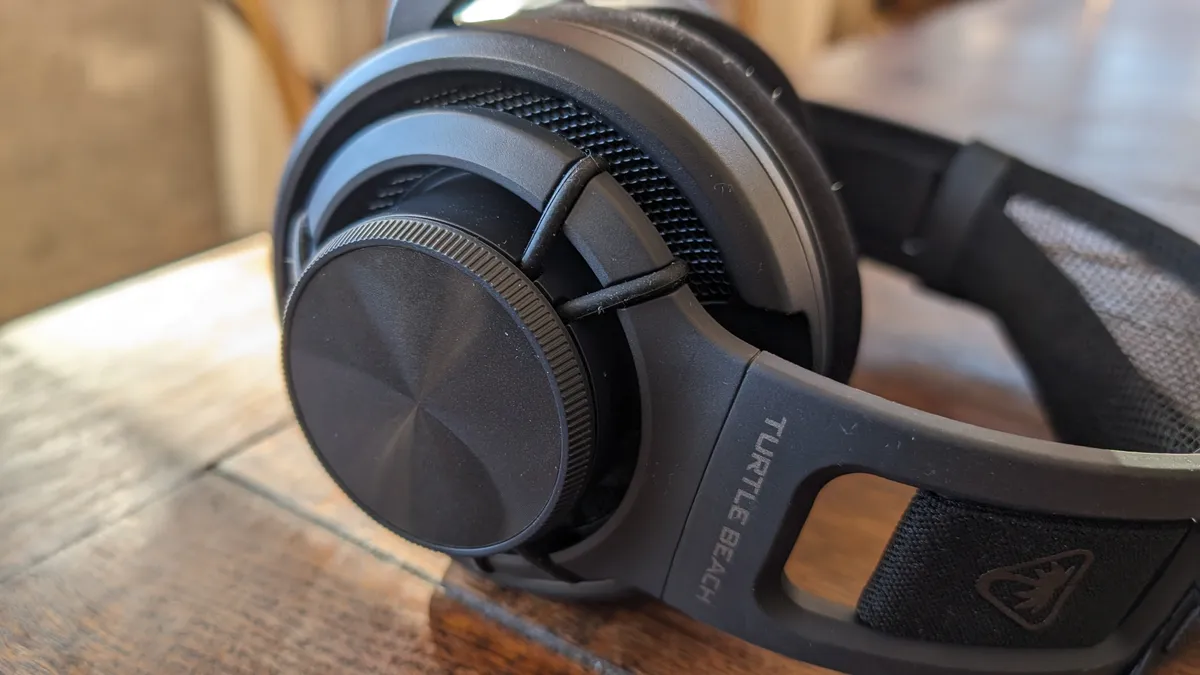
Turtle Beach is making a rare appearance in our headset guide, but the rather niche Atlas Air has found its place. It is both a great-sounding wireless headset and a surprisingly affordable one, too. That's not something you might normally say about a set of cans with such audiophile leanings, but the Turtle Beach Atlas Air is our pick for best open-back wireless gaming headset.
The open-back operating principle is one normally associated with high-end, audiophile headphones; those designed to be worn in some sort of audio isolation chamber where it's just you, alone, with the sound from your cans. And there's good reason for this: open-back headphones deliver the most natural sound you will find from two speakers strapped to your ears, but they are inherently leaky compared with the standard closed-back principle most gaming headsets use.
That makes open-back not the most traditionally attractive for a PC gaming headset, especially if you're taking esports as the pinnacle of gaming, though neither for those gaming at home. You'd never wear a headset in a tournament where the outside world can impinge so much upon the audio coming into your ears, and equally not in a place where other people might be sharing the same space and don't want to hear the faintly muffled explosions and expletives leaking out of your headset.
But if you want the most immersive experience in an open-world game or atmospheric horror, then open-back is where it's at. And the Atlas Air, while being externally a rather underwhelming affair, has got it where it counts. The drivers deliver clear, natural sound, but you will also hear more environmental details, too.
At low volumes, you might experience some external aural seepage coming in, but when you're in your gaming quiet place the experience can be transformative. You'll hear things in familiar games which you'll either have never heard before or you will think the sound is actually coming from the room around you.
In a headset that doesn't cost any more than a standard wireless gaming headset, that level of audio quality is impressive. And a wireless open-back set is a rarity indeed.
The Atlas Air is an unassuming thing, however, so if you're at all bothered by looks then maybe you might be slightly put off. But the lack of bells and whistles adds to the design of the headset with an obvious preference for a light feel and serious long-term comfort while playing.
Click through to read our full Turtle Beach Atlas Air review.
How we test wireless gaming headsets

How does PC Gamer test wireless gaming headsets?
Many of the qualities you’re looking for from a wireless headset are the same you’d hope to find in any audio equipment—tone, build quality, and reliability leading the charge. As such, we listen to each review model while playing different genres of games, listening to music, and watching movies with bombastic sound effects and surround mixes—think less Werner Herzog, more Chris Nolan.
There are a few wireless-specific elements we need to test for, too: battery life, charge time, range, and latency. The former is pretty self-explanatory, though, in addition to an ‘everyday use’ battery life test, we also run the headset at full volume to discover how quickly the charge drains under those conditions. To ascertain charge time, we… well, we charge the headsets and note how long it takes.
Range and latency are trickier to test scientifically. However, having a pleasant walk around the house gives a good indication of range, and latency ultimately comes down to perception. After several days of use, we’re in an excellent place to make the call on a headset with all that taken into account.
Wireless gaming headset FAQ

Are wireless headphones okay for gaming?
There are some for whom nanoseconds do matter, or at least are perceived to, and they may wish to steer clear of wireless headphones. But for the majority of us, there is little problem with the best wireless gaming headsets today.
Unless you connect via Bluetooth, however. That is the laggiest of current wireless connections, while a 2.4 GHz wireless interface is able to deliver audio performance that won't get in the way of your game.
Are wireless gaming headsets more expensive?
The sad fact is that you often pay a premium for a wireless version of any product. You have to factor in the extra design, the extra connectivity peripherals (the wireless dongle, etc.), and the fact you now have to have a battery.
Are wireless gaming headsets heavier than wired ones?
Generally, because of that added battery, you will find that a wireless version of a gaming headset will weigh slightly-more than its wired equivalent. Taking an example for our review list, the Razer Blackshark V2 Pro weighs 42 g more than the wired, non-Pro version.