

Our Verdict
This might be the best chassis of 2026. It doesn't tick all the boxes perfectly, but what it does do at this price is deliver an exceptionally good looking case, with plenty of cable management, and a primo build experience that puts even some of the bigger case manufacturers to shame. Available in both black and white, for those looking for a modest rig that'll look good on your desk, the C6 Curve is it.
For
- Clean, and stylish with those curved panels
- Surprisingly good cable management
- Exceptionally affordable
- Easy to build
Against
- Limited intake fan options
- PSU setup may catch some off guard
- No removable radiator brackets or anti-sag brackets
PC Gamer's got your back Our experienced team dedicates many hours to every review, to really get to the heart of what matters most to you. Find out more about how we evaluate games and hardware.
Shangri-la, the promised land. Aside from the very notion of that concept being oh so appetising in the chaotic world that is 2026, there's something of that in the C6 Curve Air. An odd way to start a chassis review, I'll admit, particularly one that genuinely, I think is probably one of the best PC cases of 2026, but it's more than a metaphor here.
This feels like something a little special this case. It feels like how Corsair's 4000D series felt, or NZXT's H7 lineup when that first debuted, or even Phanteks' Evolv arsenal from way back when at the start of my tech journalism career. There's something iconic here, that I can't quite place my finger on, something that I think is massively underrated in the world of custom rigs. Refined subtlety.
Honestly the C6 Curve Air feels as if it's some bastard love child of the Phanteks Evolv series, Asus's Pro Art line and Fractal Design's North variants. Born in secret, and somehow less than $100.
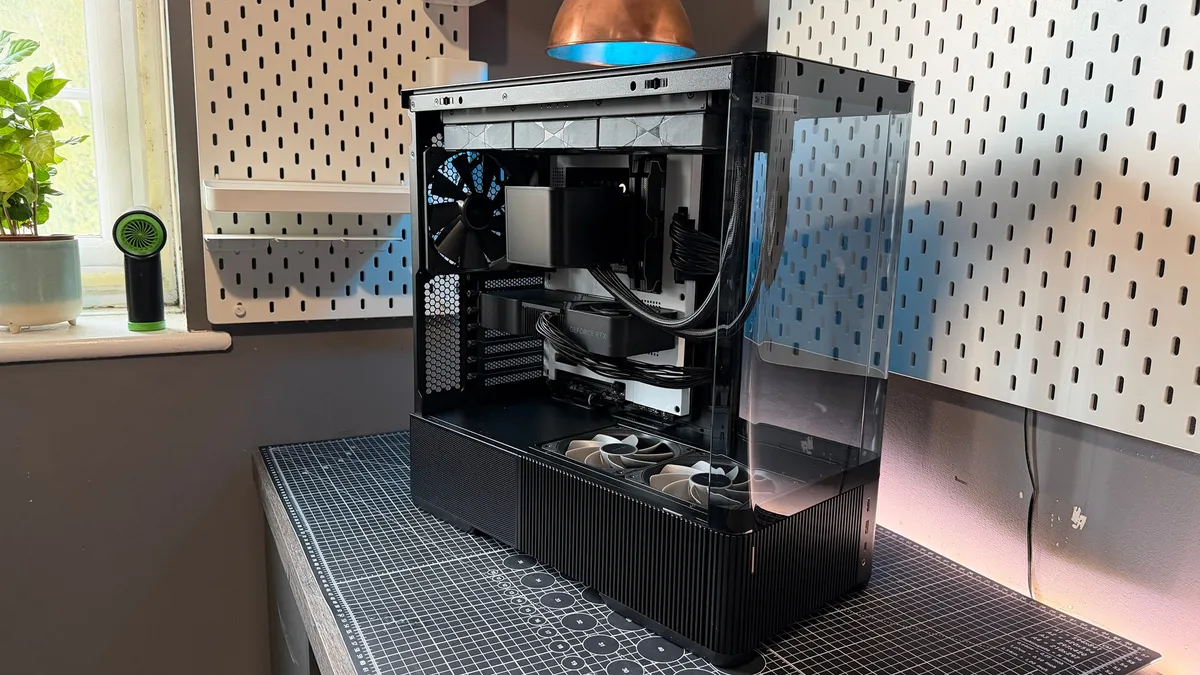
It's clean, modest, with an elegant aesthetic, good choice of materials, dependable internal layout, decent cable management, and it's genuinely a chassis that I can't stop looking at. It's not flawless, nothing ever is, but what Antec has done here is, particularly in a market that's so over saturated with tempered glass black obelisks, is impressive.
✅ You want a budget, clean chassis that stands out from the crowd: With curved tempered glass, a stylish base, and a remarkably crisp interior at an outstanding price point the C6 Curve Air, is one of the best looking affordable cases you can find on the market today.
✅ You're using a massive graphics card: Bells and whistles are minimal in the C6 Curve Air to save on cost of manufacturing, which means there's no anti-sag bracket included. If you're using a larger triple-slot, pick up an aftermarket anti-sag mount elsewhere.
Antec C6 Curve Air - features
Form Factor |
Mid Tower |
Dimensions |
480 x 235 x 470 mm |
Motherboard Support |
ATX, Micro ATX, Mini ITX |
Expansion Slots |
7 |
Front I/O |
1x USB 3.2 Type-C, 2x USB 3.2 Type-A, 3.5 mm headphone jack |
Total Fan Support |
6 |
Fan Count |
2x 120 mm PSU SHROUD; 3x 120 mm/2x140 mm ROOF; 1x 120/140 mm REAR |
Radiator Support |
Up to 360 mm ROOF; 120 mm REAR |
Graphics Card Support |
450 mm (17.71-inches) |
Storage |
1x 3.5-inch, 1x 2.5-inch |
PSU Support |
ATX (160 mm side-mounted, 150mm traditional) |
Weight |
9.12 kg |
Price |
$95/£110 |
At a surface level, there's not a huge amount to talk about here in terms of overall featureset. It's a typical mid-tower case, it's got support for ATX, there's some nice rubber grommets built in to hide the cables protruding from the rear, it's got a full PSU shroud, and some fairly modest fan and rad mounting locations dotted around the place, and well that's about it. The big standout feature is of course, the tempered glass. It's curved along the front edges, and wraps around midway back through the rear of the chassis, but there's no special innovative, screaming from the rooftops technical element at play here.
That glass is a curious decision as well, because it cuts your case cable management space down in half, and there's no additional intake mounting points either, nor front nor side, other than the two (included) 120 mm fans situated in the floor itself.
But here's the thing with the C6 Curve Air. These small seemingly mundane features that it has, that we've seen in cases for the last ten years, are so well refined, that it's almost like a complete fresh launch.
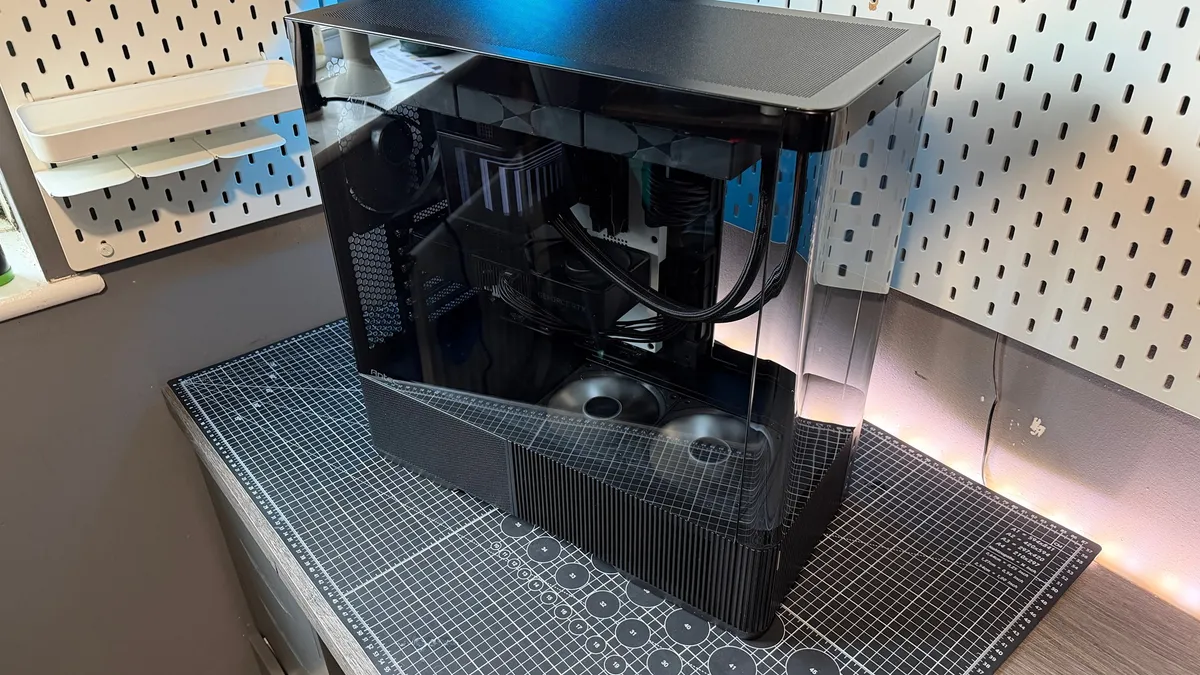
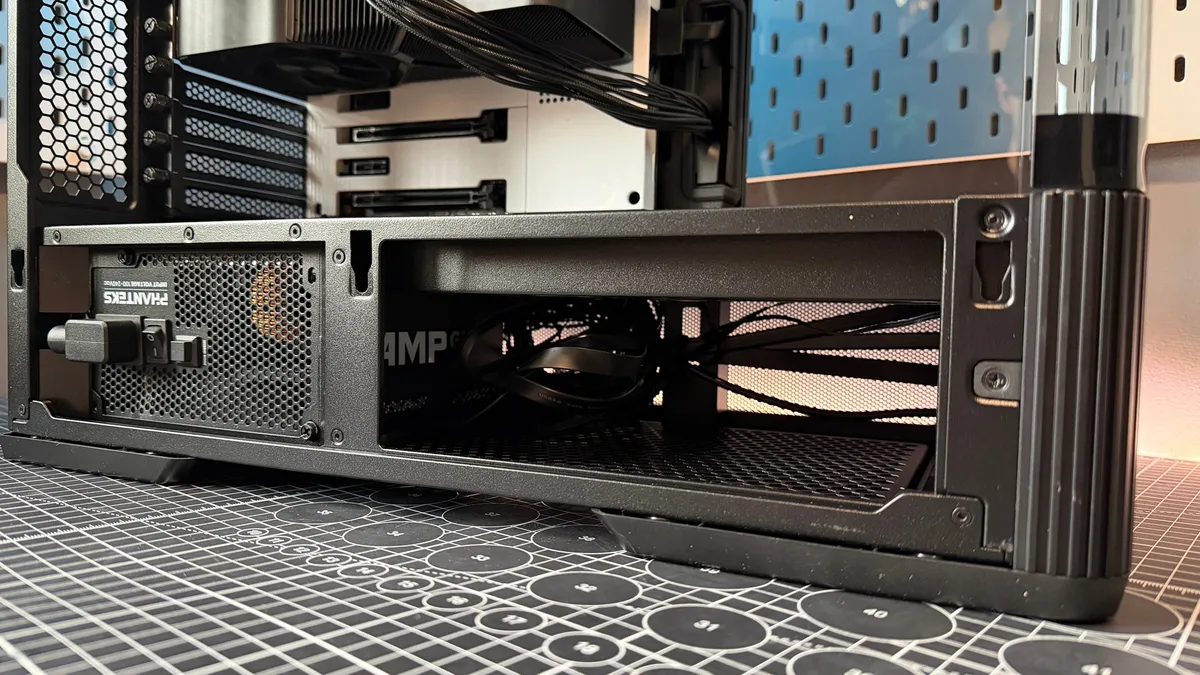
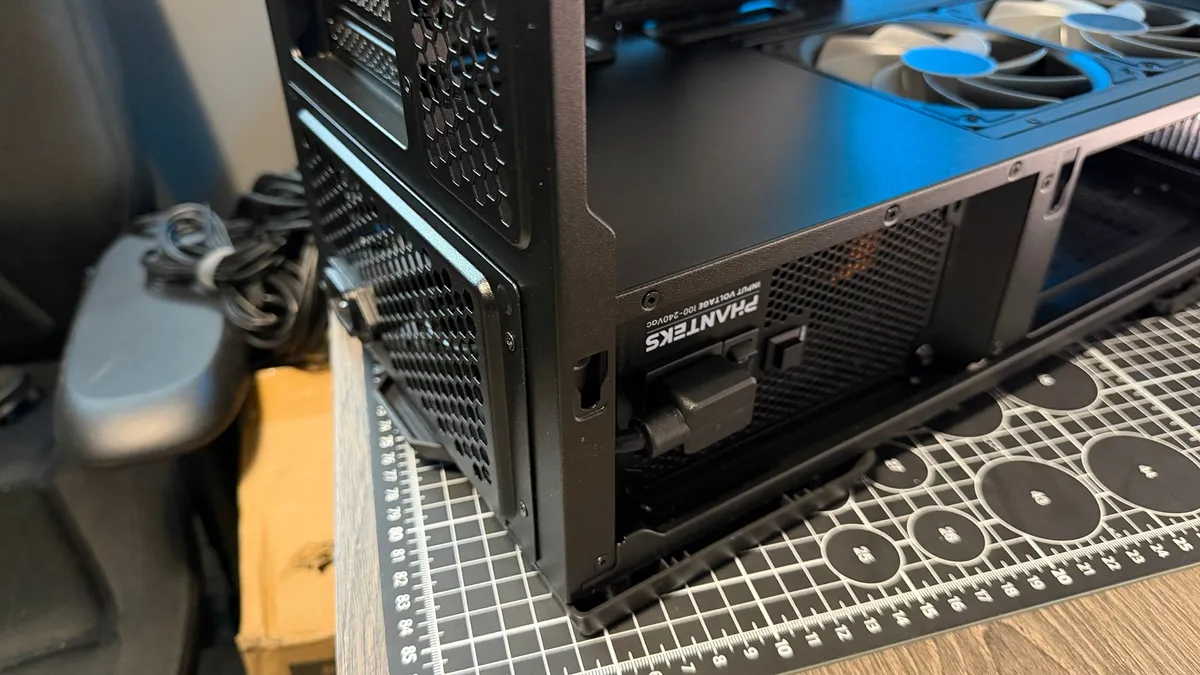
Take the intake fans. They're twin 120 mm reverse blade designs, recessed into the floor of the PSU shroud. Now, that's a space usually taken up by a hard drive caddy (which very few of us use), and an abundance of excess stuffed cables. To counter that, Antec's opted for no caddy there at all, leaving one mounting location on the back of the CPU tray, and redesigned the entire PSU area, so it's rotational by its nature.
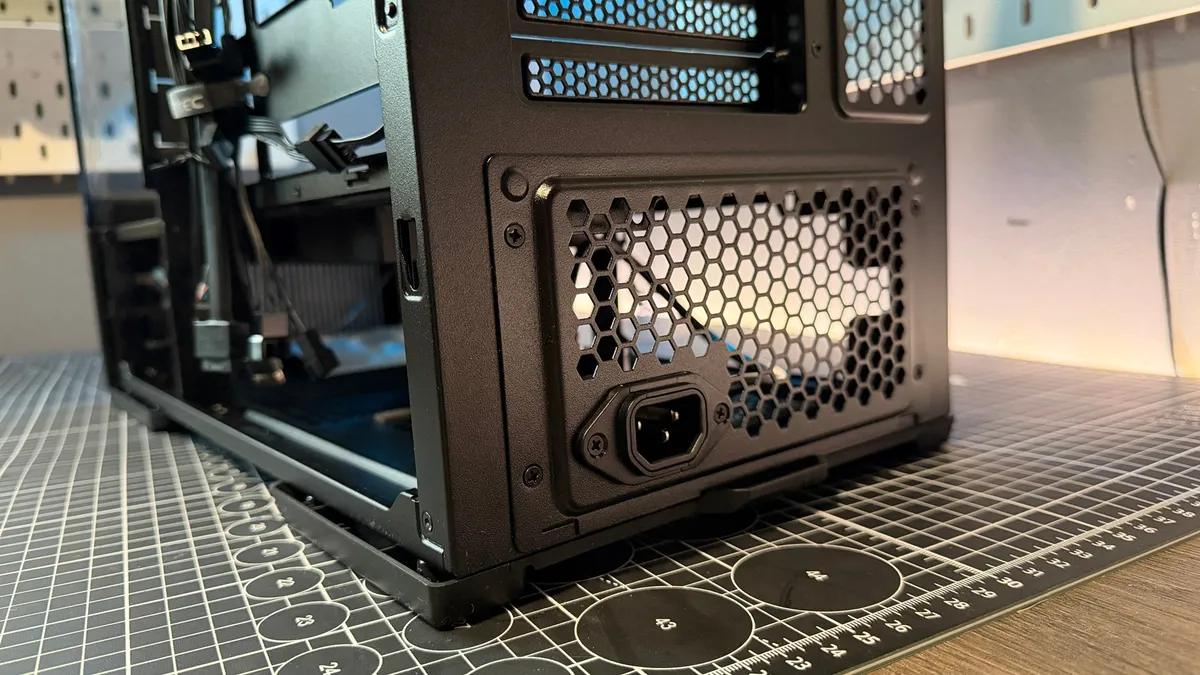
You can slot a 160 mm PSU in here, sideways, with a power lead passthrough, and route all the cables directly up the back of the motherboard tray. No need for a Corsair RMx Shift here, no sir, any old PSU will do. That means, cable management routes are remarkably direct, and there's little mess to manage or tight corners to wrap your cables around.
As for the actual cable management, there's not a mad amount of support here either. There's a few velcro straps, and three plastic clips on the right, and those rubber grommets and that's it, but it's enough, and if you tuck your extra SATA cables out of the way, those twin 120 mm intakes have plenty of space to pull air up and through. It's actually one of the cleanest cable managed cases I've built, and there's not a single tie in sight.
Both sides, and the entire base of the chassis are well ventilated as well, with either that pristine slat design lining the front and edges, or pure perforations, so cool airflow is ample. It's all just very well thought out.
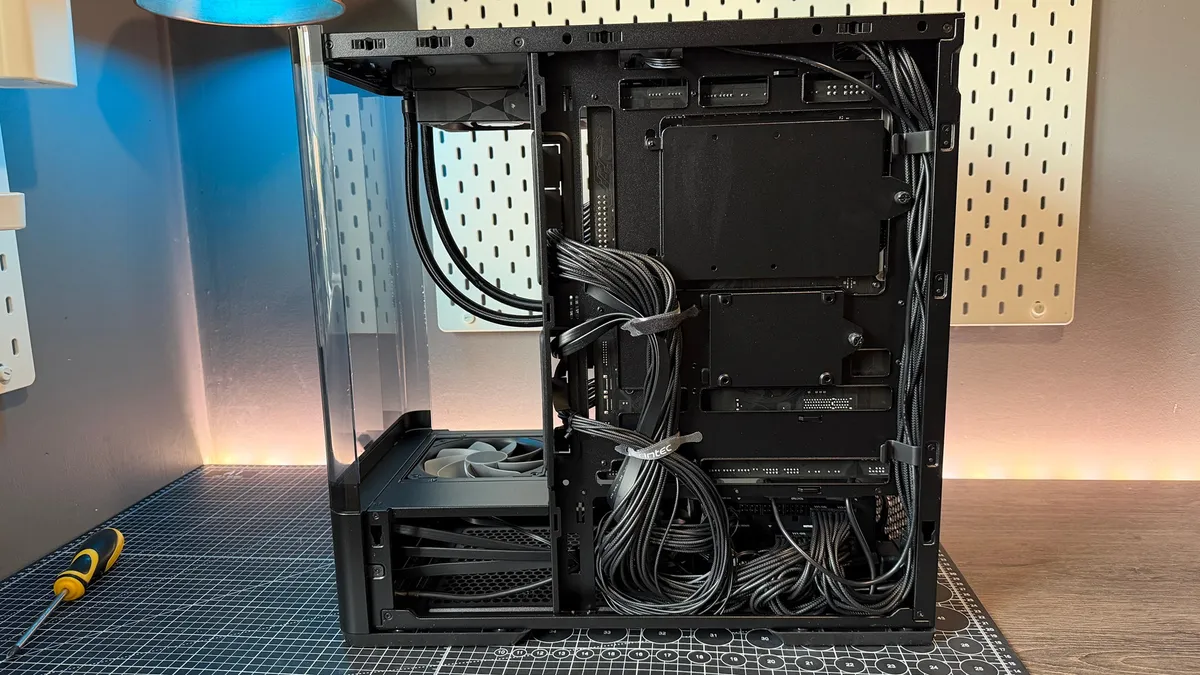
The only thing that mildly irked me, was a lack of a removable radiator bracket, (which would've made subsequent cable management at the end considerably easier), and there's no GPU anti-sag bracket either, which has almost become a staple in modern designs.
Antec C6 Curve Air - Value
And that's all coming in at just around the $100 mark, if not cheaper. Antec, also has a white variant available too, for a little extra if you do fancy something a bit punchier in terms of the overall aesthetic.
There are alternatives out there, that allow you to fit more kit in, mount more fans etc, but few cases feel quite as good as what you're getting here. Hyte's Y40 is a good example, or Lian Li's O11 Vision Compact.
And of course you can get some flashier cases as well, Phanteks' XT View Matrix with its full dot grid display, again fits in that groove. But none of them feel particularly timeless compared to this.
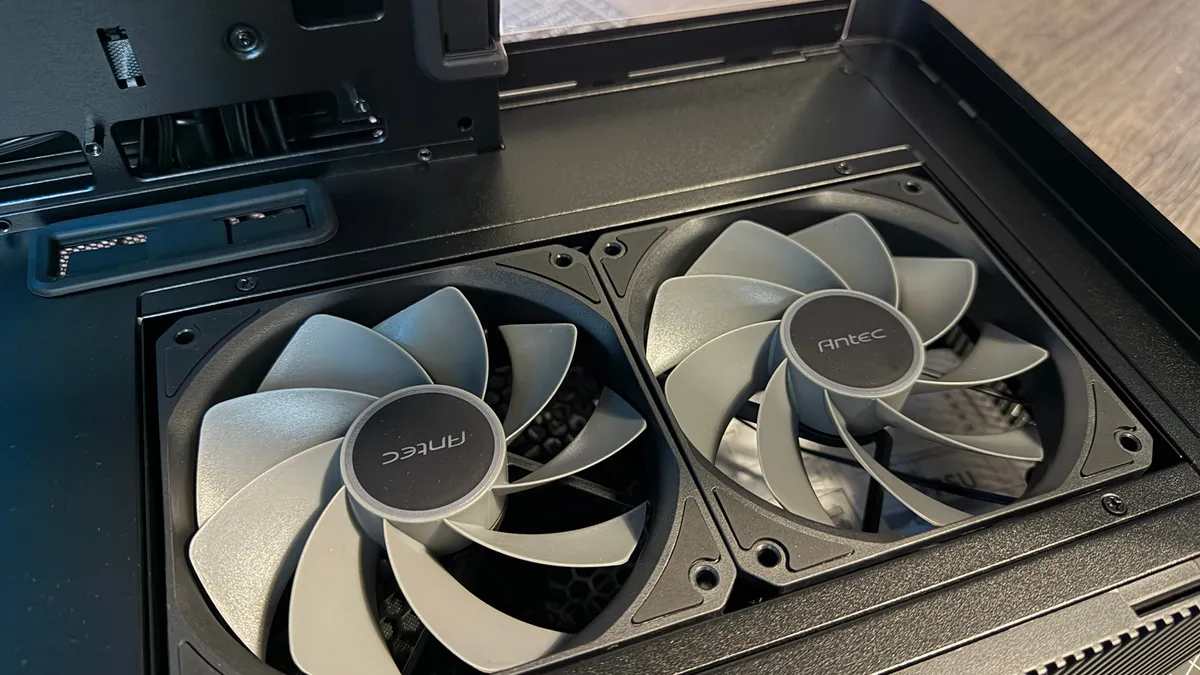
There is one caveat to all of this of course, and that's long term future viability here. Although the case design itself will last for many years to come, let's say hypothetically RAM and silicon manufacturing ramp up by 300% in the next two years somehow, and datacenter demand drops (we can only hope), and you do want to build a new machine with new more power hungry hardware, I do have some concern that those twin 120 mm intakes, might not be quite enough to cool both a thirsty GPU and CPU combo longer into the future.
Antec C6 Curve Air - Aesthetics
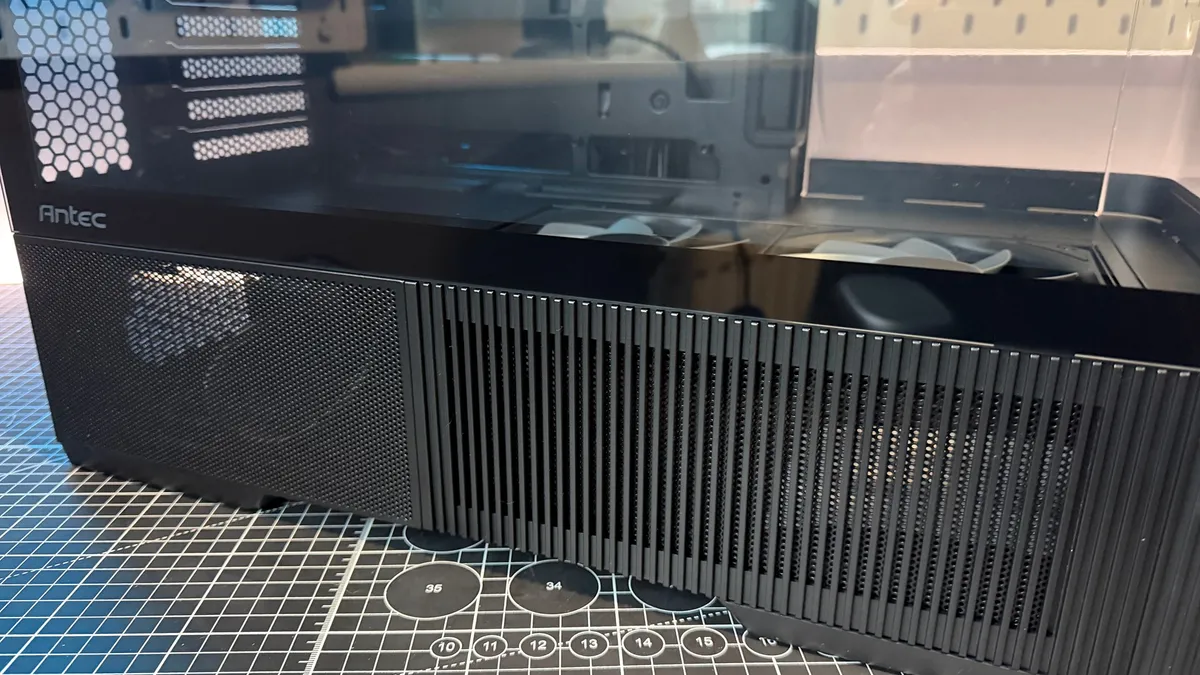
I've waxed lyrically about how this thing looks visually already, but it's worth stressing because it's a thing of beauty. There is absolutely something "ProArty" about the C6 Curve Air. Even if it's just its design philosophy. The slats, the power button, the understated lack of lighting, the curved glass. It's undeniably luscious in scope. Heck even that roof panel, slimline, compact, smooth against the top just sings to the overall design, and that blend of perforated mesh around the PSU area, sits strikingly against the slats feeding the intake fans, and it really stands out.
It's overall a little wider than you'd think for a mid-tower, particularly given the height (in part to accommodate the rotated PSU), but given we've got so many cuboid styled dual chamber cases these days, I'm not opposed to a little extra girth (don't quote me on that).
Perhaps, and this is very debatable, but perhaps it's just slightly too understated? A touch of integrated LED lighting, just a soft warm white glow somewhere, shining up inside the interior, and illuminating your hardware, following the old adage, show the light, not the lightbulb, would work a treat in this thing. It's the first aftermarket addition I'd look at adding that's for sure, as it'd just give it a bit more depth inside.
Antec C6 Curve - Build process
As for building in the C6 Curve Air, it's a fairly smooth ride. The first major hurdle I came across was actually dismantling the chassis. I tend not to look at instruction manuals on a new case, because in my mind, it should be intuitive. There's only so many ways you can attach things to a black box afterall.
The glass side panel pops off and out from the rear, and then slides up. The rear metal panel does the same, as does the secondary rear glass panel too. You pull up from the rear of the roof panel to grab the underside there, and then you're left with that front curved glass, and the two PSU shroud covers. For the PSU covers, simply pull them up from the bottom, and as for the front, I for the life of me couldn't figure out how to remove it. You can remove two philips screws, and then tilt it out away from the main spine, but it doesn't seem to come up and out like the others, at least not easily. That is fine really, as you can leave that on anyway. There's no fans to mount here, and it acts as a brace for the whole structure.
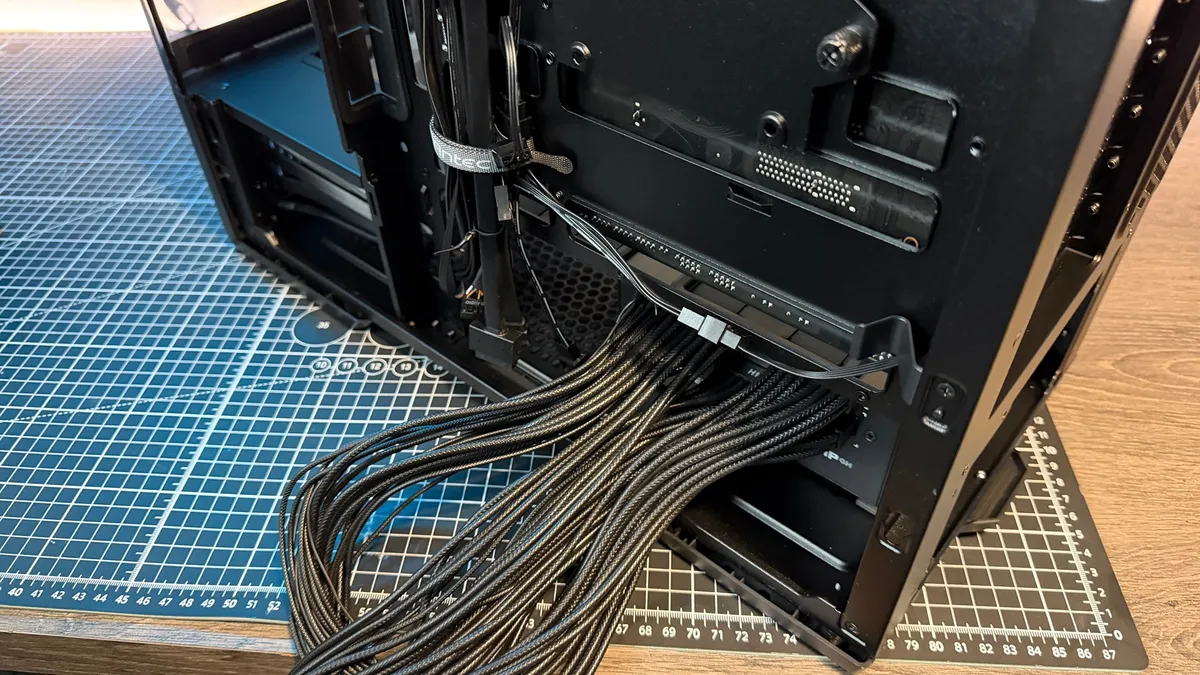
Other things to note, there is of course that passthrough PSU plate on the back. You can remove that if you're running a short 150 mm PSU, but if you're using a 160 mm you'll need to rotate the unit, and then hook it up to the passthrough. Antec's included a cutout to thread the passthrough cable through as well, although it will depend on the positioning of the port on your power supply. Remember to keep the PSU with the fan facing down, as the shroud is solid above it.
Cable management on the whole was surprisingly impressive. There's not a ton that you can do here. Antec has included two velcro straps to help manage the 24-pin and front I/O cables, and then there's some plastic clips on the right (designed for fans, but I stuck EPS power in here as well), and that's it, but surprisingly, combined with the rubber grommets, it was enough. I used a total of one cable tie in this entire build, and to be fair, I'd already pre-strapped that to the 12VHPWR cable anyway prior to this system.
The only downsides during my time with the C6 Curve Air came in the form of the lack of a radiator bracket, (which meant I ended up fiddling for far too long trying to plug in the pump), and there's no GPU anti sag solution anywhere. Although to be fair, I'm not exactly sure where you'd fit one in this design.
Antec C6 Curve - Recommended setup
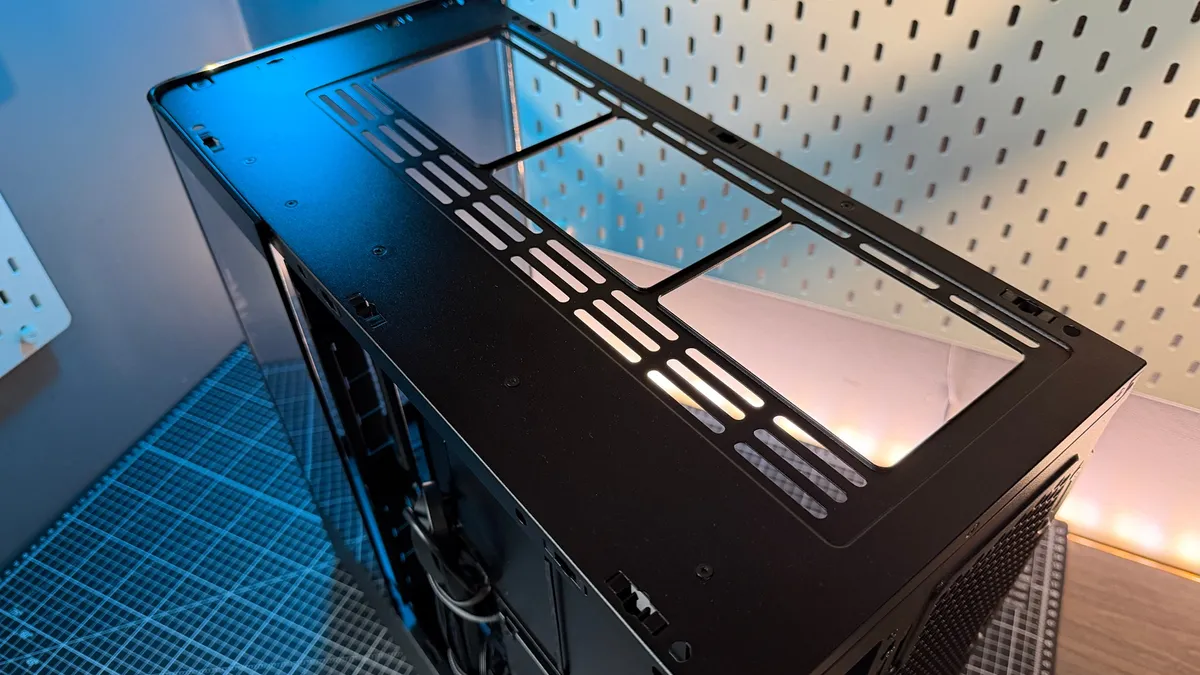
So, it's a good case, we've established that, but is there anything we can do during the build process to make it better? Well if it was my own rig, I'd be looking at shifting the fan layout, away from a traditional setup. Keep the two 120 mm floor intakes as is (maybe shift them out to something with a bit more pushing power), but then I'd also swap the 360 mm AIO exhausts to act as intakes instead. A ballsy move, working against thermodynamics, I get it, but I'd absolutely test whether overall you'd see better temps long-term with that config. That way you've got a five in, one out solution, for massive positive pressure, in exchange for slightly higher CPU temps.
On the cable management front, keep your cabling as minimal as possible, remove any you don't need, but even if you leave them in, it's not the end of the world, and lastly I'd leave installing the radiator, until the very end (before the GPU), once all the cables had been plugged in (including the pump and CPU fans), just to make life a little easier.
Oh and 100% install the PSU rotated, rather than removing that rear bracket. It just gives you so much more space, and I can't stress enough, just how easy it is routing those cable runs as a result.
1. Best overall: Corsair Air 5400
2. Best budget: Corsair 3200D
3. Best midrange: Thermaltake View 380
4. Best budget compact: Thermaltake S100 TG Snow Edition
5. Best Mini-ITX: Fractal Design Terra
6. Best Micro-ATX: NZXT H3 Flow
7. Best full-tower: NZXT H7 Flow
8. Best for airflow: Havn BF 360
This might be the best chassis of 2026. It doesn't tick all the boxes perfectly, but what it does do at this price is deliver an exceptionally good looking case, with plenty of cable management, and a primo build experience that puts even some of the bigger case manufacturers to shame. Available in both black and white, for those looking for a modest rig that'll look good on your desk, the C6 Curve is it.