Our Verdict
SteelSeries has finally returned to top form in the top-tier competitive gaming mice niche. Given its ergonomic shape, the Rival Pro will only be for those who like to use a palm grip, but for such gamers, you can't ask for much more. It's comfy, well-built, satisfying to use, and has hot-swappable batteries to boot. Let's just hope its connectivity holds up long-term, because there is no USB connectivity whatsoever.
For
- Top-tier build quality
- Ultra-wideband (UWB) connection
- Hot-swappable batteries
- Lightweight
- Web software
- Optical clicks feel and sound great
Against
- Expensive
- No port for a cable at all
- Not the most defined scroll wheel feel
PC Gamer's got your back Our experienced team dedicates many hours to every review, to really get to the heart of what matters most to you. Find out more about how we evaluate games and hardware.
This has been quite the year for competitive/esports gaming mice. First we had the Logitech G Pro X2 Superstrike (and now the improved X3), then the Razer Viper V4 Pro. Now, with this Rival Pro, we have SteelSeries finally rejoining the former brands in the sphere of top-tier competitive gaming mice. A true return to form, in my humble opinion.
What makes for a good competitive gaming mouse? Well, it's often said that 'shape is king', so a comfy shape is certainly an important factor. In addition, you want it to be lightweight, which means no heavier than about 60 g and preferably a fair bit lighter than this. You also, of course, want flawless connectivity, an accurate and reliable sensor, and solid build quality.
As far as I'm concerned, if all those are implemented correctly, then that's everything you need to land in top-tier territory. But mice can also offer some nice-to-haves such as 8K polling and the ability to adjust things, such as lift-off distance (LOD) or sensor frame rate. They might also have completely new technologies, which is where the Superstrike gets its claim to competitive fame thanks to its inductive technology and rapid trigger clicks.
Buttons |
5 |
Connectivity |
Ultra-wideband (UWB) |
Sensor |
TrueMove 42K Pro |
Switches |
SteelSeries Optical |
Feet |
PTFE |
Max DPI |
42,000 |
Weight |
53 g (+1 g for white ver.) |
Max acceleration |
70 G |
Max speed |
800 IPS |
Polling rate |
Up to 8K |
Battery life |
60 hours per battery |
RGB lighting |
None |
Included extras |
2x hot-swappable batteries, battery charger and wireless hub, USB-C to USB-A cable. |
Price |
$179.99 / £169.99 / €199.99 |
Buy if...
✅ You want the comfiest palm grip: If you like an ergonomic slant to your mouse for a comfy palm grip, alongside the Zowie EC2-DW, the SteelSeries Rival Pro is the best I've tried. The difference being here you're also getting a lighter and more premium-feeling mouse.
Don't buy if...
❌ You want something tried and tested: There are some new technologies here (UWB, mixed polling, 'true' 8K) which should, in theory, be better than the norm. However we can't know yet whether they will cause any issues over the long-term given the complete lack of a cable for installing firmware updates, for instance.
This SteelSeries mouse doesn't have anything quite as fancy as haptic-inductive clicks, but that doesn't bar it from being a great competitive mouse, just as surely as it doesn't bar the current best gaming mouse on the market, the Viper V4 Pro, from the same accolade. When it comes to all the other areas that make for a great competitive gaming mouse, the Rival Pro is up there with the best of them and is superb for gamers who use a palm grip. And it even has a couple of its own tricks up its sleeve.
the most comfortable I've ever felt with a mouse under my hand as a palm gripper
The first trick is its 'Infinite Power System', ie, hot-swappable batteries. They're designed well and once you've swapped them a few times to get used to it, you can flip the mouse over and replace it with the backup in the wireless receiver/charger very easily. There's no additional battery inside the mouse itself, so the connection will cut out when you swap, but I've had no problems at all with the mouse turning back on and connecting straight away before it hits the pad again.

It's necessary that this system work smoothly because SteelSeries has decided to completely remove the option to connect the mouse to your PC with a cable. It's fully wireless with no USB-C port, which is a bold decision, but I'm sure eliminating the internals for a cable also helps keep the mouse light despite its hot-swappable battery system.
In addition to the batteries, another thing that will presumably help ensure the lack of a cable isn't too much of an issue is that SteelSeries is opting for an ultra-wideband (UWB) rather than a 2.4 GHz connection. This means more bandwidth and less channel interference from other devices, which should, in theory, make for a more reliable connection, and I must say I've had zero issues with the mouse remaining connected and stable after my initial setup. We've seen whispers of other, lesser-known brands opting for UWB connectivity, but it's still very new and niche.
I naturally feel (as I think others might) a little wary of completely ditching a wired connection. But I suppose that's how many PC gamers felt when mice started going wireless in general, even with the option for a cable. And I must admit, after everything was set up the way I wanted it, my experience with this mouse's UWB connectivity and battery system has been flawless. Perhaps SteelSeries will herald in a new era that sees us cut the cord fully, and eventually we won't worry about it.
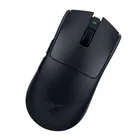
It definitely feels worth it to keep the weight low, and here we come to the nuts and bolts: shape, weight, and build quality. The long and short of it is that this is, I think, the most comfortable I've ever felt with a mouse under my hand as a palm gripper.

Previously, my go-to mouse was the Zowie EC2-DW, which shares a similar ergonomic shape that's designed for palm grip. Comparing the two, the SteelSeries Rival Pro has a slightly less pronounced left-side slope, leaving me to feel my hand is resting a little flatter than with the Zowie. But it's still curved and ergonomic, and the curves feel, well, curvy, rather than sharp. The whole thing is helped by a nice matte texture to the surface that feels fantastic under the hand.
I'm not actually sure whether I prefer the shape of the Zowie or the Rival Pro; they both feel very similarly ergonomic and well-suited to a full palm grip for low-sensitivity gameplay in tactical shooters. It's a close call but the SteelSeries mouse is now my go-to, primarily because I prefer its matte coating and because it has the hot-swappable battery system. And because it's lighter.

Build quality is fantastic, too. The buttons (including side buttons) feel sturdy and responsive and don't have a hint of pre- or post-travel to them, and try as I might I cannot get a creak out of this thing when I squeeze it. What's especially impressive is that the left and right mouse buttons are optical ones but they feel and sound mechanical rather than loud or hollow which can often happen with optical switches—SteelSeries says it worked closely with the switch manufacturer to achieve this.
The only problem I have is the scroll wheel action isn't as defined and satisfying as some others—the steps are more defined on the Viper V4 Pro and Superstrike, for instance. Still, it's far from the worst scroll wheel I've felt, and everything else about the mouse feels lovely.
You also get the option to adjust pretty much anything you might want in the SteelSeries GG software, including sensor rotation, angle snapping, lift-off distance (LOD), and so on. You can also enable 'Max Performance' mode which puts the sensor at the highest frame rate, though this will of course affect battery life.

These kinds of options are only available in the local GG software, whereas you can change some of the more basic options in the web software. Oh, did I forget to mention? Yes, this launch also marks the release of the SteelSeries GG web app, so you don't have to install anything locally if you just want to adjust polling rates.
Another trick to the Rival Pro—adding yet another tool to 2026's quickly-growing arsenal of gaming mouse technologies—is that it has what SteelSeries is keen to point out is "true" 8K polling, in a way that other gaming mice don't.
SteelSeries claims that other supposedly '8K' mice tend to send 2–8 reports of sensor data in batches for each receipt of transmission, and if any of those is missed due to interference then it's all sent together in a batch again, and this can cause lag or stutter. With this mouse, however, SteelSeries says you get true 8K because it sends one packet and receives one receipt; there's no batching or bunching up of sensor report data.

SteelSeries has also come up with some new tech for the polling rate which allows you to control the sensor and connection polling rate separately. Enabling 8K polling across the board—the way that other 8K mice implement it—can be very CPU-intensive and actually lower your frame rate, plus of course make your battery run out quicker.
SteelSeries' solution, to let you set one polling rate for your sensor and another for the UWB connection in general, has the benefit of allowing you ultra-quick and responsive clicks (by enabling 8K UWB) without the performance hit and battery drain of 8K sensor polling. The '8K' is also technically '9K' as it's overclocked, but USB connections can only transmit 8K-worth of data anyway.
For my part, I'm not too fussed about this. I keep 8K UWB enabled because I haven't found it to cause any performance loss in Counter-Strike nor any significant hit to battery life, and I keep the sensor polling set to 1 kHz or 2 kHz. But I don't notice any difference between my click responsiveness at 8K UWB vs 1K UWB. Your mileage may vary; perhaps some will be able to notice a slight difference, but I don't notice any.

Moreover, for competitive gaming it's arguably the sensor's rate that you want high anyway, and you can't select high sensor polling alongside low click polling—plus doing so likely wouldn't save much battery life anyway. Still, for anyone who wants to eke every bit of responsiveness possible out of their mouse, these new polling rate technologies are useful additions.
My time with the mouse has been smooth sailing. Smoother than smooth, in fact, given how easy the 'infinite' battery system is to use. I especially like that the little LED on the charging/connection hub can be set to show how charged your mouse is, so you don't have to be unsure when that red 'low battery' light will pop up.
Alternatively, you can set it to show you which (polling) performance mode you're in. And don't worry about being able to tell which DPI mode you're in, because when you change DPI with the underside button, a little LED on the side of your mouse lights up with the corresponding DPI level colour.
You also shouldn't worry about your batteries dying, as SteelSeries says you'll be able to buy replacement ones. So, it seems all bases are covered.


I'm happy with the choices SteelSeries has made here. I don't think the new technologies will be as game-changing as Razer's FrameSync or Logitech's HITS system, but a great hot-swappable battery system and UWB connectivity aren't anything to turn our noses up at. I just hope the complete lack of USB connectivity doesn't prove to be a problem in the long run.
Above all, I'm excited by SteelSeries' return to form in the competitive gaming mouse scene, to the extent that this mouse feels almost as premium as the most perfectly crafted mouse I've ever used, the Viper V4 Pro. The only thing that sets the latter apart is its scroll wheel and its inclusion of a USB port. And in fact I think the SteelSeries mouse actually has the Razer one beat when it comes to clicks, thanks to it having optical ones that sound and feel mechanical, compared to Razer's incredibly loud clicks.
It's certainly an expensive mouse at $180, but if you're looking for something top-end that feels fantastic for palm gripping, I don't hesitate in recommending it. Assuming the lack of a USB port pans out fine over the long term, this will be my own go-to mouse for gaming in tactical shooters. It's already my go-to for Counter-Strike, and given I'm quite picky over such things, I can't give a much bigger endorsement than that.
1. Best wireless:
Razer Viper V4 Pro
2. Best wired:
Logitech G502 X
3. Best budget wireless:
Mchose G3 V2 Pro
4. Best budget wired:
Glorious Model O Eternal
5. Best competitive:
Logitech G Pro X2 Superstrike
6. Best lightweight:
Corsair Sabre V2 Pro
7. Best MMO:
Corsair Scimitar Elite Wireless SE
8. Best small:
Razer Cobra HyperSpeed
9. Best ambidextrous:
Logitech G Pro
10. Best ergonomic:
Keychron M5
11. Best customizable:
Orbital Pathfinder
SteelSeries has finally returned to top form in the top-tier competitive gaming mice niche. Given its ergonomic shape, the Rival Pro will only be for those who like to use a palm grip, but for such gamers, you can't ask for much more. It's comfy, well-built, satisfying to use, and has hot-swappable batteries to boot. Let's just hope its connectivity holds up long-term, because there is no USB connectivity whatsoever.