


Our Verdict
An outstanding air tower, with stellar performance and a super-easy install process, complete with its own display. The only downsides? Intel support is extra, and it's strictly a "bring your own thermal paste" event.
For
- Stupidly simple installation method
- Solid software suite if you can access it
- Impressive display for a sub $100 tower
Against
- No thermal paste in the box
- MasterCraft can be problematic to install
- Intel compatibility an added extra
PC Gamer's got your back Our experienced team dedicates many hours to every review, to really get to the heart of what matters most to you. Find out more about how we evaluate games and hardware.
Where do I even begin with this thing? I'm so conflicted on the SK700V. It's such a unique problem, simultaneously excellent, and yet surprisingly frustrating to talk about. I'll start with the positive. It's exceptional. For the price, the display, the cooling, the installation process, it's next level, and I've never seen anything like it. It's honestly impressive. Without a doubt, the best air cooler I've tested in years.
But, even with that glowing accolade there, boy does it irritate me.
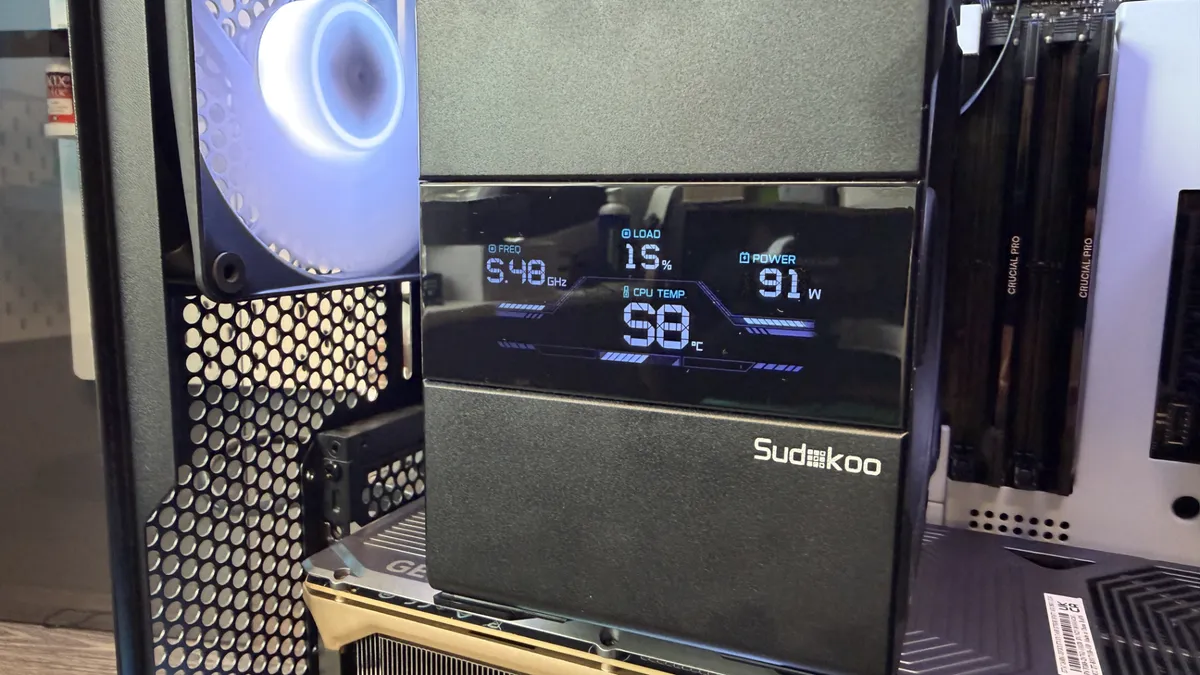
Let's talk features first, though, before I start to wail on the minor inconveniences that have upset my tech media brain, because the SK700V has one pretty nifty detail straddling its heatpipes, and that's namely, a full-fat display gracefully sitting atop that shiny tower.
Yep, it's a screen we've finally got them folks, air towers with screens on them. And if Computex is anything to go by this year, we're going to be seeing a lot more screens on things. Graphics cards, CPU towers, heck, I'd be surprised if we don't see them on DRAM soon. That'll bring the price down, I'm sure of it.

✅ You want an affordable, compatible CPU tower with a display: Compatible with practically all RAM kits imaginable, with exceptional performance, and a display as standard, all for sub $100. Nice.
✅ You're running hotter chips: It's solid, but don't expect it to cool your overclocked Core i9 14900K, or AMD Ryzen 9 9950X3D. If that's the case you'll still want a beefy AIO behind them.
Type |
Single-tower |
Dimensions |
146×97×164 mm |
Heatpipes |
7 x 6 mm |
Compatibility |
AM5, AM4, (LGA1851, LGA1700, LGA1200, LGA115X, with mounting kit) |
Fans |
1x 120 mm |
Price |
$90/£80 |
It's not your full-fat OLED display, or anything fancy, but rather a simple digital-clock style system that actively reports on CPU frequency, temp, load, and power draw all on the fly. There's not much in the way of customisation in the software, but to be honest, there doesn't really need to be.
Sudokoo's generally quite an interesting company too. It's relatively new, founded in 2024, and is working in collaboration with a Taiwanese OEM with designs that remind me a lot of DeepCool's.
The SK700V is remarkably affordable for a licensed design. Sudokoo's pitching the SK700V at around $90 in the US and £80 in the UK, which is remarkably affordable given what you're getting here.
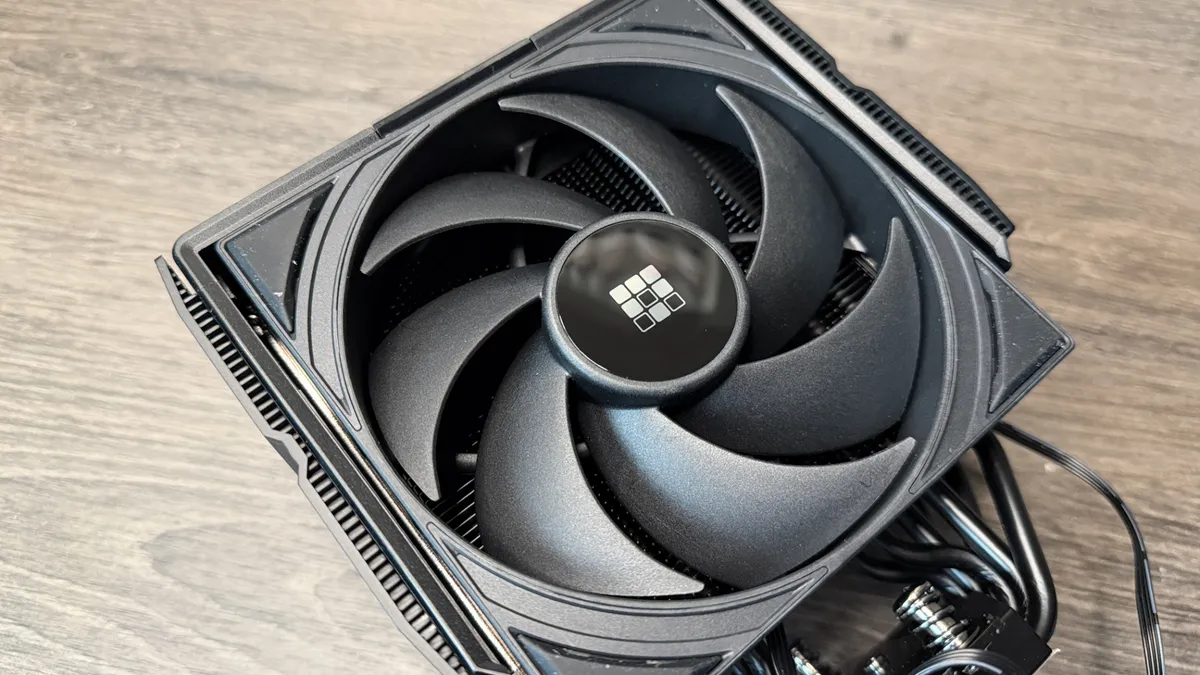


I'm going to cover the irritating bits now, actually, because I want to get them out of the way, as genuinely there's a lot of good to talk about here.
Unboxing the SK700V is a real experience. The packaging is lush, pink and yellow. You open it up, and inside, in my case, there are two kits, an included Intel mounting bracket kit (which, annoyingly, Sudokoo sell separately), and a severe lack of thermal paste (although bizarrely, you do get some grease cleaner).
I don't understand why these two things are not included by default. I know that's a weird hill to die on, but there's literally zero reason why they shouldn't be included. This isn't some specially designed Noctua NH-L9i where the mounting is built directly into the low-profile frame.
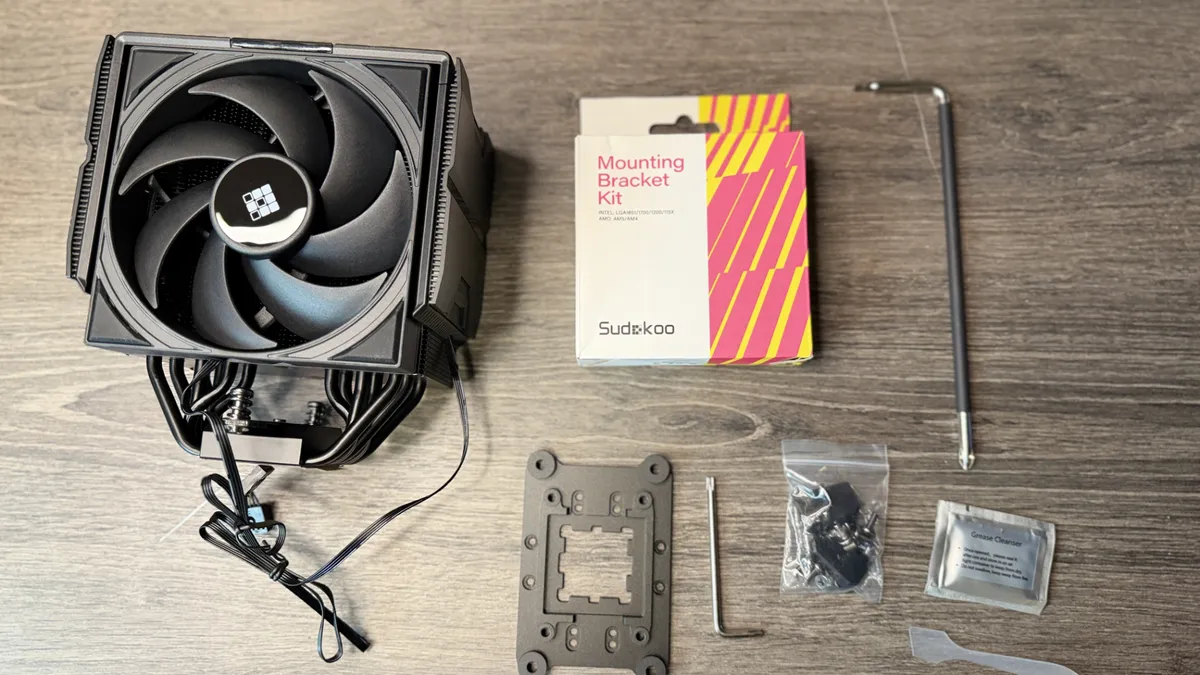


This is a standard run-of-the-mill air-tower (albeit a very slim one), so why that Intel bracket isn't included is beyond me. Intel isn't dead, come on, guys. Oh, and the thermal paste too. Please, we're talking cents here, pennies, sweet naff all, include a tiny tube.
Installing it, though, was perhaps the most seamless experience I've ever had. Get your brackets set up, then take your tower, and slide the fan up and out of its rails (yes, rails). Underneath, you'll see some contact points for the display, and a hole for the included long screw driver on the back side. The front screw mount is easily reachable by any standard model. Then, once you're mounted, just slide the fan back in, clicking it into place, plug in the cables, and you're good to go. No funky, annoying metal clips, no awkward mounts, it's just brilliant. It's also remarkably compact; even with the fan in place, I could easily install memory after, no problem.


✅ You want an affordable, compatible CPU tower with a display: Compatible with practically all RAM kits imaginable, with exceptional performance, and a display as standard, all for sub $100. Nice.
❌ You're running hotter chips: It's solid, but don't expect it to cool your overclocked Core i9 14900K, or AMD Ryzen 9 9950X3D. If that's the case you'll still want a beefy AIO behind them.
The software, though, was a challenge on my machine. For whatever reason, Chrome, Brave, and Edge all flagged it as untrusted, and no matter what I tried with Windows, I could not for the life of me get it to download (this is less a problem with Sudokoo, more Microsoft, being, eh, well, Microsoft). In the end, I had to download it on a Linux machine, chuck it on a USB and bring it across that way. The software's fairly barebones, but it gives you all the system stats you need, and hooks up nicely with the SK700V as well.
As for performance. Stellar. Genuinely Stellar. I tested this at an ambient temp of around 26 to 27 degrees C, and it beat almost every other single tower cooler in our testing stack. In Baldur's Gate 3, it beat almost every air tower it went up against, bar Thermalright's Peerless Assassin 120 SE, but demolished everything in Metro Exodus, was pretty good in X264, beaten only by the Thermalright and the Arctic Freezer 36, not really winning any accolades, but monstered everything in Cinebench R23. A true testament to the design, given it was operating in ambient conditions four to five degrees higher than elsewhere.
The SK700V is, for a first attempt (and I know, yes, it's technically a licensed design), remarkable. At this price point, delivering this kind of performance, it's just brilliant to see. Particularly when the rest of the industry is on such a price hike at the moment, is it perfect? No. But if you're after an affordable air tower that looks good, and delivers while it does it, well, there are few I'd recommend more.
1. Best overall:
Arctic Freezer 36
2. Best budget:
Arctic Freezer 36-S
3. Best dual-tower
Thermalright Peerless Assassin 120 SE
4. Best low-profile
Noctua NH-L12S
5. Best passive
Noctua NH-P1
An outstanding air tower, with stellar performance and a super-easy install process, complete with its own display. The only downsides? Intel support is extra, and it's strictly a "bring your own thermal paste" event.