You are now subscribed
Your newsletter sign-up was successful
Want to add more newsletters?

Every Friday
GamesRadar+
Your weekly update on everything you could ever want to know about the games you already love, games we know you're going to love in the near future, and tales from the communities that surround them.

Every Thursday
GTA 6 O'clock
Our special GTA 6 newsletter, with breaking news, insider info, and rumor analysis from the award-winning GTA 6 O'clock experts.

Every Friday
Knowledge
From the creators of Edge: A weekly videogame industry newsletter with analysis from expert writers, guidance from professionals, and insight into what's on the horizon.

Every Thursday
The Setup
Hardware nerds unite, sign up to our free tech newsletter for a weekly digest of the hottest new tech, the latest gadgets on the test bench, and much more.

Every Wednesday
Switch 2 Spotlight
Sign up to our new Switch 2 newsletter, where we bring you the latest talking points on Nintendo's new console each week, bring you up to date on the news, and recommend what games to play.

Every Saturday
The Watchlist
Subscribe for a weekly digest of the movie and TV news that matters, direct to your inbox. From first-look trailers, interviews, reviews and explainers, we've got you covered.

Once a month
SFX
Get sneak previews, exclusive competitions and details of special events each month!
Even if you've put hundreds or even thousands of hours into other blocky survival crafters, you'll still be left dumbfounded at what all the items in Hytale can do, despite the similarities.
If you're anything like me, your natural instinct will be to immediately start hoarding every new thing you find and inevitably fill up your stash. That's where the backpack upgrade comes in, letting you handily increase your inventory size.
How to craft the backpack upgrade in Hytale

You can unlock the backpack by crafting the upgrade in the 'tinkering' section of the Workbench. This requires:
Iron is located in deep caves in all biomes, including the starting Emerald Wilds area, and you'll get medium hide from predators like wolves, which you can turn into leather at a Tanning Rack.
Once you reach Workbench Tier 3, you can craft Backpack Upgrade 1 for 40 cindercloth scraps, 24 heavy leather, and eight cobalt ingots, further increasing the size of your inventory. Then, you can unlock Backpack Upgrade 2 by restoring 100 Memories.
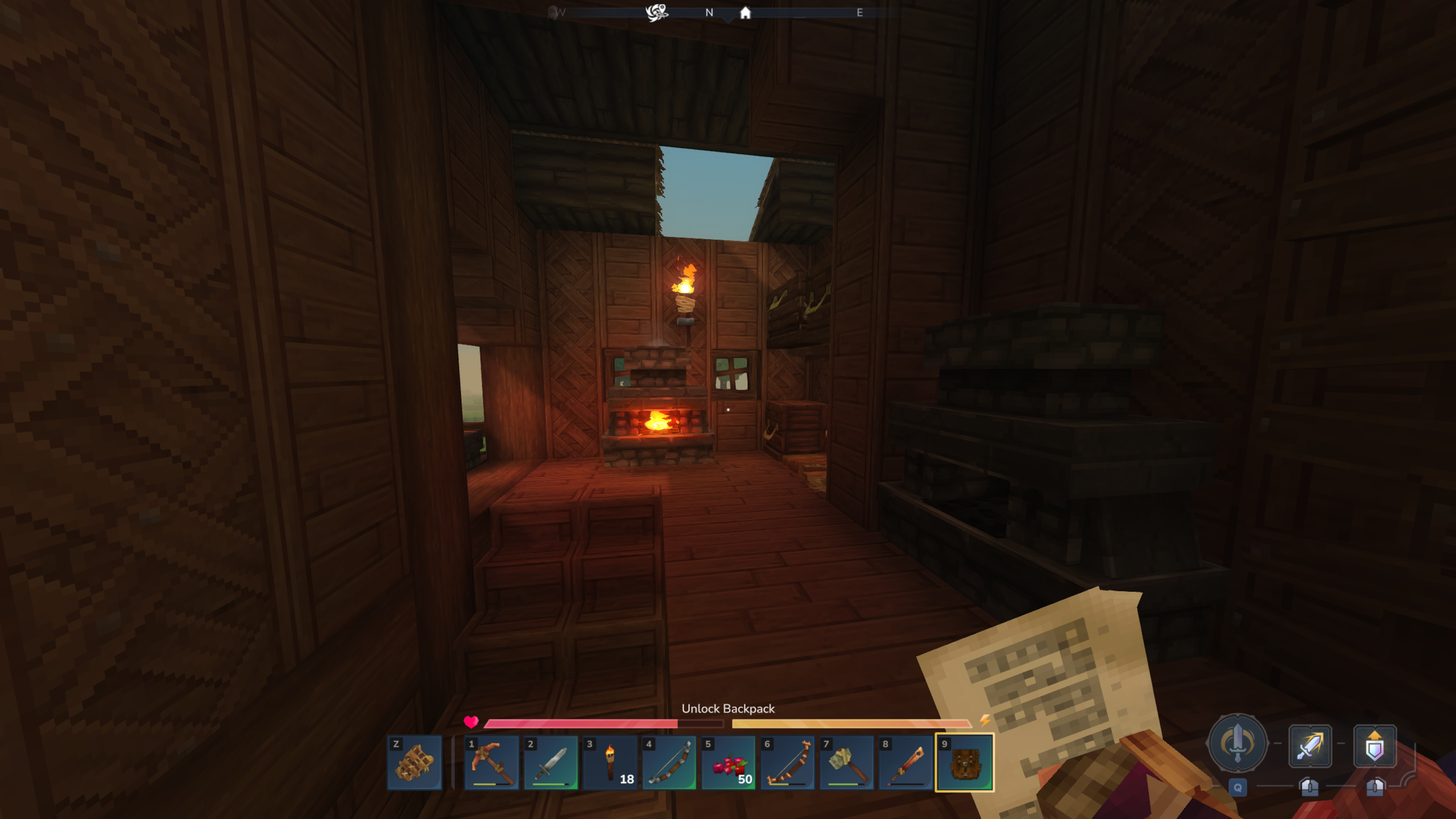
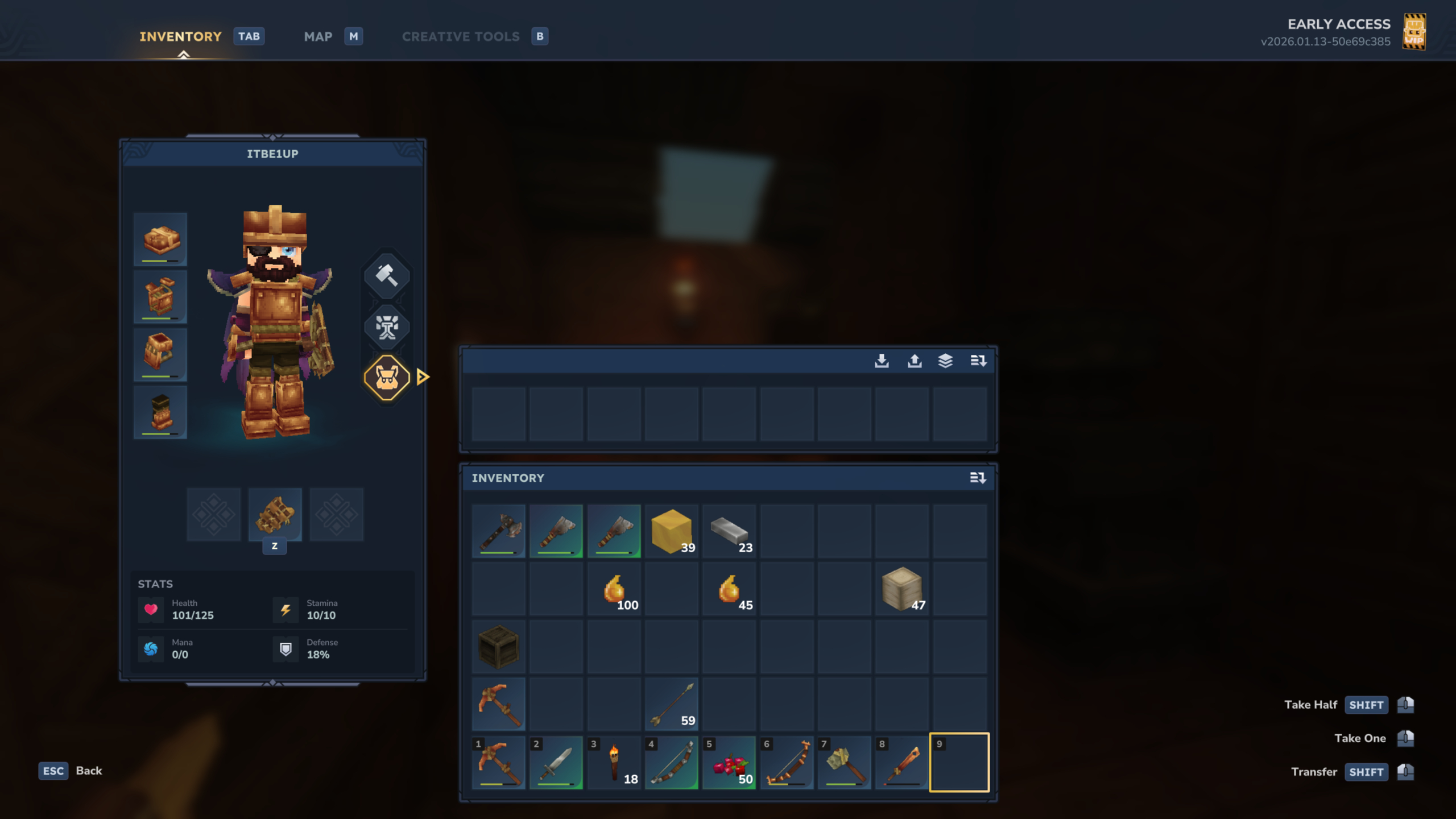
Take note that crafting the backpack doesn't give you the bag right away; it's actually a consumable item that you can hold in your hand. Right-click when holding the piece of paper to use it, and you'll see the prompt 'your backpack capacity has now increased to nine' in the bottom left.
What this means, exactly, is that you can now click the backpack icon next to your character in the inventory screen to open another, smaller stash, that being your backpack. Given it's slightly slower to access than the standard inventory, I recommend storing items you're not going to need in a pinch in here, like random blocks or spare tools.
Excluding your hotbar, the main inventory can hold up to 36 different item stacks (which fills up incredibly fast), so with the backpack, you'll at least have 45 slots in total, a pretty good upgrade if you ask me.


You must confirm your public display name before commenting
Please logout and then login again, you will then be prompted to enter your display name.