

Pricing for most gaming gear might suck right now (thanks, AI), but gaming monitors have offered some of the best deals of 2026, with OLED, 1440p picks, Ultrawides, and even 4K coming down significantly in price. But today, as I checked through our roundup of the best gaming monitor deals, I noticed the two best-priced 4K picks are both very similar Acer panels.
Instead of picking one, I thought I'd give you both and let you decide which one is the best. The main difference between the Acer Nitro VG270K L1 for $219 and the Acer Nitro VG270K V4 at $250 is their max refresh rate. If you fancy more than doubling the refresh rate, that extra $30 might be worth it.
- Check out all the best early Black Friday gaming PC deals I've spotted, or follow us for more deals on WhatsApp.
If, however, you don't particularly care about your refresh rate and can stomach 72 Hz, there's no point paying extra for something you won't use. And the beauty of these two panels is that they both have dual mode for when you don't need 4K (or can't run it).
Quick list
- Acer Nitro VG270K L1bmiipx, 4K/1080p, 72/144 Hz - $219 at Amazon
- Acer Nitro VG270K V4, 4K/1080p, 160/320 Hz - $250 at Amazon
4K gaming monitor deals

72 Hz is a pretty low refresh rate, admittedly, but this is a solid monitor for the money, and given it's a dual mode panel, you can swap to 1080p for that sweet 144 Hz gameplay. Dual mode monitors do come with their own downsides, and 1080p mode in this one won't beat a comparably specced native 1080p monitor, but it is a good middle ground that even makes it a solid pick for anyone looking to upgrade their rig in the future.
4K is an intensive resolution, and that's what makes dual mode monitors so good. If your rig can't handle a game, pop it down to 1080p. If you're capable of sky-high 1080p fps figures, throw it on 4K.
One thing worth noting is that we have seen this specific monitor down to the $200 mark, so it's not at its best price. It's still a super solid monitor for the price, though.
This is a budget 4K monitor, so you are getting a pretty low 250 nits brightness figure. Just don't have a window glaring at it, and the monitor should be fine.
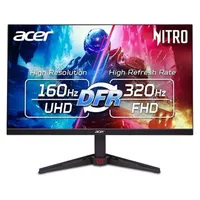
There's one more dual mode monitor I tend to see around this price point (here's looking at you, MSI MAG 275UPD for $250), but this Acer offers the best refresh rate for the lower price right now. 160 Hz is a solid refresh rate, especially at 4K where most rigs aren't getting super high frame rates anyway, but 320 Hz for 1080p is practically competitive gaming level.
Again, you get the same hang-ups with the last monitor. Dual mode does not produce 1080p image quality as good as native 1080p, and it only has a 250 nits brightness rating.
Still, 4K is 4K, and it's an IPS panel too, which offers great colour accuracy. It's even got a killer response time, which is something you can't always take for granted when it comes to IPS.
Personally, I'd pay the extra cash for the higher refresh rate, and because it offers a greater sale as a proportion of its MSRP, but both monitors offer a 4K panel at a good price. And boy does 4K rock if you can run it.
👉 Check out all of Amazon's gaming monitor deals 👈
1. Best overall / 4K:
MSI MPG 322UR X24
2. Best budget 4K:
Asus ROG Strix XG27UCG
3. Best budget OLED
Alienware AW2726DM
4. Best 1440p:
MSI MPG 271QRX
5. Best budget 1440p:
KTC H27T22C-3
6. Best 1080p:
AOC Gaming C27G4ZXE
7. Best Ultrawide:
Gigabyte MO34WQC2
8. Best budget ultrawide:
Koorui 34E6UC
9. Best competitive
KTC 25M1