The best gaming monitor is an incredibly important piece of a PC gamer's armoury, and they also represent some of the best value upgrades for your setup right now. Why spend lots of money on a gaming PC if you're going to play it through a tiny, 20-year-old workstation monitor? Fortunately, there are many great gaming monitors available today, including those offering ultra-high-refresh 1080p, zippy 1440p options, high-fidelity 4K, and a slew of ultrawide panels.
We got some killer panels in 2026, and the best we've tried is the MSI MPG 322UR X24 QD-OLED. It's got a stunning OLED panel, it's super snappy, and HDR performance is top-notch. Check out our guide to the best OLED gaming monitors for even more options.
You need to match your monitor choice with your PC specs to get the most for your money. A 4K monitor with a high refresh rate would likely be overkill if your rig has an older graphics card, and in those cases, the AOC Gaming C27G4ZXE is the best 1080p monitor at the moment.
October 2, 2026: I've included the Sony Inzone M10S II, with its up to 720 Hz refresh, as the best ultra-high refresh rate monitor, because even against the 1,000 Hz LG Ultragear, it has the competitive edge when it comes to motion clarity.
August 12, 2026: I've updated the review widget on this page so that it is always pulling in the latest reviews automatically, and added a simplified list at the top so you can see our picks more clearly.
July 13, 2026: We've significantly changed this list, adding a new best budget OLED section and best competitive section, whilst simplifying copy, adding price details, and removing the also tested section. We now have a fancy new widget which will allow you to search through all of our gaming monitor reviews on the page.

Dave's been testing PC hardware for the best part of 20 years and has seen every kind of screen imaginable. As such he knows what makes a good gaming monitor and what makes a bad one, too. Whether it's LCD, OLED, mini-LED, or plain ol' CRT, he's had his eyeballs on them all and has personally checked out all of the best gaming monitors on this list.
Best gaming monitor

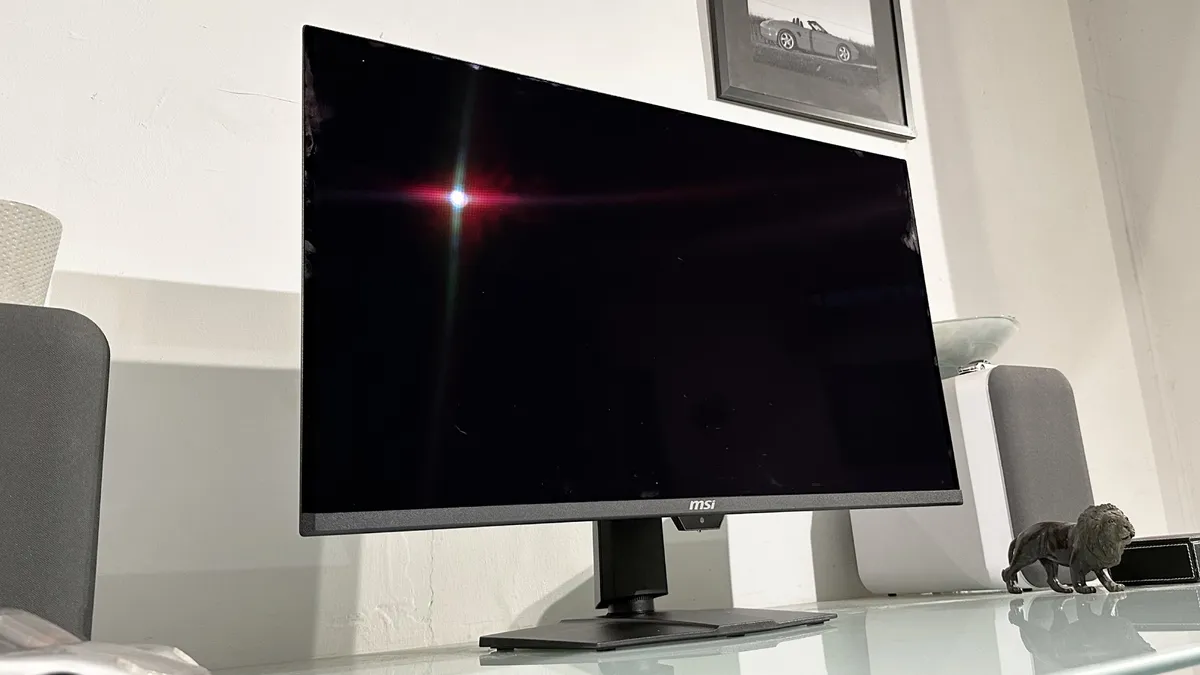
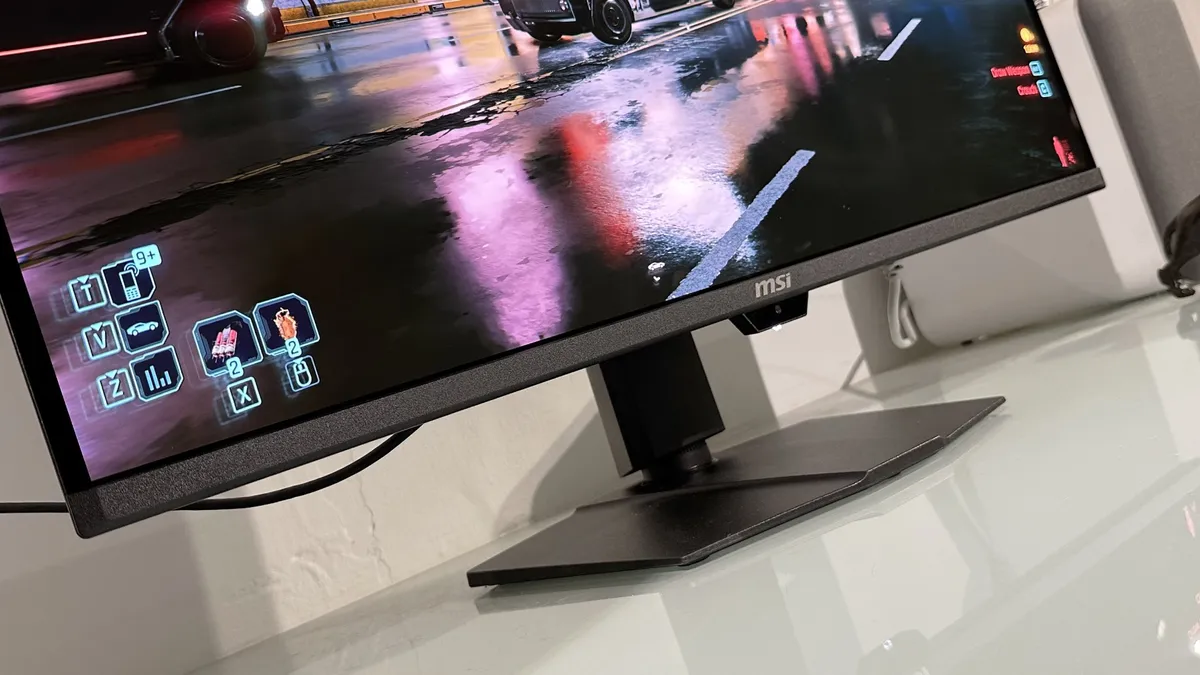
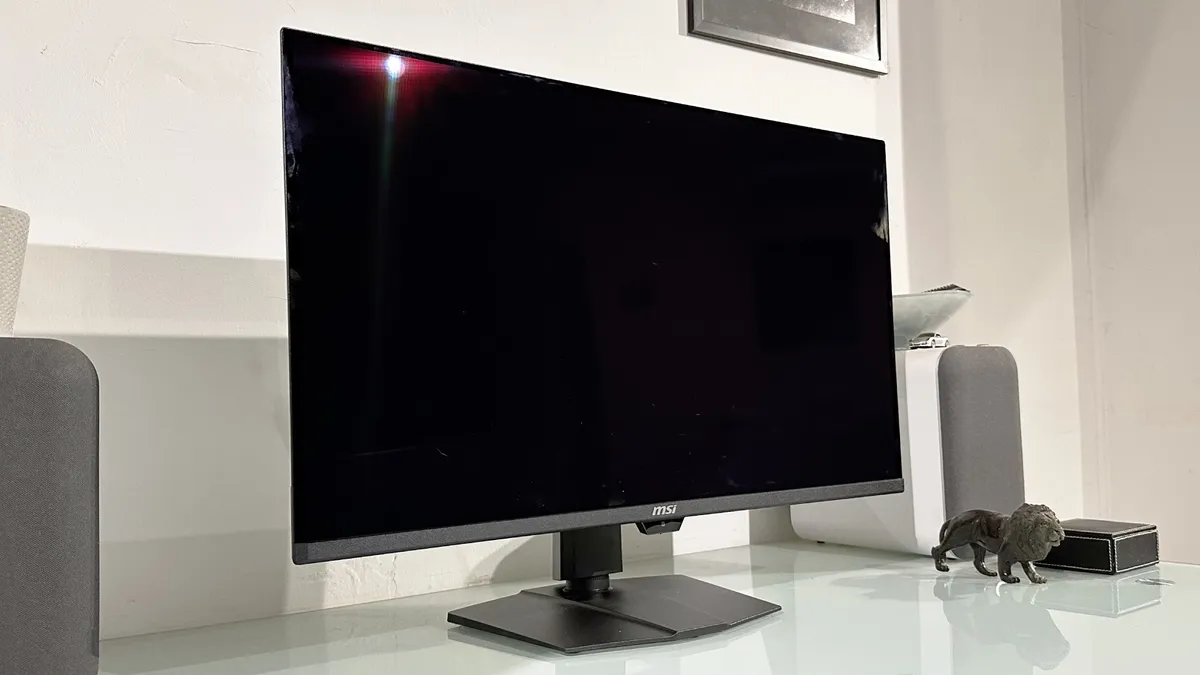
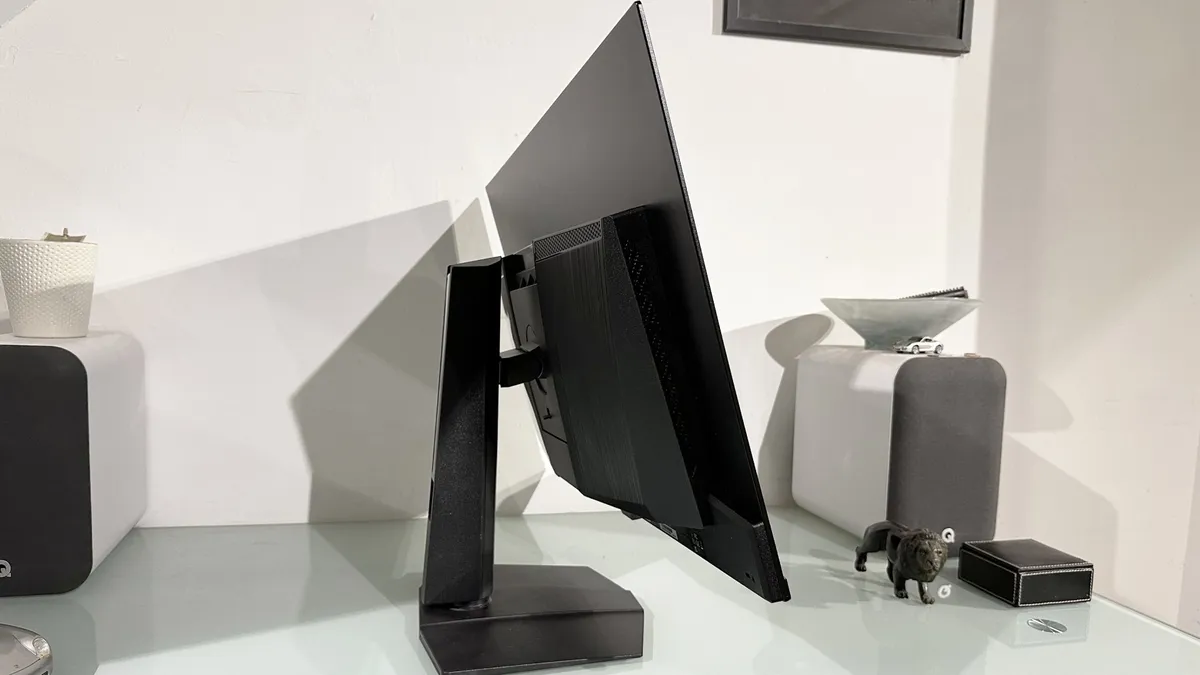
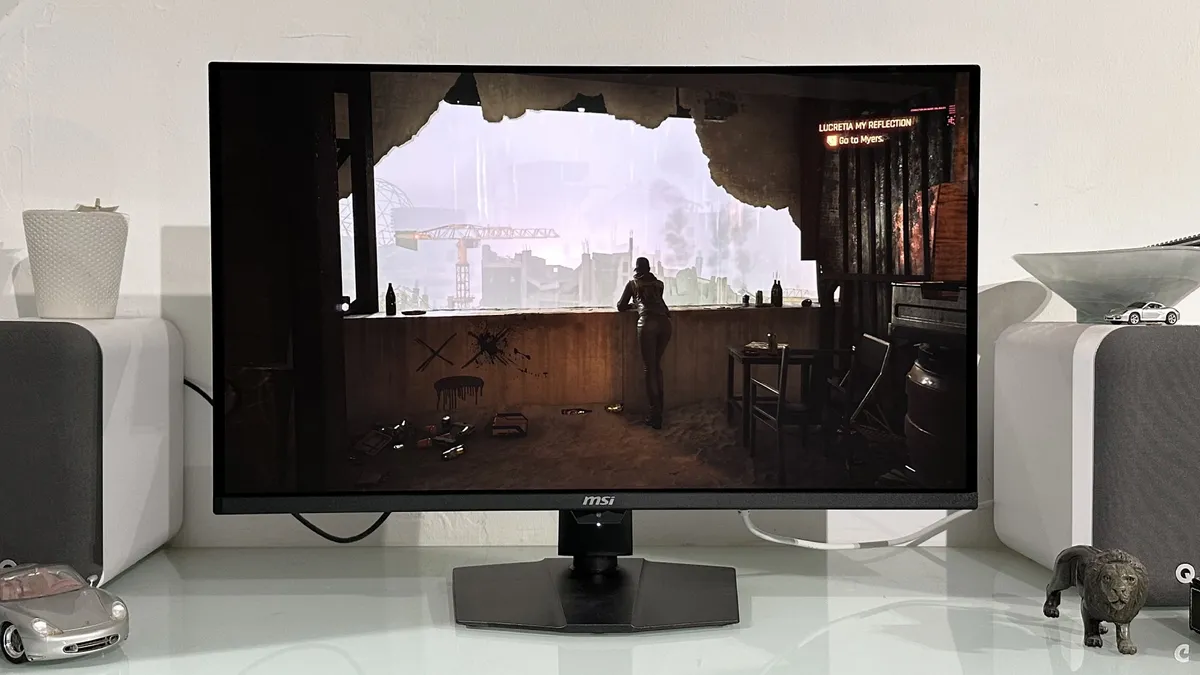
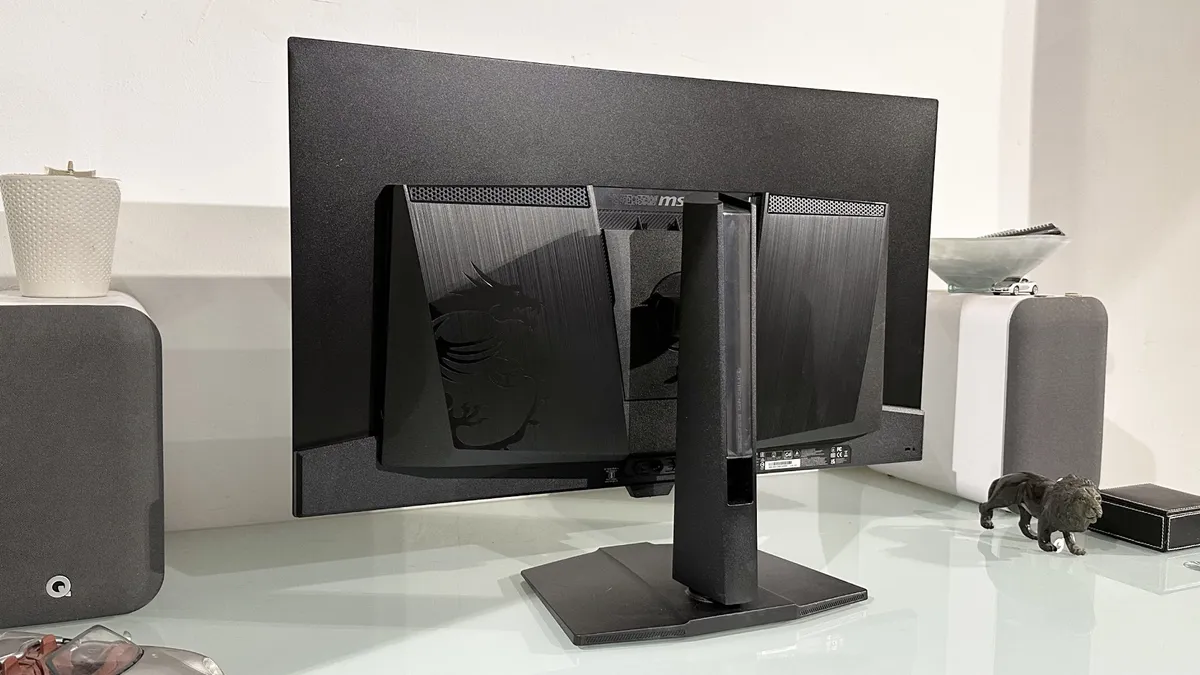


✅ You want the latest OLED tech: This updated 4K QD-OLED panel really rocks, it's super bright, ultra fast and free from serious flaws.
❌ You want an absolute bargain: The launch price of the MSI MPG 322UR X24 isn't horrendous. Though a similar but cheaper model will likely arrive soon.
Though you can get OLED panels for cheaper, the MSI MPG 322UR X24 is our pick for the best gaming monitor, because it's just that good. Rocking the latest OLED technology, it looks uber good, comes with a super bright screen, and it's wicked fast too.
Being an OLED, it's got response times that make other monitors blush. With a 240 Hz refresh rate and a stated 0.03ms response time, it's about as speedy as you'll get without opting for an esports-focused mega-refresh rate display, and most of those focus on 1080p resolution. Here, you get the full 4K shebang.
And what a panel. The color reproduction is sumptuous, thanks to an excellent glossy coating and all that OLED goodness, and the blacks are great, too. Of course, being an OLED display, there's always burn-in to worry about, but the MSI does its darndest to mitigate that with plenty of built-in tech. And the three-year burn-in warranty should take some of the anxiety out of the equation.
This is a staggeringly good display that is packed with the latest OLED technology, and as a result, it's the best gaming monitor you can buy right now. Unfortunately, that does mean it's likely to be undercut by something else at a later date, but it's still a top-notch performer.
If you still want OLED fun but don't need the 4K resolution, the MSI MPG 271QRX is well worth a look, or if you want something more budget, then the IPS Gigabyte M28U is our top pick. Still, the MSI MPG 322UR X24 is an OLED display that is simply unbeatable at its price right now.
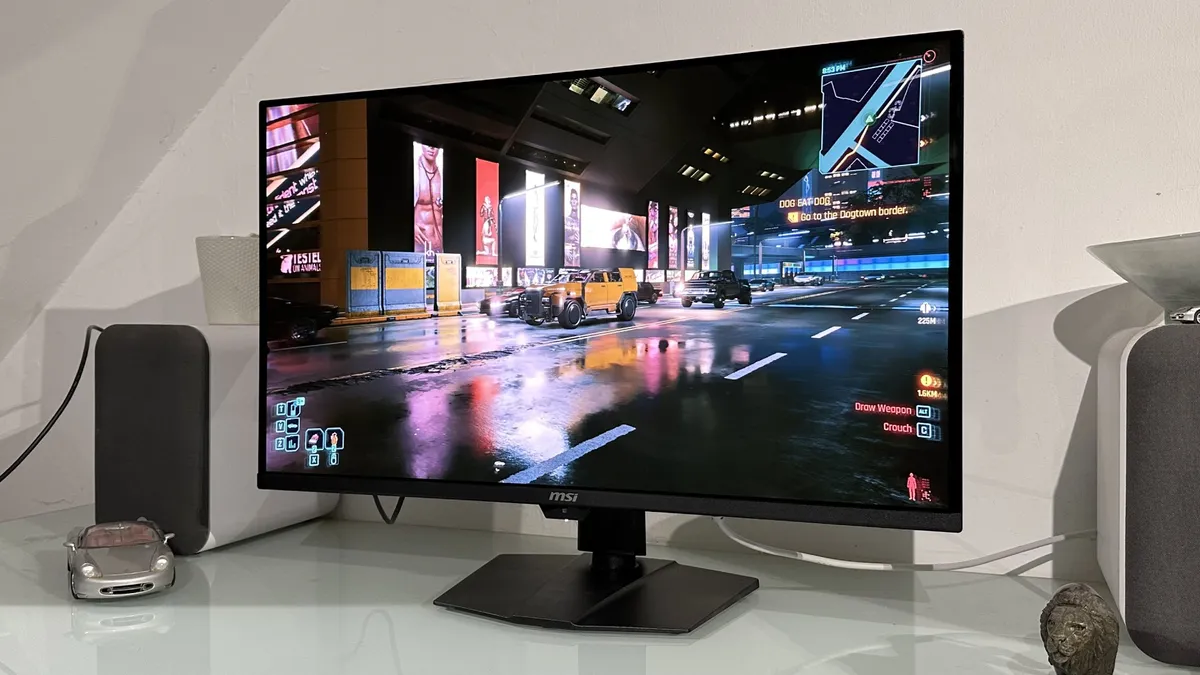
Read our full MSI MPG 322UR X24 review.
Best budget 4K gaming monitor


✅ You want both speed and image detail: The XG27UCG's native 4K mode is super crispy while the 1080p serves up the speed.
❌ You're expecting a truly native 1080p experience: The 1080p mode looks pretty good in games, but it's a little soft and blurry on the desktop.
Two monitors in one. This is the promise of the dual-mode Asus ROG Strix XG27UCG. It kinda gets there, but for our money it deserves a place as the best budget 4K gaming monitor whatever its pseudo 1080p mode can deliver.
That's an added win when you already have an 4K IPS panel, which is capable of a 160 Hz refresh rate at its native resolution already. Sure, it's not the brightest screen out there, but with basic HDR support in the form HDR10 processing and rated peak of 400 nits as standard, it still delivers a decent image in games.
In those situations this becomes a very sweet and punchy display, and in our testing subjectively looks brighter than its listed 400 nits rating. And, because it's a 27-inch panel rocking 8.3 million pixels, the resulting pixel density is excellent. That makes it sharp on the desktop, with crisp font rendering, and detailed in game.
Where things fall off a little is in that dual-mode dance. Asus is using some sort of interpolation algorithm here and on the desktop that makes the 1080p mode look a little soft. In a game, however, it actually looks pretty good and the 320 Hz refresh rate also has a little higher pixel response, too.
A nice extra feature, but the real sell of the Asus is in its affordable 4K chops.

Read our full Asus ROG Strix XG27UCG review.
Best Budget OLED gaming monitor

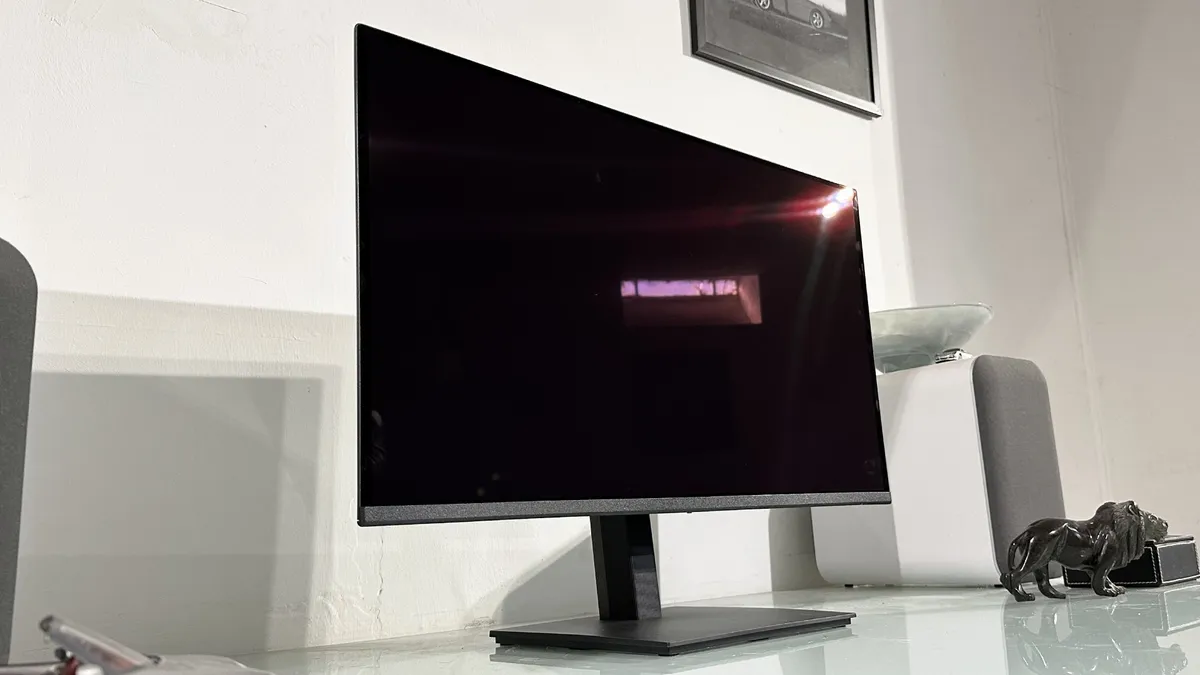
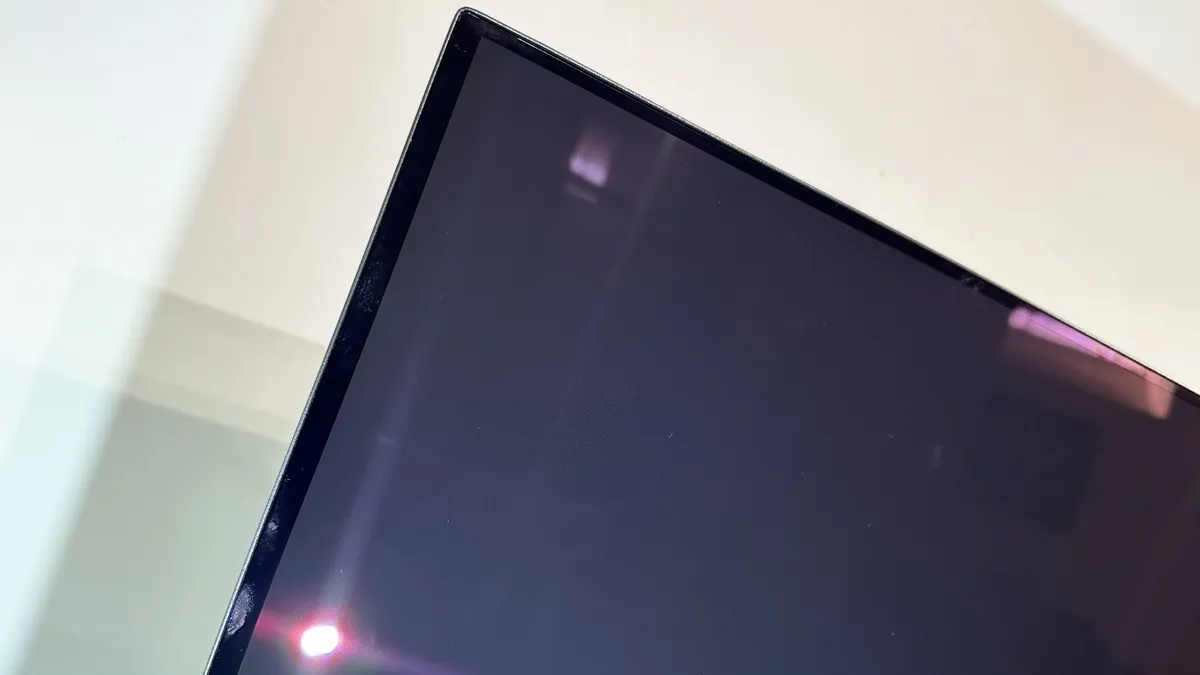
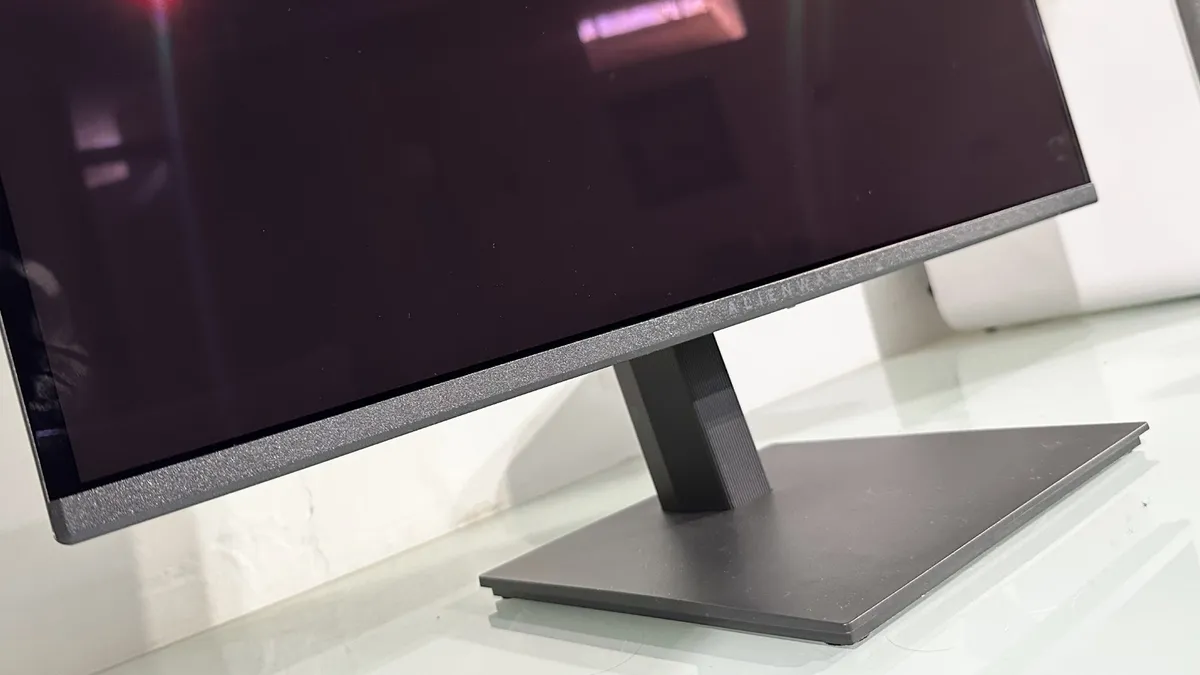
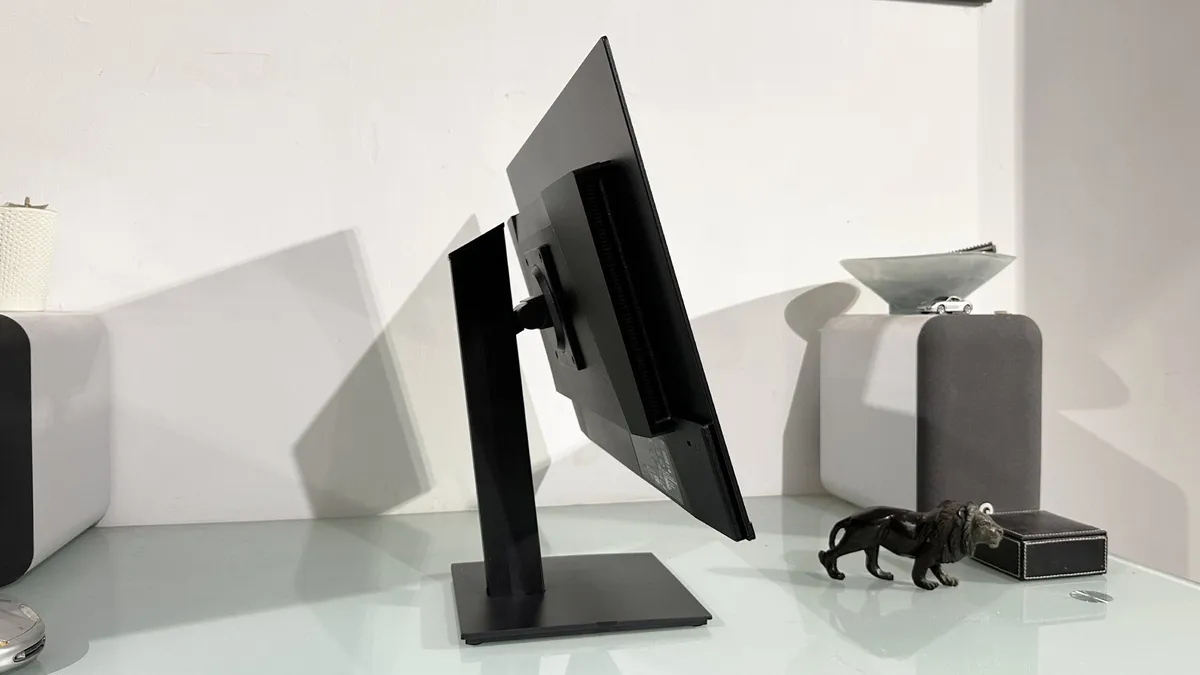
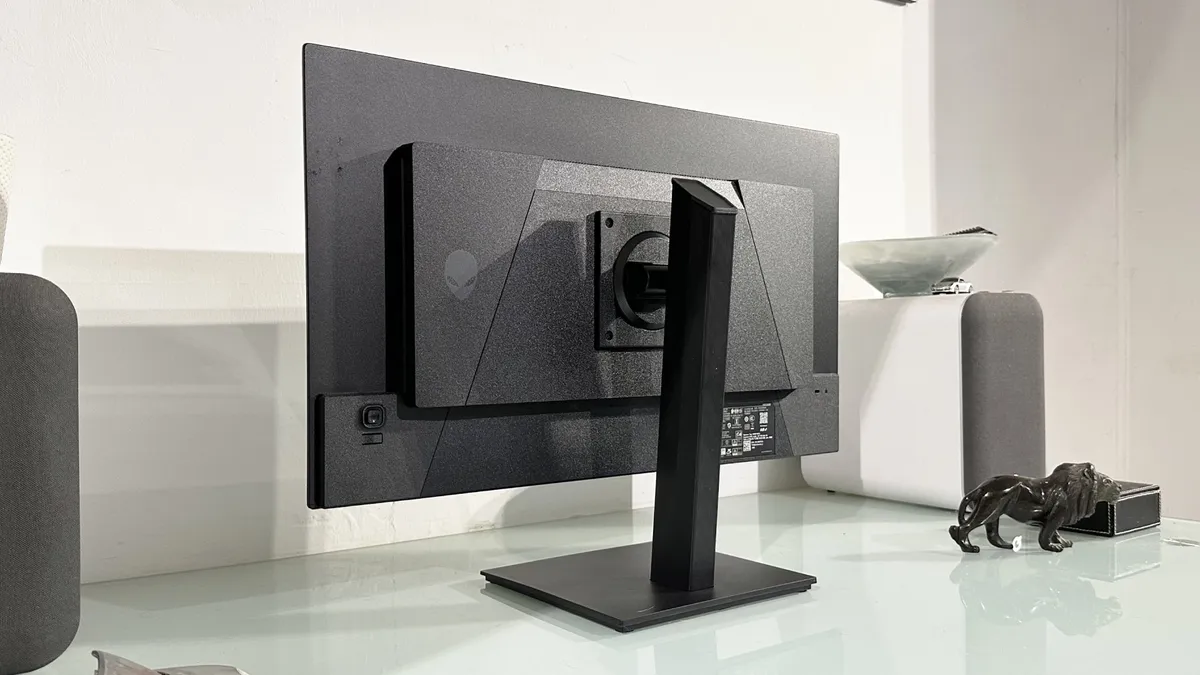


✅ You want OLED at a price you can afford: At around $350, this is one of, if not the cheapest OLED gaming monitors from a big brand.
❌ You want epic pixel density: 1440p is what 1440p does. Which translates into fairly low pixel density on a 27-inch panel.
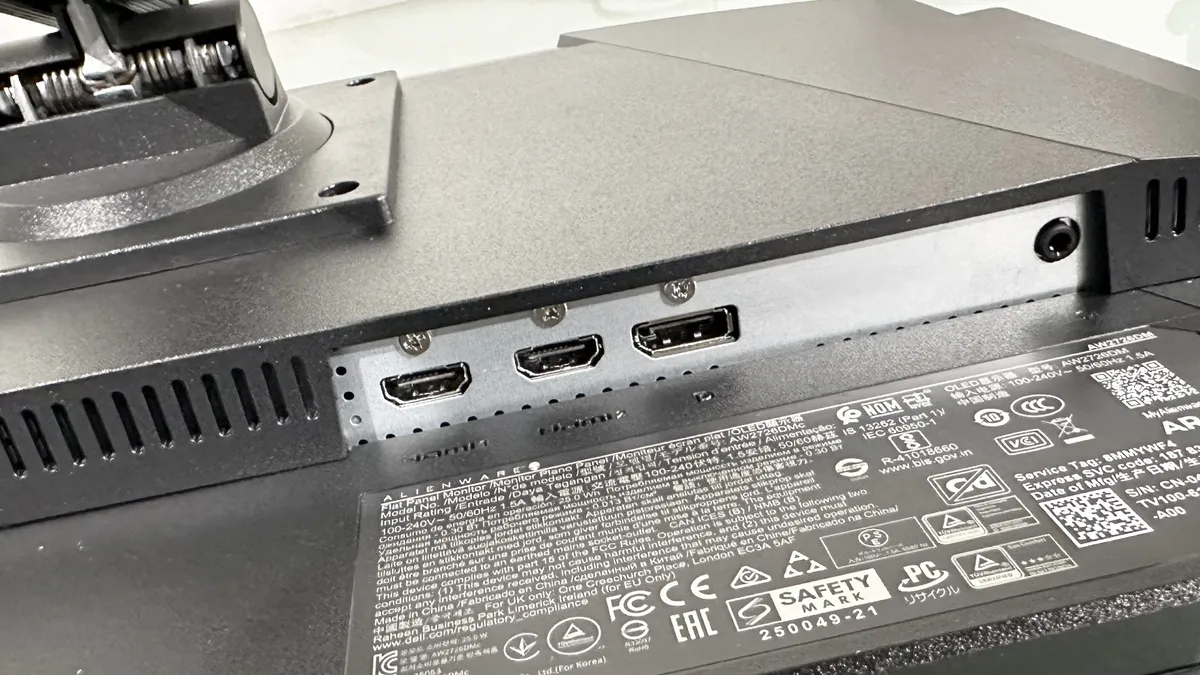
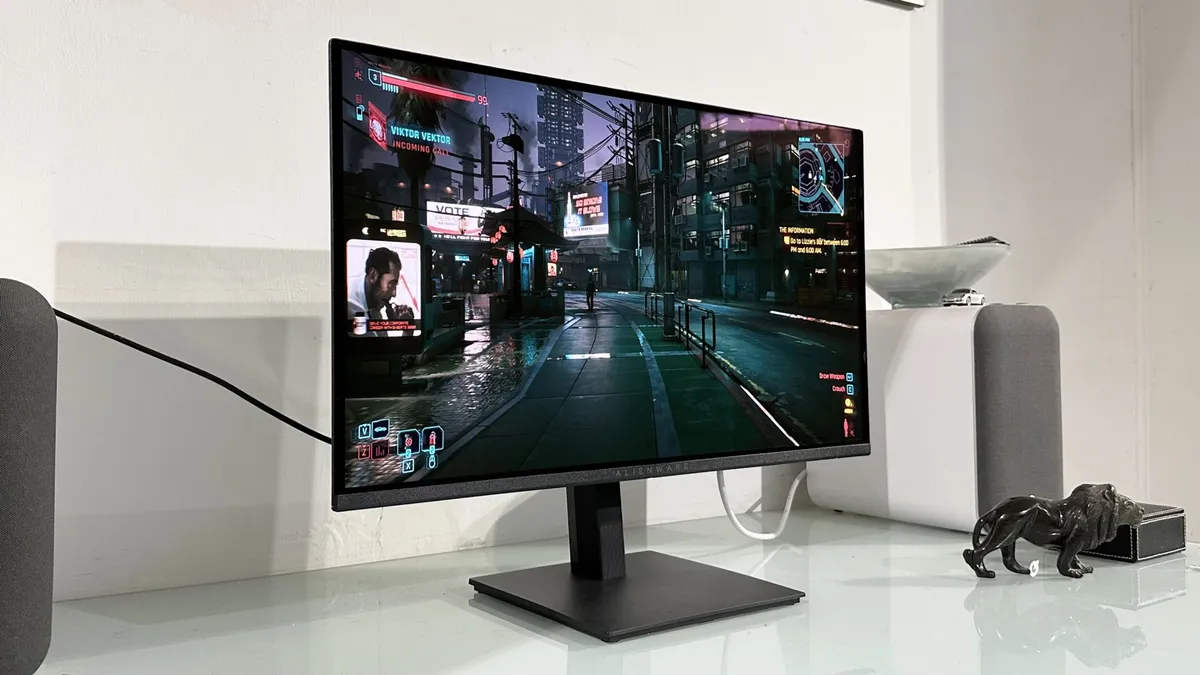
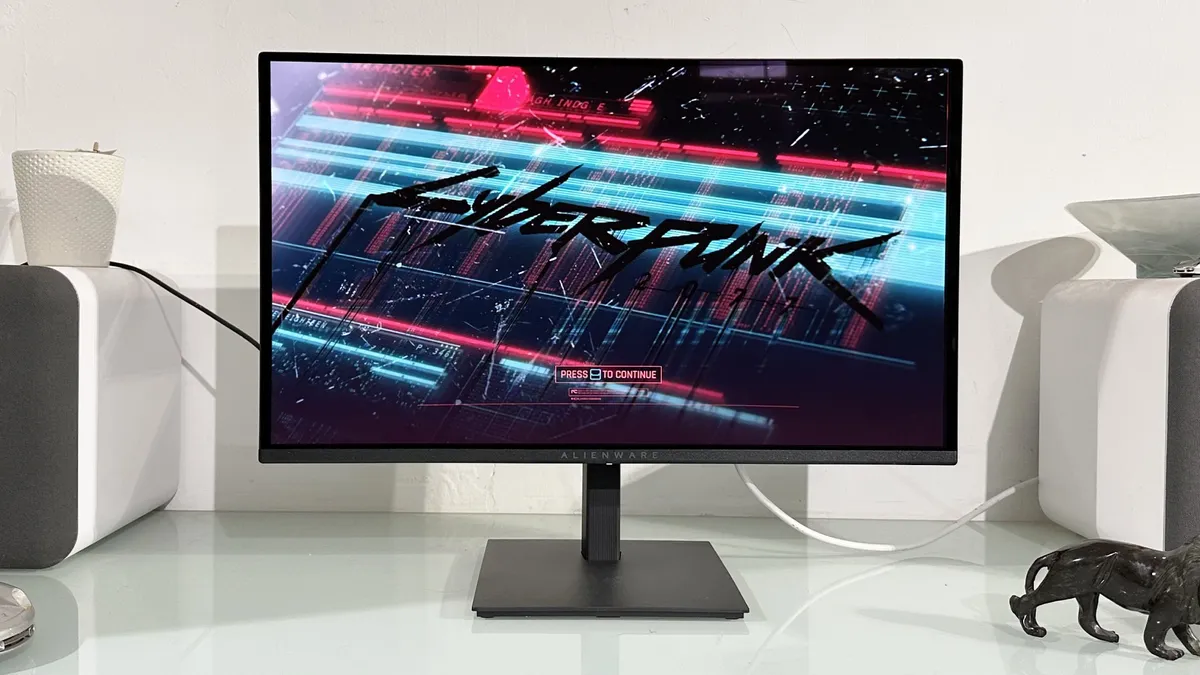
27-inch Alienware QD-OLED for $350 at full price. There, you have the headline feature here. Okay, I'll keep talking, but you get the point. If you need an OLED monitor on a budget, this pick is the absolute best, thanks to that truly great price point.
And it helps that this Alienware monitor is very solid too. Our Jeremy got hands-on and was impressed by its HDR performance and the speed of OLED. You get a super speedy 240 Hz refresh rate here and a 0.03 ms response time.
Unfortunately, for an OLED at this price point, you have to make a handful of compromises, and Alienware has picked an older QD-OLED technology. It still makes colour pop, and offers super deep blacks. It's also not the absolute oldest generation, with its sporting the 2024 Gen 3 QD-OLED technology. That means improved font rendering, reduced risk of burn-in, and better durability, but you aren't getting the true RGB-stripe setup of the 5th generation technology.
We also spotted that the monitor needs a little fine-tuning out of the box. Its default SDR mode can do with a little tweaking in the Windows Color Management tool, but SDR calibrations in HDR mode are pretty good. As our Jeremy puts it, "were this my display, I'd just enable HDR, tweak the SDR brightness in the Windows Display Properties menu, and leave it like that forever."
Also, at 1440p, you aren't getting the highest pixel density in the 27-inch size, and the 200 nits of brightness is a little low. Still, the benefits of OLED are obvious, and this Alienware pick absolutely sings with a little tweaking.
Read our full Alienware AW2726DM review.
Best 1440p gaming monitor


✅ You want sizzling HDR performance: Rated at 1,000 nits and configured with 1,152 dimming zones, the KTC M27T6S packs quite the visual punch.
❌ You're very sensitive to black levels and light bleed: While the KTC M27T6S has an excellent dimming algorithm, its lighting still isn't as precise as OLED.
The best 1440p gaming monitor is the KTC M27T6S. Yes, it's not an OLED, so its contrasts aren't quite as lush, but this mini-LED monitor is bright and plenty punchy.
The panel within this KTC monitor is strong in its response time and refresh rate, but its HDR performance is the thing that truly shines.
Our Jeremy went into his review sceptical of mini-LED and walked away surprised, saying "this budget-priced 1440p panel from KTC does it [full-array dimming] better than many far more expensive gaming monitors and delivers excellent HDR performance."
There's a good reason for OLED instead, with OLED providing super-punchy colours and true blacks, but mini-LED throws plenty of punches back thanks to its unique lighting setup. And the benefit of a mini-LED monitor is that there are no burn-in concerns.
If you want something reasonably priced, with strong specs, and sizzingly bright bulbs, this KTC is well worth your time.

Read our full KTC M27T6S review.
Best budget 1440p gaming monitor


✅ You want a high refresh rate for cheap: 210 Hz at 1440p for this price is no joke. It might not be your standard number of 240 Hz, but it sure beats the 144 Hz and 165 Hz you'd expect to see at this price point.
❌ You want a ton of ports: DisplayPort, HDMI, and 3.5 mm audio are all you get here.
The best budget 1440p gaming monitor is the KTC H27T22C-3 because it nails all the fundamentals while keeping its price very low. It might be scary to opt for a lesser-known brand, but we've done the testing with this one and can confirm it's on par with other decent 1440p monitors from bigger brands, only it's cheaper.
To be more specific, this 27-inch monitor offers a very generous—albeit somewhat peculiar—210 Hz refresh rate, a 1 ms response time, and 450 nits of peak brightness. And although IPS panels like this one can't match an OLED's deep blacks and contrast, that 450 nits is higher than even the latest OLEDs can offer, which is a benefit of the panel tech in at least some gaming scenarios.
Colours tend to be well-represented by IPS panels, too, and this KTC is no exception. During his testing, our Jeremy found colours to look pretty great: "The factory calibration isn't perfect. But it's far from horrendous. For the most part, this is just a vibrant, enjoyable gaming panel."
HDR is similarly wonderful with the KTC H27T22C-3, at least for the price. You can't expect the world here for such a low cost, and you're only getting not-quite-real-HDR DisplayHDR 400, but it works well and in fact even makes things look better in SDR mode, which isn't often the case with HDR.
Put all of this together, and you have a very well-rounded monitor for a very reasonable price. You're not getting USB passthrough or any of those nice little extras, but that's about all you're sacrificing for the price here. The actual performance and visuals are certainly up to the competition.

Read our full KTC H27T22C-3 review.
Best 1080p gaming monitor


✅ You want a fast, punchy monitor: 280 Hz is seriously quick for a monitor in this price range... or, well, in any price range, really. Combine that with the lovely VA panel, and you have a solid gaming monitor.
❌ You want great pixel response: As with many monitors that have VA panels, this monitor unfortunately suffers from poor pixel response, meaning you might notice ghosting and smearing.
The best budget 1080p gaming monitor is the AOC Gaming C27G4ZXE. Not only is this a great 1080p gaming monitor for the price, but it's a curved gaming monitor, a feature that's usually reserved for slightly more expensive, higher-res panels. Sure, it doesn't have much of a curve at just 1500R, but it's not nothing.
Notwithstanding its slight curvature, the primary draw to this monitor is its whopping 280 Hz refresh rate. This makes for some incredibly smooth and snappy gameplay and is seriously impressive for the price. Of course, for a monitor so cheap, there must be a drawback, and in this case, it's the fact that it's a 27-inch monitor with a max resolution of 1080p. 27-inch monitors, after all, are usually 1440p ones. So don't expect the best pixel density with this AOC.
Despite its 1080p resolution, the C27G4ZXE can push out some lovely visuals thanks to its VA panel, which makes colours pop, as VAs often do. This, despite only being rated up to 300 nits of peak brightness. Everything's calibrated nicely out the door, but don't expect miracles in HDR mode—in fact, despite it technically being able to display some kind of HDR, the experience is generally so poor that it's probably best to think of this as just an SDR monitor.
Another area where the monitor suffers is in its pixel response. Unfortunately, blurring and smearing is visible, and the only way to get rid of this is to crank the overdrive up, which causes the opposing problems of overshoot and inverse ghosting.
Nonetheless, if you want to save money on a 1080p monitor that produces a cracking image, is curved, and can refresh those on-screen frames at a mighty fast rate, this AOC is where it's at. A 1440p or IPS panel might be better if you can stretch your budget, but for such a cheap price tag, you really can't complain here. For budget 1080p gaming, this AOC Gaming C27G4ZXE is where it's at.

Read our full AOC Gaming C27G4ZXE review.
The best ultrawide gaming monitor


✅ You prioritize speed and immersion over flashy design: This monitor is all about delivering ultra-smooth performance and vibrant visuals, making it perfect for competitive gamers and immersive single-player experiences.
✅ You need multi-device flexibility: With plenty of ports and a built-in KVM switch, the MO34WQC2 is ideal for gamers and professionals using multiple systems on a single display.
❌ You need professional-grade color and resolution: If you're a creative relying on perfect color calibration and pixel perfection, this isn't the monitor for you.
The Gigabyte MO34WQC2 is the best ultrawide gaming monitor in our minds, as it packs in both a slick, speedy QD-OLED panel and delivers the sort of feature-set that puts it at the top of the stack.
The LG WOLED ultrawide panels can be a touch brighter, but only by a relatively small amount and will generally come in at a lot more expensive than you will find the Gigabyte screen for now. Once its $1,000 MSRP made it a bit of a tougher recommendation, but now we're regularly finding it below the $700 mark that has changed.
For that you're getting the QD-OLED image quality, 240 Hz refresh rate, and that 0.03 response time that makes this panel technology so good for gaming. You're also getting a level of HDR gaming that really takes advantage of the true blacks OLED can deliver.
There is a gentle 1800R curve to the panel, which might put some people off—maybe content creators—but bringing the edges of the display in a little actually gives that little bit of extra immersion for games on an ultrawide monitor.
In terms of that feature-set, one of the biggies is the KVM switch that allows you to swap between desktop and laptop while still using the same peripherals connected to the Gigabyte screeen. I will say, it's not the most exciting gaming monitor, but it delivers on the promise of those original Alienware AW3423DWF ultrawides, and gives that little bit more on top.

Read our full Gigabyte MO34WQC2 review.
Best budget ultrawide gaming monitor


✅ You want an affordable ultrawide experience: 34-inch ultrawide is one of our favourite form factors for immersive gaming combined with acceptable GPU load.
❌ You're sensitive to pixel speed: Thanks to its VA panel, this monitor's most obvious weakness is relatively poor pixel response times.
The best budget ultrawide is the Koorui 34E6UC, and I know that might sound rather strange given that this isn't a brand you would normally associate with gaming screens, but its latest displays have given gamers great affordable options at different resolutions.
If the big boi OLED is too rich for your wallet, then Koorui's 34-incher will still deliver in all the ways that are important for an ultrawide. Obviously, you're getting that 21:9 aspect ratio, along with a 3440 x 1440 native resolution.
You're also getting a pretty big 1000R curve, which give that little bit of extra immersion for ultrawide gaming monitors.
It's not the brightest panel, however, and that will be a slight downside on a screen that's otherwise pretty solid. Still, at a typical brightness of 350 nits it's not going to be a problem in all but the brightest of gaming caves.
It does have a strong refresh rate, however, at 165 Hz and a 1 ms response time. That's the sort of level where a modern GPU will be able to get close to that refresh rate with its own frame rate in the sorts of games where that really counts.

Read our Koorui 34E6UC review.
Best competitive gaming monitor


✅ You play competitive shooters: If you play games like Valorant or CS2, you should benefit from the great motion clarity and fast refresh rate, without having to spend a ridiculous amount of cash.
❌ You play other kinds of game a lot: The 1080p resolution and TN panel really isn't bad here thanks to the smaller screen size and colour calibration, but it won't hold a candle to a great IPS or vibrant OLED for more casual gaming or watching movies.
The KTC 25M1 is the best competitive gaming monitor, primarily thanks to its whopping 400 Hz refresh rate and its very reasonable price tag. If you're looking to forego the absolute shiniest visuals for a snappy, responsive, and incredibly smooth gaming experience in a competitive shooter, this is the best bang for your buck right now.
Its TN panel doesn't hold up against a great IPS or OLED when it comes to colour accuracy and so on, but if you're happy losing out a little on that front, what you gain in refresh rate and motion clarity here is simply wonderful. Our Jacob uses this monitor all the time for his late-night Counter-Strike 2 excursions and now won't settle for less.
This refresh rate is kind of a sweet spot, too, as there are diminishing returns beyond around the 360 Hz mark (or 400 Hz, in this case), meaning here you're getting near the top of the performance curve before prices start to skyrocket. Response times are fantastic, too, with real-world, in-game, end-to-end latency tested to under 7 ms, just like the 3x more expensive 600 Hz Zowie XL2586+ our Jacob also tested.
Perhaps most surprising, the TN panel also does pretty well in the colour department, especially when switched into sRGB mode. It's not as accurate as a good IPS—we can't expect that from a TN—but it's far from the washed-out TN panels of yore. It's still probably not a monitor of choice for mainstream gaming, but for competitive gaming with some mainstream on the side, the KTC 25M1 is a fantastic choice.
Read our full KTC 25M1 review.
Best ultra high refresh rate gaming monitor


✅ You're a speed freak: With a 540 Hz refresh rate and 0.02 ms pixel response, this is one of the fastest monitors on the planet.
❌ You want a cinematic experience: At 27 inches, the Sony Inzone M10S II isn't puny. But at this price point, 39-inch 5K2K OLEDs are available.
Before you ask, yes we do know that there are 1,000 Hz monitors out there right now. And we have actually tested the very first, the LG Ultragear 25G590B, just before getting our hands on Sony's latest screen. But, for our money, the Sony Inzone M10S II is the best ultra-high refresh rate monitor you can buy. For a lot of our money, it does have to be said.
But it's largely because of the increased motion clarity that this Sony WOLED actually gets our vote for the well-heeled competitive gamer. Sure, 1,000 Hz sounds good, but the law of diminishing returns hits hard on an IPS panel with a 1 ms response time (even if that is quick for an IPS). The LG WOLED panel on this Sony Inzone monitor, however, comes in at 0.02 ms, so when you combine that with its 540 Hz or 720 Hz peak, it absolutely slays the 1,000 Hz LG display. Which costs about the same.
When you combine ultra-fast pixel response with ultra-high refresh rates the resulting motion clarity is outstanding. Jeremy, in his review, calls it "the best motion clarity I have ever seen, it's absolutely fantastic." And Mr. Laird has prodded and poked a fair few gaming monitors in his time.
"When it comes to spotting enemies," he notes, "motion clarity and contrast matter and this Sony absolutely owns the LG IPS monitor. The inclusion of the 24.5-inch dual-mode options only makes the serious esports proposition even stronger."
And when you're ready to step out of the world of Counter-Strike you've got a 27-inch, 1440p OLED that looks pretty damned stellar with everything else you want to do with your PC, too. Compromise, what compromise. Oh yeah, that price...

Click through to read the full Sony Inzone M10S II review.
How we test gaming monitors

How does PC Gamer test gaming monitors?
Like everything else we test, we live with a gaming monitor in the same way you would at home. We make sure to use it for day-to-day monitor tasks on the Windows desktop—because your PC likely isn't just for entertainment—and we test it while gaming, of course.
The Windows desktop will highlight any failings in factory calibration, and show up any issues with font scaling, too. It is also a good way to test the vagaries of whatever backlighting tech a panel is employing. Using a dark background and a light browser or Explorer window (or the other way around) is great for highlighting what a screen's backlight will do as the level of brightness is demanded by what's on the display.
It's a good way to check out any auto brightness limiting (ABL) functions on a modern OLED display, too.
Using fast-paced shooters is a perfect way to test out the response of a given gaming monitor, and the neon-dripping world of Cyberpunk 2077 makes for an excellent HDR tester.
We also go through a series of experiential tests to highlight any ghosting, backlighting issues, or general smeariness or blurring of images. We find it too easy to get lost in the weeds of specific panel benchmarks and miss more obvious problems that might crop up during day-to-day gaming use.
So, we put more weight on what it's like to actually use a gaming monitor than what the specs might say.
Where to buy a gaming monitor
Where are best gaming monitor deals?
In the US:
Amazon - Money off high refresh rate gaming monitors
Walmart - Save on quick gaming monitors
B&H Photo - Gaming monitors for as little as $110
Best Buy - Often Samsung gaming monitors going for less
Target - LG and Asus gaming monitors on sale
Staples - Regular sales on selected HP gaming monitors
Newegg - Lots of cheap gaming monitors to choose from
Dell - Money off Alienware gaming monitors
In the UK:
Amazon - Save on big-name monitor brands
Overclockers - 1440p LG gaming monitors from £190
Scan - AMD FreeSync monitors from as low as £100
Best gaming monitor FAQ
Should I go for an IPS, TN, VA, or OLED panel?
We would always recommend an IPS panel over TN. The clarity of image, viewing angle, and color reproduction are far superior to the cheaper technology, but you'll often find a faster TN for cheaper. The other alternative is VA tech, which is less expensive than IPS but still a lot better than TN. The colors aren't quite so hot, but the contrast performance is impressive. OLEDs offer the most vibrant colors, and deepest blacks, but tend to be more expensive and come with fears of burn-in too. Those fears have settled with more impressive OLED panels, but it's still a worry when buying.
Should I go for a FreeSync or G-Sync monitor?
In general, FreeSync monitors will be cheaper. It used to be the case that they would only work in combination with an AMD GPU. The same went for G-Sync monitors and Nvidia GPUs. Nowadays, though, it is possible to find G-Sync compatible FreeSync monitors if you're intent on spending less, which work perfectly well with both AMD and Nvidia graphics cards.
Should I buy a HDR monitor?
With a High Dynamic Range monitor, you can take advantage of the ever-growing list of games and apps that feature HDR support. It offers more vibrant colors and greater contrast but is going to drive up the price a little. Windows' native HDR function also leaves a lot to be desired, and you may find you have to fiddle in the settings to get HDR looking like it should.
What aspect ratio should I go for?
Today's movies and games are best enjoyed in a widescreen format at a 16:9 aspect ratio or above. In 4:3, those cinematic moments will look stunted with black strips along the top and bottom. There are a host of minute variations on each ratio, but at the end of the day choosing between these depends entirely on your personal preference.
And the very far-out option, if you have a little extra cash to blow, are ultra-wide aspect ratios like 21:9 and 32:9 and their variants. These will provide a much more immersive, encompassing experience. Or you can encompass yourself with a curved monitor, it's really up to you.
Jargon buster - gaming monitor terminology
Curved Panels
Curved panels can make games feel more immersive and the amount of curvature is given by a number such as 1500R or 1800R. The smaller the number, the more tightly curved the screen will be.
IPS
In-plane switching panels offer the best contrast and color despite having weaker blacks. IPS panels also tend to be more expensive and have higher response times.
Ghosting
When movement on your display leaves behind a trail of pixels when watching a movie or playing a game, this is often a result of a monitor having slow response times.
G-Sync
Nvidia's frame synching tech for Nvidia GPUs. It basically allows the monitor to sync up with the GPU. It does this by showing a new frame as soon as the GPU has one ready.
FreeSync
AMD's take on frame synching uses a similar technique as G-Sync, with the biggest difference being that it uses DisplayPort's Adaptive-Sync technology which doesn't cost monitor manufacturers anything.
HDR
High Dynamic Range. HDR provides a wider color range than normal SDR panels and offers increased brightness. The result is more vivid colors, deeper blacks, and a brighter picture.
OLED
Organic Light Emitting Diode. A type of display where the pixels directly emit light, rather than using LEDs as a backlight. OLED panels have the best color reproduction and the fastest response, as well as provide true black colors.
Peak Brightness
This refers to the maximum brightness of a monitor or television and is measured in nits. For decent HDR gaming, you want more than 400 nits, ideally near the 1000 mark.
Refresh Rate (Hz)
The speed at which the screen refreshes. For example, 144Hz means the display refreshes 144 times a second. The higher the number, the smoother the screen will appear when you play games.
Resolution
The number of pixels that make up a monitor's display, indicated by height and width. For example: 1920 x 1080 (aka 1080p), 2560 x 1440 (2K or 1440p), and 3840 x 2160 (4K).
Response Time
The amount of time it takes a pixel to transition to a new color and back. Often referenced as G2G or Grey-to-Grey. Slow response times can lead to ghosting. A suitable range for a gaming monitor is between 1 to 4 milliseconds.
TN Panels
Twisted-nematic is the most common (and cheapest) gaming panel. TN panels tend to have poorer viewing angles and color reproduction but have higher refresh rates and response times.
Ultrawide
Shorthand for monitors with aspect wider aspect ratios like 32:9 or 21:9
VA
Vertical Alignment panels provide good viewing angles and have better contrast than even IPS but are still slower than TN panels. They are often a compromise between a TN and IPS panel.
V-Sync
Graphics tech synchronizes a game's framerate with your monitor's refresh rate to help prevent screen tearing by syncing your GPU frame rate to the display's maximum refresh rate. Turn V-Sync on in your games for a smoother experience, but you'll lose information, so turn it off for fast-paced shooters (and live with the tearing). Useful if you have an older model display that can't keep up with a new GPU.