If you're using an older Gigabyte motherboard with an Intel CPU—up to and including a Z590/B560 chipset—you should probably update your BIOS. Some "legacy" chipsets are apparently vulnerable to memory corruption in the System Management Module (SMM), and the company is releasing BIOS updates to patch the vulnerabilities.
In a security update, Gigabyte explains it has "identified multiple memory corruption vulnerabilities within the System Management Mode (SMM) modules used in several legacy GIGABYTE/AORUS consumer motherboards."
While Gigabyte is keen to point out that "newer platforms are not impacted", bear in mind that many gamers still use Z590 and B560 boards today. Those feature the LGA1200 socket for Intel 10th and 11th Gen processors, so if you're using an Intel 10th Gen or 11th Gen CPU and have a Gigabyte motherboard, this vulnerability likely applies to you and you should update your BIOS.
Here's the table of affected chipsets and respective BIOS release schedules Gigabyte has provided:
Chipset |
BIOS Release Schedule |
|---|---|
Intel H110 |
Jun. 2025 |
Intel Z170, H170, B150, Q170 |
EOL, Contact the FAE for support. |
Intel Z270, H270, B250, Q270 |
EOL, Contact the FAE for support. |
Intel Z370, B365 |
EOL, Contact the FAE for support. |
Intel Z390, H310, B360, Q370, C246 |
Jun. 2025 |
Intel Z490, H470. H410, W480 |
Jun. 2025 |
Intel Z590, B560. H510, Q570 |
Jun. 2025 |
It looks like the most recent chipsets, Intel 8th to 11th Gen, should have BIOS updates ready to download and install. To do that, you'll want to download your BIOS files from your motherboard's specific support page, copy the files to a FAT32 USB drive, plug it into your motherboard's rear USB port (one that's labelled BIOS or Q-Flash, if there is one), boot into your BIOS, click Q-Flash, and update.
As someone who updates their BIOS about once every *checks watch* never, I'm very much shouting into a mirror with this one. Thankfully I'm just about safe, though, because while I am using an older Intel chip on a Gigabyte motherboard, it's a 12th Gen CPU on a Z690 mobo. Phew, I can bury my head in the sand a little longer, it seems.
For anyone on a slightly older Intel chip, though, get those Gigabyte boards updated. In fact, it's probably best to just keep everything up to date, as even standard gaming software can open kernel-level vulnerabilities on occasion, it seems.
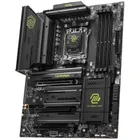
1. Best AM5 - AMD Ryzen 9000/7000:
MSI MAG X870 Tomahawk WiFi
2. Best budget AM5 - AMD Ryzen 9000/7000:
Asus TUF Gaming B650-Plus WiFi
3. Best midrange AM5 - AMD Ryzen 9000/7000:
ASRock B850 Steel Legend WiFi
4. Best AM4 - AMD Ryzen 5000/3000:
Asus ROG Strix B550-E Gaming
5. Best LGA1851 - Intel Core Ultra 200S:
Asus ROG Maximus Z890 Hero
6. Best budget LGA1851 - Intel Core Ultra 200S
ASRock B860 Steel Legend Wi-Fi
7. Best LGA1700 - Intel 14/13th Gen:
MSI MAG Z790 Tomahawk WiFi
8. Best budget LGA1700 - Intel 14/13th Gen:
Asrock B760M PG Sonic WiFi