Our Verdict
A surprisingly plain 4K webcam, the Kiyo V2 certainly checks all the boxes you want from it, but similarly priced and even some cheaper webcams do offer more unique qualities.
For
- Looks great out of the box
- Ultrawide and 4K
- Neat privacy filter
Against
- Tough competition at this price
- Just average 4K pricing
PC Gamer's got your back Our experienced team dedicates many hours to every review, to really get to the heart of what matters most to you. Find out more about how we evaluate games and hardware.
Though I have a lot to say about it from a technical perspective, I don't think I have that much to say about the Razer Kiyo V2. That's because, after testing tons of 4K webcams, it's pretty middling. Its quality is worse than the more expensive DLSR-like Yolocam S3 but better than the value-oriented Obsbot Meet 2. It doesn't have the flashy ring light of the first Razer Kiyo (for the better), but in doing so, I think it struggles to have a unique pull in an already pretty strong market. It does have ultrawide, but to some, that's an upside and to others, a downside.
In fairness, with a digital zoom in Razer Synapse, you don't have to use it in ultrawide mode, but then swapping to a more traditional zoom means taking a hit to the quality of the Kiyo V2.
But what the Kiyo does, it does well. It's a solid 4K webcam with a strong aesthetic, and, importantly, it's relatively plug-and-play. You need a USB 3.0 cable to get 4K (there is a colour-matched one in the box), but once set up, you barely need to touch its settings to get a solid picture and video quality.
Just because it's good out of the box doesn't mean it won't benefit from software, though. The Kiyo V2's HDR modes are well worth enabling, offering a greater depth of colour. Compared to the similarly priced Insta360 Link 2C, the Kiyo V2 is brighter with its HDR mode on, and a bit crisper too, with strands of hair being more well-defined. I'd say the former is closer to 'real-life', but the V2's image looks prettier, so that's more a matter of preference.

I'd say the Kiyo V2 is less cinematic than the Yolocam S3, with a less pronounced bokeh effect, but, out of the box, it offers better colour and light correction. It has a super solid auto exposure and some visual noise reduction, so when Razer says the Kiyo V2 'makes 4K intelligent', I get why. Its AI-enabled features actually feel useful, and it's not trying to generate AI scripts or get me to talk to it like the Insta 360 Link 2C or Obsbot Tiny 3. Its quality is less sharp than the S3, but it makes up for it with sheer intuitiveness.
I recently had the chance to test out the Razer Kiyo V2 X, and the V2 solves many of my problems with it. First is autofocus. The V2 performs admirably here, comfortably snapping onto a face or a product in my hand in mere moments. I'd say it's not quite as quick as the Obsbot Tiny series for autofocus, but still faster than most will ever need.


Second is lighting. The Kiyo V2 can make out the tones of my face in low-light environments with ease. It does hyperfocus on the face, losing some clarity on the background, but that's more or less what you'd need in a call lit by the glow of your monitor. It also handles a lot of light well, and HDR comes with both a light and dark room mode, allowing its software to account for both situations.
Another improvement over the V2 X is that the V2 comes with a detachable cable. This did mean the first time I brought it to the PC Gamer office, I couldn't use it in 4K as I was missing an appropriate cable, but technically, any USB 3.0 cable will work if you have it (and the ports ).


It's all well-built, too. It's sturdy and comes with threading at the bottom to pop onto a stand. It also comes with a built-in privacy filter, where you can simply spin a dial around the lens to close it. Because the stand is sturdy, closing the filter doesn't even make the webcam shake too much. I like this a lot. It's tidy, handy, and satisfying.
You just see a lot at one time, so much so that you might need to clean up more of your room if you are used to non-ultrawide webcams prior to now. Despite offering more of the screen, it doesn't come across distorted in the process. I could make out the texture of my hair well, and its up to 4x zoom doesn't perform too badly either.


The clamping force of the stand is very light, so you can't angle the whole thing down, but the cam does have a swivel to look down, which more or less makes up for it. With its ultrawide lens, you likely won't need to mess with the view very often, though.
As far as the microphone is concerned, I'd say it performs well. There's some filtering going on from a software perspective, which helps make the mic a little clearer, and I'd say it's perfectly good quality for a standard call.
One thing well worth mentioning here, though, is that the Emeet Pixy has seemingly seen a permanent price cut on Amazon down to $100. And, though I'd pick the Kiyo V2's sensor, I certainly wouldn't pay $50 more for it. But, when compared to usual 4K webcam prices, I'd say the Kiyo V2 fits in with my expectations. It's not climbing up to Obsbot Tiny prices, but it is more than the Obsbot Meet 2 and the aforementioned Pixy.
✅ You want ultrawide 4K: This is a bit niche, but ultrawide 4K webcams are pretty rare, so the Kiyo V2 is a good way of getting that unique blend.
✅ You don't want to mess with settings: Though I'd personally pop on its HDR mode, the Kiyo V2 offers quality capture straight out of the box without any tweaking.
❌ You want something unique: The Kiyo V2 is a little boring in everything other than its aspect ratio and colour scheme. It's about what you'd expect for a 4K webcam at its price, and not much more or less.
❌ You don't have a spare USB 3.0 port: To get up to 4K, the Razer Kiyo needs to use a USB 3.0 cable in an appropriate port.
I mentioned in my Kiyo V2 X review that the webcam feels a little late. Two years ago, $100 for a decent enough 1440p webcam would have been fine, but in 2026, that feels like a harder sale. Though to a far lesser degree, I think this is true of the V2 as well. It doesn't do anything all that wrong, but the webcam market is vast and varied, and getting strong 4K capture at a solid price is no longer tough.
Despite being a little boring (outside of its pretty pink shell), the Razer Kiyo V2 is something I'm glad exists in the current 4K webcam market, though. That's because more webcams sitting in the middle of the pack is good for the end consumer. It gives more choice, and ultimately, more competition.
At retail, the Kiyo V2 seems reasonably priced, though nothing special, but getting more solid webcam choices will certainly make the sales better when they come. And that is where I could see the V2 mopping up. As long as its competition doesn't beat it to the punch.
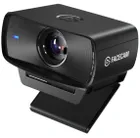
1. Best overall:
Elgato Facecam MK.2
2. Best budget:
Logitech C920
3. Best for streamers:
Streamplify Cam
4. Best 4K:
Obsbot Meet 2
5. Best high-end:
Obsbot Tiny 2 Lite
6. Best low light:
Razer Kiyo Pro
A surprisingly plain 4K webcam, the Kiyo V2 certainly checks all the boxes you want from it, but similarly priced and even some cheaper webcams do offer more unique qualities.