June 26, 2026: As we head into the final act of Amazon Prime Day, you can still enjoy 50% off this performance-focussed gaming mouse. Nice one!
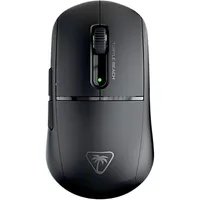
Every now and then, you encounter an element of your gaming setup that requires the no-frills approach. For instance, an all-singing, all-dancing gaming mouse isn't a huge priority for many gamers (not me though). After all, what's the point of, say, RGB lighting that's just going to be covered up by your palm?
Well, you don't have to worry about that or otherwise being distracted by dancing lights with the Turtle Beach Burst II Air. Yes, that does mean it's a bit of a plain-looking gaming mouse, but that just means it's both speedy and enjoys a long-lasting battery life. Now effectively half price at Amazon, this plain gaming mouse is definitely worth a second look at only $50.
Weighing only 47 g and enjoying 120 hours from one full charge, the Turtle Beach Burst II Air offers plenty to keep the esports fiends happy. On top of those already very appealing features, this gaming mouse also offers DPI settings from 50 all the way up to 26,000. Make no mistake, this bit of kit has very much prioritised performance over its looks.
You can hone this feature set to your liking thanks to the Swarm II software. Unlike some peripheral software I could mention, our Kegan describes it as an "intuitive" application that makes it easy to make adjustments on the fly (though some settings such as DPS can be quickly adjusted via one of the extra buttons on the mouse's side).
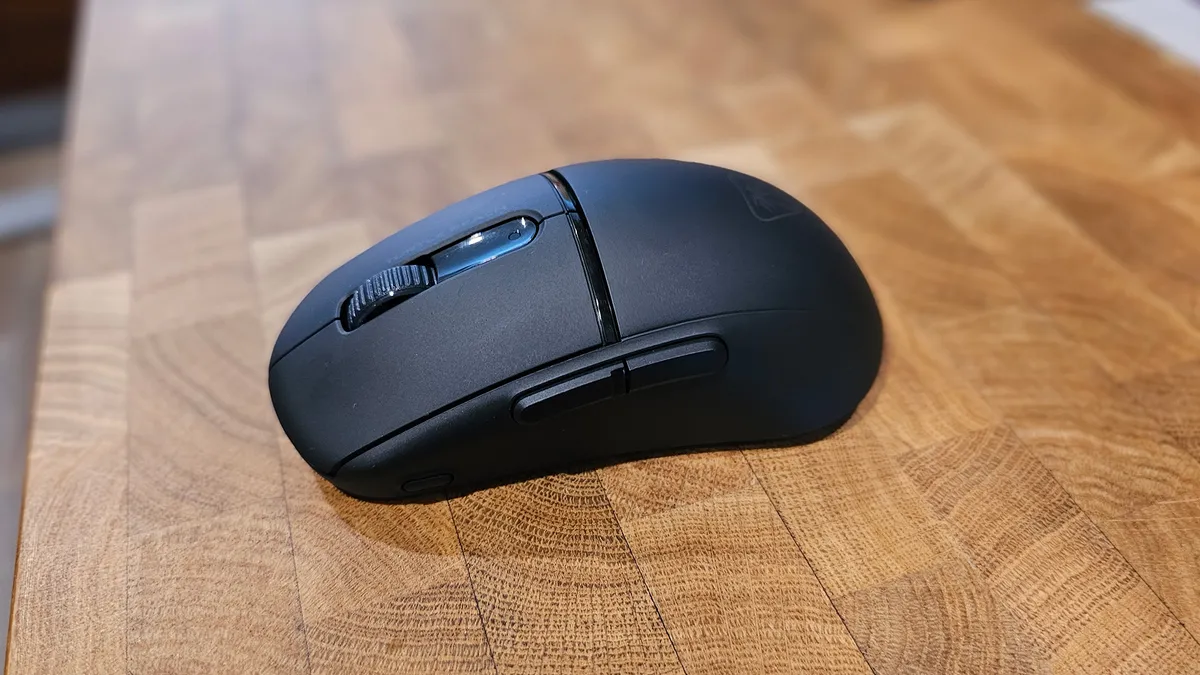


He goes on to elaborate, "[With the software] you can adjust macros, change the polling rate (with four set increments ranging between 125 to 1,000), [plus] there’s a setting to change the standby mode, making it easier to conserve the device’s battery, and even a motion sync mode, designed to increase the sensor’s responsiveness."
Now, I know what you may be thinking: 'Only a 1,000 Hz polling rate? That's a bit low for a performance mouse, isn't it?' Well, Kegan read your mind all the way back in 2024 too. He writes, "While some gamers might have preferred a polling rate above 1 kHz, personally if I’m playing competitive games I want the best fps possible, so I couldn’t really complain about the Turtle Beach Burst II Air maxing out polling at 1 kHz. Not only do higher polling rates put more of a strain on your CPU but they can also drain the battery life of your mouse."
For the money, you can't say fairer than that (though the beefy 120-hour battery definitely helps). If you want to put your budget towards, say, enjoying more frills on other peripherals, this mouse won't let you down.
👉Check out all of Amazon's gaming mice deals👈
1. Best wireless:
Razer Viper V4 Pro
2. Best wired:
Logitech G502 X
3. Best budget wireless:
Mchose G3 V2 Pro
4. Best budget wired:
Glorious Model O Eternal
5. Best competitive:
Logitech G Pro X2 Superstrike
6. Best lightweight:
Corsair Sabre V2 Pro
7. Best MMO:
Corsair Scimitar Elite Wireless SE
8. Best small:
Razer Cobra HyperSpeed
9. Best ambidextrous:
Logitech G Pro
10. Best ergonomic:
Keychron M5
11. Best customizable:
Orbital Pathfinder