Best webcams in 2026: the 1080p and 4K webcams I recommend for gamers and streamers

Two webcams pictured on a blue gradient background with a PC Gamer Recommended badge.
(Image credit: Future)

The best webcam should make you look your best, no matter if you're in a dimly lit bedroom or home office. We've tested all the options out there to find the best ones to grab, including options best suited to video calls at work and those intended for streaming to your adoring fans.

If you're looking for the best webcam overall, that would be the Elgato Facecam MK. 2. It's incredibly versatile and boasts superb picture quality, as well as some quality-of-life features content creators will appreciate. Importantly, it's a major improvement on the original Facecam, but notably cheaper too. If you're simply looking for the best picture quality at a reasonable price, the Logitech C920 is a solid 1080p webcam choice, even after all these years.

Many of these webcams support 1080p, some at 60 fps, and a few at 4K, which adds to the price tag. If you're perfecting your streaming set-up, you might want that higher frame rate capability, but you really want a webcam that deals well with the lighting conditions wherever you're streaming from. An extra light will also go a long way to improving picture quality.

The quick list

Recent updates

June 12, 2026: We have changed the formatting of our guide, slimming down the entries, giving pricing information, and removing our also tested section (in exchange for a fancy new search tool). I have also added the Yolocam S3 as best 4K, and Emeet Pixy as best tracking, for the former's quality, and the latter's price cut.

September 11, 2025: We have added the Emeet Pixy to our also tested section. It's a great little 4K tracking webcam, but it doesn't quite beat out the Obsbot Tiny 2 Lite. We have also named the Lite as the best tracking webcam, instead of the best high-end, as it more accurately reflects what makes it special. We have also checked through language and gone over our picks.

Curated by...
PC Gamer headshot - James Bentley
Curated by...
James Bentley

James is PC Gamer's resident "webcam guy" and has at least three to hand at almost every moment. As a lover of video and begrudging attendee of meetings, he knows his way around 1080p, 1440p, and even 4K picks. These are the best he's managed to get his grubby mitts on.

The best webcam

The best webcam

Specifications

Capture resolution: 1080p
Capture speed: 60 fps @ 1080p | 120 fps @ 720p
FOV: 84 degrees
Special features: Camera Hub app, HDR mode
Price: $140 / £120

Reasons to buy

+
HDR image is excellent
+
Uncompressed 1080p60 and 720p120
+
Fixed focus
+
Software is outstanding
+
Smart new design

Reasons to avoid

-
Fiddly privacy shield
-
Requires Nvidia graphics card for some features
Buy if...

✅ You want a great 1080p webcam: If you don't feel the need for 4K, then the Facecam MK.2 is the best webcam around.

✅ You want comprehensive customisation: The Camera App makes little tweaks and changes light work, and it offers an HDR mode to really bring out the best in your capture.

Don't buy if...

❌ You want a cheap webcam: The best budget webcam is the Logitech C920, and it also offers 1080p capture. It's just nowhere near as refined as the Facecam MK.2.


❌ You don't have an Nvidia graphics card: Some of the features on the Facecam are locked with Nvidia's Broadcast app, which requires one of its own GPUs. These aren't must-have options, at least.

The best webcam money can buy is the Elgato Facecam MK.2. Improving on a few key features over its predecessor (and our previous pick for the best webcam), the Facecam MK.2 delivers fantastic picture quality for video calls, streaming and recording.

The Facecam MK.2 offers uncompressed 1080p video capture. This makes for an artefact-free video stream. It's not 4K-capable, but that works just fine for anyone looking to use this camera for streaming, rather than recording, be that on Twitch, Google Meet, or Zoom.

Built using the same Sony STARVIS sensor as the original Elgato Facecam, the MK.2 does differ in its smaller 'eye' and generally shrunken form factor. It's less domineering over your monitor for its size reduction, and altogether retains the same, if not better, quality. The way in which the webcam clips onto a monitor has also been greatly improved with the MK.2, and it features a privacy shield. These are all very useful quality-of-life upgrades.

What's more, despite its improvements, the MK.2 released at a lower price than its predecessor.

One of the more impressive features of the Facecam MK.2 is the inclusion of an HDR mode. This mode's effectiveness will depend on your exact lighting setup, but we generally prefer the capture quality and appearance with HDR mode enabled.

The Facecam MK.2 will do well in low-light situations, but its HDR mode also helps a great deal with high light levels, such as a bright window directly behind the user. HDR mode will lock you out of some of the fine-tuning options within the Camera Hub software, but it's not much of a concern to the average user. It is better with an Nvidia graphics card, but still good in an all Team Red build.

Overall, the Facecam MK.2 is simply an all-around excellent 1080p webcam and one that will suit pretty much any gamer, streamer, content creator or corporate drone.

Elgato Facecam MK.2 webcam

Read our full Elgato Facecam MK.2 review.

The best budget webcam

The best budget webcam

Specifications

Capture resolution: 1080p
Capture speed: 30 fps
FOV: 78 degrees
Special features: Dual microphones
Price: $70 / £60

Reasons to buy

+
Good picture quality
+
Great price
+
Simple set-up

Reasons to avoid

-
30 fps limit
Buy if...

You need a cheap webcam for video calls: You won't find a better blend of value and quality than the C920, even after all these years of being around.

Don't buy if...

❌ You want a privacy shield: You can purchase 3D-printed privacy shields for the C920 rather cheaply, but it doesn't come with one. You could also instead spend a small amount more on the Streamplify Cam, which has one built in.

Most readers can stop here. Unless you're looking for specific features in a webcam then there are few better than the Logitech C920. It's both the best budget webcam and the one that makes the most sense for the average PC user.

The Logitech C920 has been around for years and has been floating around in our best webcam guide for about as long, too. Occasionally we've opted for the minorly different C922, but whichever is cheapest at the time is best.

Almost everyone in the team has used one at some point, and many still do to this day. Myself included—I have owned a C920 for probably over ten years now and it still works the same as the day I bought it. You can't argue with that, really.

It just ticks pretty much every box from a webcam do-want list. Its sharp 1080p images, paired with a wide field of view and great autofocus, make it a fantastic video conferencing choice. For a working world filled with Google Meets and Zoom calls, it works a treat for not a whole lot of money.

It is limited to 30 fps in full 1080p mode, but if you want a slicker picture you can switch to 720p and snag a smoother 60 fps level for your video. If you just need a cam for work, or to catch up with your buddies online, that's all you need.

If you're looking for a webcam that will deliver beautiful, slick, high-resolution content, then of course you are going to have to look elsewhere on this list, like the Obsbot Meet 2 or Obsbot Tiny 2 Lite. And spend more, too. In fact, you don't need to spend that much more to get a better webcam in the form of the Streamplify Cam, but the C920 is still a decidedly more budget option.

For streamers who don't need a full-screen high-res picture, the C920 is a great webcam to get started since you can track one down for far less than $100 at most retailers. There's also the C930e and C922, for the titans of industry among us, but we prefer this cheaper option.

We should also mention that if you're on an even tighter budget, you might prefer setting up your phone (or another cheap phone) as a faux webcam with the help of software such as Droidcam. You can check out our FAQ at the bottom for more info on this.

A Logitech C920 on a desk.

Read our full Logitech C920 review.

The best budget webcam for streamers

The best budget webcam for streaming

Specifications

Capture resolution: 1080p
Capture speed: 60 fps
FOV: 90 degrees
Special features: Built-in privacy shield
Price: $70 / £60

Reasons to buy

+
Affordable
+
Smooth video output at 1080p/60fps
+
Plug-and-play connectivity is very useful

Reasons to avoid

-
No accompanying software may not suit some
-
Photos can look a little grainy
Buy if...

✅ You need a privacy shield for peace of mind: You don't have to fiddle with third-party shields or stickers here: the Streamplify Cam comes with a privacy shield built-in.

✅ You need a 1080p60 picture: 60 fps can make all the difference for sharing video on social media, which is why we recommend the Streamplify as a budget option for streamers.

Don't buy if...

❌ You want the best overall picture quality: The 2 MP camera on the Cam isn't the best you can buy, even in a modest price range.

The best budget webcam for streamers is the Streamplify Cam. You might not be familiar with the brand as it's quite new, but we've nevertheless been impressed with the range of features its cheap and cheerful webcam offers.

The 1080p capture might not be individually convincing versus the often a little cheaper C920, though you would be missing out on the 60 fps that the Streamplify Cam offers. That extra frame rate, which is pretty rare in this price range, comes in handy if you want to stream or capture a generally smoother feed for sharing elsewhere, such as social media platforms.

The Streamplify Cam comes with a built-in privacy shield, which consists of the entire body conveniently sliding back and forth across the camera lens.

The wide 90-degree FOV comes in handy for setting up shots, and you can fully swivel the Streamplify Cam around a full 360 degrees for further adjustments. There's also a screw-in tripod included in the box, should you wish to ditch the top-down on-the-monitor angle we're usually stuck with. Handy if you're a budding streamer looking to make life a bit easier, or perhaps you might want to set up a secondary webcam for a different angle to zhush up your feed.

With solid performance in a range of lighting conditions, though admittedly slightly flat colours, we remain pretty impressed with the Streamplify Cam considering its price tag. You won't find any software included to tweak much on the camera, but you can get a good deal done in third-party software, even OBS.

Streamplify Cam mounted on a PC monitor.

Read our full Streamplify Cam review.

The best 4K webcam

The best 4K webcam

Specifications

Capture resolution: 4K
Capture speed: 60 fps @ 1080p
:
FOV: 82°
Special features: Autofocus, HDR
Price: $200 / £200

Reasons to buy

+
Great quality
+
Strong stand

Reasons to avoid

-
No microphone
-
Needs some tweaking
Buy if...

You want to record videos from a webcam: As far as pure quality is concerned, the S3 is undeniably impressive, and with a little tweaking, could be a solid device for filming video.

Don't buy if...

You want something with no fuss: For its price point (and under), you can get 4K webcams that are easier to use straight out of the box, and many of them come with their own selling points like built-in microphones or gimbals too.

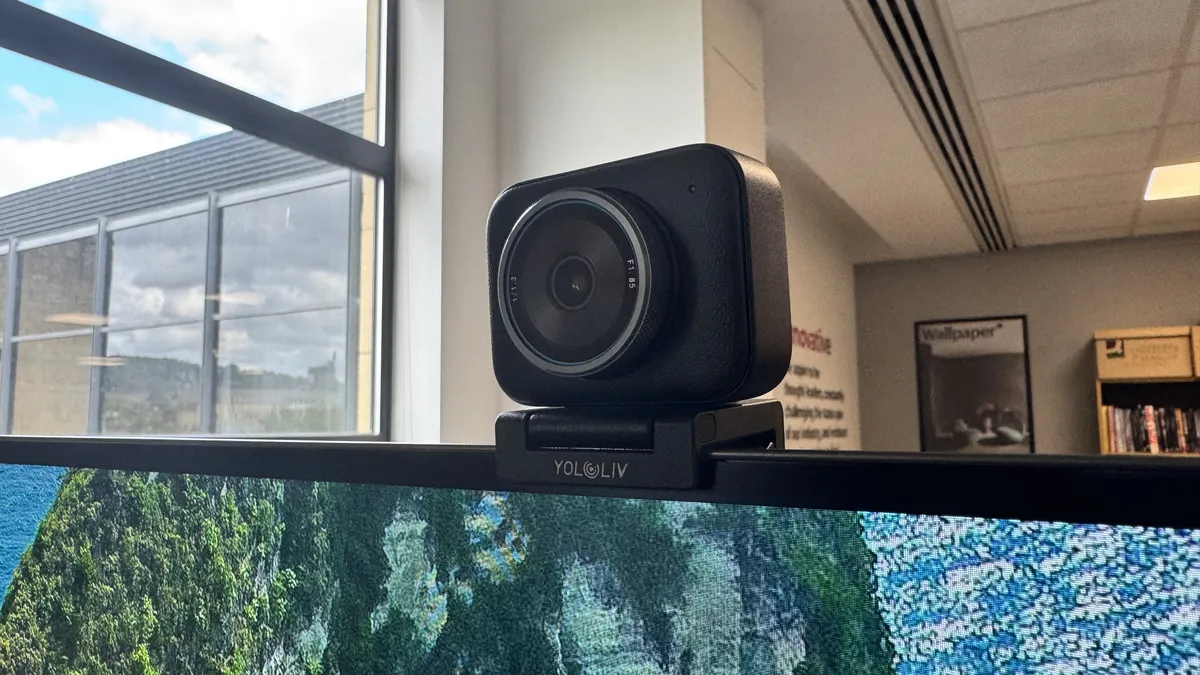
The Yololive Yolocam S3 is the best 4K webcam right now, and that's for one main reason: its quality. Yololiv says you get DLSR-like capture from it, and from my time testing it, I'd say that's pretty much as close as I've gotten from a webcam.

It can handle varied textures, plays well with different lighting conditions and generally looks excellent in motion. It also comes with a built-in bokeh effect that adds something truly cinematic to its capture. I've tried a bunch of webcams, and not one of them has got so close to something you'd expect to see from a more professional camera. I do think it emphasises blacks and shadows in ways that are a little less natural than some webcams, but still look great in their own right

One thing I do think it misses is a plug-and-play style setup. I'd personally opt to customise the white balance and turn off the vignette correction for a more natural look before actually using it. It's certainly fine otherwise, but a little tweaking will really make it pop.

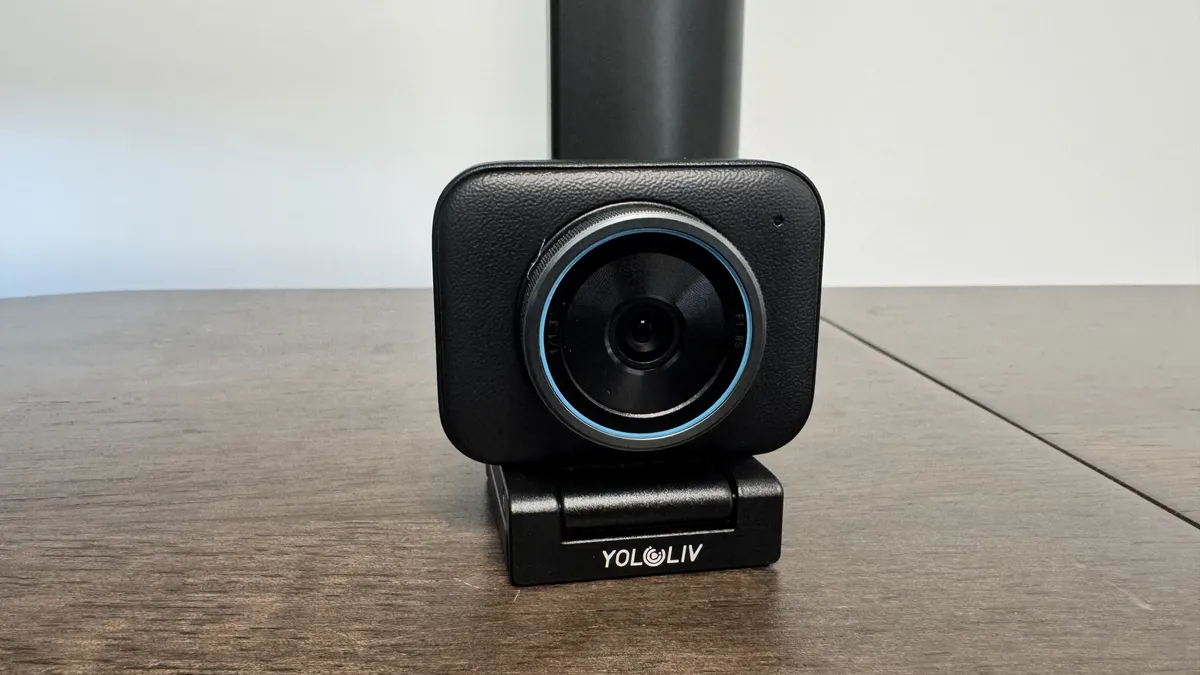
It has a huge lens, and that lens captures all the little strands of hair, or a particularly scraggy beard, very well. I know, as I have lots of both. It also has a decent autofocus, should you want to pick something up or show off words to the camera.

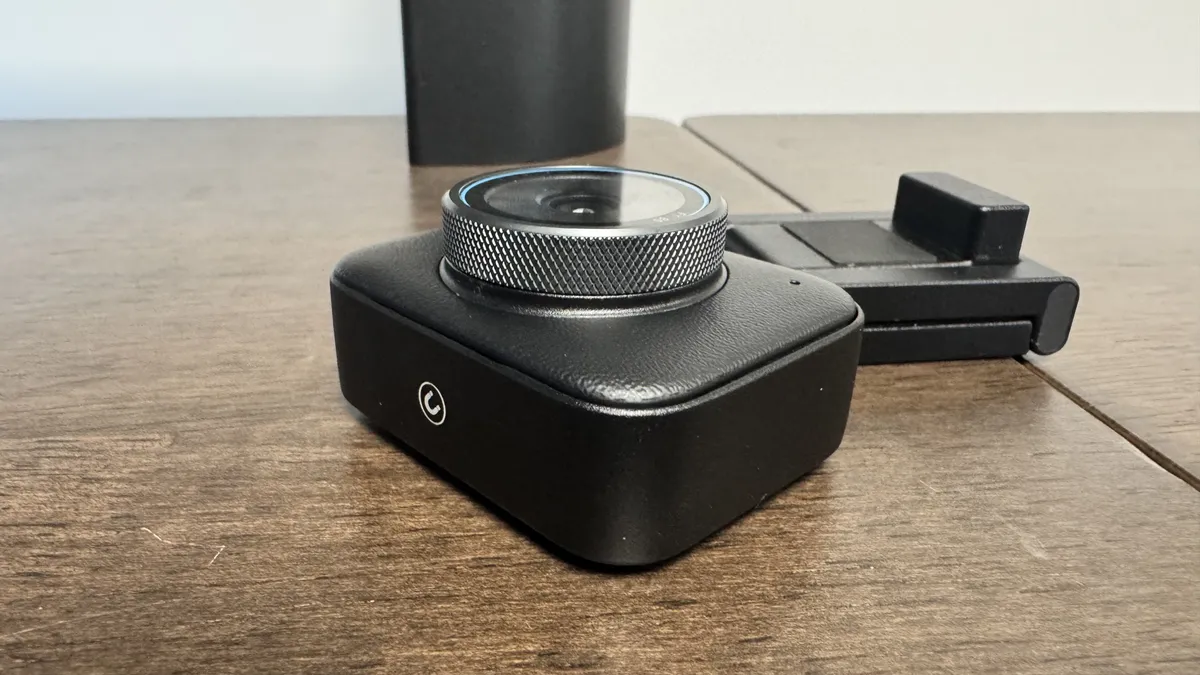
It's also super sturdy, thanks not only to tough material on the webcam itself but also to super-strong magnets that clip it to the stand. Even with a push of my monitor, I couldn't get it to fall off.

If you, however, want something quick for a meeting, there are better choices. Not only is it quite expensive at an MSRP of around $200, but it doesn't come with a built-in microphone. That means having to grab a mic or headset should you want to do a quick call. That's not a major problem for me, but it does make it ever so slightly less plug-and-play than some other choices.
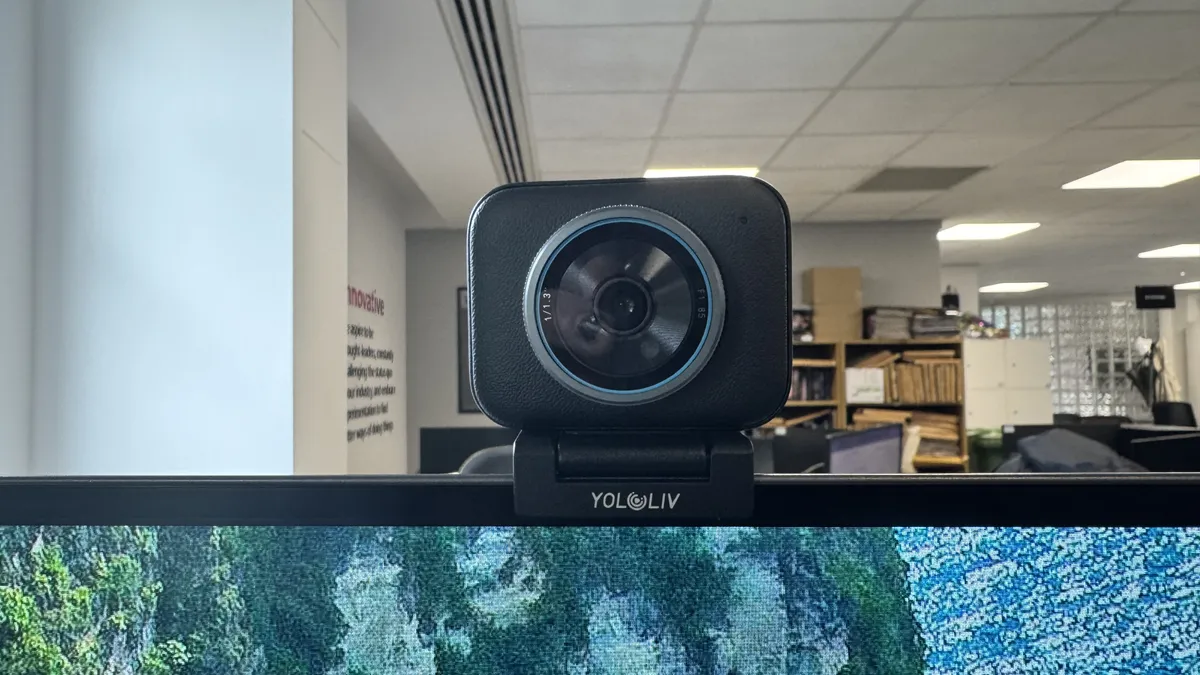
Still, what the Yolocam S3 offers is pure quality, and it's arguably the highest quality and price I'd ever want to go, before just opting for a dedicated camera instead.

The Yololiv YoloCam S3 4K webcam from the front, on top of a monitor

Read our full Yololiv Yolocam S3 review.

The best tracking webcam

The best tracking webcam

Specifications

Capture resolution: 4K
Capture speed: 4K @ 30fps, 1080p @ 60fps
FOV: D): 79.4° H): 67.2°
Special features: AI tracking and customization, motorized 2-axis gimbal, HDR support
Price : $90 / £90

Reasons to buy

+
Great stand
+
Solid quality video
+
Excellent tracking and autofocus

Reasons to avoid

-
AI functions are hit-or-miss
-
4K is a bit much for most
Buy if...

✅ You want to experiment with new angles: If you're a streamer or content creator hoping to branch out beyond the traditional webcam-on-face angle, you'll find plenty of flexibility to do that with the Obsbot Tiny 2 Lite.

Don't buy if...

❌ You just want a straightforward webcam and nothing more: You could fork out the cash for the Obsbot Tiny 2 Lite and ignore all its great features or you could save your cash on another 4K or 1080p webcam that costs less.

The Emeet Pixy is our best tracking webcam choice. For a long time, it wasn't, as it was around the Tiny 2 Lite and even Tiny 3 Lite price point, but I liked its quality less. However, it has received a seemingly permanent price cut on Amazon, making it absurdly good value for a 4K webcam with a gimbal.

Capable of recording 4K footage at 30 fps and 1080p up to 60 fps, this is a great camera in most environments, and still worth considering if you aren't even going to get the most out of 4K.

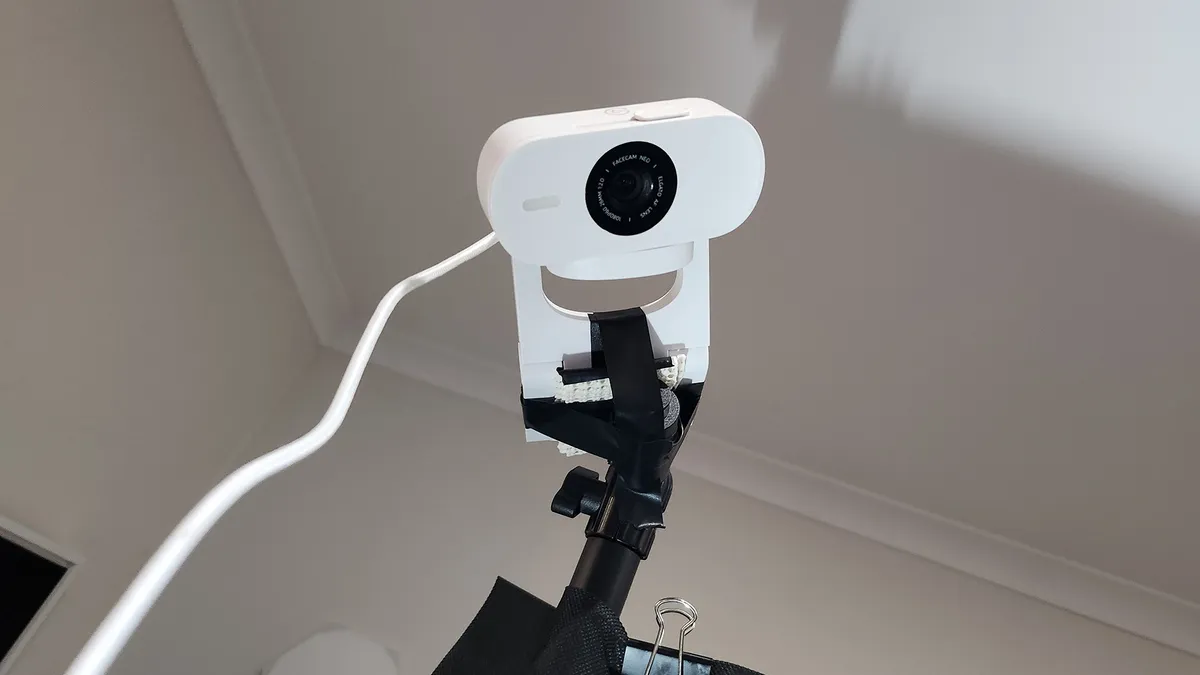
That's partially because of the gimbal that makes up its sturdy stand and partially because of the AI features that boost it even further. It can literally follow you around the room, but it can also focus on specific places, items, or people, and its autofocus is one of the sharpest out there right now.

The stand itself is super firm and easy to use, and though the webcam itself is a tad bulky, the stand never struggles to hold it up. It also comes with a surprisingly solid mic, making it a strong choice for a meeting or presentation.

One thing I didn't like much about it is that I found the sensor a tad overexposed. It just adds a certain brightness and loses some quality when placed near a window. I still wouldn't call it bad, but it could benefit from some tweaking if you are in a high-light environment.

It is the price that makes the Emeet Pixy work so well. At its original MSRP (around $160), I found it does okay against its competition, but if you need something with smart tracking capable of 4K capture, I can't think of a single choice at its price point I'd pick instead.

The Emeet Pixy 4K webcam on a black desk.

Read our full Emeet Pixy review.

The best low light webcam

The best low light webcam

Specifications

Capture resolution: 1080p
Capture speed: 60 fps
FOV: 103, 90, 80 degrees
Special features: Adaptive light sensor, HDR-enabled, omnidirectional mic
Price: $200 / £200

Reasons to buy

+
Low-light sensor is amazing
+
Inherently boosts saturation

Reasons to avoid

-
Color saturation is an issue in low light
-
Poor out-of-the-box performance
Buy if...

✅ You live in a cave (or more generally don't get much natural light): You don't have to be a cave-dweller to benefit from a webcam that excels in low lighting conditions.

Don't buy if...

❌ You want the best 1080p picture quality: The Kiyo Pro is great, but it's not quite on par with the Facecam MK.2.

It might not be the best all-rounder, but if you're using your cam in a darkly lit environment and can't set up some external lighting, give this one a look because we reckon the Razer Kiyo Pro is the best low light webcam.

The original Kiyo attempted to tackle the low light problem by including a built-in ring light. But this solution, while novel, wasn't as effective as we might have hoped. To make everything light enough it often over-exposes the foreground (ie, your face) but doesn't brighten the scene enough.

The Kiyo Pro also tackles the low light problem, but it does so far more successfully by abandoning the ring light and opting instead for just a fantastic light sensor which can adjust to different lighting on the fly. This works out much better, making for a webcam that dynamically adjusts to lighting quicker and with better results than competitors such as the Logitech StreamCam.

So, if you need to keep the lights low, or you can't sort out good external lighting for your setup, the Kiyo Pro helps out a ton. It also comes with other upgrades over the original Kiyo which make it better for streaming. Chief among them is its ability to stream at 60 fps at 1080p through its wide-angle lens.

The icing on top is that this cam is now old enough that it goes on sale pretty frequently, so is often better value than similar but more recent webcams.

There are downsides, though, which is why we only recommend the Kiyo Pro to those of you who really struggle with lighting. The main issue is its autofocus, which didn't seem to work well during his testing, causing our reviewer to switch to manual focus. Default picture settings aren't ideal, either, so expect to do a little tinkering in the Razer Synapse software to make the most out of the Kiyo Pro.

Still, its light handling is exemplary, and that makes it the perfect pick for those struggling with their lumens.

Future

Read our full Razer Kiyo Pro review.

Webcam FAQ

What resolution webcam do I need?

If you plan to record at full-screen resolution, you may want to look at a 4K webcam. However, if you plan on streaming or keeping your webcam confined to only a small portion of your screen, the improved resolution will likely be lost, so sticking with a 1080p webcam should be more than enough for most folks.

Can I use my phone as a webcam?

If your phone isn't incredibly old, yes, you should be able to use your phone as a webcam. You can do this with the help of software such as Droidcam, which allows you to connect your phone to your PC and have it pick up the phone's camera as a webcam source. This should work with all kinds of apps, including, for instance, Zoom, Discord, and OBS. You simply have to download the app on your phone and on your PC and then pair them.

If you use a phone that you already own this might be a very cheap way to get up and running with a faux webcam on your PC. It should be cheaper than a budget webcam, with the only potential expense being a stand.

This option might be cheaper even if you end up buying a separate phone to use as your webcam. For instance, a second-hand iPhone that's a few years old might work well and could end up being cheaper than a cheap standalone webcam. Just beware of phones that are too old because they'll have worse battery life. Using your phone as a webcam can drain its battery and even potentially cause battery health problems if it's not a modern one with good battery management.

What should I look for in a webcam?

The process of selecting the right webcam is much like choosing a good camera. Most of the metrics we use to determine camera quality also apply to webcams. You should pay attention to image quality, color accuracy, focus speed, and customizable features. Although many of us have dedicated microphones, the onboard microphone can come in handy too.

One of the greatest determiners of image quality is the amount of noise present in an image. Most webcams have no trouble producing good image quality when lighting is ample. The extra quality of the best webcams is more accurately reflected in low light; however, the camera needs to compensate for the lack of light digitally. Generally speaking, more expensive webcams come with higher quality sensors and usually have less pesky color blots compared to cheaper ones.

The other crucial aspect is the color of the images. Before we even begin to examine the color quality, we should pay attention to the white balance. White balance gauges the temperature of the lighting from your surrounding environment and sets the white point accordingly. The image may be masked with a blue or yellow tint if the white point is incorrectly set. Unless a tuning utility is included, the webcam's processor usually automatically adjusts the white balance.

Next is exposure, saturation, and contrast—all three are equally important. Exposure is the brightness of the image, saturation is the depth of the colors, and contrast is the difference between black and white. Brightness ensures that you can be seen clearly, while saturation and contrast make your images pop. Again, unless the software is included, the webcam's processor normally adjusts these settings automatically. More expensive webcams are more adept at replicating the most accurate scene.

How do we test webcams?

Discord's video conferencing feature has taken the world by storm. As such, we've included it in our testing software suite alongside more staple corporate video calling software, such as Google Meets and Zoom. We test the video quality in both apps at the maximum supported resolution. OBS is still our choice go-to app for streaming and video recording.

We use OBS to stream and record videos from each camera, testing them both fullscreen and scaled down to a "face cam" size. We also use each manufacturer's webcam software to get a feel for it. We take the highest possible resolution pictures with each webcam and manually adjust settings like white balance, brightness, auto-focus, and others where applicable.

We tend to use the latest and greatest webcams ourselves for a period of at least a few weeks to really get to grips with what it's like to use the product day-to-day.

Software for webcams is just as critical—if not more so—than other peripherals. Although many streaming and conferencing apps have built-in adjustment options, using the manufacturer's driver software allows you to adjust the settings globally. So we make sure to see how this all stacks up in actual use.

Aside from the video quality, we also look at their ease of use. Each manufacturer has a different method of attaching a webcam to the monitor, so we test them across different monitor shapes and sizes. We consider whether the webcam cord is long enough to reach from the top of a monitor to a case underneath a desk.

James Bentley
Hardware writer

James is a more recent PC gaming convert, often admiring graphics cards, cases, and motherboards from afar. It was not until 2019, after just finishing a degree in law and media, that they decided to throw out the last few years of education, build their PC, and start writing about gaming instead. In that time, he has covered the latest doodads, contraptions, and gismos, and loved every second of it. Hey, it’s better than writing case briefs.

With contributions from