Our Verdict
Asus's super luxurious keyboard looks and feels the part, but software problems betray its sleek look. It also costs three times the amount I'd recommend paying if you just want a 'good' keyboard.
For
- Looks great
- Lovely typing feel
- Super sturdy
Against
- That price
- Software hiccups
PC Gamer's got your back Our experienced team dedicates many hours to every review, to really get to the heart of what matters most to you. Find out more about how we evaluate games and hardware.
After you spend above a certain amount of money on your gaming keyboard, you're not really paying for quality, specs, or competitive edge anymore. I felt this recently while testing out Melgeek's Centauri 80. In my approximation, any more than $200 and you move into bragging rights/centrepiece territory, and by that logic, I reckon the Asus ROG Azoth Extreme Edition 20 is worth about three centrepieces.
It's an expensive old beast, and $100 more than the already very pricey Asus ROG Azoth Extreme, which we reviewed back in 2024. But it's hard to say that Asus hasn't thrown absolutely everything at this new keyboard to celebrate the 20-year anniversary of ROG; you're getting an 8,000 Hz polling, up to 1,600 hours of battery life, a carbon-fibre positioning plate, as well as multi-layer dampening, plus a whole host of extra accessories and extras in the box.
Oh, and did I mention the 24K-gold-plated commemorative nameplate? I probably should have mentioned the 24K-gold-plated commemorative nameplate.
The Azoth Extreme is a very well-built bit of tech. It's super hefty, but it's heavy for a reason. It's sturdy, and though I wouldn't much like to drop a $600 gaming keyboard, I feel like I could do so with relatively minor problems here. The OLED screen up at the top right looks lovely, and the controls next to it are easy to use and quite handy. You can adjust volume, change brightness, and even set up custom controls. It's not quite as useful as the likes of the Corsair Galleon 100 SD and its built-in Stream Deck, but it will likely be enough for most.

Form factor: TKL
Switch: ROG NX Mechanical Switch (hot swappable)
Keycaps: ROG Edition 20 Translucent-Black Keycaps Lighting: Per-key RGB
Connection type: Wired and wireless (Bluetooth and 2.4 GHz)
Polling: 8,000 Hz
Battery life: up to 1600 hours
Extras: Name plate, polling rate booster, palm rest.
Weight: 1.5 kg
Price: $600 | £540
Thanks to that weight, this TKL keyboard isn't exactly the type of thing you'd throw in a backpack. That said, a heavy keyboard is not nearly as much of a deal breaker as a heavy mouse or a heavy headset. In fact, the only thing I'd watch out for is the long-term wear on a particularly light mouse pad; 1.5 kg is a lot to put on any pad, and that's not including the weight of your hands on the wrist rest either.
The Azoth Extreme Edition 20 splits its keycap designs between standard black ones with a translucent base for the letter and number keys, then fully translucent caps for the F keys, space bar, and those on the side. Aesthetically, it works well and allows the per-key RGB to really shine. Initially, that RGB comes in all-gold (or, I suppose, with it being RGB, closer to a yellowed white). It makes the gold accenting on the side of the keyboard and bottom of the palm rest really pop. Despite gold tending to be a very gauche accent choice, it actually looks great in-person.


The two types of keycaps don't just add to the aesthetic; they also feel different on the fingertips, which is a decent way of keeping your fingers in check when you're not actively looking at the keyboard. The full translucent keys are very smooth to the touch, feeling similar to the ROG Harpe II Extreme Edition gaming mouse, while the other style of keycaps have more of a matte feel. Both keycap designs are pretty in their own right, and the difference in feel between the two isn't distracting either.
As far as typing is concerned, I'd say the Azoth Extreme Edition 20's actuation is on the light side, but not so much that I found myself misclicking. It's near perfect for accuracy, speed, and ease of use, in my book. The typing sound is light and clicky, with those dampening layers taking out any thock you might expect from the weight of shoving keys down. It's almost like Asus has scooped the bass and mids from it and just left the treble on top.
Typing feel, as a result, is lovely. Keys press easily with a light, satisfying sound. It's easy to find your place on the keyboard by feel too due to the mixture of keycaps and solid spacing all around. I do miss the extra keys of a full-fledged keyboard, but with some smart custom controls, I get by just fine.


My first gaming test with the Azoth Extreme Edition 20 was to take it into a Counter-Strike 2 match, and I can happily report that me losing had nothing to do with the keyboard. It's super snappy and responsive, with its light actuation keys making quick reactions much easier. It's also just plain effortless to use, with little fatigue after hours of gaming. As I learned when I tested the Melgeek Real 81, that's a really important facet of using any gaming keyboard.
You're getting an optional 8,000 Hz polling here (though worse battery life as a result), but you're still getting mechanical switches, which is a surprise. Them being hot swappable certainly helps, but one would hope for analogue or optical switches, for faster clicks, better battery efficiency, and rapid trigger. Still, it's super fast anyway, so you may not notice that downgrade from some other high-spec 2026 gaming keyboards.
It's super snappy and responsive, with its light actuation keys making quick reactions much easier. It's also just plain effortless to use.
Overall, I'd say the Extreme Edition 20 is a stronger package than the 2024 Azoth Extreme, coming with the poll rate booster, plus tons of extra bits, a palm rest, and an upgraded battery life. The NX mechanical switches feel great under the fingers, but you are paying $100 for that upgrade.
One problem I do have with the Azoth Extreme Edition 20 is a pretty common one, as far as keyboards go. The keycaps that don't have translucent tops have white lettering on black, which can be quite tough to make out in the dark. Some keyboard manufacturers get around this by making lettering translucent and shining RGB through it (like the Logitech G915 X Lightspeed), but that makes them harder to see under natural light. This means when there's little light on the keyboard, I have to make out keys through feel.

Unfortunately, Asus's software continues to be a problem. It worked fine when I first set it up but, it suddenly just stopped working when I tried to swap the OLED screen animation. The web app requires an extra bit of software to actually run, and it soon stopped as it said I didn't have the software, despite me installing it. A fresh install did not fix this problem, either. In Armoury Crate, it simply refuses to recognise the keyboard, even with multiple restarts and a fresh batch of software.
✅ You want an uber luxurious keeb: It's a gorgeous keyboard, and an improvement on the standard Azoth (for a fifth more)
❌ You just want great specs: The Azoth Extreme has great specs, but you can get almost everything it has for much, much less
Software problems aren't unique, but the Azoth Extreme 20 is a glorious keyboard with golden highlights and a breadth of extra little goodies included in the box. It feels like a limousine coming to pick you up, but inside it turns out to be a plain old Honda Accord. There's nothing wrong with an Accord, but Asus is pulling out the stops for this keyboard, and it simply can't make it down the runway without a hitch.
Stating that the Azoth Extreme Edition 20 is expensive feels so obvious it's almost not worth saying. That might be kinda the point here: it's a limited edition bit of tech that comes with a thank you card, extra switches, a switch and keycap puller, a polling rate booster, the aforementioned nameplate, a cleaning cloth, and all manner of little extras. It is extravagant and meant to feel that way.
As such, comparing it to a standard gaming keyboard is a bit hard, as you don't walk into a Walmart and think 'I wonder if that's worth it'. It's more of a piece of hardware you search out, and if you're prepared to part with all of that money, you are getting a truly lovely bit of tech. I just couldn't ever see myself being prepared to spend that much on it.
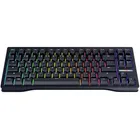
1. Best overall:
Wooting 80HE
2. Best budget:
Gamakay x Naughshark NS68
3. Best 60%:
Wooting 60HE v2
4. Best 75%:
Keychron K2 HE
5. Best mechanical:
Asus ROG Strix Scope II 96 Wireless
6. Best silent:
Be Quiet! Light Mount
7. Best ergonomic:
Kinesis Freestyle Edge RGB
8. Best membrane:
Glorious GMBK 75%
Asus's super luxurious keyboard looks and feels the part, but software problems betray its sleek look. It also costs three times the amount I'd recommend paying if you just want a 'good' keyboard.