Last week in Warsaw I got to see a first glimpse of Logitech's new Replay software, which is currently in beta. It records your game, and then lets you use its deep learning (technically not AI, I know) to figure out the best clips and splice them together for you. It looked pretty neat, from what they showed me, but I've just tried it in Counter-Strike and hoo boy does it have a way to go.
If you watch the above vid, you'll notice a distinct lack of anything impressive. I jumped into a CS2 deathmatch, then played half of a casual game. From those two games, the software:
- Kicks off with me being spawnkilled
- Includes a random, unimpressive awp kill in the casual game's warmup round
- Shows a clip of me looking at the ground in spectator mode, already dead
- Includes plenty of missed shots
Now okay, that's a little unfair. It does include some kills in there, but they're not great ones. In the deathmatch in particular—which the software only included a couple of clips from—I got some pretty dope kills later in the game, if I do say so myself. Including Deagle kills, Scout quickscopes, and even a flick noscope.
Don't believe me? I thought that might be the case. So I went back into CS2 and recorded a single deathmatch game. First, here is what the AI picked from it:
Yep, just one, relatively mediocre clip.
Thankfully, the software does let you make your own changes, selecting from the whole recording. So I spent probably about five minutes putting the following together from the very same game recording:
Much better. See? I'm not quite as trash as Logitech G Hub Replay seems to make me out to be.
But hey, I've only tried it in one game—Counter-Strike 2—and not very extensively. Logitech lists 44 games that are currently compatible (scroll down to the FAQ section on the site). I'll be leaving it on the next time I play a competitive match to see what comes out the other end. You can have a go yourself, as it's free to download and try.


Apart from the AI's clip selection—which is its primary selling point—the software does seem pretty cool regardless. It starts recording as soon as you load your game, noted by a little pop-up, and when you exit it lets you edit all you want, easily adding and removing clips for the final splice.
You can limit the maximum amount of storage it takes up, too, but this will of course mean deleting older recordings when it reaches its limit. I should also say that I didn't notice any performance impact from having it enabled and recording, which is a plus. Though I am using a pretty high-end rig, so mileage may vary.
If you try it out, do comment to let me know how it works for you, as I'd be interested to know if others fare better, especially in different games.
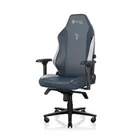
1. Best gaming chair: Secretlab Titan Evo
2. Best gaming desk: Secretlab Magnus Pro XL
3. Best gaming headset: Razer BlackShark V3
4. Best gaming keyboard: Asus ROG Strix Scope II 96 Wireless
5. Best gaming mouse: Razer Viper V4 Pro
6. Best PC controller: GameSir G7 Pro
7. Best steering wheel: Logitech G Pro Racing Wheel
8. Best microphone: Shure MV6 USB Gaming Microphone
9. Best webcam: Elgato Facecam MK.2