





Looking for a new Roblox avatar? Roblox is all about playing the way you want to. It lets you design your own worlds and even your own games. Naturally, as part of that, it also lets you express your own personality through your digital Roblox avatar.
But as with most online games, you’ll want to this to look a certain way, so you'll need to know how to create and edit your own Roblox avatar. That's where I come in.
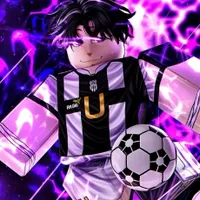
How to create your Roblox avatar
Creating your Roblox avatar is fairly straightforward. Head over to the Roblox website and create an account for yourself. Then all you need to do is click on the 'Avatar' tab on the left side of the screen, where you’ll see your avatar ready to go. It’s automatically created when you sign up, so there’s no risk of you accidentally messing this bit up.
How to edit your Roblox avatar
The functions for editing your Avatar can be found within the Avatar tab on the left side of the Roblox site. Click on it and you’ll see your current avatar smiling at you.
There are five main categories here. The 'Recent' tab shows you a mix of all the accessories you’ve tried on in each category. It’s also the one you’ll want to check upon starting an account, as it's unlikely that you'll have more items than what the Recent tab shows.
The other four categories are Clothing, Body, Animations, and Costumes. Body is an important one to note, as this is where you can make your character a reflection of yourself (or however else you want it to look). Under the subcategory of Appearance, you can change the dimensions of your avatar, as well as their skin colour. There is a collection of natural skin colours, alongside more outlandish examples like blue, purple and green.
Scale lets you alter your Avatar's height, width, and more specific proportions like head size. Again, you could opt for a natural look, or you could attempt to create some fun content for those monster factory videos.

You can then move onto your clothing and animations. This is where the process becomes less about looking how you want, and more about getting you to invest your time and/or money.
Most of the subcategories here will have a limited number of items to choose from (usually its a choice of one). To get more, you’ll need to buy them using Robux. You can either spend your own money to get Robux, or if you've got a membership, you can earn them by selling clothes and games. It isn't impossible to earn Robux, but since Roblox is a free-to-play game, it’s designed to encourage players spend their own money on microtransactions, rather than giving away items for free.
Other than that, it’s a simple matter of choosing the options you want in each category, then hopping into some games. Customising your Roblox avatar doesn't affect how the game plays, but it does make the experience more personal to you, which can be important if you plan to spend a lot of time with the platform.
