



 Join The Club


Our Verdict
Taking a big ol’ chunk off the Tiny 3’s price tag with just minor downgrades to performance, the Tiny 3 Lite starts to feel more like a viable part of your setup than just a neat tech demo.
For
- Better value alternative to the Tiny 3
- Very solid integrated mic
- Accurate AI tracking
Against
- Still pretty costly
- Unreliable voice controls
- Noticeable noise in low-light environments
PC Gamer's got your back Our experienced team dedicates many hours to every review, to really get to the heart of what matters most to you. Find out more about how we evaluate games and hardware.
The Tiny 3 straddles the boundary between the worlds of corporate video conferencing and streaming/content creation. Yet I’m not convinced it fully serves either.How useful are swish AI webcam tricks beyond just distracting your manager at your next meeting? Meanwhile, if you’re dropping $300+ for a webcam with the intent of using it for content creation, it starts to make sense to instead consider a mid to entry-level action cam, or even save up for a DSLR. Or—and hear me out—you could opt for the Tiny 3 Lite instead.
Don’t get me wrong: a $199 webcam still isn’t a low cost pick, but it feels like the Tiny 3 Lite delivers the most essential elements of the original Tiny 3 at a fraction of the cost.
Side by side, the Tiny 3 Lite looks very similar to its pricier sibling, though you’ll notice it’s just a tad chunkier and doesn’t have a removable mount. Though, once mounted, the original Tiny 3 is actually ever so slightly taller and heavier than the Lite. It’s not a difference in size worth making a fuss about, but it is a difference nonetheless.


You also don’t get a carry case with the Lite like you do with the original. But at around 2.28-inches tall and 2.57 oz/73 grams, you shouldn’t have too much difficulty packing the Tiny 3 Lite if you plan to travel with it. It’s just that foregoing the premium Tiny 3 means you have to source your own case.
The Tiny 3 Lite is capable of filming or streaming 4K (30 fps) and 1080p (120 fps), and its 1/2-inch CMOS sensor doesn’t seem massively dissimilar to the 1/1.28-inch sensor of the Tiny 3, but there is a discernible difference in how each webcam processes light.
The picture on the Tiny 3 Lite still looks great, and is a definite upgrade from the previous generation of Tiny webcams, but it appears softer than that of the Tiny 3, and fine details are liable to be ever so slightly smudged. Fair warning, too: things start to fall off the deep end when filming in low-light. Because of Lite’s smaller sensor, you are going to be plagued by a good bit more noise in darker environments than you would be with the Tiny 3.
Of course, if your usual streaming/recording/conferencing set-up is dark and moody, this could be a major sticking point. However, if you avoid using screens in the dark (your eyesight will thank you), you could find the Tiny 3 Lite that perfectly trims the fat of the Tiny 3 without sacrificing too much of the core performance.

It’s entirely a personal preference, but I found the unprocessed picture of the Tiny 3 Lite to generally be more pleasing to the eye than the Tiny 3. The latter leans quite cold and crisp, and tends to lose the energy of a space (as woo-woo as that might sound).
The audio from the Tiny 3’s omnidirectional mics is miles away from the hollow, tinny sound you might expect from a webcam’s integrated microphone. However, I’d still recommend investing in an external microphone if you want something that sounds especially professional.
Listen to the microphone test below:
Unfortunately, its five audio modes don’t differ too massively from each other, and so you’re not offered too many truly unique ways to deal with background noise or multiple audio sources. Despite that, the Tiny 3 Lite should have you fully covered for standard video calls.

The Tiny 3 Lite’s gimbal and AI Tracking 2.0 remain headline features. From tracking people to objects, the Lite was just as reliable and snappy as the flagship model. It features almost all the same tracking options too, including close-up, upper body, lower body, and headless (less ominous than it sounds, I promise).
✅ The Tiny 3 is out of your budget: If you’re a fan of the Tiny 3’s features but your wallet isn’t, the Tiny 3 Lite is a worthwhile compromise that concedes relatively little.
✅ You want a dash of PTZ flair: The Tiny 3 lite is a 4K webcam with advanced tracking features that can spice up your streams or video calls.
❌ You frequently record or stream in low light: Mood lamps and LED strips may provide great vibes, but the Tiny 3 Lite’s smaller sensor struggles in low-light environments.
❌ PTZ isn’t for you: If you want your webcam to keep the same framing day-in and day-out, there’s very little point in paying a premium for a gimbal and AI tracking capabilities.
It’s worth noting that if you choose the Lite over the OG Tiny 3, you will have to go without Desk and Whiteboard mode, but in my testing I found that you could kind of approximate the framing of both of these with just a little extra effort. You can even set these positions as presets and activate them with the webcam’s voice controls.
Well… you can in theory.
I’m not sure why, but the voice controls for every Obsbot Tiny model I’ve tried are really not my friend. Like with the Tiny 3, the Tiny 3 Lite proved to be really temperamental when responding to my commands. For the most part, I just adjusted the Obsbot via the app or with gesture controls, because the frustration of being stonewalled by a dinky webcam became a little too much to bear. If you were envisioning voice controls being a regular part of your futuristic workflow, it’s best to temper your expectations.
If you’re a hobbyist streamer or someone who very frequently video conferences for work, you’ll likely be more than satisfied with what the Tiny 3 Lite has to offer. There’s somewhat of a jump down in performance from the Tiny 3, but I can’t say that’d keep me up at night if I opted for the Lite—especially with an extra $150 in my pocket.
1. Best overall:
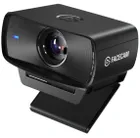
Elgato Facecam MK.2
2. Best budget:
Logitech C920
3. Best for streamers:
Streamplify Cam
4. Best 4K:
Obsbot Meet 2
5. Best high-end:
Obsbot Tiny 2 Lite
6. Best low light:
Razer Kiyo Pro
Taking a big ol’ chunk off the Tiny 3’s price tag with just minor downgrades to performance, the Tiny 3 Lite starts to feel more like a viable part of your setup than just a neat tech demo.

