





Our Verdict
If you're using it for what it was designed for—peering at thousands of lines of constantly shifting text trying to pick out the woman in the red dress—this screen makes a lot of sense. As a gaming screen it has its moments, and can work very well, but in a world where widescreen is king, we might not be ready to go back to squarer pictures yet.
For
- Decent 120 Hz IPS panel
- Excellent eye-care features
- Good colour reproduction
Against
- Niche
- Not hugely bright, but good enough
PC Gamer's got your back Our experienced team dedicates many hours to every review, to really get to the heart of what matters most to you. Find out more about how we evaluate games and hardware.
Readers of a certain vintage, the sort that are covered in dust and need to be rotated every month to prevent sediment buildup, will remember 4:3 screens. They were the sort of thing that came with your 80286 DOS machine in the form of a 14-inch CRT monitor that had the outward curve of a goldfish bowl, made a sound like an A10 plinking tanks when you changed resolution, and came with a 15-pin VGA connector that was surprisingly fragile if you tried to plug it in carelessly. Somehow I discovered that a bent pin could be fixed by pulling it out, then sawing one of my mother's dressmaking pins in half and sticking it in the hole left behind. These were simpler times and we made the best of what we had.
Then came a revolution. Two, actually. The CRT screen was replaced with the LCD, and all-conquering 16:9 widescreen eventually led to 21:9 and 32:9 monitors cluttering up desks everywhere.
But now tallscreen is back, in the form of this LED-backlit IPS from BenQ, which uses a mighty 3:2 aspect ratio that's a tiny bit wider than 4:3 but noticeably different to 16:9. It's the same ratio as a frame of 35 mm film, so it's still a familiar sight as you'll see a lot of photos taken this way. Technically, this monitor is meant for programmers, and the company makes a big deal of how it cuts glare using a Nano Matte coating and a simulated e-ink display to immerse you in your code and reduce eyestrain. However, as it's also a 120 Hz panel with HDR and a resolution that's 4K-adjacent, someone's bound to try and play games on it.
Screen size |
28-inch |
Screen type |
IPS, LED backlight |
Resolution |
3840 x 2560 (164ppi) |
Max refresh rate |
120 Hz |
Connectivity |
1x USB-C, 1x HDMI 2.1, 1x DisplayPort 1.4, USB KVM |
HDR |
DisplayHDR 400 |
Webcam |
No |
Speakers |
2x 3 W, 3.5mm audio jack |
Adjustments |
-5° to 20° tilt, 150mm height adjustment, 90° pivot, 15° swivel |
Dimensions |
615 x 610 x 233 mm |
Weight |
10.1 kg with base |
Price |
Buy if...
✅ You're a programmer: Seriously, this is a fine screen, but it might be better suited to making PC games than enjoying them. That said, a return to pre-widescreen aspect ratios works very well for some games.
Don't buy if...
❌ You'd rather have two 16:9 screens or an ultrawide for the same price: This is a display that's been built for a specific use, and while it has the versatility to do other things, you don't need to spend this much.
And that person is me. Sitting in front of the RD280UG after years of looking at 16:9 screens is a strange experience. My CRT collection topped out at 17 inches, a Dell screen I remember having to carry home from the shop, stopping every now and then to get my breath back and take the strain off my arms thanks to its immense weight. This is a 28-incher, but the extra height supplied by this aspect ratio makes it feel much larger. Its screen height of 41 cm, not including the thick plastic bit at the bottom, is the same as that of a 32-inch widescreen display. The 3840 x 2560 pixel grid means that if you take a 16:9 slice across the middle, you're getting 3840x2160, though as if you were looking at it on a smaller monitor of about 24-inch diagonal.
Feeding the RD280UG a 16:9 signal is not the point, however: this thing was meant to display 3:2, and Windows 11 is perfectly happy to do that as it remains a moderately popular aspect ratio among productivity software types. Framework will sell you a laptop with a 13-inch 3:2 2880x1920 display, and Microsoft, HP and Huawei all have options too.


The issue can be to find games that support the aspect ratio, though, as it's bad enough finding native ultrawide support even on the triplest of A games let alone something 99% of gamers won't be using. Still, using it for games must be something somebody at BenQ foresaw. Why else would they advertise its AMD Freesync Pro compatibility on the box?
Of course Cyberpunk 2077 can handle 3840x2560, and honestly it looks great. I've been a recent 21:9 ultrawide convert, but the extra height of the image here definitely adds to a game, while the extra pixels give the GPU a bit of a workout too. There's something fresh about viewing games through a viewport that's a slightly different shape to what you're used to.
What's clear is the way games are made for widescreen aspect ratios, however, so the taller display might work even better in a game with a bit more verticality. I gave Assassin's Creed Shadows a go, and rooftops that would have required a flick of the right-hand thumbstick to bring into view were now clearly visible, though there remains a little too much at the bottom of the screen, the GPU rendering extra road surface or farmland that was never going to be particularly interesting. The aspect ratio works better for first-person games than third-person for this reason, the gun anchored at the bottom providing a baseline for everything going on above, and giving a nostalgic reminder of playing the original Doom on a CRT.


Where it really comes into its own is in something like Baldur's Gate III, where you're constantly pushing forward, up the screen. Having more of the path ahead visible, rather than areas to the side that are less crucial to your quest, can be an advantage. You can zoom in closer to areas such as the druid's grove without losing parts of the open central section to the limited vertical height of the screen. It's also amazing for emulators, as long as you're prepared to mess about and find the best scaling solution to bump it up to such a fearsome resolution, plus a shader for CRT sub-pixel effects. Those 4:3 console games can fill the screen without thick black bars.
The RD280UG is very nicely made, with video inputs that are easy to access rather than facing downwards. This is also true of the power connection, which is a three-pin lead rather than an external power brick. The monitor is capable of providing 90 W PD through its USB-C input, as well as 15 W from its downstream USB-C ports, one of which is on the back while the other nestles under the bottom edge of the screen alongside two USB-A ports, a headphone jack, and the controls for the OSD. It's all extremely convenient to use, especially if you use your PC for more than games. And there are HDMI and DP connections for those without USB-C on the back of their graphics cards. There's a light on the back of the screen that BenQ calls a MoonHalo: it's meant to tie in with the eyestrain-prevention theme but probably works best if you have the screen up against a wall, like Philips' Ambilight TVs.
The RD280UG has lots of features that BenQ thinks programmers will love, including the ability to display two input streams side by side with different colour modes applied. As such, it's a bit of a luxury purchase, the sort of thing you might plead with your boss to get you rather than shell out on for home use. If you read the big list of the best gaming monitors, you'll find that the 27in Asus ROG Strix XG27UCG can be picked up for a lot less than the BenQ. If you're programming they're probably not comparable, but for gaming, especially as games are often made with 16:9 in mind, a 4K widescreen display is going to be the better choice for most people.
1. Best overall / 4K:
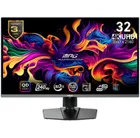
MSI MPG 321URX
2. Best budget 4K:
Asus ROG Strix XG27UCG
3. Best 1440p:
MSI MPG 271QRX
4. Best budget 1440p:
KTC H27T22C-3
5. Best 1080p:
AOC Gaming C27G4ZXE
6. Best Ultrawide:
Gigabyte MO34WQC2
7. Best budget ultrawide:
Xiaomi G34WQi
8. Best 32:9:
Samsung Odyssey OLED G9
9. Best dual-mode:
Alienware AW2725QF
If you're using it for what it was designed for—peering at thousands of lines of constantly shifting text trying to pick out the woman in the red dress—this screen makes a lot of sense. As a gaming screen it has its moments, and can work very well, but in a world where widescreen is king, we might not be ready to go back to squarer pictures yet.

