Woah, I wasn't expecting to see this sorta deal this morning. I've been tasked with keeping a close eye on SSD deals this Black Friday, and that's a pretty trash job in the big '26. Yet I'm pretty pumped to have found this.
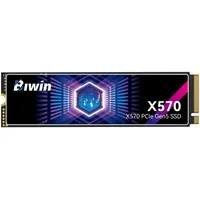
Biwin's Black Opal X570 1 TB is $156 on Amazon right now. That's actually cheaper than the much slower SanDisk Optimus 5100 1 TB on offer at $160.
- Check out the best Black Friday SSD deals or follow us on WhatsApp
That's a Prime members-only deal, but you should be able to sign up for a free trial without parting with any cash. Just remember to cancel it at a later date, or you will be charged for a month.
The Black Opal X570 is a PCIe 5.0-compatible drive. That means it runs at very high speeds compared to the previous generation; roughly double most PCIe 4.0 SSDs.
The X570 will reach up to 14,500 MB/s seq. read and 11,000 MB/s seq. write.
Yet it's not double the price. At least this one isn't. Most PCIe 5.0 SSDs are actually very expensive compared to PCIe 4.0 ones right now, courtesy of the ongoing memory crisis, which has led us to generally recommend looking to PCIe 4.0 drives for your next storage upgrade. The benefits of PCIe 5.0 just aren't great enough at 1.5x or 2x the price.
Yet this isn't even $10 more than Biwin's PCIe 4.0-compatible Black Opal NV7400. And it's faster and cheaper than the PCIe 5.0 Crucial P510. Don't even get me started on the Samsung 9100 Pro; fuggedaboutit.

The X570 is a DRAM-less design, while the version we tested, the X570 Pro, has DRAM and higher write speeds. Though both come with TLC NAND.
The price per GB here is a little higher than some I've covered over Black Friday. It's just under $0.16/GB. Smaller drives are worse value per gigabyte, and you'd expect a small price premium for PCIe 5.0 on the best of days.
This may remain my top SSD deal as long as it's around. Especially for someone eyeing up a new boot drive for their PC.
👉 Check out Amazon's Black Friday SSD deals 👈
1. Best overall:
WD_Black SN7100
2. Best budget:
Biwin Black Opal NV7400
3. Best PCIe 5.0:
WD_Black SN8100
4. Best budget PCIe 5.0:
Crucial P510
5. Best 4 TB:
TeamGroup MP44
6. Best 8 TB:
WD_Black SN850X
7. Best M.2 2230:
Lexar Play 2230
8. Best for PS5:
Silicon Power XS70