


Compact shape, serious performance. While that was once almost an impossibility for even the best mini PCs, shrinking silicon and blossoming power has made that a reality. You really can now buy gaming PCs with proper graphics chips in them that sit in the same footprint as a modern games console. But with higher frame rates.
The absolute best mini PC for your money right now is one such option, the Minisforum AtomMan G1 Pro. This features a low-profile RTX 5060 GPU and delivers genuine performance for 1080p and even 1440p gaming.
The best budget option is still the Minisforum Venus UM790 Pro (Minisforum do know how to make 'em, eh?). This might be rocking a previous-gen processor and iGPU, but it can still deliver playable 1080p performance, and has a very reasonable price tag. What isn't so reasonable is the Framework Desktop, but if your needs are more generative, this is a mini PC that can game and deliver local AI chops, too.
If your chief requirements are top frame rates for the lowest outlay, you are better off building your own rig or buying a full-fat gaming PC. But if you're after a tiny, off-the-shelf PC with awesome everyday computing power and 1080p to 1440p gaming capabilities, well, you've come to the right place.

Al has filled his Brighton home with more mini PCs than any one human ever should, and you might be surprised at just how much space so many of those diminutive PCs actually take up. He's tested a huge range of different devices, with and without GPUs, with external graphics cards attached, stuck beneath TVs or used as a full-fledged productivity PC. As a result, he's the best person to tell you which ones are worth your hard-earned cash.
September 30, 2026: We've checked over our recommendations and they still stand out from all the mini PCs we've tested (sorry Steam Machine). I've added in a new element at the top to make it easier to get to the different products we recommend.
July 17, 2026: This guide has been completely overhauled with a new design and picks. Top of our list is now the Minisforum AtomMan G1 Pro, which crams a full-fat low-profile RTX 5060 inside a stylish, diminutive chassis. Our budget option has remained the same, though: the Minisforum Venus UM790 Pro. It's still a great option on a budget for some light 1080p gaming.
August 13, 2025: We were so impressed by the Framework Desktop that we're introducing the category of 'best AI mini PC.' Because of this, we've clarified the iGPU category title so that it more specifically refers to 'the best iGPU for gaming in a mini PC.'
The best overall mini PC


1440p gaming performance
| Product | Value |
|---|---|
| Minisforum AtomMan G1 Pro | 86 Avg FPS, 69 1% Low FPS |
| Framework Desktop | 64 Avg FPS, 41 1% Low FPS |

We tested: Ryzen 9 8945HX | RTX 5060 (low profile) | 32 GB DDR5-5200 | 1 TB SSD
✅ You're after real performance in a dinky chassis: The Ryzen CPU and the RTX 5060 makes for a powerful combo, and for 1080p and even some 1440p gaming this PC will do rather well.
❌ You want cool temps: This machine stays cool enough while gaming, but it's a different story with very CPU intensive tasks. It won't frazzle to a crisp, but don't expect a cool processor when doing productivity tasks.
The best mini PC for gaming is the Minisforum AtomMan G1 Pro. If you're looking for something stylishly small but still very performant for gaming thanks to a full-fat GPU, this is where it's at.
And when I say "small", I mean it, because its chassis holds just 3.8 L of internal capacity. Not that you'd need to know that to tell how small it is because, I mean, just look at it. That slim stature not only looks great but, crucially, means it delivers exactly where a mini PC should: space saving and portability.
The impressive thing here, though, is it hasn't sacrificed a load of performance to achieve this. Obviously you're not going to be playing every new game at max settings, but thanks to the low-profile RTX 5060 at the heart of this machine, a bunch of titles should be fine at max, and those that aren't should be playable if you drop your settings a little.
The bonus is that it also comes with a nice amount of RAM and room for another SSD, so you're not sacrificing very much at all with this build. Even the price tag isn't outrageous, after accounting for the usual mini PC tax you can almost always expect to pay for such a small powerhouse.
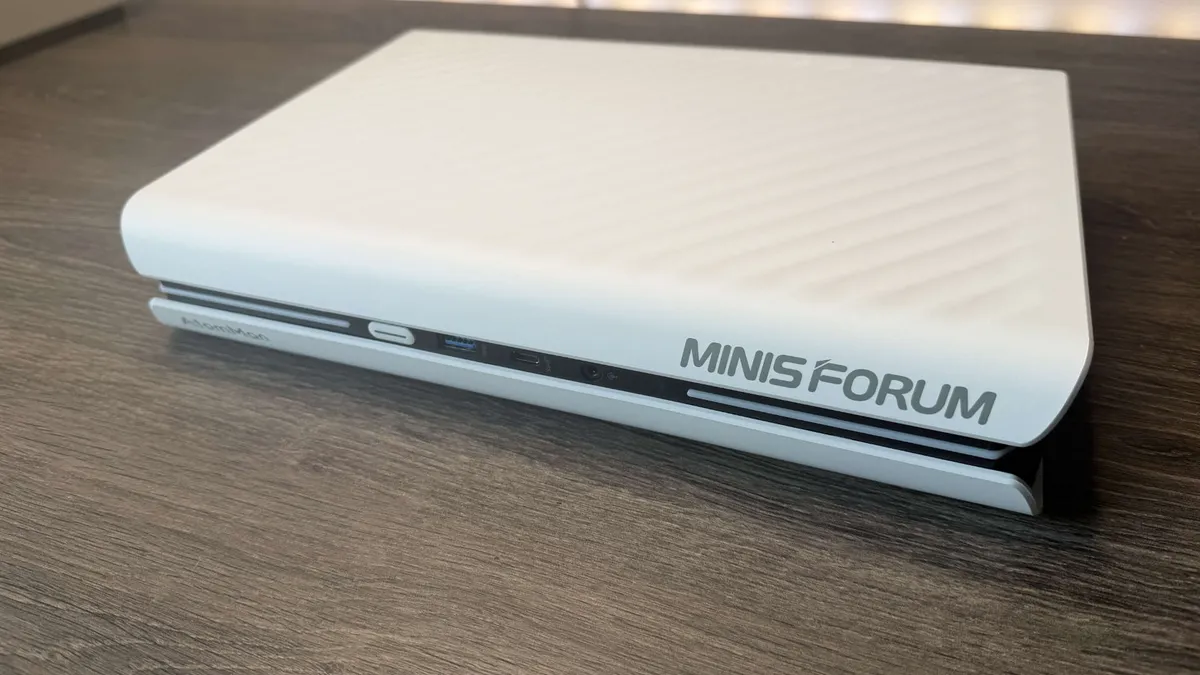
Click through to our full Minisforum AtomMan G1 Pro review to see all the performance and benchmark details.
The best budget mini PC



1080p gaming performance
| Product | Value |
|---|---|
| Minisforum Venus UM790 Pro | 47 |
| Asus ROG NUC 970 (RTX 4070 mobile) | 145 |
We tested: Ryzen 9 7940HS | Radeon 780M | 32 GB DDR5 | PCIe 4.0 SSD
✅ You want compact performance on a budget: The Venus UM790 Pro runs one of AMD's best APUs at full speed, with great heat management and minimal noise, and it's very competitively priced.
❌ You're a high-res gamer: More demanding modern games are playable at 1080p with medium settings, but push beyond that and it'll struggle.
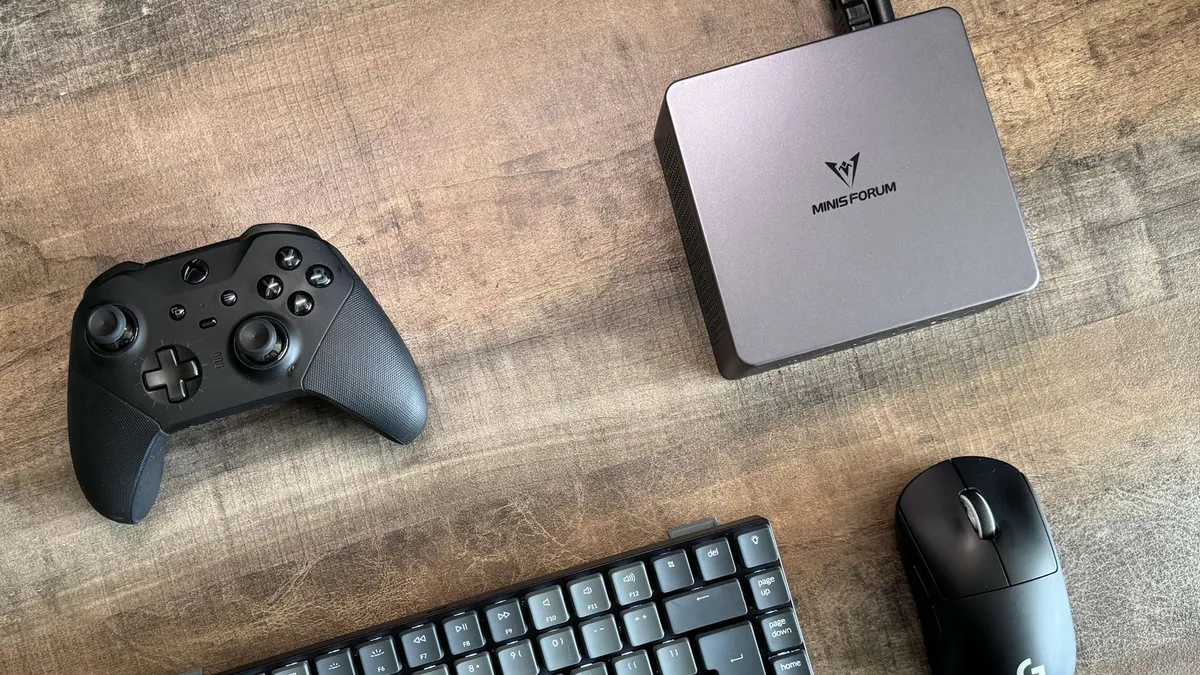
When it comes to mini PCs, at PC Gamer we're looking for machines which can run games comfortably at 1080p. The Minisforum Venus UM790 Pro is the best budget mini PC and represents one of the most affordable options to meet this gaming threshold.
The APU at its heart is AMD's Ryzen 9 7940HS. It's a fantastic chip, wielding eight cores and 16 threads, which can hit a turbo clock speed of 5.2 GHz, and folds the mighty little Radeon 780M into its design. The UM790 Pro will happily run most modern games past the playable 30 fps+ mark at 1080p and default medium settings, and can go higher with extra detail down-tweaks.
There's a range of price options available, from the barebones basic kit to various preloaded configurations of RAM and M.2 storage.
Popping the UM790 Pro open to install your parts is easy, though not the most elegant process. Four screws on the underside hold the upper shell to the component tray, but these are hidden beneath the unit's four glued-on rubber feet. So getting at them involves tugging the feet off and breaking the rubber seal; it's worth putting another dab of glue on them when you put it back together.
There are two TDP settings in the BIOS which run the APU at different wattages; Balanced runs it at 54 W, while Performance bumps this up to 56 W. The performance difference is negligible in practice, though 56 W does run the chip a little hotter and the cooling solution a little louder. Not that the latter is a worry overall, though, as the UM790 Pro runs cool and quiet—and in Balanced mode, it's totally unobtrusive.
All in all, then, a lovely little piece of engineering. If you're looking for an inexpensive yet performant mini PC with a corking iGPU, it's our best budget pick.

Click through to our Minisforum Venus UM790 Pro review to see all the benchmark and performance details.
The best mini PC for pure gaming


1080p gaming performance
| Product | Value |
|---|---|
| Asus ROG NUC 970 (RTX 4070 mobile) | 145 |
| Minisforum Venus UM790 Pro | 47 |
We tested: Core Ultra 9 185H | RTX 4070 mobile | 32 GB DDR5-5600 | 1 TB PCIe 4.0 SSD
✅ Money's no object: If you want a performant mini gaming PC that delivers at 1440p and hang the cost, the ROG NUC is for you.
❌ You value value or an upgrade path: This is not a budget-friendly machine with future CPU or GPU upgrade potential.
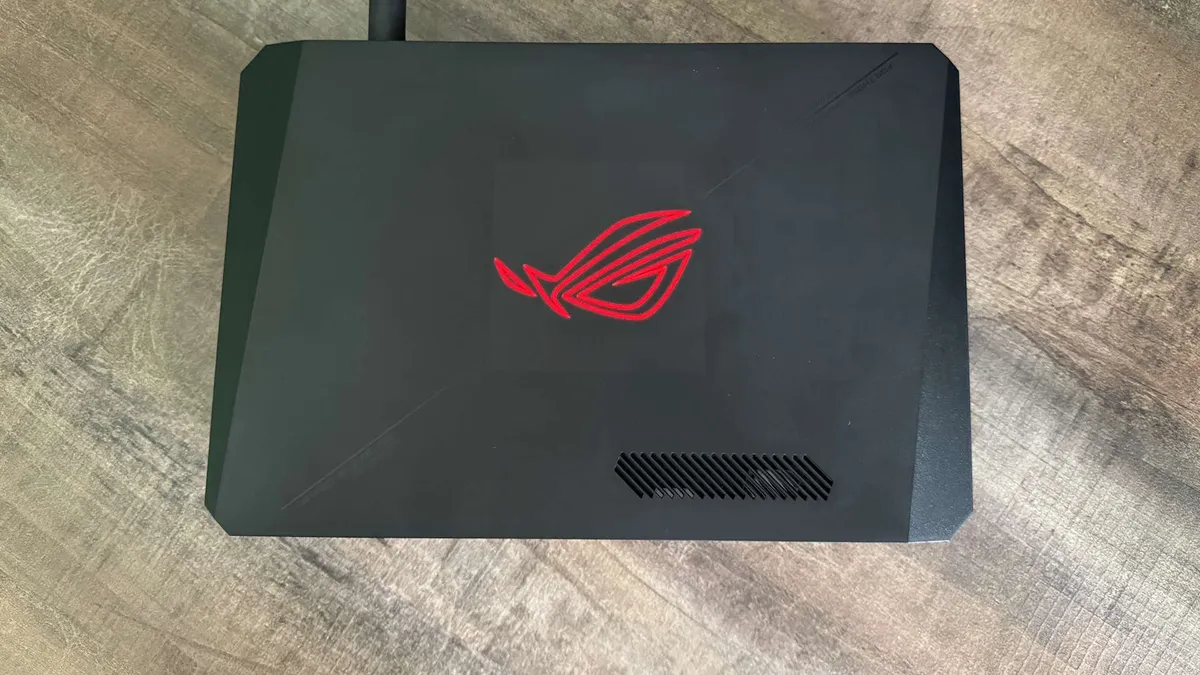
The Asus ROG NUC is the best mini PC for pure gaming performance. It packs a discrete GPU—which pushes it to the larger end of the scale for a mini pc—but it's the most powerful graphics silicon you'll find in such a small chassis. Just don't expect it to be anything close to cheap.
The NUC line-up achieves such power in a small chassis primarily by opting for a mobile (laptop) CPU and GPU. But those can be very high-end laptop components, such as the RTX 5070 Ti mobile or Core Ultra 9 275HX processor.
We'd probably recommend opting for one with an RTX 5070 in or similar, these days, though our experience is with a previous-gen version, rocking an RTX 4070 mobile, and our time with it was incredibly pleasant. Al Bickham, who tested it, found it to outperform the Minisforum AtomMan G7 PT, making it capable of some actual 1440p gaming. It even handled ray tracing well in games like Cyberpunk 2077.
It can get a bit blowy under load, but fortunately, there are three performance settings in the preinstalled Asus Armoury Crate app which raise or lower the TDP and the maximum fan speed. We found that setting it to Silent mode resulted in the loss of only one or two fps, which is a great trade-off for unobtrusive operation.
The only downside is the MSRP. For its asking price, you could almost certainly build or buy a better standard-sized gaming PC. In this context, the Asus ROG NUC is objectively not a bargain or even particularly good value. But there's always been a tax on top for mini PCs, I suppose.
If you've money to spare, you're disinclined to self-build, and you want a super-compact machine with solid performance on a 1440p panel, you'll be pleased with what the ROG NUC has to offer.

Click through to our full Asus ROG NUC 970 review to see all the benchmark and performance details.
The best-looking mini PC


1080p gaming performance
| Product | Value |
|---|---|
| AceMagic Retro X5 | 20 Avg FPS, 16 1% Low FPS |
We tested: Ryzen AI 9 HX 370 | Radeon 890M | 32 GB DDR5-5600 | 1 TB PCIe 4.0 SSD
✅ You want a nostalgic rig for indie games: It might struggle to play the most demanding titles at higher settings, but for well-optimised games and indie titles, this retro rig is a dab hand.
❌ You want powerful gaming performance: The iGPU here is good enough for plenty of 1080p gaming, but for playing demanding games, especially at higher resolutions, there are better options out there.
The best-looking mini PC for gaming is the AceMagic Retro X5. Look, there's an argument to be made for using a mini PC to save space and keep things portable, but we'd be lying if we said aesthetics weren't a factor too, wouldn't we? the AceMagic Retro X5 knows this, and it leans into it.
Styled like an old-school NES, including plenty of greys, beiges, and satisfyingly large red power button, its diminutive stature fits the part. Just like the retro consoles of yore.
It's not all looks, of course. The main selling point on the side of its internals is a current-gen Strix Point chip in the form of the AMD Ryzen AI 9 HX 370, and we definitely recommend getting this version rather than the one with a Ryzen 7 H 255, as the integrated GPU performance is markedly better.
Yes, I did say "integrated", so don't expect to be blasting through modern titles at 1440p on the highest settings, but for some light or moderate 1080p gaming it'll be fine, just like a handheld.
Apart from that, the mini PC has a ton of ports, including a full 40 Gbps USB-C port on the front. So not only absolutely, nostalgically gorgeous, but eminently usable as a daily driver, too. What's not to love?

Click through to our AceMagic Retro X5 review to see the full performance and benchmark details.
The best AI mini PC


1440p gaming performance
| Product | Value |
|---|---|
| Framework Desktop | 64 Avg FPS, 41 1% Low FPS |
| Minisforum AtomMan G1 Pro | 86 Avg FPS, 69 1% Low FPS |
Productivity performance
| Product | Value |
|---|---|
| Framework Desktop | 114 Single core index, 1908 Multi-core index |
We tested: Ryzen AI Max+ 395 | 128 GB LPDDR5x | 2 TB SSD
✅ You want a compact AI workstation: Within the Framework Desktop's tiny footprint lies a beast of a 16-core Zen 5 chip plus 128 GB of system memory, making it a compelling choice for local AI processing.
❌ You're looking for a powerful gaming rig with a small footprint: The Nvidia RTX 4060-level of performance simply does not justify the $2,000+ price tag for gaming alone.
The best mini PC for local AI is easily the Framework Desktop, owing to the itty bitty rig's beefy 128 GB of soldered LPDDR5x-8000 RAM. Sure, it's no slouch when it comes to gaming either, offering performance comparable to Nvidia's RTX 4060—just not at this price point. Despite Framework pitching it as "a DIY gaming rig without the pain," this Desktop is much better suited as a miniature AI workstation.
Just for starters, our Dave reports giving OpenAI's open-weight reasoning models, gpt-oss-20b and gpt-oss-120b, a good locally run thrashing on this mini PC. But he also found that, even when Alibaba's 235B parameter model was hogging all but 4GB of this mini rig's mighty RAM, he still enjoyed smooth performance. But it's not just the hearty helping of RAM that's worth shouting about.
The 16 Zen 5 cores and 32 threads of the AMD Ryzen Al Max+ 395 chip make this mini PC a particularly compelling, portable powerhouse. And the Framework Desktop is arguably just as portable as our Dave could comfortably stow this mini PC in his bag right alongside his laptop, but it does away with concerns about battery life or temps.
And make no mistake, this mini PC is a real looker to boot. The customisable tiles on the front, the dinky size, not to mention the fact that it comes with a convenient carry handle, all make its charm downright irresistible. Whether you're using this as an AI PC, a very expensive gaming rig, or for content creation, it can take pride of place on your desk.
For gaming alone, the expensive price tag makes the Framework Desktop tough to swallow, as does its soldered RAM and processor. But for local machine learning processing, AI evangelists are unlikely to find much that looks half as good or is anywhere near as portable.

Click through to our full Framework Desktop review to see all the performance and benchmark details.
How we test mini PCs
We have a comprehensive test suite, which we put our mini PCs through in order to gauge how effective they are. For a start, we want to know how good they are at gaming—this is PC Gamer, after all. For that, we run them through 3DMark Time Spy to get an overall picture of relative performance, but then also through different game benchmarks..
We test games at 1080p to give a good idea of how they will perform at the sort of levels that a standard gamer would want to use. For machines which have discrete GPUs inside them, however, we will also test at 1440p and at higher settings to see how far we can push them. We also test additional PC games, such as Helldivers 2, Dead Space, Plague Tale: Requiem, and Doom Eternal, to get a broader view of the mini-PC's gaming capability.
We also test the CPU performance, because these machines also need to be good at general productivity tasks, too. So we run them through some productivity benchmarks like Blender and Cinebench to get an idea of their rendering performance.
Throughout all of this testing, we measure the temperature and power draw of each unit and perform more subjective acoustic testing as well.
FAQ
Is a mini PC worth buying?
Whether a mini PC is worth buying for you really depends on what it is you're after. If you don't have the space for a desktop PC but specifically want a machine that stays in one place—i.e. not a laptop—to go under your TV, for example, a mini PC is the perfect machine. They have genuine PC performance, and now that doesn't just mean for office productivity tasks—such as video editing and Photoshop—but the latest components can also deliver genuine gaming performance, too.
What is the disadvantage of a mini PC?
The disadvantage of a mini PC is that they have much less upgradeability than a small form factor PC. You will generally be unable to change the processor at its heart, and if there's a discrete GPU, it will be a laptop-class chip and won't be upgradeable, either.
Do mini PCs overheat easily?
This used to be a problem for some mini PCs, but part of our testing methodology and our criteria for inclusion as one of the best mini PCs is that they have to have adequate cooling. And that doesn't just mean the ability to run their components under heavy loads, but also to be able to do it quietly, too.
Are mini PCs bad for gaming?
While your mini PCs are never going to be able to deliver the same level of gaming performance as a full desktop gaming PC, they are nevertheless now fitted with the sort of components which are able to deliver proper 1080p frame rates in even the latest games. And even 1440p gaming in some cases.
You might need to be a little more careful about what settings you use—for example, using medium settings as opposed to high or ultra—but you will still be able to get a great gaming experience in most modern games. Recent mini PCs use the same sort of components you'll find in the best gaming handheld PCs, and some even come with the GPUs you'll find in a modern gaming laptop or even a full-sized PC in some cases.
