

Be it 1440p, 4K, OLED, or now even ultrawides, gaming monitors have become incredibly good value over the last year or two. The memory crisis may continue to drive up everything else, but now is the perfect time for a monitor upgrade.
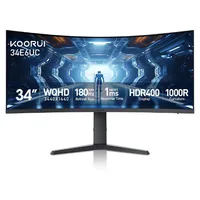
If you've been wanting to test out an ultrawide, the Koorui 34E6UC is 34 inches and just $250 at Amazon right now.
- Join us on WhatsApp for daily deals, direct to your phone.
We gave this budget beast a solid recommendation in our review just a few months ago, and it soon became our pick for the best budget ultrawide gaming monitor you can buy. Pricing on the 34E6UC has flitted around quite a bit, with it going as high as $400 near the start of the year, and previously dropping to around the $260/$270 mark. It has stayed at its discounted price of $250 for a while now, but it is truly the best ultrawide you can get for the money out there.
Being a VA panel, it does have somewhat sluggish pixel response times, and you aren't getting the color accuracy of an IPS or the superior contrasts and near-instantaneous response times of an OLED, but one huge benefit is that price. And it's certainly not a bad panel otherwise.
It's plenty bright, it's punchy, and it's well built too. Our Jeremy said in his review, "This screen is all about context and value. Put it up next to the latest OLED panels, and the shortcomings in terms of contrast, black levels, lighting control, viewing angles, pixel response, and more are pretty stark. But they're also pretty irrelevant if your budget is $250, or thereabouts."


Still, where this monitor does stand out is its ultrawide panel. At a tight 1000R curve, you are getting a seriously immersive experience. For the unaware, ultrawide gaming monitors are well-liked because they get more information on the screen at once. In first-person games, this broader angle is quite immersive, and in strategy games, it can give you more information without having to move the screen around.
One obstacle to using ultrawide is that some games don't natively support the format. Street Fighter 6 and Elden Ring are among those that don't support ultrawide, but the likes of Flawless Widescreen can force the format on unsupported games.
Unlike memory, SSD, and graphics card, monitors don't have any pricing or stock issues. Instead, the problem is that there are simply too many options out there. I look after our roundup of the best cheap gaming monitor deals every week, and right now, you can get the aforementioned Koorui for $250, an MSI Pro 27-inch 1440p monitor for $120, an Acer Nitro 4K gaming monitor for $180, or even a Samsung OLED monitor for $350. Take your pick. They're all bangers for the price.
1. Best overall / 4K:
MSI MPG 322UR X24
2. Best budget 4K:
Asus ROG Strix XG27UCG
3. Best budget OLED
Alienware AW2726DM
4. Best 1440p:
MSI MPG 271QRX
5. Best budget 1440p:
KTC H27T22C-3
6. Best 1080p:
AOC Gaming C27G4ZXE
7. Best Ultrawide:
Gigabyte MO34WQC2
8. Best budget ultrawide:
Koorui 34E6UC
9. Best competitive
KTC 25M1