Well what a silly goose I am. Only a few days ago I was hyping up some new Windows (Insider) updates for actually looking like they might be decent for a change, and now I'm tearing my hair out trying to fix whatever the latest update (KB5101650) seems to have done to my PC. And yes, this is the first Windows update that Microsoft has used AI for, to help it discover a bunch more security fixes. It actually included a record 570 patches.
To be clear, it doesn't sound like Microsoft is saying AI is going to be used in fixes a lot more from now on, rather that it's going to be discovering a bunch more vulnerabilities thanks to AI, and then pushing out more fixes for them in each update. But a bunch more fixes each update, to my ears, just sounds like a higher likelihood of one or more of them breaking something.
And it seems like more than a coincidence that I ran into issues with my monitor the morning after the update.
My 400 Hz monitor will not run at 400 Hz anymore, at least not without cutting to black and re-connecting every second or two. Put it down to 360 Hz and that's every three or four seconds; down to 300 Hz and it's even more infrequent (but still terribly frequent). Put it down to 240 Hz, though, and I'm fine.
Peculiar.
I don't seem to be the only one struggling since the latest update, either, especially for those with an AMD card.
Judging by some Reddit threads, it seems like there are a few others struggling with display and graphics issues since the update dropped. Some of these problems could be coincidental—not everyone is linking their issues to the Windows update—but I doubt all of them are, given my own experience.
Microsoft has also had to pause the update for some Dell PCs due to a compatibility issue leading, in some cases, to "changes in performance, power consumption, or system behavior."
At any rate, I've not seen any word from Microsoft or AMD about the specific display issue I've encountered or other similar display and graphics issues I've seen some others reporting. I'll have to try reverting the update again, as my system didn't seem to want to get rid of the whole thing when I tried last night.
Whatever the case may be here, human or AI error, someone needs to get on it, pronto, because dropping from 400 Hz to 240 Hz is not pretty. Kidding, it's fine, I just don't like being forced into it from an update, if that is indeed what has happened.
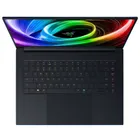
1. Best overall:
Razer Blade 16 (2025)
2. Best budget:
Lenovo LOQ 15 Gen 10
3. Best 14-inch:
Razer Blade 14 (2025)
4. Best mid-range:
MSI Vector 16 HX AI
5. Best high-performance:
Lenovo Legion Pro 7i Gen 10
6. Best 18-inch:
Alienware 18 Area-51