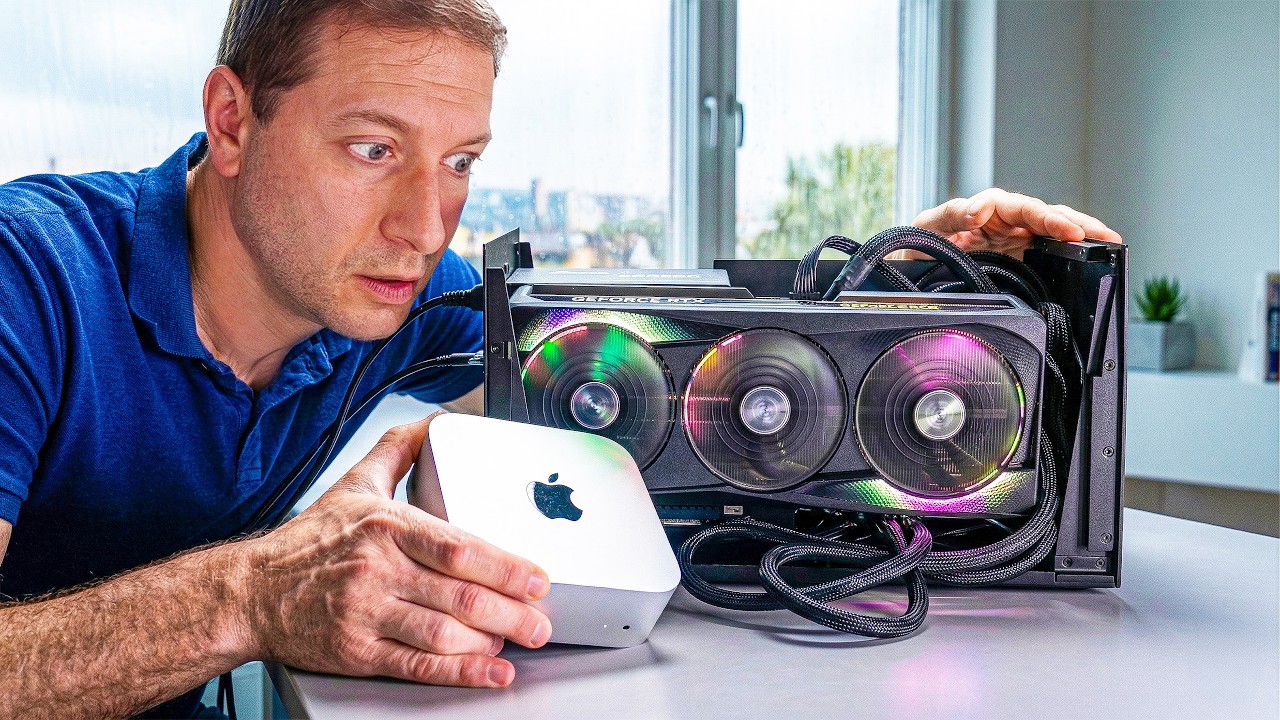
It wasn't that long ago that you could happily use an Nvidia graphics card in an Apple Mac, either for gaming or to use Team Green's CUDA ecosystem. But once Apple switched to its own rendering API, that was the end of it all. Until now, that is, because thanks to a new open-source driver, you can go all AppleCUDA once again.
Coding and tech YouTuber Alex Ziskind (via Videocardz) has posted a video where they try out this new driver on a Mac mini, connecting a GeForce RTX 50-series graphics card to it via an eGPU dock, over a USB4 cable. The secret (well, not secret now) sauce is an app called TinyGPU, developed by tiny corp, which also created the special driver that it uses to make everything work.
If you have a Thunderbolt or USB4 eGPU and a Mac, today is the day you've been waiting for! Apple finally approved our driver for both AMD and NVIDIA. It's so easy to install now a Qwen could do it, then it can run that Qwen... pic.twitter.com/daUsyBHh1WApril 1, 2026
One important thing to note is that Apple has fully approved all of this, as well as AMD and Nvidia, so you don't need to be doing any kind of homebrew shenanigans or the like: just plug all your hardware together (making sure the graphics card is correctly powered), install the app and driver, setup your compiler, and you should be good to go.
Now, before you get excited about being able to do some serious gaming on a Mac with that spare RTX 5090 you happen to have lying around, tiny corp's work is focused on AI only. And even then, Ziskind shows that there is still a lot of performance being left behind, especially with the 5090 that they used.
In general, while all three tested RTX 50-series graphics cards crunched through considerably more tokens per second than the M4 Pro powering the Mac mini, the software stack wasn't making full use of the Blackwell GPU's capabilities.
But this isn't to take anything away from what tiny corp has done, and if you have an AMD RDNA 3, Nvidia Ampere, or more recent GPU, then you'll be able to get stuck in yourself and see what kind of AI experiments you'll now be able to do on your Mac.
Since all of tiny corp's GPU runtimes are open-source and available on GitHub, I wouldn't be surprised if someone figures out a way to get everything working with games, too, though this is likely to be one heck of a challenge.
1. Best overall: AMD Radeon RX 9070
2. Best value: AMD Radeon RX 9060 XT 16 GB
3. Best budget: Nvidia RTX 5050
4. Best mid-range: Nvidia GeForce RTX 5070 Ti
5. Best high-end: Nvidia GeForce RTX 5090