You don't need to spend a whole pile of money to get a good gaming mouse. In fact, you only really need to spend tens of dollars to get something great.
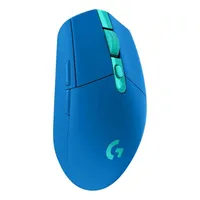
And if you're looking to spend as little as possible on a wireless gaming mouse, Logitech's iconic egg-shaped G305 Lightspeed is down to $25. Oddly, the blue model is the cheapest of the lot, which isn't bad because it sure is eye-catching.
- Check out the best Black Friday PC gaming deals or follow us on WhatsApp
We like the G305. In fact, we really like it, and it was only recently replaced by the Mchose G3 V2 Pro as our pick for the best budget gaming mouse, which offers better specs and a similar feel for a little under Logitech's MSRP. But it's Black Friday, and we aren't talking about MSRPs anymore.
You're getting a 12,000 DPI here with Logitech's Hero optical sensor, 6 programmable buttons, and up to 40 G acceleration. Thanks to the 2.4 GHz connector, it offers 1,000 Hz polling (which communicates to your PC every millisecond). That's a bit of a sweet spot for gaming, being snappy without draining the battery too much. You can go all the way up to 8,000 Hz polling with gaming mice now, but I wouldn't worry much about that if you don't have competitive-level aspirations.
And the G305 Lightspeed is impressive where it counts. It's a bit of an iconic gaming mouse because it's comfortable and cheap, and has been a go-to budget pick basically ever since it launched. At 73.5 g without batteries in it, it's certainly not a light mouse, and the need to use it with batteries feels a bit primitive by the standards of modern mice.
But being battery-operated does come with its own perks, and you get up to 250 hours of battery life from the mouse with a standard AAA battery. Endurance mode, which lowers the polling rate, extends battery life to a whopping nine months.
The name of the game here is ultimately the price. We've been rounding up the best gaming mouse deals this Black Friday, and this Logitech pick is the cheapest one on our list. It helps that this mouse is genuinely a very good one for gaming (if surpassed by more modern offerings), but if you want to pay the lowest possible price without your wireless mouse letting you down in games, this little egg-shaped rodent would get my recommendation.
👉 Check out Amazon's Black Friday gaming mouse deals 👈

1. Best wireless:
Razer Viper V4 Pro
2. Best wired:
Glorious Model O Eternal
3. Best budget wireless:
Mchose G3 V2 Pro
4. Best competitive:
Logitech G Pro X3 Superstrike
5. Best lightweight:
Corsair Sabre V2 Pro
6. Best MMO:
Corsair Scimitar Elite Wireless SE
7. Best ambidextrous:
Logitech G Pro 2 Lightspeed
8. Best ergonomic:
Keychron M5
9. Best battery life
SteelSeries Rival Pro