





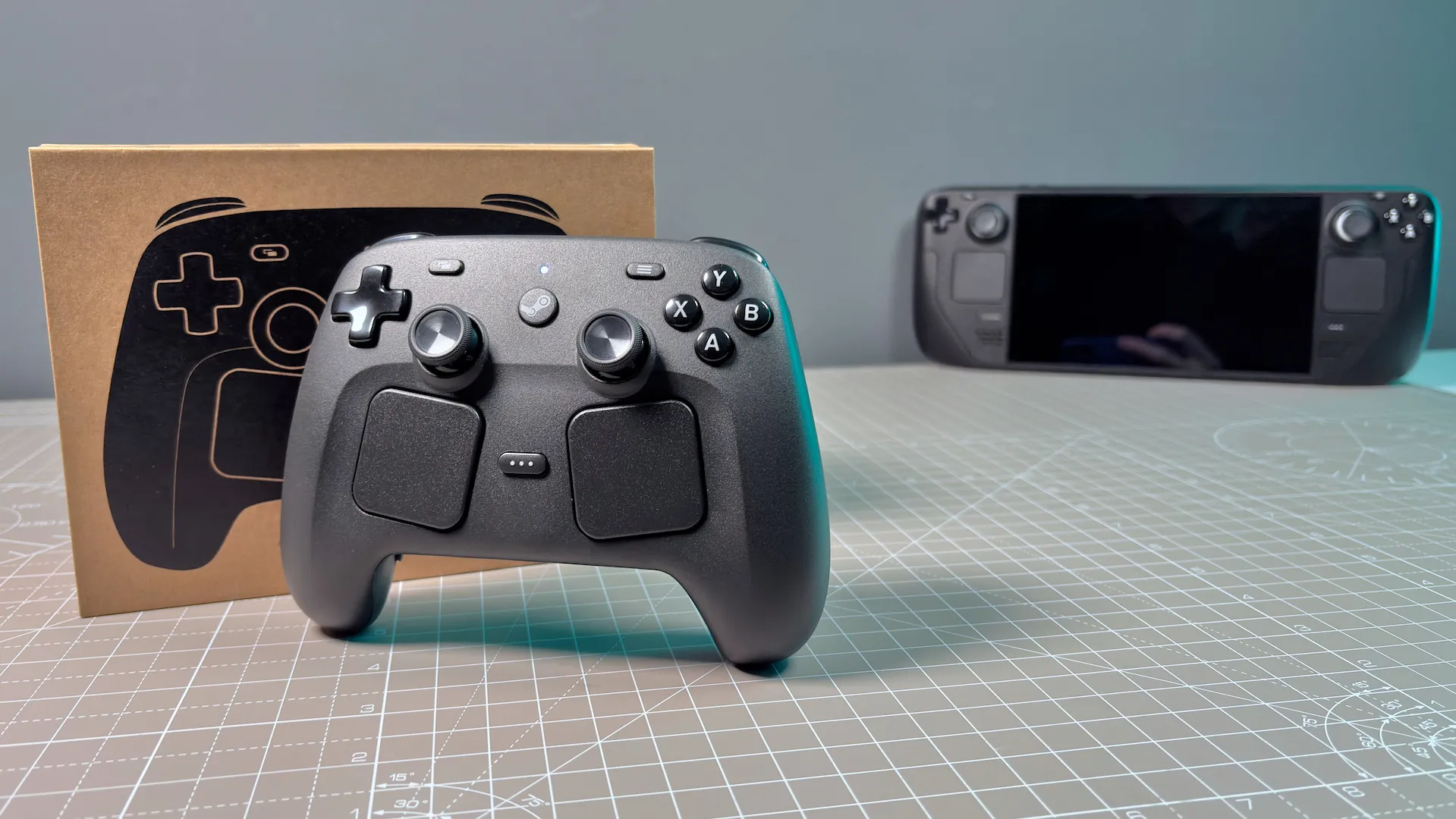
The Steam Controller is full of surprises. It screams when you drop it and it even sings songs if you program it to. You don't have to program it yourself, however, just drop a MIDI track into this software on Github and it'll do its best to to sing its little heart out.
It's called SteamHapticsSinger and it's been recently published by CrazyCritic89. Though it's a fork of previous iterations of the same software originally created 10 years ago for the Steam Controller (2015), from Pila and Roboron3042, this time with fixes and upgrades for the new Steam device.
Here's the application in action, using a MIDI file of Portal's 'Still Alive' included with the package.
I also gave it a go with the Wii Shop Soundtrack, which was musical perfection in rumble form.
And another absolute smash-hit.
Alright, so it couldn't quite pull off a Rick Roll, nor match the musical genius of Rick Astley. But it's still hella impressive.
You can throw a bunch of MIDI files at the software and see what sounds good. You just drag and drop onto the exe file. You do need USBDK to get the software working in the first instance, however, but it should also work with the Steam Deck and original Steam Controller too. I'm just waiting for someone to lash 20 of these things together and start an orchestra. Though maybe once that reservation queue is a little lower, yeah?
1. Best overall:
GameSir G7 Pro
2. Best budget:
GameSir Nova Lite
3. Best high end:
Razer Wolverine V3 Pro 8K PC
4. Best for couch
Steam Controller (2026)
5. Best wired:
Scuf Valor Pro

