Summer's nearly here, and as PC gamers that means shutting the curtains and pretending the outside world doesn't exist. I kid, I kid. It's the perfect time of year to give your PC a thorough cleaning, though, as the great nuclear orb in the sky can cause hell for your components.
When was the last time you pulled the dust bunnies out of your air cooler? Cleaned your fans? Had a thorough going-over of all your vents? I bet it's been a while. Not only will a good clean keep fan noise to a minimum, but it also ensures that all of your components are running as chilled out as they can possibly be—which can seriously improve performance in a clogged-up machine.
Or, it might be time to consider replacing your coolers and fans entirely. Below, I've rounded up nine products that should help you in your quest. From a simple set of anti-static brushes, to the tools you'll need to dismantle components for cleaning, to full-on cooler and fan replacements, everything here is ready to help your PC run at its very best in the summer heat.
Then we can go and enjoy a fruity drink by the pool, safe in the knowledge that our gaming PCs are in tip-top condition. Mine's a margarita, thanks. Extra salt.
PC cleaning and cooling
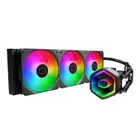
1. Best AIO:
Arctic Liquid Freezer III Pro
2. Best budget AIO:
Cooler Master MasterLiquid Core II
3. Best high-end AIO:
Be Quiet! Light Loop
4. Best screen:
NZXT Kraken Elite RGB (2024)
5. Best air:
Noctua NH-D15 G2
6. Best budget air:
Arctic Freezer 36