You are now subscribed
Your newsletter sign-up was successful
Want to add more newsletters?

Every Friday
GamesRadar+
Your weekly update on everything you could ever want to know about the games you already love, games we know you're going to love in the near future, and tales from the communities that surround them.

Every Thursday
GTA 6 O'clock
Our special GTA 6 newsletter, with breaking news, insider info, and rumor analysis from the award-winning GTA 6 O'clock experts.

Every Friday
Knowledge
From the creators of Edge: A weekly videogame industry newsletter with analysis from expert writers, guidance from professionals, and insight into what's on the horizon.

Every Thursday
The Setup
Hardware nerds unite, sign up to our free tech newsletter for a weekly digest of the hottest new tech, the latest gadgets on the test bench, and much more.

Every Wednesday
Switch 2 Spotlight
Sign up to our new Switch 2 newsletter, where we bring you the latest talking points on Nintendo's new console each week, bring you up to date on the news, and recommend what games to play.

Every Saturday
The Watchlist
Subscribe for a weekly digest of the movie and TV news that matters, direct to your inbox. From first-look trailers, interviews, reviews and explainers, we've got you covered.

Once a month
SFX
Get sneak previews, exclusive competitions and details of special events each month!
Working out how to change character in a free-to-play game like Mecha Break is always a challenge, as you walk the fine line between what you get for free and what they want you to pay for. Sadly, Mecha Break is pretty stingy in terms of character cosmetics—you'll be able to customize your character's base appearance, but beyond that, you'll have to shell out real cash to unlock outfits or tattoos.
You'll also have to pay actual money if you want to select a new opposite-sex pilot, meaning you should make your initial character choice wisely if you plan to play this game for a while. If you're looking for an easy way to get a new outfit, complete the Ace Conquest welcome event objectives on the right. These little tasks will get you a beret, dog tag, jetpack cosmetic, and a new uniform without having to pay.
How to change character in Mecha Break
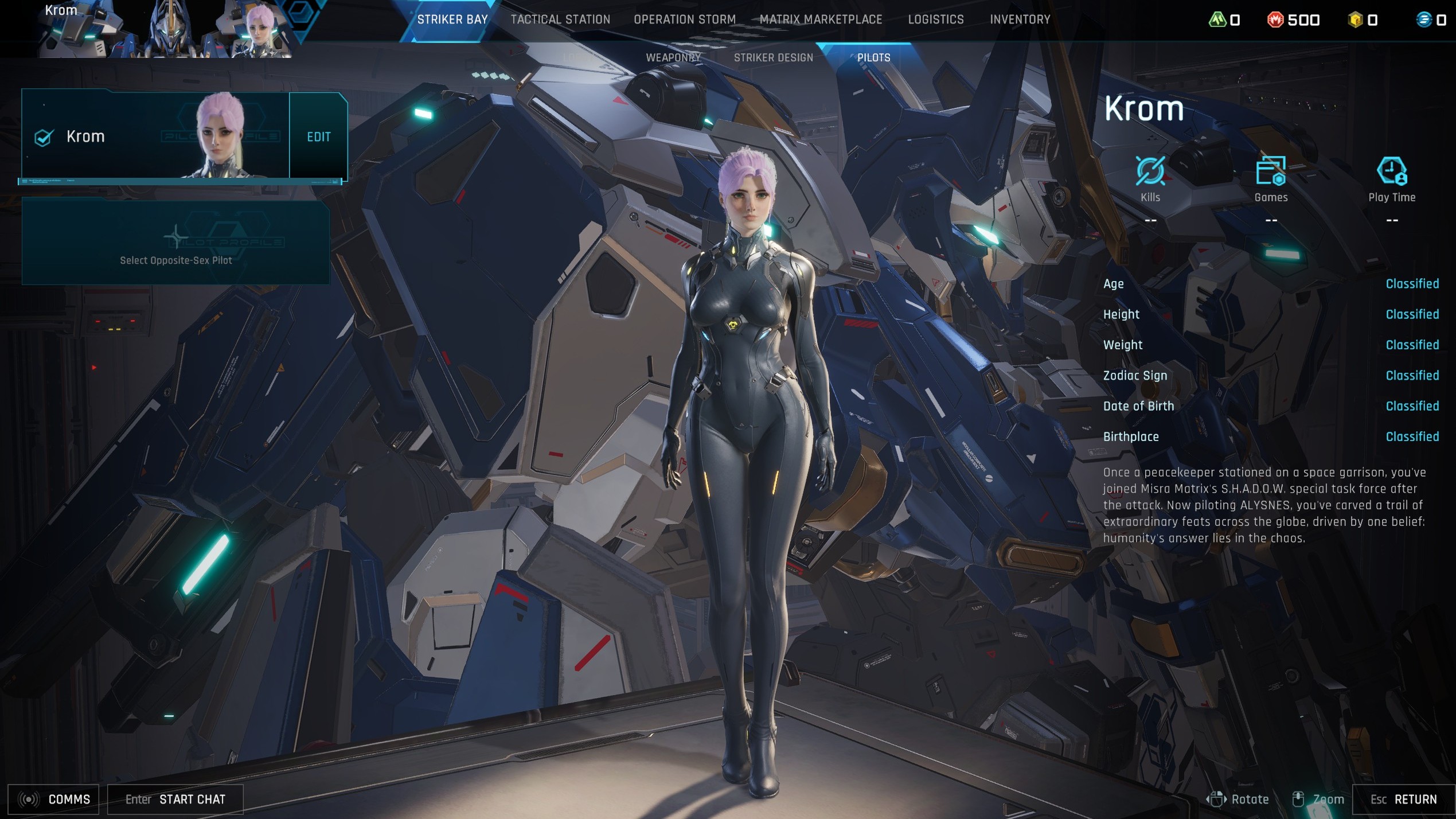

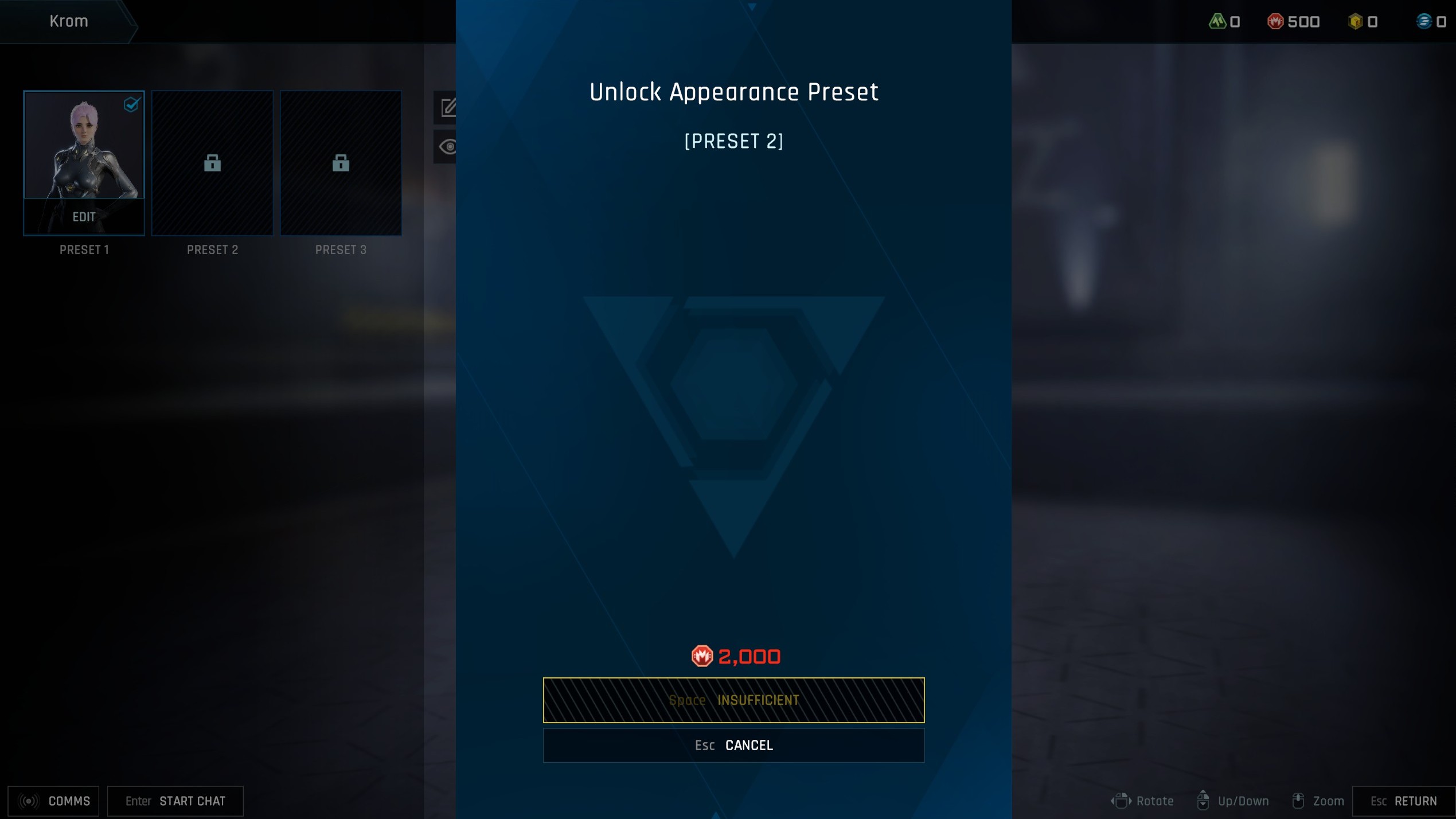

Once you've selected your pilot, you can't change them beyond customization and preset. To customise your pilot, you need to:
- Select Striker Bay
- Choose Pilots
- Click the Edit option next to your pilot
- Now choose the Edit option at the bottom of their preset
If you select Style, you can tweak your face, hair, makeup, and body type. There's also the option to change tattoos and outfit, but these are all locked behind either the Corite Exchange (premium currency), or you have to earn them through Mecha Break events, meaning the Style option is mainly what you can customise for free.
Additionally, if you want to change your character preset entirely, you'll need to unlock a new preset slot next to your previous one for 2,000 Mission Tokens. And, if you want to unlock a new opposite-sex pilot, too, you'll have to head back to that Pilots menu and click the option, though this will cost you 680 Corite, which definitely isn't worth it.

You must confirm your public display name before commenting
Please logout and then login again, you will then be prompted to enter your display name.