

Our Verdict
The fact this is the cheapest way of getting Intel's G3 is both a boon for Acer and an indictment of the memory crisis. If you've gotta buy soon, this offers perhaps the best price-to-performance ratio above $1,000.
For
- Excellent chip
- Solid pricing for the specs
Against
- Low storage in America
- Mushy D-pad
- Some software hiccups
PC Gamer's got your back Our experienced team dedicates many hours to every review, to really get to the heart of what matters most to you. Find out more about how we evaluate games and hardware.
Intel's G3 Extreme is a mighty impressive chip, and easily the headline feature of Acer's Predator Atlas 8. If you're looking to get the best handheld Panther Lake chip right now, Acer has swooped in at pretty much the cheapest price point on the market.
And if that's all you want, the Atlas 8 has my blessing. It's a solid device that makes use of the chip and offers compromises in memory and storage capacity (in the American market) to bring that cost down. Not only that, but if you buy one right now, you get a heaping of goodies with it.
But if you don't need top-of-the-line specs to have a good time, the Atlas 8 instead becomes just one of many very, very solid, yet very, very expensive handhelds on offer in a time that has become worse and worse thanks to the memory crisis.
✅ You want the G3 Extreme but cheaper: The Atlas 8 undercuts both MSI and OneXPlayer in pricing for a G3 Extreme handheld.
❌ You play fighters or platformers primarily: The D-pad is mushy and lacks distinction, making it unsatisfying and a tad unruly.
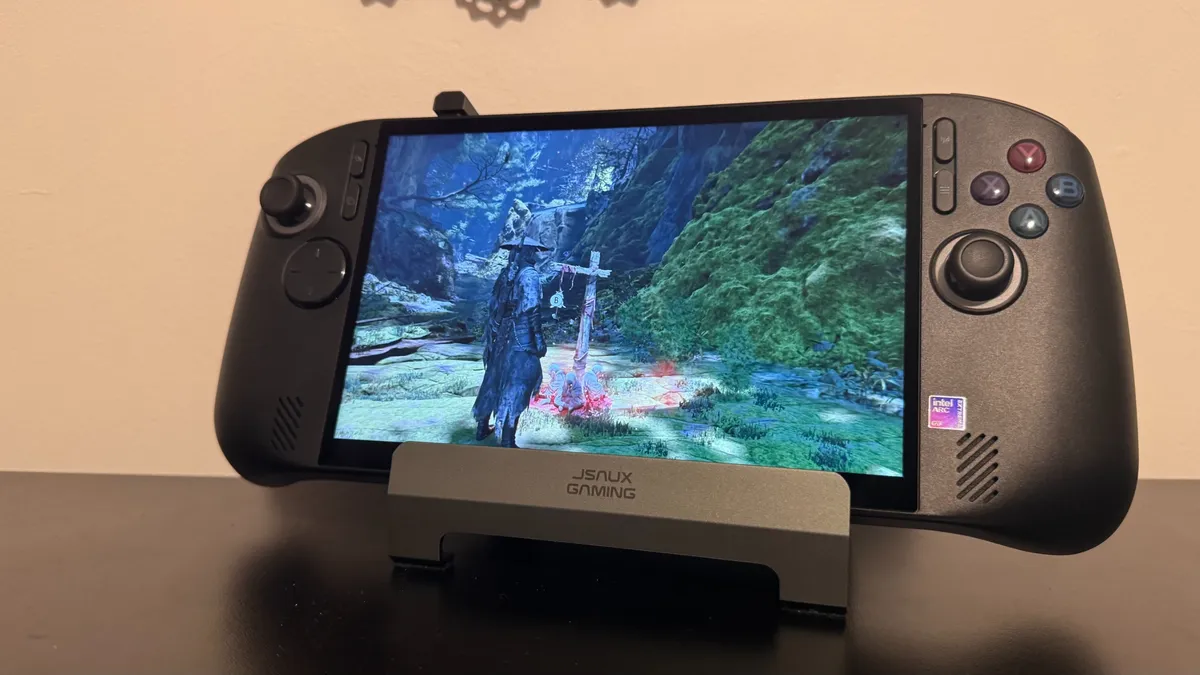
The fact this is the cheapest way of getting Intel's G3 is both a boon for Acer and an indictment of the memory crisis. If you've gotta buy soon, this offers perhaps the best price-to-performance ratio above $1,000.
Features
| Row 0 - Cell 0 | Acer Predator Atlas 8 |
Processor |
G3 Extreme |
Operating System |
Windows 11 |
Memory |
24 GB LPDDR5x |
Display |
8-inch WUXGA 1920 x 1200 (120 Hz refresh rate and 500 nits peak brightness) |
Graphics |
Intel Arc B390 |
Storage |
1 TB Gen 4 SSD (512 GB in America) |
Thumbsticks |
TMR |
Battery / Adapter |
80 Wh |
Dimensions |
58 x 299 x 127 mm |
Weight |
869 g |
Colour |
Black |
Price |
The memory capacity is around average (Though lower than the high-end G3 Extreme offerings from MSI and OneXPlayer), and the storage is below average for a high-end handheld if you buy it in America.
Though 512 GB of storage isn't awful in a device you only want for gaming, the G3 Extreme is strong enough to take on even beefy, big-budget games, so it's a shame that the Atlas 8 can't hold all that many at once.
You are getting a strong feature set even outside of that chip, though. For one, TMR Sticks make for not only more efficient battery usage, but snappy, responsive controls. And you get Hall effect triggers too.


Performance
1080p gaming performance
In a handful of games, with upscaling on and off (35 W plugged in)
| Product | Value |
|---|---|
| Acer Predator Atlas 8 (G3 Extreme) | 34 Avg FPS, 25 1% Low FPS |
| Asus ROG Xbox Ally X | 26 Avg FPS, 19 1% Low FPS |
| Asus ROG Xbox Ally X20 | 26 Avg FPS, 19 1% Low FPS |
| MSI Claw 8 EX AI+ CG3EM (Endurance mode) | 24 Avg FPS, 20 1% Low FPS |
| MSI Claw 8 EX AI+ CG3EM (v1.0) | 33 Avg FPS, 16 1% Low FPS |
| OneXPlayer OneXFly F1 Pro | 22 Avg FPS, 16 1% Low FPS |

Performance is the name of the game for the Acer Predator Atlas 8, and boy, does it perform. Compared to the Z2 Extreme, I saw figures generally between 30% and 50% better, but it manages to double the fps in Metro Exodus.
That performance bump is especially noticeable in games like Black Myth: Wukong, which are just below what I'd consider playable on Z2 Extreme and just about playable on the G3 Extreme. The G3 Extreme is the best gaming handheld chip right now, and the Atlas 8 getting less capacious memory than the MSI Claw 8 Ex AI+ CG3EM does not hold it back much in my testing. In fact, in some places, it even performs ever so slightly better.
Productivity suite testing
Scores in major productivity suites and benchmarking tools (35 W plugged in)
| Product | Value |
|---|---|
| Acer Predator Atlas 8 (G3 Extreme) | 6808 Index score, 6367 GPU index score, 11208 CPU index score |
| Asus ROG Xbox Ally X | 4033 Index score, 3663 GPU index score, 9462 CPU index score |
| Asus ROG Xbox Ally X20 | 4086 Index score, 3771 GPU index score, 9568 CPU index score |
| MSI Claw 8 EX AI+ CG3EM (Endurance mode) | 4890 Index score, 4520 GPU index score, 9141 CPU index score |
| MSI Claw 8 EX AI+ CG3EM (v1.0) | 6499 Index score, 6091 GPU index score, 10487 CPU index score |
| OneXPlayer OneXFly F1 Pro | 3690 Index score, 3335 GPU index score, 9333 CPU index score |
Ergonomics
At 860 grams, the Atlas 8 is a bit on the heavy side. It's balanced well, not feeling particularly heavy on either side, but you do notice that weight after long gaming sessions. I'm fond of the textured grips, but I do feel spoiled by the Asus ROG Xbox Ally X20 I used prior, thanks to its great feel and small cutaway between the screen and the grips.
However, I would simply pick a different handheld if you are planning on playing a heavy amount of fighting games or platformers, as the D-Pad is mushy, making it not only lacking in accuracy but generally unsatisfying to use. It's hard to make out when you actually hit buttons on the D-Pad, and it has very little distinction between different directions, making corner hits quite awkward. In Animal Well, I swapped to the thumbstick and never looked back.
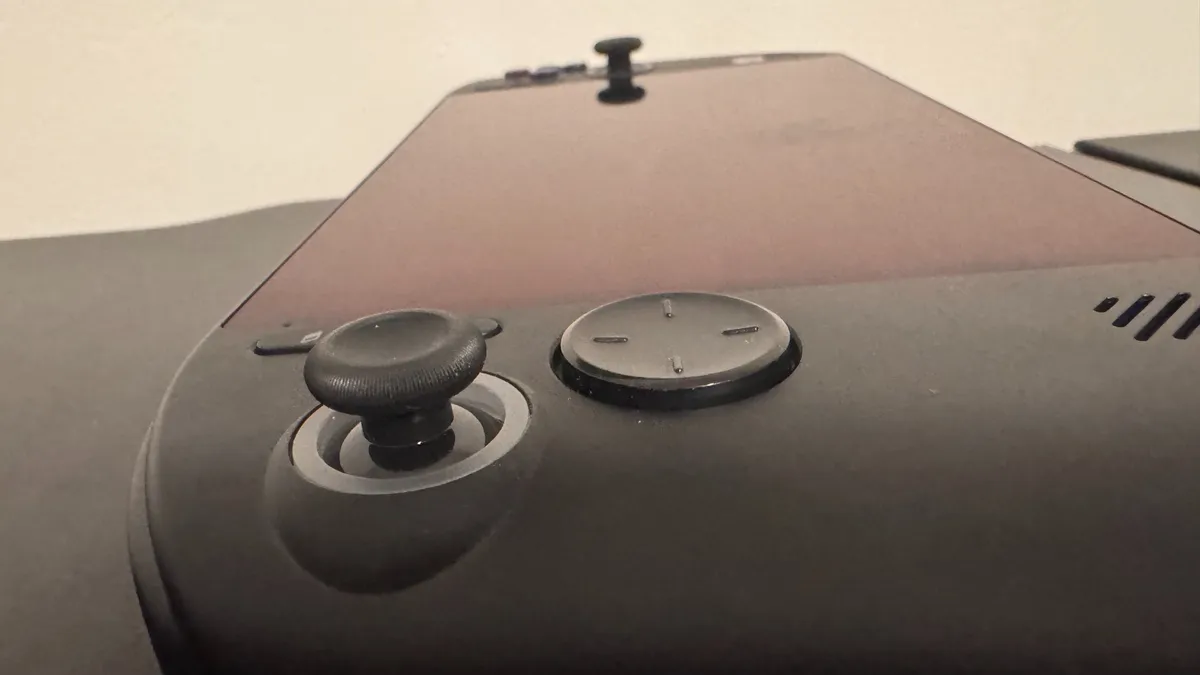


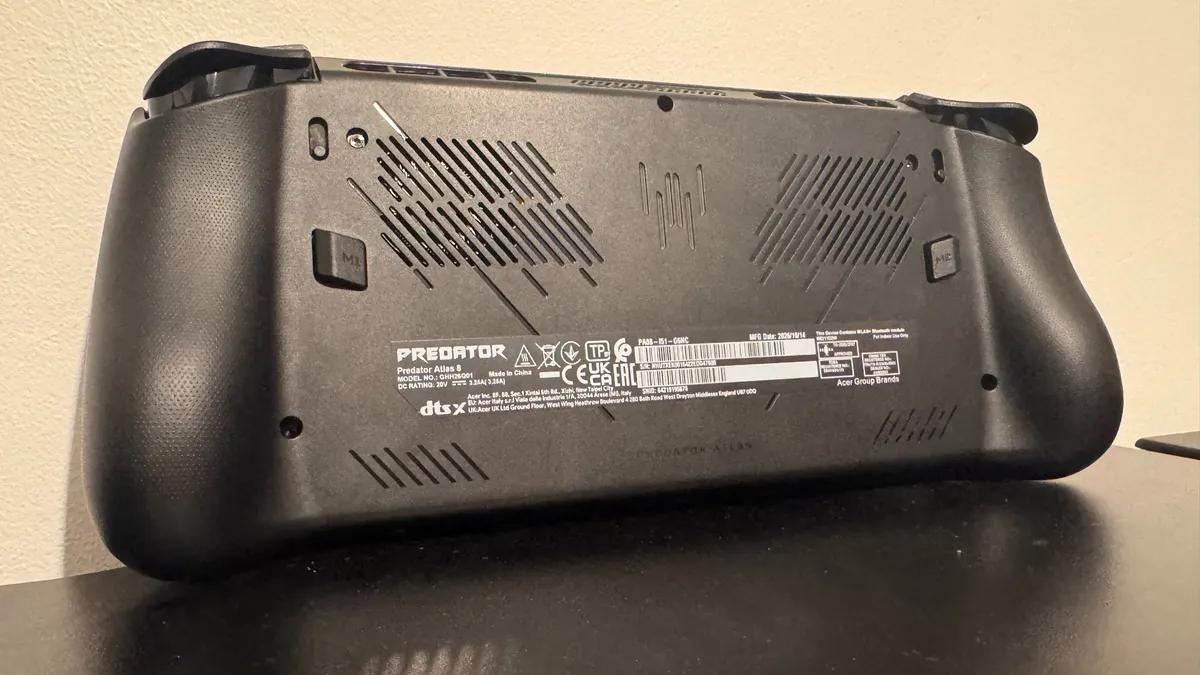
The triggers and bumpers are solid, though, and the macro buttons on the back are satisfying to hit. You can even use a toggle just under the triggers to swap them from micro switches to full travel. That's an on-the-fly level of customisation that's admirable at best, and unnoticeable at worst.
Everything else about the Acer Predator Atlas 8 feels high quality in terms of feel. It's sturdy, with buttons placed well, and they're satisfyingly clacky without being too loud. The sound on the triggers is too hollow for my liking, but they feel smooth to the touch and are plenty responsive.
Sound
Speaking of loud, the speakers built into the Atlas 8 can really thump. They are in the bottom left and bottom right of the device, near the screen, making them quite immersive in use. They're not the highest quality, with the clashing of steel sounding more tinny than I'd usually ask for, but they're certainly not bad given their size.
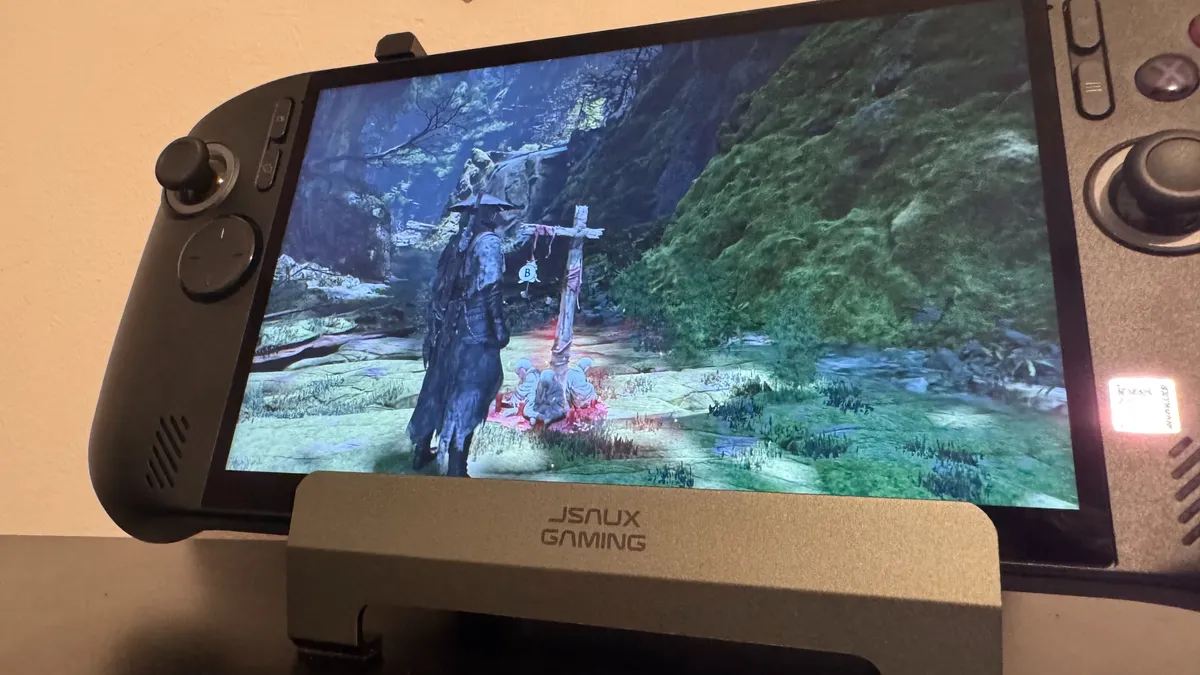
With fans set to auto and performance mode at the 35 W Turbo mode, the fans are noticeable (once again, I have been spoiled by the X20), especially in intensive games like Phantom Blade Zero. But they're not so loud that they would put me off using this handheld in its high-wattage mode. I measured the fans to be around 40 decibels at their peak (around a whisper), with it averaging 28-35 decibels in intensive games. Whilst benchmarking, that went up to the 50-decibel mark, though only very briefly.
Thermals
Acer says it has equipped the Atlas 8 with a custom Predator AeroBlade cooling, and in practice, it's certainly cooler than the likes of the Asus ROG Xbox Ally X and Lenovo Legion G S (though it doesn't beat the X20).
It certainly gets fairly hot internally, but with the fans pointing upwards, I never noticed any of that heat on my fingertips.
Gaming test thermals
Recorded in HW Info whilst performing gaming benchmarks (35 W plugged in)
Thermal performance
| Product | Value |
|---|---|
| Acer Predator Atlas 8 (G3 Extreme) | 91 Max CPU temp (°C), 50 Max CPU package power (W) |
| Asus ROG Xbox Ally X | 96 Max CPU temp (°C), 55 Max CPU package power (W) |
| Asus ROG Xbox Ally X20 | 79 Max CPU temp (°C), 48 Max CPU package power (W) |
| MSI Claw 8 EX AI+ CG3EM (Endurance mode) | 75 Max CPU temp (°C), 20 Max CPU package power (W) |
| MSI Claw 8 EX AI+ CG3EM (v1.0) | 97 Max CPU temp (°C), 37 Max CPU package power (W) |
| OneXPlayer OneXFly F1 Pro | 92 Max CPU temp (°C), 30 Max CPU package power (W) |
Software
Windows on a handheld can still be awkward. The Atlas 8 comes built in with Xbox's handheld software, which is somewhat like Microsoft's attempt at Steam, but it's not totally smooth sailing in any direction (though it's more efficient than Windows). For instance, you can't get Intel drivers through the Acer Predator software built into the device as you might expect, so you still have to go through the Intel updater or search the internet, except with a touchscreen. And the Xbox mode still opens up Steam independently if you want to play a Steam game.
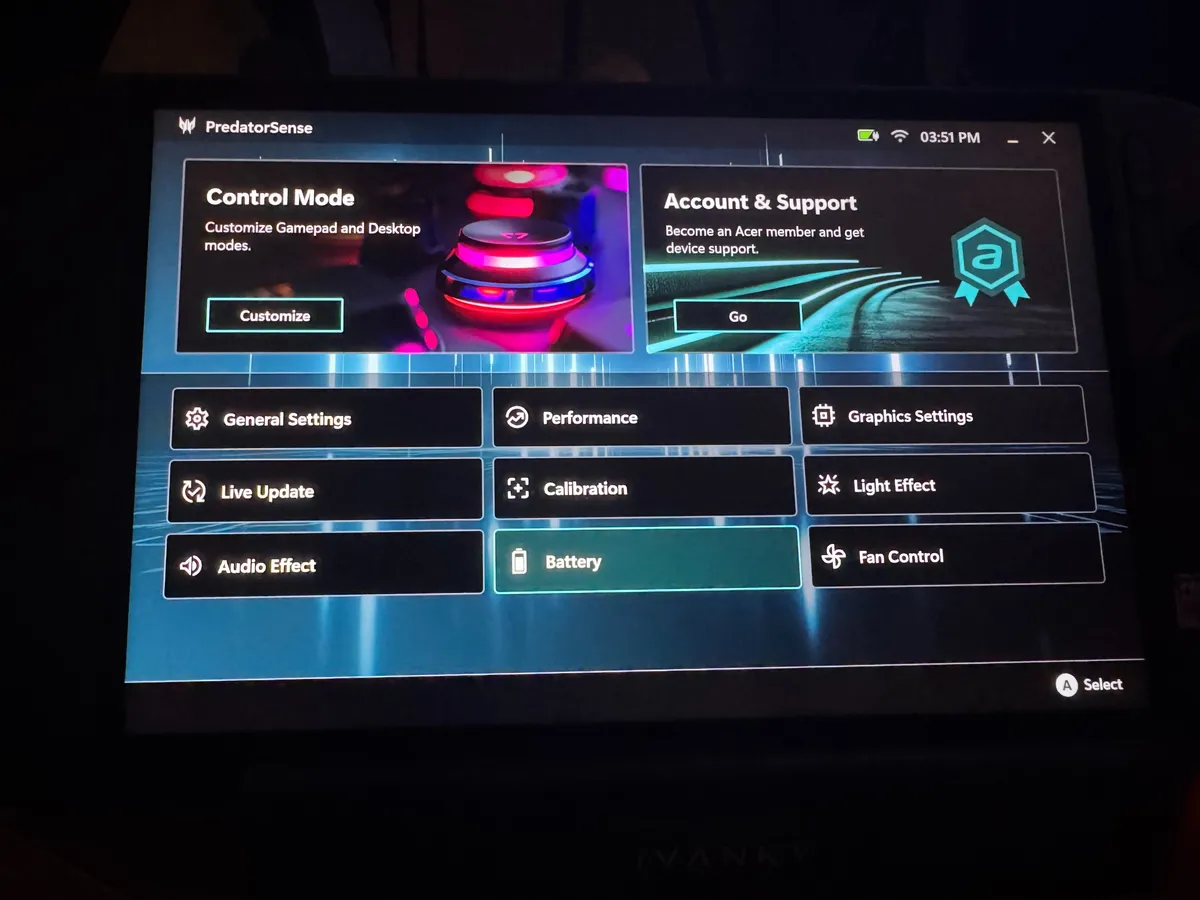


As well as this, the Atlas 8 has two dedicated buttons to open up Acer's software, the Acer Predator Sense, but it doesn't always work on the first try, and I haven't figured out exactly why this is yet. The button on the left-hand side opens up a quick bar-style version of the app to swap between performance modes, change resolution, etc. The button on the right-hand side opens the full-fat Predator Sense app, where you can get more granular with your customisation.
Though it's effectively the same setup as the Asus ROG Xbox Ally X, it's slower and more cumbersome. That seems to be the prevailing truth of pretty much any Windows-based handheld right now.
Battery life
I notice next to no difference between the 25W Quiet Mode and 30W Balanced Mode, with mere minutes being between them in the PC Mark 10 battery life gaming test.
However, Panther Lake's battery-saving mode (thanks to what Intel calls Endurance Gaming) is truly great, providing just under three hours of battery life. For less intensive use cases, I could see much better battery life. This Endurance mode can be flicked between three different modes, with one end bringing down power for better battery life, and the other bringing that power up in exchange for less battery life. The middle Balanced Mode is how I would use the handheld day-to-day.
The only downside here is that the very lightest mode on the Atlas 8 is currently 25 W, which is the max on Z2 Extreme handhelds. You can push that down below 25 W, but you have to set a custom wattage, which I'd wager many handheld owners don't want to mess with. For most, you will be using this between 25 W and 35 W day-to-day.
Gaming battery life
Recorded using PCMark 10's gaming battery life test (Asus only goes up to 25 W unplugged but Acer goes up to 35 W)
Battery life | PCMark 10
| Product | Value |
|---|---|
| Acer Predator Atlas 8 (G3 Extreme, 35 W Without Endurance) | 100 |
| Acer Predator Atlas 8 (G3 Extreme 35 W with Endurance) | 175 |
| Asus ROG Xbox Ally X (25 W) | 125 |
| Asus ROG Xbox Ally X20 (25W) | 149 |
| MSI Claw 8 EX AI+ CG3EM (Endurance mode) | 308 |
| MSI Claw 8 EX AI+ CG3EM (v1.0) | 153 |
Aesthetics
Other than its fairly pretty face buttons, the Atlas 8 is a rather plain all-black gaming handheld. It goes without much intricate detailing (other than the Acer Predator RGB logo on the back and RGB rings around the thumbsticks).
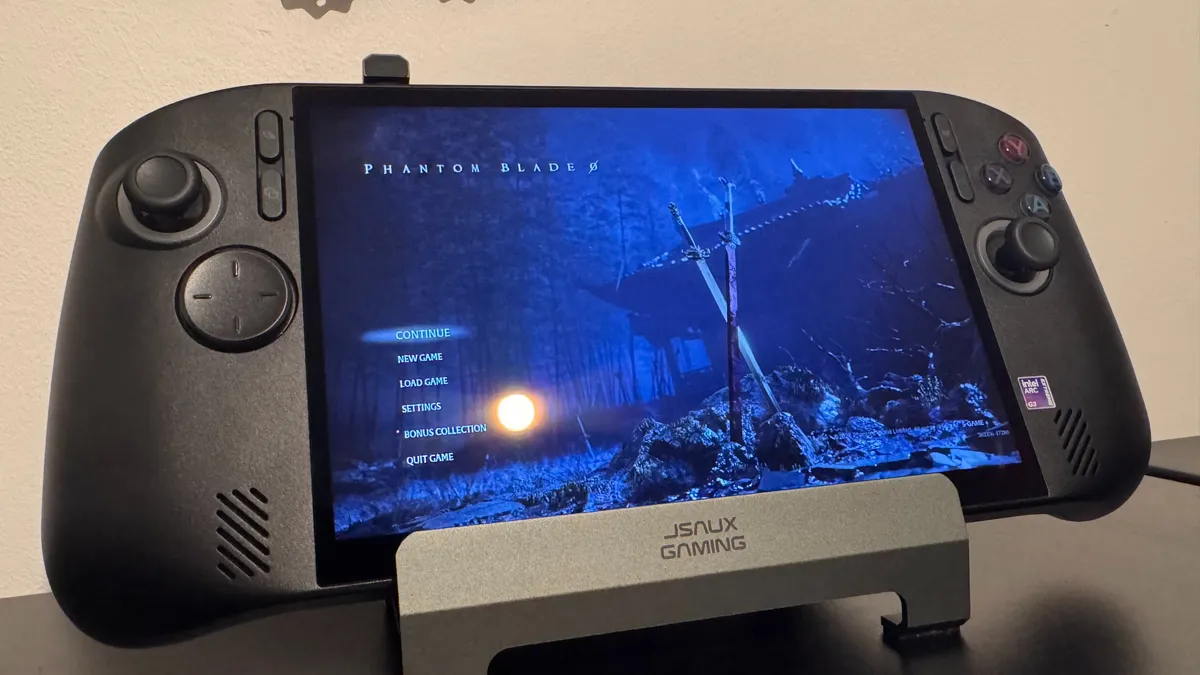
As far as the display is concerned, you aren't getting any sort of fancy OLED here, but you do get a genuinely quite bright (500 nits) 16:10 WUXGA IPS display with Corning Gorilla Glass, making it decent in high-light environments. Importantly, I managed to play this out and about, and in front of a window, and could actually make out the game on screen, which is solid.


Value
As of right now, it seems like the only model of the Atlas 8 with a G3 Extreme chip that sells in America comes with 512 GB of storage. That means you are getting half the storage and 75% of the memory of the MSI Claw 8 EX AI+ CG3EM for 72% of the cost. But, as far as performance is concerned, I got pretty much identical stats, even beating out the Claw in 3DMark and losing in storage performance. That extra 8 GB of memory is unlikely to provide a major uplift in games, though the extra storage will certainly come in handy. My money would be on the Atlas 8 here.
Then, for the same price, one could pick up the Asus ROG Xbox Ally X20 (or the X for $300 less). Asus has the edge in ergonomics, look, thermals, screen, and storage capacity, but the G3 Extreme is a beast of a chip, handily handing Asus its butt in games. If you have got to pay upwards of $1,000 on a handheld right now, there's actually a good argument to be made for all three devices, though the Atlas 8 offers the best performance-to-price ratio.
It's a shame that Acer has to make little compromises to get that price down, but for $1,300, you will not get a better-performing gaming handheld in my book, and that's still quite impressive.
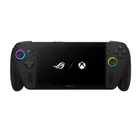
1. Best overall:
Asus ROG Xbox Ally X
2. Best budget:
Asus ROG Xbox Ally
3. Best high performance:
MSI Claw 8 EX AI+
The fact this is the cheapest way of getting Intel's G3 is both a boon for Acer and an indictment of the memory crisis. If you've gotta buy soon, this offers perhaps the best price-to-performance ratio above $1,000.