The Blood of Dawnwalker is a punishing game. And not just because of the divisive time-as-a-resource-to-be-managed side of things (or the almost impossible to resist desire to shift 'the' around in the title) but because it will slay your PC in terms of performance. We've covered the fact that in order to hit any of the performance level system requirements you have to enable upscaling in Balanced mode, but it's also worth noting that those system requirements are a little generous, too.
I've been testing Dawnwalker for the past week or so, with a few different setups, and in those forests of Carpathia you're going to either need some more beefy hardware to hit Rebel Wolves' proposed frame rate targets or compromise on those graphics settings.
Which is where I'm coming in here, aiming to help you get the highest frame rate out of your rig without sacrificing the actual look of the game.
And, actually The Blood of Dawnwalker does pretty well even down at the lower end of the graphics settings, still looking relatively crisp and with a detailed open world for you to explore to your vampyric heart's content.
As a representative system, I've picked out Rebel Wolves' mid-range spec, the one designed to net you 60 fps at 1440p. That's an Nvidia RTX 4060 graphics card, with an eight-core AMD CPU at its heart, of which I've selected the AMD Ryzen 7 7700X. This should theoretically be enough to get you that 60 fps target using the High preset in the games.

1080p @ 30 fps |
1080p @ 60 fps |
1440p @ 60 fps |
2160p @ 60 fps |
|
Preset |
Low |
Medium |
High |
Ultra |
CPU |
Intel Core i5 11400F / AMD Ryzen 7 2700X |
Intel Core i7 11700K / AMD Ryzen 7 5700X |
Intel Core i7 11700K / AMD Ryzen 7 5700X |
Intel Core i7-12700K / AMD Ryzen 7 7800X3D |
RAM |
16 GB |
16 GB |
16 GB |
16 GB |
GPU |
Nvidia GTX 1060 / AMD RX 580 |
Nvidia RTX 2060 Super / GTX 1070 Ti / AMD RX 5700 / Intel Arc A750 |
Nvidia RTX 4060 / AMD RX 7600 XT / Intel Arc B580 |
Nvidia RTX 4070 Ti / AMD RX 9070 |
VRAM |
6 GB or more |
8 GB or more |
8 GB or more |
12 GB or more |
Storage |
60 GB SSD |
60 GB SSD |
60 GB SSD |
60 GB SSD |
OS |
Windows 10 or later, DirectX 12 |
Windows 10 or later, DirectX 12 |
Windows 10 or later, DirectX 12 |
Windows 10 or later, DirectX 12 |
Dropping that DLSS setting down to Performance—essentially running the game at 720p—will only net you another 6 fps on average
But that is very much going to depend on where you are. Right from the outset you will find yourself running around the dense forests, either with a sword in your hand or with fangs and claws at the ready. And those forests immediately tank your frame rates.
I've picked a repeatable run in Briar Sloughs, through the forest, out into the open and then back in for a scrap with a big ol' slimy monster. And you are lucky to be hitting an average 50 fps at 1440p with High settings even with DLSS set to Balanced.
Interestingly, dropping that DLSS setting down to Performance—essentially running the game at 720p—will only net you another 6 fps on average. And although Nvidia has gotten pretty good with the stability of its Performance and Ultra Performance modes, there's still a lot of noise around the foliage in this game. And there's a lot of that.
I've run the game on AMD GPUs, too, and even with FSR 4 enabled in the game I've found the Ultra Performance mode to be even more noisy, with an obvious shimmer in rock textures, too. That initially made me think I was looking at an FSR 3 implementation. You also get a fair bit of fringing around the main character as you're travelling around the gameworld, even with DLSS set to relatively high levels.
Which settings to tweak?
High preset vs. custom
Image comparison of the 'High' preset against our own custom settings.




So, what settings should you compromise on to actually be able to hit that 60 fps standard? I've found four settings that combined will give you a decent chunk of extra performance back without harming the visual fidelity too much. These are the same settings I've had to compromise in order to get good 4K/60 performance at (more or less) the Ultra preset on Rebel Wolves' recommended graphics card, so they do scale.
Knocking each of Shadow, Light, Foliage, and Detail Quality down a notch to Medium I managed to hit 57 fps on average during my run, but taking Shadow Quality back to Low finally got me to a 62 fps average. Shadows is a pretty typical resource hog for an Unreal Engine 5 game, and when there are this many shadows owing to the level of foliage detail in the forests, that's always going to have an impact on your frame rate.
- Shadow Quality - Low
- Light Quality - Medium
- Foliage Quality - Medium
- Detail Quality - Medium
Note: in the video below the OBS capture is having an impact on the overall frame rate for all three runs, making the average lower than it would otherwise be.
Chasing 60 fps at High preset
I've created a 90 second repeatable loop in the Briar Sloughs area of the map to test different presets.
2560 x 1440
| Product | Value |
|---|---|
| Custom preset | DLSS Balanced | 62 Avg FPS, 46 1% Low FPS |
| High preset | DLSS Balanced | 50 Avg FPS, 35 1% Low FPS |
| High Preset | DLSS Performance | 56 Avg FPS, 37 1% Low FPS |
But even at low settings, the shadows still look pretty decent, especially when you're hackin' and slashin' around at pace. They do have a tendency to pop-in a little more noticeably during motion compared to the higher shadow settings, but I didn't find it too distracting during actual gameplay.
You do get less 'stuff' on the forest floors by cutting the Foliage quality back, but I kinda don't see that as a massive miss. Especially as for a large part what you're losing is the kinda scattered hay aesthetic.
It must be said, however, that these numbers are purely an average and there will still be frame drops below the 60 fps mark. I have another benchmark run I've been testing with that's even more punishing, which is a multi-character fight at night, and even with these settings pared back that test drops the average frame rate down to just 53 fps.
So what's a mid-range GPU owner to do?
Frame Generation

Yes, right before launch, Rebel Wolves has added an experimental Frame Generation setting to the game. Covering both AMD and Nvidia implementations, you are able to use 2x Frame Gen to help boost the smoothness of your game. I almost wrote 'performance' there and had to catch myself.
The interpolated frames of either FSR or DLSS Frame Gen cannot really be called extra performance; they are simply smoothing out your experience to make a lower frame rate feel far more comfortable.
But while it's experimental, I'd say it's definitely worth giving it a go if your system is capable. Any modern AMD or Nvidia card from the last two generations will deliver a decent Frame Gen experience, and the RTX 4060 performs admirably. Generally I'd want a base 60 fps for Frame Gen to feel good in-game, but the 50 fps average I've got in the High preset with DLSS Balanced is good enough here.
Chasing 60 fps at 1440p
Using the experimental Frame Generation setting breezes past the 60 fps target.
The Blood of Dawnwalker (1440p High)
| Product | Value |
|---|---|
| Custom preset | DLSS Balanced | 62 Avg FPS, 46 1% Low FPS |
| High preset | DLSS Balanced | FG x2 | 73 Avg FPS, 42 1% Low FPS |
Even though it is 2x Frame Gen, you are not, however, doubling your effective frame rate. With the feature enabled I have a jump from that 50 fps mark to 73 fps on average.
And, visually, it's still pretty solid. I mentioned earlier that there is a level of fringing around the main character no matter what setting you're using, but it did feel more obvious when running with Frame Gen enabled. There is also some artifacting when you quickly pan the camera around in highly detailed scenes, but mostly only when you're looking for it.
Generally the most punishing thing for Frame Generation is the added PC latency you get from enabling the feature, but I've only measured an extra 4 ms of PCL from turning it on with the RTX 4060. And the extra smoothness you get, alongside a higher graphical preset, is absolutely worth that trade off.
I will admit, I'm a pretty comfortable advocate for Frame Generation, though with Dawnwalker I'd maybe suggest that if you're getting 60 fps+ without it that for clarity alone I think I'd leave it off. But, if I'm talking about getting that extra little bit of smoothness from an RTX 4060, I would absolutely have that feature enabled.
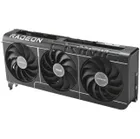
1. Best overall: AMD Radeon RX 9070
2. Best value: AMD Radeon RX 9060 XT 16 GB
3. Best budget: Nvidia RTX 5050
4. Best mid-range: AMD Radeon RX 9070 XT
5. Best high-end: Nvidia GeForce RTX 5090