


Gaming microphones used to be an extra nicety, but these days they're becoming much more essential. Whether you aspire to stream your gameplay, engage in deep and meaningful Discord conversations with your friends, or finally record that podcast, these top-tier mics will make you sound your best.
The best microphone for gaming right now is the Shure MV6. It's a desktop USB mic from one of the most respected names in the audio industry, and it sounds great from a distance. If you're looking for something (much) cheaper, our best budget microphone is the Amazon Basics USB Condenser Microphone. It's a decent little desktop mic for a very attractive price. And as for podcasting? The Shure MV7+ is about as good as it gets without breaking the bank.
Achieving studio-quality sound with your audio gear doesn't require a degree in sound engineering (though it might help). In many cases, all you need is a USB port, a great mic, and something interesting to say. To help you make an informed decision, we've gone the extra mile by recording test audio samples of all the microphones we've reviewed so far.

Andy's always been fascinated by sound. From his early days as a long-haired guitarist to his later years sitting on the opposite side of the glass, he's had the pleasure of using pretty much every type of audio equipment you can think of. As a result, he knows exactly which microphones to recommend, and which to leave well alone.
29 October, 2026: I've removed the NZXT Capsule Elite, as it's becoming increasingly difficult to find for sale. All of my other recommendations have been checked and updated.
August 21, 2026: I've added in an updated review search box on the page, so you can look for particular products to find out what we really think about them.
August 03, 2026: All the entries in this guide have been updated for 2026, and every pick has been double-checked to make sure it represents the best gaming microphone we've tested for each category. All is present and correct, so fire away!
The best microphone for gaming


✅ You're looking for excellent sound quality: Desktop microphones can struggle to pick up from a distance, but the auto gain levelling here makes the MV6 much better than most.
✅ If you want something straightforward: Shure's Motiv Mix software is mercifully easy to use, and all the fancy features like noise reduction are enabled by default.
❌ If you're on a tight budget: It's reasonably priced for what you get, but there are cheaper mics available if you don't need to go quite as far with the sound.
❌ If you're limited on desk space: The MV6 is far more reasonably sized than the MV7+, but its chunky stand does take up a fair bit of room on your desk.
The Shure MV6 USB Gaming Microphone manages to pull off an impressive party trick. We're massive fans of the professional-sounding Shure MV7+, but with this particular mic, Shure has managed to shrink down some excellent vocal-capturing ability into something more suited to your desktop.
Let's talk about form factor for a moment. While you'll get the best results with a good microphone up close to your lips on a boom arm or similar, it's not exactly the most practical setup for most gamers. The MV6, however, is designed to sit on your desk at a more reasonable distance—capturing your vocals without being too precious about how far you sit from it.
It achieves this via Shure's Motiv Mix software, which features auto gain-levelling to constantly adjust the volume, making sure you can always be heard. While it's not magic—and we'd still recommend getting reasonably close—it does an admirable job of keeping your voice consistent from a decent distance away, meaning you can focus on what's on-screen instead of perfect microphone technique.
While the mic itself is reasonably sized, the stand has a considerable footprint. It's pretty sizeable, so those looking for a more discrete solution might want to take a look at something truly tiny like the Amazon Basics USB Condenser Microphone.
While the little Amazon mic is great at what it does for its bargain basement price, it's thoroughly outclassed here in terms of pickup and overall audio tone. In fact, most mics fall behind when compared to the MV6. To do better, you'll need to spend up and get one of Shure's more expensive units right up in your grill.
The Shure MV6 is the mic to go for if you want something desktop-based, easy to use, and with excellent sound—and at around $150 to $160, it's also fairly reasonably priced. That makes it the best gaming microphone you can place on your desk and one that'll likely keep on trucking for many, many years to come.
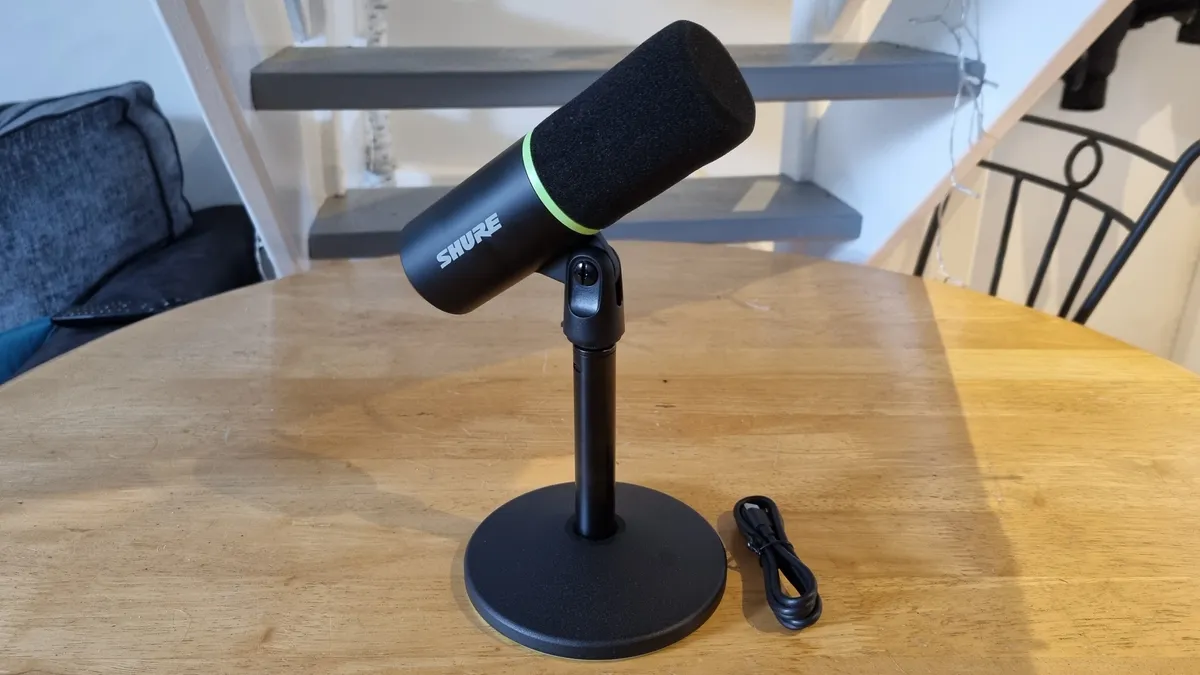
Click through to read our full Shure MV6 USB Gaming Microphone review
The best budget microphone


✅ You don't want to spend a lot for good audio: Microphones don't come much cheaper than this, but thankfully the little Amazon Basics mic sounds remarkably good for the price.
✅ You're a fuss-free human being: No drivers, no software suite, no nothing. Just a mic, a stand, and a cable. Doesn't get much simpler than that.
❌ You'd like some audio-enhancing software: To put it simply, there isn't any. Software, I mean. Noise cancelling would be a lovely addition to this mic, but it's not included in the miniscule price tag here.
When it comes to picking a budget microphone, you're probably aiming somewhere in the $50 range. And, because we're all prone to a bit of brand snobbery, you'd probably turn your nose up at the Amazon Basics USB Condenser Microphone, available for around $30. That'd be a mistake, though—because as far as I'm concerned it's the best budget gaming microphone by far.
You don't get any fancy extras here. Just a well-built, reassuringly heavy little desktop mic with a tilting stand, and a USB Type-C to Type-A cable to connect it with. This mic is here to do one job, and that's to capture audio well from a desktop position with minimal fuss—and it performs that role with aplomb.
Sure, it's not going to be bothering many of the other microphones on this list when it comes to that shiny, studio-ready quality you might be searching for—but if all you need is something that picks up your vocals well for meetings, gaming, and perhaps even the odd podcast recording or two, the little Basics unit does just fine. And while it's slightly plosive prone up close, it's still good enough for some tight audio capture with the right mic technique.
So, what's not to like? Well, there's no software on offer here, which means no noise cancelling. As a condenser mic, the Basics will capture audio from a fair distance away—whether you want it to or not. It's not particularly noise-prone, but it's worth bearing in mind if you want nothing but your voice on aural display.
And the cable it comes with is a bit short, so I'd buy a different one if you don't have a spare USB Type-C to Type-A cable to hand. Other than that, though, the little Amazon mic is a real winner, and makes for a very easy addition to this guide. Decent sound and build quality for much less than the competition? Yep, I'll take three.
Listen to the microphone in the test below:

Click through to read our full Amazon Basics USB Condenser Microphone review.
The best USB microphone and boom arm bundle

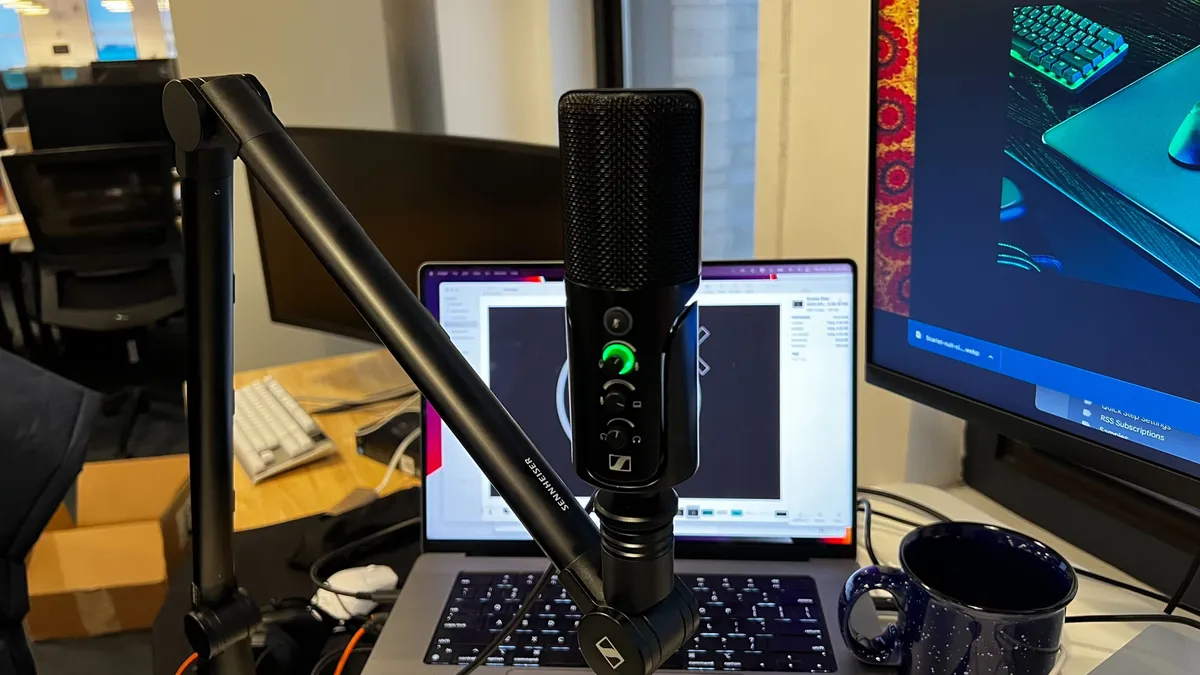


✅ You'd like a boom arm package: A good boom arm, in combination with a great mic close up, is a superb way to capture the sort of vocal recording you'd hear on a really good podcast or stream. You get it all here.
✅ You want clean, crisp sound: The Sennheiser sounds simply great. Really, genuinely great. That'll do then.
❌ You want a software helping hand: Nope, you don't get any. Bit of a shame that. While good free versions of audio streaming and sound adjustment software do exist, they can be a bit fiddly, so an included solution would have been nice.
The Sennheiser Profile Streaming Set gives you everything you need to start your podcasting or streaming journey with a great-sounding microphone and sturdy boom arm combo for less than $200. That makes it my top recommendation for the best USB microphone and boom bundle.
The Profile has two versions: the standalone microphone for around $129/£129, or the Streaming Set for $199/£179. I'll take the latter, thanks, as it's a great deal for a full set that means you have everything you realistically need for great, studio-quality audio.
The volume and mix controls are well placed, and the dedicated mute button is one of those features you probably wouldn't care much about on paper but makes all the difference in practice. Having a physical button to ensure you're muted helps avoid any awkward streaming-related accidents. Look, Mum, I know dinner's ready. Can't you see I'm recording audio for the internet over here?
More than that, the Profile is wonderfully warm in its audio quality, with a crisp level of clarity that just makes your voice sound great.
On the software front... there isn't any. That being said, the sound is good enough that you shouldn't need too much software help to sound great. It must be said, however, that setting up a good stream can be a fiddly procedure—and if you'd rather have something that came with an interface and software package that made it easy, it'd be worth taking a look at the SteelSeries Alias Pro below.
The Alias Pro, however, doesn't come with a boom arm. This one does, and it's as flexible and resilient as you like, so what you're getting here is something that you can use again and again, and probably again, too. Good boom arms can sometimes be expensive, but here, it's all part of the package.

Click through to read our full Sennheiser Profile Streaming Set review.
The best podcast microphone


✅ You want professional-sounding results without the hassle: Install the software, plug in the mic, and off you go. Studio-grade sound has never been easier.
✅ You want something built to last: Shure mics are as tough as they come, and this one feels no different.
❌ You don't want a microphone in your face: The Shure is really at its best when it's mounted close to your mouth, which means you'll need a boom arm (which costs extra) to get the most out of it.
❌ You're on a budget: There are cheaper mics on this list that'll still do a great job. It's well-priced for what it can achieve, but if decent audio on a budget is your goal, this may be more than you need.
When we heard the original Shure MV7 was being replaced, our hearts sank. That was a microphone that sat at the top of this guide for a very long time, until it was eventually replaced by the Shure MV6 as our top gaming mic. We needn't have worried, though: the MV7's replacement, the Shure MV7+ Podcast Microphone, is even better than its predecessor.
The really astonishing thing about this mic is how easy it is to get a studio-quality sound. Simply install Shure's Motiv Mix software, plug it in via a USB Type-C connection with the included cable, and begin recording. Shure's software gets to work turning on all the bells and whistles from the get-go, including noise reduction, Auto Gain levelling, and a Digital Popper Stopper, from the moment you plug it in.
It sounds superb on its default settings, with a rich warmth, pin-point accurate vocal capture, and a lovely, crispy, "hot radio" kind of sound—with no fiddling required. The MV7+ simply gets up and goes, and as a result, you don't need to know anything about audio to get a professional result out of it.
That doesn't mean it's without caveats, however. You'll need to get it up close, like a proper pro podcaster or streamer, to get the most out of it, which will necessitate buying a boom arm. Sure, you can use it with a separate desktop stand (which costs extra) just fine, but it's right next to your face where you'll really hear the full benefits—and while Shure will sell you the appropriate stand/arm, it still doesn't come with either by default.
The other thing is the price. At $279/£269, this isn't a cheap bit of equipment. However, given just how easy it makes capturing a studio-grade result in your home, that's actually pretty fair, given that it's competing with proper professional microphones that can cost much, much more.
So why's the MV7+ not at the top of this guide as the best gaming mic? Well, the Shure MV6 is smaller, sits on your desk, and is substantially cheaper to boot. But if you don't mind getting a larger mic up close for the best possible sound—and opening your pocketbook a fair bit wider—this is the one to pick.

Click through to read our full Shure MV7+ Podcast Microphone review.
The best microphone for streaming


✅ You're looking for something more than a desktop microphone: The Alias Pro performs fine on a desk, but that included Stream Mixer brings quick switching to the party.
✅ If you want to start streaming without the fuss: Streaming audio can be a pain, but the Sonar software, in combination with the flexibility of the Stream Mixer, makes it easier than most.
❌ If you're not looking to spend a lot: That extra interface comes at a cost, and that cost is, err, money. Plus you'll really want a boom arm to get the most out of it. Cheap, this isn't.
❌ If you're not going to use it with an arm: The Alias Pro sounds about the same as the regular Alias on a desk, which is to say, pretty good. Still, it'd be a waste not to take advantage of its best qualities by getting it close up.
Setting up a stream with great audio is traditionally not easy, which is the reason I've stuck the SteelSeries Alias Pro in as our best microphone for streaming. It might be pricey, but what you're paying for is really the Stream Mixer that comes with it, and all the streamer-friendly features—even if it is pricey at a $330/£330 MSRP.
That little two-dial, two-button unit contains a powerful preamp that can connect out to an XLR microphone with 48V phantom power, which means you can use this with just about any good XLR mic on the market. However, SteelSeries has provided you with one of its Alias units here, and thankfully, it's a bit of a peach.
Once you've booted up the Sonar software, you'll discover it takes away most of the strain of setting up a load of complicated inputs, outputs and audio gear. Drop-down menus and great hardware/software discovery mean that this package does its best to make all those confusing settings as straightforward as possible, and the RGB-lit buttons and dials on the front of the interface can be programmed in a variety of ways to make streaming control easy.
More than that, the included audio-adjustment settings are simple to use. There's a compressor, ClearCast AI-noise reduction and a straightforward EQ with plenty of useful presets, which means getting a good sound out of this setup is easy. However, there is a catch.
This microphone really, really appreciates being up close, and that means using a boom arm to get it right up to your face. That'd be all well and good, except SteelSeries doesn't provide one with the package, limiting you to a desk stand instead.
Still, streaming audio is difficult, and audio interfaces can be complicated beasts to wrangle. The SteelSeries Alias Pro takes as much hassle out of the process as it can, and that makes it the best microphone for streaming. Just make sure you price in an arm (or, given the cost, even a leg) to get the most out of it.
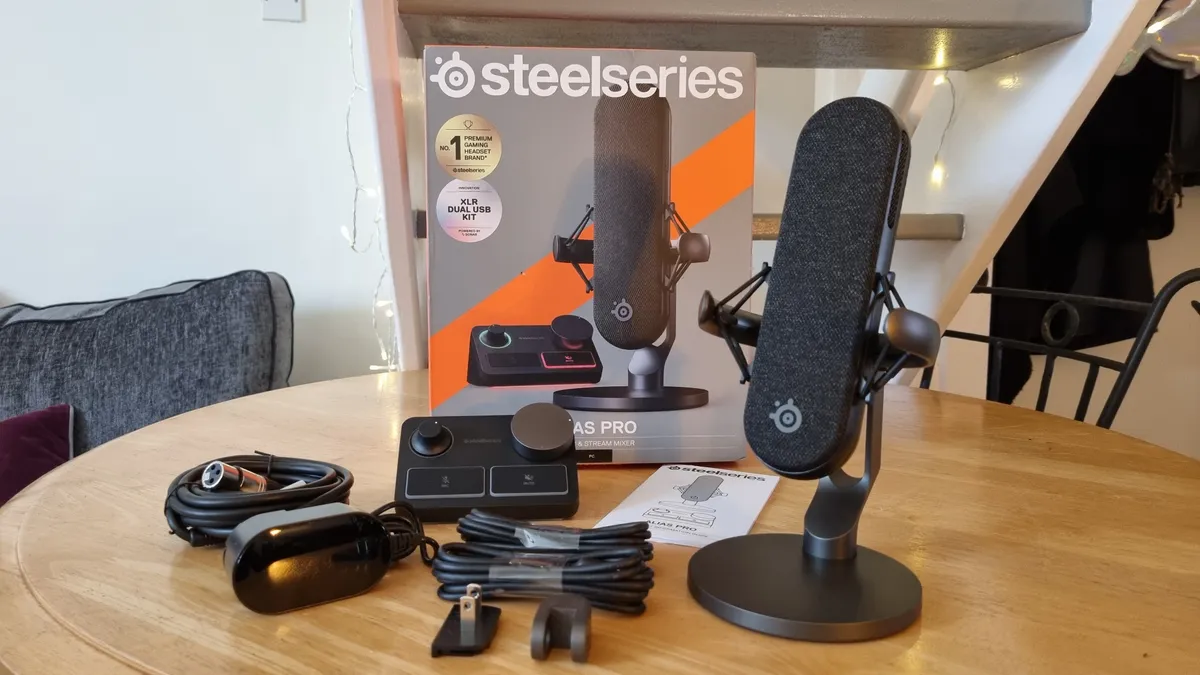
Click through to read our full SteelSeries Alias Pro review.
The best headset microphone


✅ You don't want a desk microphone: If you'd like a mic and a headset all in one without the fuss, then this combo delivers exceptional audio quality on all fronts.
❌ You're after a cheaper option: You could buy a gaming headset and the best budget microphone for less, although the quality on offer here is well worth considering regardless.
Desktop mics are all well and good, but if you're looking for the best headset microphone, it has to be the Audio-Technica ATH-M50x STS StreamSet. Not only are you getting a brilliant microphone, but a very good set of wired headphones all-in-one.
This headset features a proper, fully-fledged cardioid condenser mic. Don't let the relatively small size of that end capsule put you off—this unit is easily the best headset mic we've ever tested and is capable of capturing your vocals just as well as some of the other options on this list.
There's a lot to be said for having an excellent microphone built into a headset, too. For a start, you won't have to worry so much about volume changes when moving around, as once the mic distance has been set with the bendy arm, that's where it'll stay. That makes it perfect for those who don't want to think about their mic technique while gaming, as once you've got the distance right, you really don't have to think about much else.
With a range of sampling options, there's plenty of flexibility on offer. Plus, there's a monitor mode. Ordinarily, that can be pretty distracting, but we found that the version here was actually very useful for keeping an eye on your vocals while mid-stream.
There are a couple of downsides to consider. One is the lack of on-headset or on-wire buttons, which for some will be a bonus in terms of simplicity. A dedicated mute wouldn't go amiss, though. The other is the price. At $229/£169, the Audio Technica is on the pricey side for both a good mic and a good headset, although, of course, you're getting two in one. The ATH-M50xSTS really is good at two, often quite separate, roles. Together, combined, it really does excel at both.

Click through to read our full Audio-Technica ATH-M50xSTS StreamSet review.
Gaming microphone FAQ
What is a polar pattern and which do I need for gaming?
A polar pattern determines from which direction an audio signal will be picked up by a microphone. For gaming, you'll likely want a pattern that picks up sound directly in front of the microphone (you) and little from anywhere else (the environment).
These are the most common polar patterns:
Cardioid: Records in front of the microphone. Perfect for voice-over, vocals, and streaming.
Bidirectional: Captures audio in front of and behind the mic. Ideal for one-on-one interviews.
Omnidirectional: Picks up sound from every direction. Perfect for round-table interviews, but not so much for gaming or streaming.
Do I need a microphone boom arm, shock mount, or pop filter?
Everyone’s desk and setup requirements are different, so a good mic should perform well under a handful of different scenarios. Suppose a microphone sounds better than all the rest combined, but only when it’s on a suspended mic stand with a shock mount positioned precisely six inches away from your mouth? In that case, it’s not necessarily the best mic for those who simply want something to sit on their desk and pick up a reasonable sound.
However, there are some valuable bits you might want to pick up if you're looking to clear away clutter or build a more professional setup.
A boom arm certainly helps achieve both of those things. These almost always clip onto the side of your desk and are super handy to keep your mic close to hand, saving precious real estate.
A pop filter will help reduce plosives (the sound of air escaping violently from your mouth and towards the mic) from making their way over to airwaves to your listeners' unfortunate ear holes.
A built-in shock mount is also worth looking out for, especially for desktop mics. These prevent vibrations from travelling through your microphone stand or boom arm and into the microphone, which can come through as rustles, thuds, or otherwise unwanted noise. If you're the type to slam your way through a match of Apex Legends, you might well benefit from a bit of shock-based protection.
What's is a good sample and bit rate for a microphone?
Sample rate is the number of audio samples recorded every second. 48 kHz is the most common sample rate you'll see on many microphones, and it shouldn't be any lower than that.
Bitrate is the speed at which a digital audio file is encoded. Without trekking too much into audiophile territory, 16-bit and above is considered a good mark to aim for.
What connector do I need? XLR or USB?
USB microphones are among the most prevalent for gaming and streaming fare, but you'll sometimes see the professional connection standard, XLR, make its way into high-end units. Hybrid USB/XLR microphones can offer you the best of both worlds but tend to be more expensive.
USB is the simpler of the two, and if you're looking for plug-and-play ease, then it's your best bet. However, that simplicity comes at a cost. It's difficult to record more than one USB microphone simultaneously, and monitoring and adjusting the mix will be done digitally.
With the added complexity of XLR comes a great deal of flexibility that you otherwise wouldn't be able to access without even more complex digital mixing software on a USB mic. You can mix, adjust, and monitor an XLR mic before it ever touches your PC, and that's a boon if you're looking for a more studio-like setup.
The downside to XLR is that it will require additional equipment to connect to your PC. Pick USB if you want simplicity, or a hybrid system (or straight XLR with an appropriate audio interface) if you're looking for flexibility with an eye to studio-style recording.
How much should I spend on a microphone?
It’s easy to get lost in the world of audio, and even easier to spend a ludicrous amount of time and money chasing the best possible setup. But you don’t necessarily need studio-ready equipment, so the price is essential when looking at how good a particular mic is.
Think about your use case; if you're only using a microphone to chat with your online teammates, chances are you don't need a microphone with half a dozen polar patterns and studio-level quality. Don't spend money on features you don't need or use. Some $50 microphones are great for the odd Discord session, for example.
That being said, if you want truly studio-like sound for streaming or podcasting duties, it's worth spending up. Think about your use case carefully, but we'll stand behind any of the options above, no matter your budget.
