I like to keep my mousey ears to the ground regarding all things gaming mice and mouse pads, so I'll be darned if my ears weren't pricked by the pure titillation that Razer put out earlier today. A black background, a gentle touch of ambient music, and a plain black surface, slowly tilting in the void. Can that be... a glass mouse pad?
It can indeed, and apparently not just any glass mouse pad but "the world's thinnest", the Razer Atlas Pro. The original Atlas launched a couple of years ago, but this one is seemingly taking things to a whole new, much thinner level at just 1.9 mm thick.
If you're wondering why that matters, it's mostly to do with comfort on your wrist. Even with rounded edges, a thick glass pad can dig into your wrist a little. To give a little context, the ever-popular Wallhack SP-004 is 3.9 mm thick and the QPAD Obsidian that I sometimes use is 4 mm thick.
I can't say I struggle too much with a 4 mm pad with rounded edges, but I certainly wouldn't complain about half of that being shaved off. Just as long as it stays strong, that is, but Razer is claiming it has tempered glass that is "rigorously tested to withstand demanding long-term use while delivering consistent performance", so all should be well if that's correct.
The Atlas Pro does have rounded edges, too, and if my time with the Razer Hyperflux V2 is anything to go by, I don't doubt it will look just as gorgeous in person as it does in the pictures. Aside from the thinness, that aesthetic might be one of the big pulls, as that thin, all-black or all-white surface looks wonderful.

Razer's head of design Charlie Bolton explains: "The Atlas Pro was an opportunity to challenge ourselves in a category that had largely stood still. By rethinking how glass should sit and feel on the desk, we created a surface that’s thinner, more refined, and designed to integrate seamlessly into modern setups—and that process is what led to the world’s thinnest glass gaming mouse mat."
None of this is to say anything about the pad's glide, of course, and that's what really matters. I've been testing a bunch of different mouse pads over the last few months; there really can be quite a lot of variation when it comes to texture and feel, both of which can impact how well you perform in-game, depending on your preferences. Fingers crossed Razer has nailed it for my own brand of slip-n-slide here.
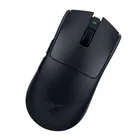
1. Best wireless:
Razer Viper V4 Pro
2. Best wired:
Logitech G502 X
3. Best budget wireless:
Mchose G3 V2 Pro
4. Best budget wired:
Glorious Model O Eternal
5. Best competitive:
Logitech G Pro X2 Superstrike
6. Best lightweight:
Corsair Sabre V2 Pro
7. Best MMO:
Corsair Scimitar Elite Wireless SE
8. Best small:
Razer Cobra HyperSpeed
9. Best ambidextrous:
Logitech G Pro
10. Best ergonomic:
Keychron M5
11. Best customizable:
Orbital Pathfinder