I'm a sucker for an ergonomically shaped mouse, particularly those with a futuristic design. Which is why I was pleased to have a mess around with the now-announced Razer Basilisk V4 at Gamescom a few months back. It's on the larger side for a gaming rodent, and comes in two flavours: the Basilisk V4 Pro and the Basilisk V4 HyperSpeed.
Those familiar with Razer's naming schemes will likely deduce that the HyperSpeed is the more reasonably-priced version, coming in at $110, while the Pro version has a $170 MSRP.
The Pro gets a 50K optical sensor with 930 IPS tracking speed and 90G acceleration, alongside Frame Sync to match sensor scanning with the polling rate, while the HyperSpeed uses a 33K, 500 IPS unit.
Both also support 8K polling in both wired and wireless modes.
Both mice feature four side buttons, one of which can be configured within Razer's Synapse software to enable a "Perfect 180" feature. As the name suggests, this snaps your aim around a full 180 degrees with a single click, which feels a bit unfair on your opponents. SOCD/Snap Tap all over again? Perhaps.
Razer says the feature is "built for low-sensitivity gaming," which makes sense I guess. I've had the chance to game on a few esports player's setups, and one in particular had such a low DPI, my entire arm had to move across the mousepad to perform a 90 degree turn—never mind a full flip around to my rear.
Still, if I was sneaking up behind a player in DayZ (more my kind of speed) and they turned around in an absolute instant, I'd be tempted to yell "hax!" like the teenager I really am. It's likely to be controversial, I reckon.


As for the meeces themselves, I'm a big fan of the shape and overall design. The extra side buttons are well placed, the heavy tilt over to the right feels very natural to use, and the four-way title scroll wheel with free-spin mode is rather lovely under the fingers. Both models also get Razer's Gen-4 tactile switches, which are supremely clicky and precise in all the right ways.
The mice can also be charged wirelessly with the Razer Mouse Dock V2 Pro (which also functions as an 8K transceiver device), or on existing Razer wireless charging mouse pads. As you would expect (and like the mice themselves), it's been gifted with a heavy does of Chroma RGB effects. These are Razer products, after all.
In terms of connectivity and battery life, Razer says that players can enjoy up to 200 hours on a HyperSpeed Wireless Gen-2 connection at 1,000 Hz, and up to 275 hours using Bluetooth 6.2.
So, the Basilisk is back—but this time with a few party tricks up its sleeve. I'd expect Razer to bring performance-enhancing features to the table with any new release, but I feel like this one might cause a bit more controversy than most. My only real surprise, though, is it didn't get a more catchy name. Snap Twist? You can have that one for free.
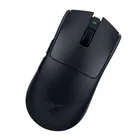
1. Best wireless:
Razer Viper V4 Pro
2. Best wired:
Logitech G502 X
3. Best budget wireless:
Mchose G3 V2 Pro
4. Best budget wired:
Glorious Model O Eternal
5. Best competitive:
Logitech G Pro X2 Superstrike
6. Best lightweight:
Corsair Sabre V2 Pro
7. Best MMO:
Corsair Scimitar Elite Wireless SE
8. Best small:
Razer Cobra HyperSpeed
9. Best ambidextrous:
Logitech G Pro
10. Best ergonomic:
Keychron M5
11. Best customizable:
Orbital Pathfinder