Our Verdict
A feature-full Hall effect keyboard for competitive fanatics and content creators alike, but it also has a lot to offer for the rest of us.
For
- The screen is luxurious
- Premium build and feel
- Lots of customization
Against
- The screen is, for most, superfluous
- Not as tactile as mechanical switches
PC Gamer's got your back Our experienced team dedicates many hours to every review, to really get to the heart of what matters most to you. Find out more about how we evaluate games and hardware.
As we know, Turtle Beach loves to put a big ol' screen on its peripherals and this decadent Hall effect keyboard is probably the apotheosis of "big screen on otherwise screen-less thing" design. It's a big 4.3-inch color touchscreen affair that does little more than what can already be achieved on the monitor directly in front of you. But it can definitely do it quicker.
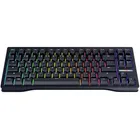
More on that screen later but yes, it does confer an added level of prestige to this slab, which is no slouch in the looks department. Weighing in at just under a kilo without a palm rest, it has a weapon-like and stylish aluminium veneer body and, it almost goes without saying, RGB that's customisable on a key-by-key basis. The gun metal grey veneer gives it a slightly gritty quality, but tastefully so: it's a hardcore keyboard, but it's not overtly a hardcore gaming keyboard unless, of course, you have the Counter-Strike touchscreen template blaring on that display.
The elephant in the room is that the Command Series KB7 has Hall effect switches. If you pay attention to modern gamepad design you're probably accustomed to assuming that Hall effect equals better. Where keyboards are concerned, the truth is a touch more complicated. Mechanical keyboards trigger inputs physically whereas Hall effect keyboards do so digitally. Ultimately, it means Hall effect switches can be triggered more quickly and in rapid succession. They are, in other words, super low-latency keyboards.
Form factor |
TKL |
Switch |
Hall Effect switches with Rapid Trigger and adjustable actuation |
Keycaps |
Double-shot PBT (hot-swappable) |
Lighting |
RGB, keyboard- or software-controllable, per-key |
Connection type |
USB Type-C wired |
Polling |
Up to 8,000 Hz |
Cable |
USB Type-C/USB Type-A, detachable |
Weight |
858g / 1120g (with palm rest) |
Colours |
Black or White |
Price |
There's every chance you've never noticed any meaningful latency in your (likely wired) gaming keyboard. With 8K polling, the response time on these keys is a blinding 0.125ms, but that's been achievable on mechanical slabs for a while. But among other less showy benefits, Hall effect keyboards offer a huge amount of customisation when it comes to actuation: one can adjust this metric—which basically measures how sensitive a key is to the user's press—on a key-by-key basis.
Using the Turtle Beach Swarm 2 app, actuation can also be tweaked globally on a scale of 0.1ms to 3.2ms: Drag it all the way up to 0.1ms and you'll probably start to ssssound liiike a hissssssing sssnake during moment-to-moment typing. Lower actuation can lead to accidental inputs, but where there's a will there's a way, and if you want ultra-sensitivity I'm sure you'll adapt. If you're the kind of person who slams A and D when strafing in a first-person shooter, a lower actuation may make sense. The freedom to tinker is what Hall effect keyboards are really all about, and doing so here is a breeze—especially with five onboard profiles to muck around with.

The screen seems a bit superfluous and showy at first, but over time its flexibility blossoms. Using the Turtle Swarm software I can load a bunch of pre-made templates into the onboard memory. These templates come in the form of three-by-four grids of buttons—like the missing numpad—including shortcuts for OBS, Discord, Counter-Strike, Teams, Zoom, League of Legends, Streamlab, and Photoshop.
I did miss onboard shortcuts—with useful glyphs—for Steam, which would seem to make more sense than dedicated buttons for Microsoft's Gamebar. I had to make do with creating macros which I could then assign to the touchscreen, though there's no way to customise the icon of said macros, so if I create too many there's no simple visual identifier to distinguish them: they just show as New Macro. Meanwhile, there are dozens of pre-fab macros in the Swarm 2 app that you can use, ranging from obvious choices like Apex Legends and Dota 2 through to BioShock 2 (but not 1) for some reason.

Other shortcuts, for things like cut, copy, paste, undo, redo and Microsoft's Gamebar have shortcut glyphs, but I struggle to imagine anyone wanting to access them via touchscreen instead of keyboard shortcuts we've built up the muscle memory for over decades. If you're a streamer there are very obvious benefits to having OBS and Streamlab shortcuts available at a single button press without having to mess with what's displaying on your monitor, or investing in a separate peripheral.
Even as a non-streamer though, over the month I've spent using the KB7, I have started to lean on some of the touchscreen's functionality. I love that I can add shortcuts to websites (I now have an emergency www.pcgamer.com button) and even to folders—a single button to access my Downloads folder, or the folder where Steam screenshots are kept—is something I started to use a lot. Also: you can add your very own background image. Whether you opt for Bathtub Geralt or, well, anything else really, I'm sure you'll agree this level of customisation is fun.

I love that actuation and rapid-trigger configuration can be handled on the screen itself, even though you might want to use the Swarm software instead. The latter isn't terrible—it does the job and the UI, nowadays, is straightforward and easy to use—though I did experience a few crashes.
The typing experience on the KB7 is brilliant but if, like me, you're accustomed to years of using mechanical keyboards, it'll probably take a day or so for Hall effect keys to click. The snap and crackle of a full fat mechanical slab is replaced here by a slightly more muted but still tactile sonic feedback from the low-profile keys, which are equipped with Titan switches.

✅ You're obsessed with reducing latency: A 8,000Hz polling rate and adjustable actuation leaves a lot of room for customization.
✅ You love the screen: The screen has a variety of nice use cases and once you've had it, you may forever miss it.
❌ You don't need a screen: Well, arguably no one needs a screen on their keyboard. If it's just a Hall effect 8k keyboard you're after, you can get a good one cheaper without the big panel on the right.
I was at first concerned that my hands would brush across that big boi screen but this effectively works as a 65%er with the system keys (print screen, screenlock etc) replaced by the display. The media control knobs and switches are well-situated, while the triangular keys along the top switch profiles at a single button press, mute and unmute the mic, and toggle on and off the KB7's RGB trimmings.
And look: at $200 it's pricey, but it does beat the competition in this department. The Corsair Vanguard Pro 96 is a Hall effect keyboard with a smaller screen that retails for $240 (though it can be had for cheaper if you look). The difference, of course, is that the present Turtle Beach is a tenkeyless affair if you're not counting the ten keys it's possible to assign to the display, but if you want that extra set of physical keys you can get the KP7 add-on for an extra $100. If you must have the tenkeys and accompanying status display, that does increase the overall price significantly.
In many ways the KB7 kinda transcends its status as a mere keyboard: it's also basically a workstation. If you do buy that KP7 attachment, you may feel like you're seated at a control panel or mixing desk. I can definitely see why streamers and content creators would want to fork out for the whole kit and caboodle. As for the rest of us, once you've used the touchscreen you may struggle to live without it. Whether you want to introduce another must-have into your life is up to you, but this KB7 definitely provides me something I didn't know I wanted.
1. Best overall:
Wooting 80HE
2. Best budget:
Gamakay x Naughshark NS68
3. Best 60%:
Wooting 60HE v2
4. Best 75%:
Keychron K2 HE
5. Best mechanical:
Asus ROG Strix Scope II 96 Wireless
6. Best silent:
Be Quiet! Light Mount
7. Best ergonomic:
Kinesis Freestyle Edge RGB
8. Best membrane:
Glorious GMBK 75%
A feature-full Hall effect keyboard for competitive fanatics and content creators alike, but it also has a lot to offer for the rest of us.