


The best VR headsets can make you forget, even if just for a moment, you're wearing a bit of plastic and foam on your face. It will make you feel like you're a part of a game's world, if only until you walk into your sofa.
We've tested dozens of models, from the most popular to the most obscure. Right now, our VR champion is the Steam Frame. It's easily the most convenient and comfy we've used for PCVR. A great way to play all of the best VR games on PC.
If you're after something cheaper or don't have a gaming PC, the Meta Quest 3S is ready to roll for a lot less cash. It borrows the Quest 3's top-notch processor but sticks with the Quest 2's optics.

Jacob's been on a quest to find the perfect VR headset for an age. Meta, Valve, and HTC have all released excellent goggles for PC gaming over the years, but there's still maybe some way to go before we find VR nirvana. But he's had his bonce strapped into as many headsets as anyone around and is best placed to explain the pros and cons of each set we're recommending here today.
September 14, 2026: We have added two new VR headsets to the guide, the Steam Frame and the Pimax Dream Air.
October 30, 2025: Expanded our Glossary section to explain the different lens types.
April 22, 2025: Checked over our picks to ensure they're still the best VR headsets for gaming right now.
The best VR headset
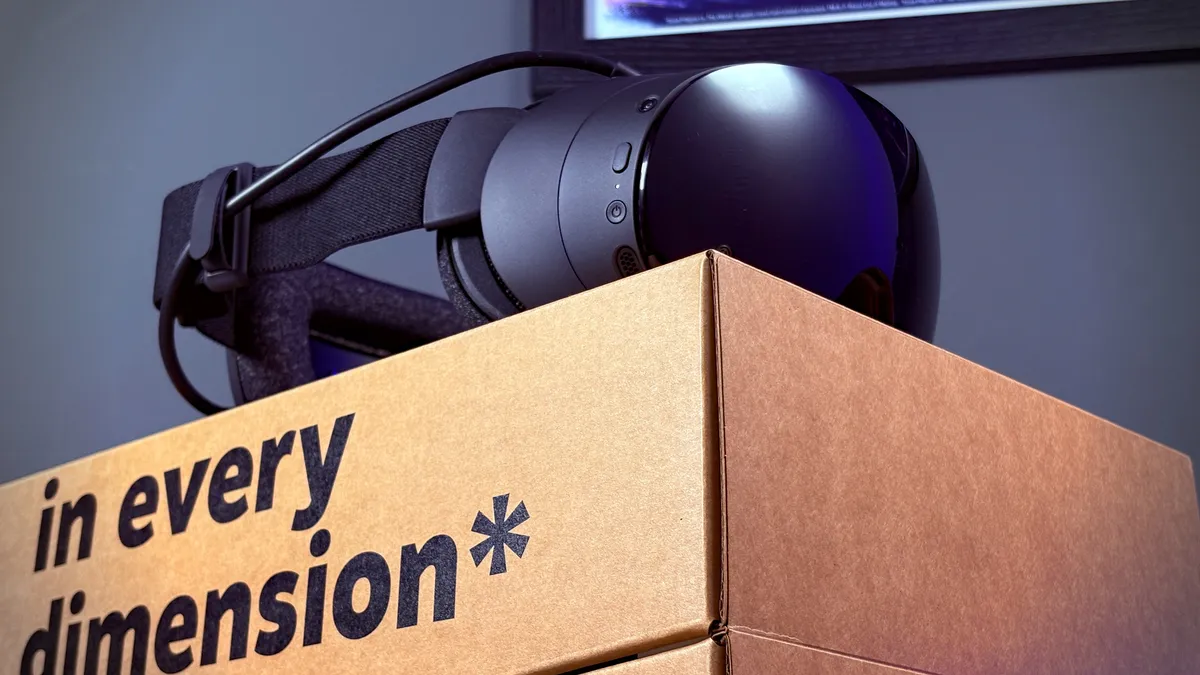


✅ You want convenience: The Steam Frame has a familiar interface, works seamlessly over wireless, and never seems to lose track of itself or the boundary.
✅ You find heavier headsets uncomfortable: The Steam Frame doesn't weigh much, and it's very well balanced to keep the weight off your face. Valve offers an additional kit for extra ergonomics but it's really not required.
❌ You are trying to save as much money as possible: The Quest 3 is similar in its specs sheet but far more affordable. It's not the all-round VR headset for PCVR that the Frame is, but it's not too distant with a big discount.
It's been a long time since we had a Valve headset in our top spot, but the Steam Frame has won me over. It takes the hassle out of virtual reality, which has long been a nemesis of PCVR.
The Steam Frame is completely wireless. Instead of a tether between headset and gaming PC, it uses a dedicated 6 GHz wireless connection via an included adapter to stream the games over in excellent quality.
It uses something called foveated streaming to selectively adjust the quality to meet strict bandwidth requirements, using the built-in eye tracking to do so only where you're unable to notice. It's so good at doing this, I've never once noticed it. In fact, you'd barely know you weren't playing over a cable if it wasn't for battery life notifications.
Battery life is something to think about as you play on the Frame, as it'll last for around two hours while streaming a game. It tends to lose charge even faster when using its own dedicated processor. Oh, yeah, it has one of those too.
The Steam Frame also has its own chip capable of running games locally on the system. It uses an Arm chip from Qualcomm, which means many PCVR games are incompatible. Not to worry, Valve has included a new translation layer called FEX for that. It lets you run games made for x86 chips on the Frame's Arm chip.
Valve has remade SteamOS for the Frame, too. It works much like any other modern Steam-powered device, ie the Steam Deck, and looks a whole lot like Big Picture Mode. Suffice to say, it's easy to get around and has plenty of settings to tweak to your liking.
The Steam Frame is hella comfortable. The battery rests on the back of your head, which helps keep the front of the device from squishing your face. That front bit, called the core module, doesn't weigh much anyways. In fact, the whole headset only weighs 408 grams by my making.
There's more to talk about here, so I'll leave a link to my review below. Though, the main thing is, the Steam Frame is the most comfortable, convenient, and compatible VR headset I've ever used.

Read our full Steam Frame review.
The best budget VR headset
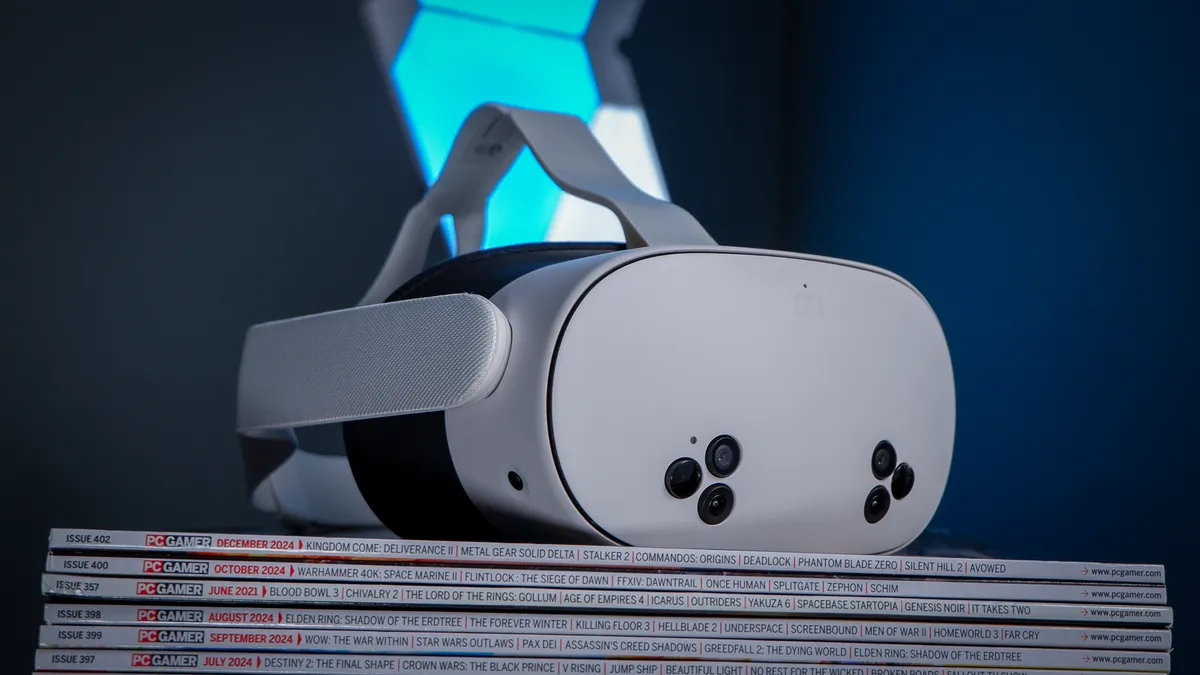


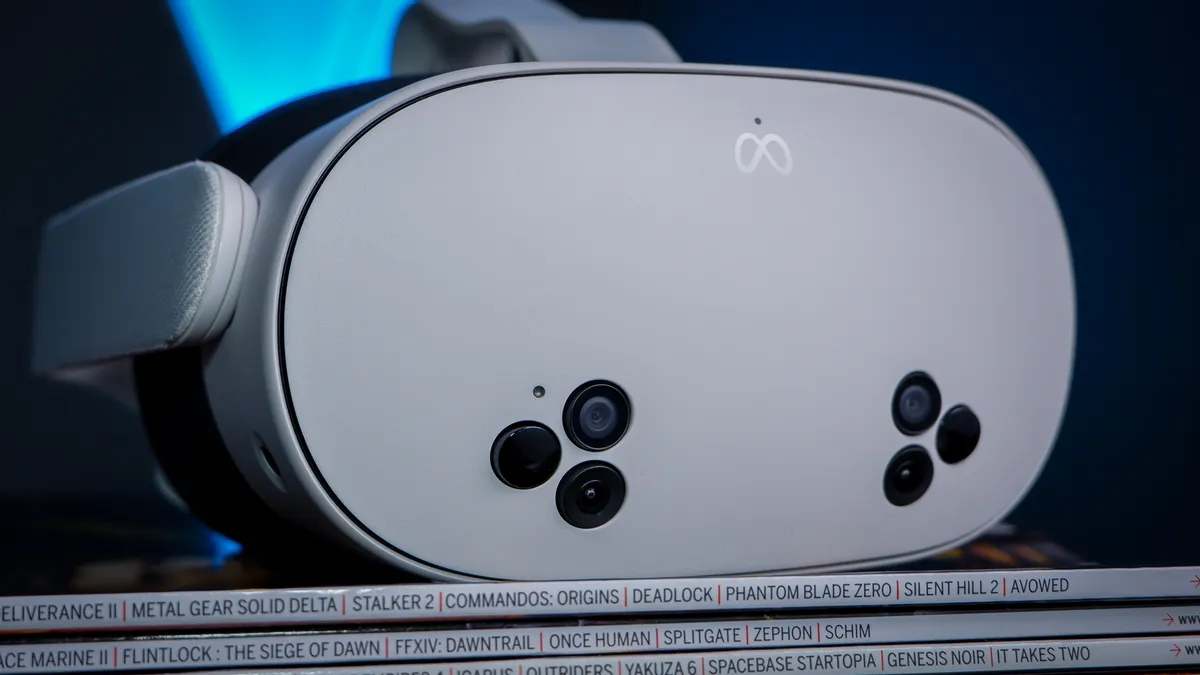


✅ This is your first step into the world of VR: If you're only wanting to dip a toe into the world of VR to see how it feels, the Quest 3S is a great way to do it without spending too much.
❌ You want truly modern optics: The Quest 3S reuses most of the Quest 2's optics, which means it's a outdated viewing experience and nowhere near as sharp as the Steam Frame or Quest 3.
The Quest 3S is tough to beat at this price. Moreover, if you're looking to try VR, its a cheap way to have a go without breaking the bank.
Taking bits from the Quest 2 that preceded it and from the Quest 3 above it, the Quest 3S is both new and old in equal measure. I like to think of it as more of a quality-of-life upgrade to the popular, and now-discontinued, Quest 2.
On the new front, it uses the same Snapdragon XR2 Gen 2 chip as the Quest 3. Along with 8 GB of RAM. That means it's able to play all the same games as the Quest 3 and runs just as smoothly. In this regard, it's much more performant than the Quest 2, though when hooked up to a PC, you won't notice much of a difference.
That's because the Quest 3S uses the same optics as the Quest 2—what I mean by that is it uses the same Fresnel lenses and LCD screen. The visual experience is very much the same as the Quest 2, which means it's a little blurry around the edges but pretty sharp in the centre. Compared to the Quest 3's pancake lenses and dual-LCD displays, it's nowhere near as crisp.
It's a whole lot cheaper than the Quest 3 and retains a lot of what we like about Meta's more premium product. That includes excellent tracking, easy set-up, and simple connectivity to your gaming PC over wired or wireless. In many regards, the Quest 3S is a very smart buy.
The Quest 3S is absolutely the pick if you're just looking to get into the world of VR and don't want to spend a lot of money right away. However, we'd still recommend the Steam Frame or Quest 3 to the keener VR explorer.

Read our full Meta Quest 3S review.
The best standalone VR headset


✅ You want to try lots of VR games: There are a huge number of VR games you can play right away on the Quest 3's own internal chip, without ever needing to hook it up to a gaming PC.
❌ You want the best PCVR experience: The Quest 3 is beat by the Steam Frame for ease of use on PC, and it's not up to the quality of the Pimax Dream Air. Though both cost a lot more.
The best standalone VR headset is the Quest 3. It has a lot of the mod cons we'd expect from a high-end headset, but without the huge price tag. More importantly, though, it has lots and lots of games to play on its own dedicated storefront.
The best selection of games are found on the Quest's storefront. Developers have really taken a liking to the Meta device, which has become pretty popular with consumers, and that means its own storefront is bustling with new releases while PCVR has slowed in recent years.
The Quest 3 is powered by a Snapdragon XR2 Gen 2 chip, which does a good job with the games on the store. It's not up to the level of a dedicated graphics card, but it does mean you don't need a separate gaming PC to play. It's all taken care of on the device.
It is possible to play PCVR games on the Quest 3, too. In fact, that's what I use mine for most often. You'll probably want to hook the Quest 3 up to your gaming PC via a high-quality USB Type-C cable and using the Steam app to link it into SteamVR. But you can use it tether-free. That option works best over a good Wi-Fi connection, preferably Wi-Fi 6E or better, using Meta's Air Link.
The optics are great, whichever way you play. The Quest 3 uses slim pancake lenses, similar to the Frame, and in many ways feels an equal for the more expensive Valve headset. Though it's not as comfortable, owing to its front-heavy design and poor strap.
You won't be using it all day long, though, as the Quest 3 only runs for around two hours, in wireless gaming and streaming video content. It takes roughly the same amount of time to fully recharge, but you can use the headset while it's charging via a USB cable.
Of course, one downside is that it's a Meta device. I don't know about you, but I'm not that hot on the company for its track record with privacy and safety. If you have doubts, look elsewhere, but if you're happy then you'll find no better deals than this for standalone VR gaming.

Read our full Meta Quest 3 review.
The best high-resolution VR headset


✅ You're a serious VR fan: The Dream Air is a major investment into virtual reality. Top of the line optics and displays don't come cheap, but, phew, they look amazing.
✅ You like to tinker: Pimax has a lot of options for any use to mess with in the Pimax Play app, including ways to lower the rendering load and use its built-in eye tracking in clever ways.
❌ You want a straightforward set-up: The Dream Air is a bit... clunky? It requires a lot of messing around to set-up correctly, and once that's done, you'll be resetting your boundary often. In that sense, it's better as a headset for stationary VR play, like sim racing.
If you want a seriously high-end VR headset and you're willing to pay for it, the Pimax Dream Air is your best bet.
The Dream Air comes with two Sony Micro-OLED displays, which blow the socks off any LCD alternative out there.
These twin displays offer a very high resolution (3840 × 3552) for their compact size, resulting in an extremely high PPI of 3,389. Every single detail is rendered in near-perfect clarity, jaggies are kept to a minimum, and you're not squinting to read at a distance in VR.
Colour and vibrancy are also off the proverbial charts with these displays. I'm not saying it ruins VR headsets with LCD displays, as I'm a fan of the Steam Frame, but the Dream Air sets very high expectations. Everything pops in the Dream Air—in a very good way.
Of course, the downside is you need a graphics card capable of powering both of these Micro-OLED displays at once. That's a pretty big ask. Even an RTX 5080 needs a little help with the Dream Air at times. Luckily, there are lots of options in the Pimax Play app to help reduce the rendering work required to run the Dream Air.
As for ergonomics, the Dream Air is right up there. It's not an especially balanced VR headset, like the Frame, but it needn't be. The headset weighs just 280 grams and even over longer periods, I'm not trying to rip it off my face. It does get a little hot along the upper edge, but nothing too alarming.
The major downside of the Dream Air? The price, for one, as this thing costs upwards of $2,000. For two, or whatever, the tracking is a bit pants. You have to reset the boundary and floor height very frequently on the SLAM version, which uses Pimax's own inside-out tracking, and the controllers feel a bit dated in this regard. Otherwise, there is the version that uses outside-in lighthouse tracking instead.

Read our full Pimax Dream Air review.
Frequently asked questions

What are base stations/lighthouses?
To keep track of your movements, your VR headset needs to use some method of sensing the position of both the headset as well as the controllers. The first VR headsets used base stations that are known as lighthouses, individually placed sensors, or positional trackers, plugged into your PC.
This is sometimes referred to as outside-in tracking nowadays, and it remains one of the most accurate methods of tracking. It's cumbersome, too, and unless they're permanently installed in a room, you'll need to set the base stations up each time you want to play, and that includes calibrating them anew every time.
What is inside-out tracking?
Inside-out tracking means the VR headset tracks its own position, and that of the controllers, using sensors/cameras on the headset itself. This means there's no need for external sensors, ie base stations. Originally this method wasn't as effective, nor as responsive, and broke immersion in-game, though nowadays it's seriously good.
Inside-out tracking can be excellent, if done right. The Steam Frame has some of the best I've used, as does the Quest 3. It's up there with outside-in tracking in terms of responsiveness now. And is certainly far more convenient.
Are there wireless PCVR headsets?
Yes! Quite a few, actually. The Steam Frame offers wireless streaming from a nearby gaming PC, as does the Meta Quest 3/3S.
Some VR headsets require a capable and modern Wi-Fi network in order to play games wirelessly from a gaming PC. The Steam Frame comes with a dedicated dongle for wireless streaming, but even so, it can double dip on the network for a more reliably connection. So, a Wi-Fi 6E router or better is best placed to deliver the level of throughput required to not spend the entire time vomiting your guts up due to incessant lag.
Jargon buster
Field of view (FOV)
The field of view refers to the amount of an environment that's visible to an observer; in VR, it's the extent of the game world that's visible in the displays. A broader FOV in a headset is integral to a feeling of immersion.
Head-mounted display (HMD)
Broadly any wearable mounted on the head with graphical capabilities but often used to refer to VR headsets specifically.
Inside-out tracking
Systems used to track a user's movements in VR that originate in the headset, as opposed to outside-in tracking, where external sensors are used to track movement. Tracking, along with the method used, is crucial to enable either three degrees of freedom (being able to look around in any direction in VR) or six degrees of freedom (being able to look around and move your body in any direction in VR).
Outside-in tracking
Sensors that are placed around a room to track the movement and absolute position of headset and controllers in the real-world. These are called base stations, or lighthouses, and Pimax and Bigscreen Beyond still rely on them for some of their latest models. That said, they are falling out of fashion, and while Valve used to be the go-to to buy these, nowadays HTC tends to be the only one making them.
Latency
The latency between an input and a response, in VR, is the time delay between user input through a controller, moving your head, or other methods, and the response on the headset displays. Low latency is vital to reducing nausea in VR, which is most intense when there's a delay or stuttering between moving or looking and the display reacting.
Resolution
Resolution is the measurement in pixels, horizontal and vertical, of an image or display. Higher resolution in VR is essential because the displays are so close to the user's eyes, which emphasizes jagged lines, pixelation, and the screen door effect.
Refresh rate
This is the number of images a display is capable of displaying per second, measured in hertz. The high refresh rate is essential for VR, just like latency is, as a low refresh rate can cause stuttering (or even the appearance of freezing), which can cause nausea.
Screen door effect (SDE)
The fine mesh-like effect of viewing an image rendered in pixels at close range, where the grid between pixels is visible. Higher resolutions or displays with high pixel per inch ratings (ie Micro-OLED) often mitigate this effect.
Fresnel lens
A more traditional kind of lens inside a VR headset that keeps itself thin by breaking into little angled peaks towards the edges. This allows for a smaller lens, but can cause glare in some cases and is chunkier and generally offers worse image quality than a pancake lens.
Pancake lens
A newer kind of lens inside a VR headset that refracts light within the lens itself instead of splitting into angled peaks like a fresnel lens. These lenses can be smaller and usually offer better image quality than you get from fresnel lenses, but they also tend to require brighter screens.
Binocular overlap (stereo overlap)
The amount of an image (given as a percentage) that is covered by both left- and right-side displays at the same time. A higher value can result in lower eye strain and more depth effect, but will reduce FOV.
