A new version of SteamOS for Steam Frame has just landed. The company has fixed a few issues with the VR headset following its launch last week, which I'll get to in a bit, but one change stood out to me in the patch notes: Valve has added "substantially faster charging while unit is off / sleeping."
I found the Steam Frame to be slow to charge during my time testing it ahead of my review. It took over two hours to go from totally depleted to fully charged (you can see the full timings in the battery section of my Steam Frame review). When I installed a power meter between the charger and the outlet, it read just 11 W, which is much lower than the maximum output that could be delivered by the official power adapter, which is 45 W.
So, I reached out to Valve with my findings. Mostly to see if this was some sort of protection measure for the battery's long-term health.
Valve responded: "An empty battery takes around two hours to charge to full capacity. However, the charging is not linear. There is fast charging from 0 to 65%, and regular charging from 65% and up. Charging to 65% is expected to take less than 40 minutes. (Note: these values may be optimized over time, and are therefore subject to change.)"
I hadn't noticed any fast charging myself—it was always 11 W or thereabouts on my power meter throughout a full charge cycle—so this led to further experimentation. It might seem normal for most users, but when you're actively trying to test charging times, you tend to let the device run flat first. This time I didn't.

I ran the battery on the Frame down to around 4%, then started charging it. Lo and behold, the power meter read roughly 31 W, and the Steam Frame went from 4% to 65% in 35 minutes. Valve's timing was pretty spot-on. After that, it dropped to 18 W for the final charge to 100%, with a total charge time of just 75 minutes.
I thought I was doing the right thing by leaving the Frame switched off during charging to save power and charge it faster. Turns out, I was doing the exact opposite, and I'm sure others would've fallen foul of this too once the headset was in the hands of thousands of customers.

Thankfully, this is one of the first things to be addressed in the latest version of SteamOS for Steam Frame, version 0.3.0. I've had a quick test with the update installed, and my power meter now reads 27 W with the Frame switched off. That's much higher.
This makes way more sense to me; I can now enjoy the headset until the final juice leaves the cell, and not have to worry about needlessly doubling the charging time in doing so.
Here are the other changes in the update:
General
- Substantially faster charging while unit is off / sleeping
- Improved controller tracking while haptics are active
- Improved system stability and reliability under high load
- Fixed "garbled audio" microphone bug
UX
- Fixed per-app Motion Smoothing -> "Force Always-On" setting (was getting ignored)
- Improved motion smoothing behavior in Alyx
- Added VR Settings control for "Game dimming when dashboard is visible"
- VR Settings -> Play Area no longer auto-shows bounds
Developer
- Change Playable performance criteria to allow any resolution (was: 1440p)
- Vulkan layer fixes for increased game compatibility
- Multiple improvements to overall system / OS performance
- Multiple improvements to graphics performance (Mesa)
Valve is still building out the library of games that are officially certified to run on Steam Frame via Proton and FEX layers, but it looks like that's one area of focus for the company as units start to arrive with customers.
Did you get a Steam Frame reservation? You can do your bit and help shape our understanding of availability by logging your answer on this community website.
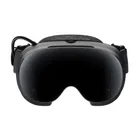
1. Best overall: Steam Frame
2. Best budget: Meta Quest 3S
3. Best standalone: Meta Quest 3
4. Best high-resolution: Pimax Dream Air