With AI sucking up much of the supply, memory hasn't been in the best state as of late, in regard to both price and availability. This, unfortunately, makes it fertile ground for scammers, and we're starting to see convincing DDR5 counterfeits.
As noted by @taki_pc_1115 on X, "At first glance, they look like regular memory sticks, but the chips actually installed on them are just bare circuit boards."
Taki shows off a series of images of surprisingly real-looking memory modules, and this just reinforces that you should try to test memory before you buy it second-hand. Even the likes of Corsair changed its packaging earlier this year to more easily show authenticity to buyers.
One thing to note here is that the memory Taki has sourced is for a laptop. It tends to be stripped bare more than a lot of memory, and as they note, if you were to throw a heatsink on top, it would be much harder to spot it as fake. The module here includes a counterfeit Samsung sticker, too.
Another user points out that there are fake SK hynix DDR5 modules being distributed, too, via Yahoo auctions. Here, a user sold nine fake SK hynix memory modules for just over 12,000 yen ($76). They are labelled as potentially faulty sets, like how some buyers will purchase broken consoles to fix them. This could be because knowingly selling counterfeit products, even if you declare them as counterfeit, is illegal.
注意喚起DDR5のメモリの偽物が出回ってます。一見すると普通のメモリですが、実際に搭載されているチップはただの基板、プラスチックの板です。取り外して切断して確認しました。動作未確認のメモリーとかマジで購入する際は気をつけてください!4090の悲劇を起こさないように! pic.twitter.com/gcKAjRDUeiMay 10, 2026
Some potentially good ways to tell counterfeit memory apart are by checking that the edges are rounded, cross-referencing the PMIC (power management chip) shape, and checking the colour of the board (with counterfeits tending to be a lighter shade of green or black). However, this requires a great deal of knowledge about memory in the first place.
If you are unsure you are getting real memory, you can always pop it into a rig, access information with software like HWInfo, and cross-reference data with what you expect to see from that module. However, if you aren't that technically proficient, the best bet is to try and buy straight from the source, or from trusted sellers, and make sure its packaging is sealed.
As always, you have to be as careful as possible when buying PC hardware, and don't be afraid to test it before you buy it, if you can. And most importantly of all, if the price looks too good to be true, then leave it well alone.
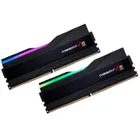
1. Best DDR5 overall:
G.Skill Trident Z5 RGB 32 GB DDR5-7200
2. Best budget DDR5:
Teamgroup T-Force Vulcan DDR5-5200
3. Best high-capacity DDR5:
G.Skill Trident Z5 64 GB DDR5-6400 CL32
4. Best DDR4 overall:
TEAM XTREEM 16 GB DDR4-3600
5. Best budget DDR4:
G.Skill Ripjaws V 16 GB DDR4-3600
6. Best high-capacity DDR4:
Corsair Dominator Platinum RGB 32 GB DDR4-3200