It's wise to turn off motion blur in any game that will let you, but Halo: Campaign Evolved has some of the worst I've experienced in recent times—and that goes doubly so for handhelds and lower-end rigs. If you're running between 30 and 60 fps, the game becomes a nightmare of blurred frames with no more than a small shift of the head.
Luckily, it's easy to turn off. Simply go into the settings menu, find the video tab, and then scroll down until you find motion blur. Given the amount of grenades in the game, I'd probably turn off screen shake while you're down there too.
Admittedly, if your rig can get up to 100 fps, perhaps by turning on some upscaling or dropping the resolution, it certainly gets a bit better, but it's a distraction at best. And at worst, it's so bad that it's genuinely hard to understand what's happening on screen.
You can see the motion blur in action below, running on a rig at a consistent 45-50 fps. If you ask me, it looks downright horrendous.
Below, you can see Halo: Campaign Evolved's motion blur in action at around 80-90 fps on average. It's still a nightmare that makes speedy motion and quick shooting much more difficult.
In my testing, Halo: Campaign Evolved feels like a console game in its settings. Though the game has plenty of different graphics options, they shape the overall look of the game very little, with only slight lighting changes and shadow nuances being visible.
If you are thinking of throwing on some upscaling to get those higher frames, my advice depends on the card you are using. For an Nvidia card, my money is on DLSS. FSR 3.0 certainly delivers a healthy FPS bump, but unless you are picking FSR Ultra (which samples from 67% of the native resolution and scales it up), the game looks messy and distorted.
Even then, the likes of DLSS Medium and DLSS Ultra not only deliver better performance in my testing but look much better than their FSR counterparts.
However, on an RX 9070, I found FSR to perform well, with distinct bumps to performance and strong visuals.
Or you could just greatly upset me by sticking the game on FSR Low, with motion blur, screenshake, and low graphical settings. If your rig can do better, you owe it to yourself to crank the settings up a notch.
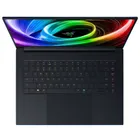
1. Best gaming laptop: Razer Blade 16
2. Best gaming PC: HP Omen 35L
3. Best handheld gaming PC: Lenovo Legion Go S SteamOS ed.
4. Best mini PC: Minisforum AtomMan G7 PT
5. Best VR headset: Meta Quest 3