Hot off the news that repair shops have gained access to leaked internal Nvidia tools to gather RTX 50-series hotspot data, CPUID's HWMonitor has added its own hotspot thermal tracking info in the latest update.
Version 1.65 adds two hotspot sensor data rows within the graphics card column for RTX 50-series cards, right underneath the traditional GPU and memory average temperature data. This should make it easier for users to diagnose whether their card is suffering from dried out thermal paste and pads, or a mis-contacted cooler.
The hotspot temperature will naturally be higher than the regular GPU temp reading under load, so don't panic if you see some elevated figures. Personally, I'd only become concerned if the hot spot temps were alarmingly high, combined with the GPU cooler fans spinning like a small tornado and the gaming performance dropping like a stone.
All that being said, I gritted my teeth and decided to check out the Asus TUF Gaming RTX 5070 Ti OC Edition's hotspot temps while running Crimson Desert at 4K with path tracing enabled, just to give myself a worst-case scenario. Oh, and there's a heatwave on in the UK at the moment, and my house has no air conditioning. Perfect test conditions!
As you can see from the results below, while the GPU sat comfortably at around 62-63 °C on average, HWMonitor recorded a brief hotspot spike into the mid-80s, although settled down to a 75-80 °C temp afterwards.

I'm fairly comfortable with that, as I've benched this card many times and its performance is right in line with other RTX 5070 Ti data we have to hand. It's quiet as a mouse, too. Should the hotspot temps ever soar off into the stratosphere, though, I'll be having the cooler off in a heartbeat to check out the conditions underneath.
The devs behind CapFrameX, a very useful free performance monitoring utility, have also announced that RTX 50-series hotspot temps will be coming to its tracking features soon. So hey, more ways to keep an eye on your machine. And let's face it, we all like a bit of PC hardware watching, don't we?
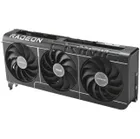
1. Best overall: AMD Radeon RX 9070
2. Best value: AMD Radeon RX 9060 XT 16 GB
3. Best budget: Nvidia RTX 5050
4. Best mid-range: AMD Radeon RX 9070 XT
5. Best high-end: Nvidia GeForce RTX 5090