Join The Club





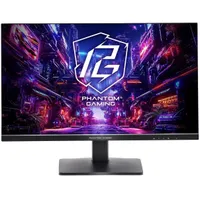
If you don't have the rig to run a game in 4K, or simply don't think the resolution is worth the extra resources, 1440p offers an excellent middle ground right now. Despite gaming rigs getting more expensive, monitors are only getting more reasonable, and I've picked out a bit of a banger today.
- Join us on WhatsApp for daily deals, direct to your phone.
I check over our roundup of the best cheap gaming monitor deals every week, and this ASRock monitor isn't the cheapest 1440p monitor I can find. However, it is absolutely the one I'd go for.
The Phantom PG27QFT1B is the second cheapest, with the lowest being Acer's KA272U for $130. For the extra $3, you are getting a bump of 80 Hz to the refresh rate, which is worth it in my book. 180 Hz is plenty snappy, and the 27-inch screen is solid too.
27 inches is certainly on the smaller end, but I use two 27-inch screens in my setup, and I think it's perfect. One of mine is 1440p, and the other is a cheaper 1080p option for looking at social media and writing. Still, I used just a single 27-inch screen for years and didn't feel like I was missing too much (even if dual monitors are superior).
Moreover, if you go too large with the panel size but don't bump up the resolution, you end up with a low pixel per inch and a grainier picture quality.
You're also getting a fast 1 ms response time, HDR 400, alongside AMD FreeSync and anti-flicker technology. At a peak of 400 nits, the brightness is just okay, and you may want to keep the panel away from sunlight if you want to see it properly, but for the price, this is an understandable compromise.
If you have the hunger for 4K gaming, you could always opt for MSI's dual-mode monitor for $250 on sale, but there's no point spending so much if you don't think you will actually use it/have the graphics card to power it. 1440p is a very solid value pick right now, especially if you can't stomach the rig upgrade to fully justify 4K.
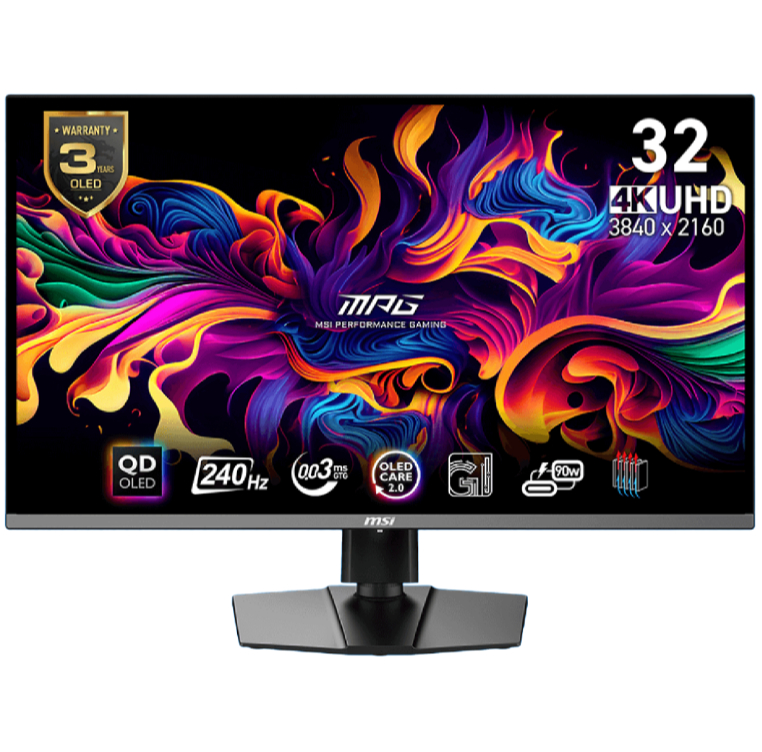
1. Best overall / 4K:
MSI MPG 321URX
2. Best budget 4K:
Asus ROG Strix XG27UCG
3. Best 1440p:
MSI MPG 271QRX
4. Best budget 1440p:
KTC H27T22C-3
5. Best 1080p:
AOC Gaming C27G4ZXE
6. Best Ultrawide:
Gigabyte MO34WQC2
7. Best budget ultrawide:
Xiaomi G34WQi
8. Best 32:9:
Samsung Odyssey OLED G9
9. Best dual-mode:
Alienware AW2725QF

You must confirm your public display name before commenting
Please logout and then login again, you will then be prompted to enter your display name.