Our Verdict
A solid mid-range wireless rodent with beefy specs, strong battery life and a comfortable shape. It just lacks rich software and feels a little too cheap to make it a top contender.
For
- Comfortable shape
- Powerful with high DPI and polling rate
- Solid battery life
Against
- Feels a little cheap
- Software lacks some refinement
PC Gamer's got your back Our experienced team dedicates many hours to every review, to really get to the heart of what matters most to you. Find out more about how we evaluate games and hardware.
MSI might not be the first name you think of when it comes to gaming mice, but the brand has been quietly toiling away with its peripherals in recent times and has come up with the Versa 300 Wireless 8K as its latest entry. On the face of it, with a 26,000 DPI sensor, 8000 Hz wireless polling rate and a light 66g mass, it looks as if this humble rodent could be up there with some of the best gaming mice we've tested—I've been putting it through its paces to find out.
On first impressions, the Versa 300 Wireless 8K comes across a little generic, with an all-black plastic chassis with a rougher texture and little contouring for comfort. That being said, the plastics used in its construction feel quite dense, and there's some pleasant texturing on the sides of the unit to supplement extended use.
At 66g, too, it's quite a lightweight choice, helping wrist flicks and quick movement without feeling like you're lugging around something heavy, and I'm a fan of how tactile this mouse feels with those textured surfaces, the large rubberised scroll wheel and all the rest of it.
The button placement here makes sense, with two main options: a DPI switch and a scroll wheel on top, and navigation buttons on the side. On the underside is a selector switch between Bluetooth and 2.4 GHz wireless connectivity modes, and even a little cubby hole for the USB-A receiver that this mouse comes with—neat.

Buttons: 6
Feet: PTFE
Connectivity: 2.4 GHz receiver/Bluetooth, USB-C to USB-A wired
Sensor: PixArt PAW33395
Max DPI: 26,000
Max acceleration: 50 g
Max speed: 650 IPS
Polling rate: 8000 Hz (2.4 GHz)
Battery life: Up to 196 hours
RGB lighting: 1-zone
Warranty: 2 years
Price: $100/£60
You do get a small amount of RGB-based flair, with a light-up MSI logo that attempts to protrude through the rear of the chassis—it's there, but seems on the dim side. Likewise, the MSI Center software that's used to control the Versa 300 Wireless 8K is a little bereft of features, allowing you to only remap input and trigger macros, plus some more advanced features such as angle snapping and the debounce time for the mechanical Omron switches this mouse has. If you want to control that singular RGB lighting zone, you'll need to use another app—Portal X—which just seems like more needless faff.
With this in mind, Portal X is web-based, meaning you can configure the mouse across different operating systems than just Windows, although with the RGB lighting here and not in MSI Center, there isn't feature parity across both suites.
On the point of those mechanical switches, the Omrons inside here have a firm and tactile click under finger, although they feel as if they've got a longer travel than the more common hybrid or optical switches we're beginning to see on a lot of gaming mice. I don't mind this, but for outright speed and precision, you may want to look at key rivals with a different switch type.


And now to where things matter: performance. MSI has put a 26,000 DPI PixArt PAW3395 sensor inside the Versa 300 Wireless 8K, which I've tested in other gaming mice over the years, and it provides ample sensitivity and responsiveness to make my usual test runs of Counter-Strike 2 a breeze.
Admittedly, using the full 26,000 DPI on offer all the time is likely to be especially jittery, but you can move it down in software between 100 and the full 26,000 to get a more comfortable level. In my instance, that was between 1600 and 3200 DPI for more accurate aiming in Counter-Strike 2, and for more comfortable navigation in Windows.


The 8000 Hz wireless polling rate is also a pleasant move for this rodent, especially against similar rivals such as the Endgame Gear OP1w 4K and the Be Quiet! Dark Perk Ergo, for added responsiveness and potentially lower latency for the pro players who are likely to notice that sort of thing. A higher polling rate means a device reports its position and inputs more frequently (hence Hz as the measurement).
All of this combines to make this MSI choice feel responsive in shooters, such as CS2, with brisk and responsive movements and inputs with little noticeable latency that make this a strong choice for FPS titles. The switches inside are mechanical ones rated for up to 60 million actuations, making them a durable choice for even the hastiest of spam clickers when you need to get a shot off first.


Connectivity is handled either by Bluetooth or 2.4 GHz, with the latter supporting the 8000 Hz wireless polling rate. The fact that this mouse also comes with Bluetooth adds some versatility against the competition, which eschews that in favour of outright performance in one device. I found the mouse's connection over either method to be reliable and stable, using Bluetooth on my MacBook Pro and the bundled receiver on my Windows gaming PC.
✅ You want potent specs: The Versa 300 Wireless 8K impresses with its beefy specs and potent performance for a more affordable price than some of its rivals.
❌ You want stronger software: Rival choices will offer stronger software suites for more customisation and personalisation, plus you will only use one app to keep life easy.
As for battery life, MSI rates the Versa 300 Wireless 8K to run for up to 196 hours via 2.4 GHz at a more standard 1000 Hz polling rate. Up it to 8000 Hz, and you'll throw a lot of that endurance away, with my testing putting it at around 75 hours at full pelt. That's still not bad against other choices, which tend to have a larger drop-off when you run them at full power.
And then we come to quite a useful piece of information I've purposefully left out—price. MSI has attached a $100/£60 price tag to the Versa 300 Wireless 8K, making it surprisingly affordable against rivals mentioned above for the feature set on offer here. On the whole, it helps this choice stand out if you're after a powerful and lightweight rodent for FPS titles that doesn't break the bank.
With this in mind, I think other options from the likes of Endgame Gear or SteelSeries look a little more eye-catching and have stronger software features for a similar outlay. This MSI one does well on features and performance, although I think it lacks a certain polish to make it a real top contender.
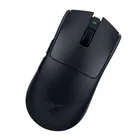
1. Best wireless:
Razer Viper V4 Pro
2. Best wired:
Logitech G502 X
3. Best budget wireless:
Mchose G3 V2 Pro
4. Best budget wired:
Glorious Model O Eternal
5. Best competitive:
Logitech G Pro X2 Superstrike
6. Best lightweight:
Corsair Sabre V2 Pro
7. Best MMO:
Corsair Scimitar Elite Wireless SE
8. Best small:
Razer Cobra HyperSpeed
9. Best ambidextrous:
Logitech G Pro
10. Best ergonomic:
Keychron M5
11. Best customizable:
Orbital Pathfinder
A solid mid-range wireless rodent with beefy specs, strong battery life and a comfortable shape. It just lacks rich software and feels a little too cheap to make it a top contender.