Last month, I reported on Keychron's announcement for its new MagOptic hybrid optical-magnetic mouse switches. Following in the wake of the Logitech G Pro X2 Superstrike, these switches promise analogue tech for adjustable actuation and rapid trigger. Unlike the Superstrike, however, they also have standard optical switches in there, so you can choose between the two.
Given how impressed I was with the Superstrike's haptic-inductive technology and the potential of it being adopted by the gaming mouse industry at large, I was naturally quite excited when I saw Keychron's announcement. But I also had questions, the main one being: how, exactly, are you meant to feel the click at the right time when you've adjusted its actuation point?
The haptics take care of that with the Superstrike, but there was no mention of haptics in Keychron's original announcement. In fact, given pressing the button moves both the magnetic stem and the metal leaf used for the optical click, it seemed like the traditional click was all you'd get, and that wouldn't be adjustable.
Our very own Dave James, however, has recently spoken with Keychron about the MagOptic switch directly at Computex. And it turns out, Keychron is solving the adjustable actuation click problem in exactly the same way as Logitech, by including haptics:
"A lot of people checking [the Superstrike], they say... I don't like the haptic... But If they want... the Logitech way, then they can try this one. We combine [the switch] with a haptic engine—it's just a vibrator—inside the mouse."
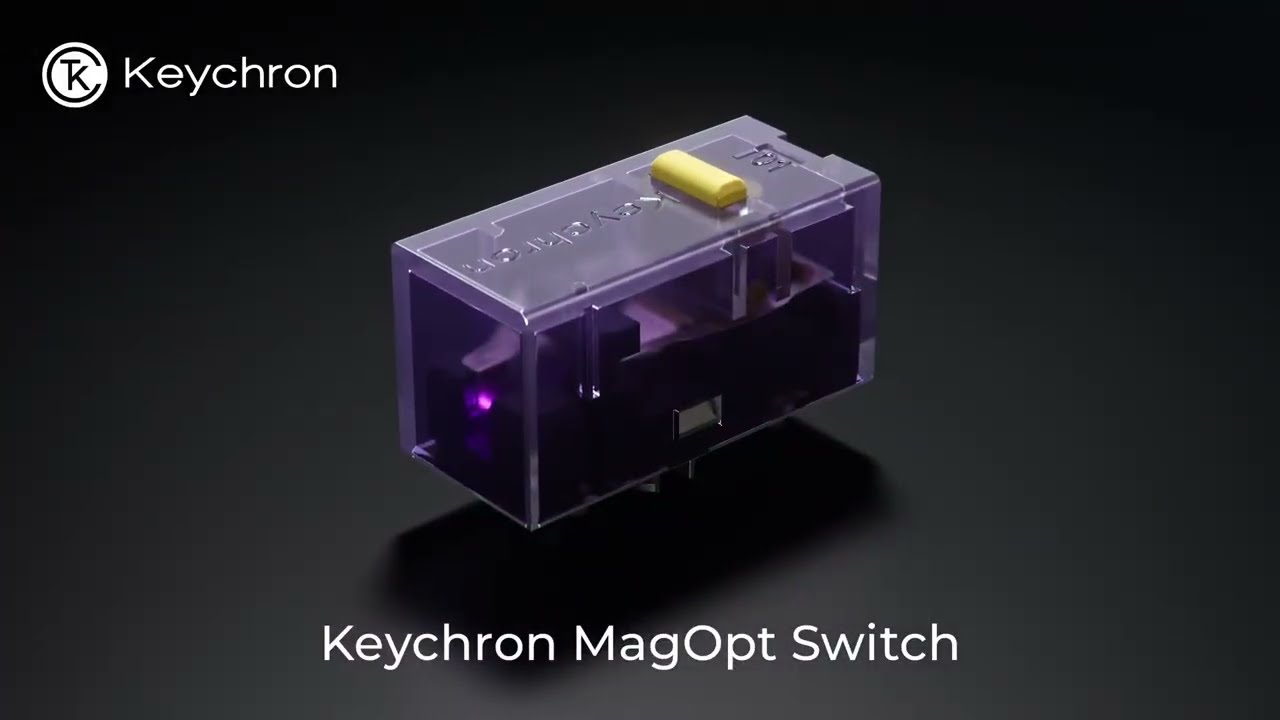
So that's the click question answered, right? Well, not quite, because this still leaves me wondering what happens to the traditional click when haptics are enabled. It seems very clear to me, judging from the Keychron video showing the mechanism, that the optical click is part and parcel of the whole mechanism, meaning it looks impossible to disable the physical movement while maintaining the magnetic switch function.
Which makes me wonder, will we feel a double-click feeling if you enable the haptics—one rumble when the magnetic switch actuates, and another when the metal leaf bends and the optical switch clicks?
I'd ask our Dave, but I'm told he's currently braving his very long flight home to sunny Britain—Godspeed, Dave-o. Apparently we'll see these in G-series mice at the end of this month, though, so I suppose none of us will have too long of a wait to find out.
1. Best wireless:
Razer Viper V4 Pro
2. Best wired:
Logitech G502 X
3. Best budget wireless:
Mchose G3 V2 Pro
4. Best budget wired:
Glorious Model O Eternal
5. Best competitive:
Logitech G Pro X2 Superstrike
6. Best lightweight:
Corsair Sabre V2 Pro
7. Best MMO:
Corsair Scimitar Elite Wireless SE
8. Best small:
Razer Cobra HyperSpeed
9. Best ambidextrous:
Logitech G Pro
10. Best ergonomic:
Keychron M5
11. Best customizable:
Orbital Pathfinder