Sony's headphones come with some neat hardware designed for its own specially implemented spatial audio system. But on PC, that hardware often goes unused. That is, until now.
As posted to Reddit by user NSlattery43, you can now use the motion sensors in the likes of the Sony WH-1000XM5, WF-1000XM5, and ULT Wear headphones for head tracking in games like Microsoft Flight Simulator, Elite Dangerous, and Assetto Corsa.
Slattery made their own open-source software and posted it to GitHub, which means you can not only use it entirely for free but also build on it in new ways or fine-tune it. The way it works is that it catches the live orientation and gyroscopic data from your buds or headphones, then passes it over to head tracking software OpenTrack, which then connects to games. It doesn't require a webcam, infrared tracker, or any other hardware/software to get running.
To get it to work, simply download the software via GitHub, pair any compatible Sony device, open the application, and then use OpenTrack whilst the game is on to link the input. You may run into a problem with Sony devices failing to make the head tracking node, but the software has an option to register the tracker if so.
Though they haven't been tested, Slattery claims that the Sony Linkbuds (WF-L910, WF-LS910N, WF-L900, and WF-LS9000N) should all work, as Sony lists that they have the right head-tracking modules.

Notably, because the method outputs with OpenTrack, it should work with any FreeTrack-compatible game or any TrackIR or FreeTrack game.
As pointed out by a commenter, this means one could grab a pair of XR glasses and set them up in a display mode and get 360-degree tracking. You wouldn't need any other controller in order to look around you, as long as the game supports 3DoF (three degrees of freedom) tracking. My mind boggles at how useful this would be in a full-on cockpit. You would still want traditional controls for driving or whatever else, but it seems like a relatively low-effort way of getting intuitive head controls.
And you don't even need XR glasses to use this in a game. Given you can customise sensitivity and inputs, you could set it so that you look around sharply with controls and have fine-tuned movement with nothing but your head, similar to how one might use gyro controls in the likes of the Steam Controller. Not bad for a free bit of software.
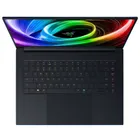
1. Best gaming laptop: Razer Blade 16
2. Best gaming PC: HP Omen 35L
3. Best handheld gaming PC: Lenovo Legion Go S SteamOS ed.
4. Best mini PC: Minisforum AtomMan G7 PT
5. Best VR headset: Meta Quest 3