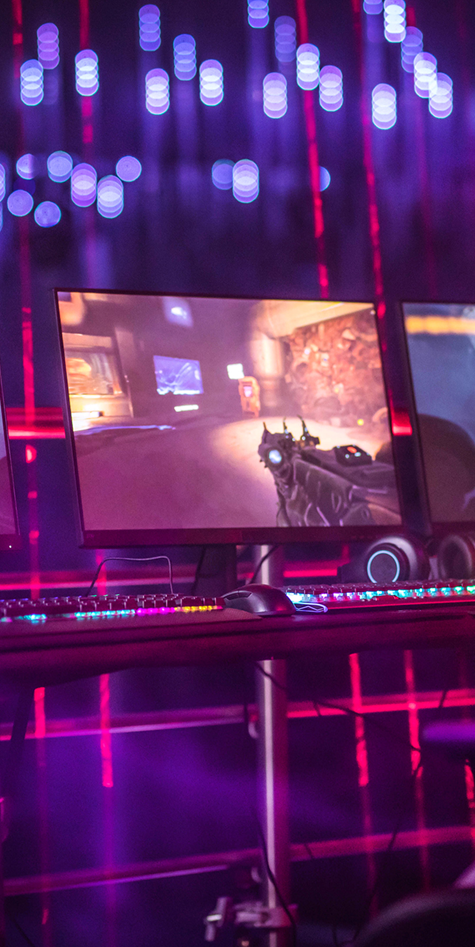


Alien: Isolation is one of our favorite games of 2014, and it’s the first game to ever nail the atmosphere of Ridley Scott’s original film. But it’s not the first great game based on the franchise. More than a decade before the disaster of Aliens: Colonial Marines, developer Rebellion made classic FPS Aliens vs. Predator based on the mashup of sci-fi’s most famous space horrors. Movie monsters turned comic book foes turned video game stars? Hey, it’s a weird path, but it worked.
The original Aliens vs. Predator, released in 1999, was a uniquely asymmetrical shooter with separate campaigns for the aliens, predator, and colonial marine. Monolith Productions (you know, the studio behind No One Lives Forever and F.E.A.R. and Shadow of Mordor?) made a sequel, and it was good too! And Rebellion made a new version in 2010, and it was also good! That may be hard to believe if you’ve ever seen the Aliens vs. Predator films, but it’s the truth.
This week, Pixel Boost is taking a trip back to the original. Specifically, Aliens Versus Predator Classic 2000, a slightly updated version of the game which is available on GOG, cheap, and supports up to 4K resolutions on modern Windows with no painful tweaking. Not bad for a game from 1999.
Install it
Aliens Versus Predator Classic 2000 is available on GOG for $6 or on Steam for $5. Grab the game from either store and install it to start playing. Thankfully, unlike some other games of the era, AvP plays just fine with modern Windows.
Run it in high resolution
Since its original release in 1999, Aliens Versus Predator has been retrofitted to work with DirectX 9.0c. This is good news for a couple reasons. One, it’s why the game is so easily compatible with modern Windows. Two, it means the game works with Durante’s GeDoSaTo for downsampling.
You have two choices: run the game at your native resolution, or download GeDoSaTo to easily run AvP in 4K. Using GeDoSaTo takes a couple extra minutes, but you’ll be rewarded with a higher resolution, sharper image, as always. We ran the game at 2560x1440, but you can easily run it at 4K like so:
In GeDoSaTo’s general settings, you can set the resolution you want to downsample from. With a decent modern graphics card, you should be able to downsample from 4K down to your monitor’s native resolution.

All of those resolution options are in GeDoSaTo by default; GeDoSaTo will also automatically detect the resolution of your monitor. The default renderResolutions should be just fine, but you can add your own (or comment out the ones you don't want the game to see) with #. Remember to add the game exe to GeDoSaTo's whitelist, or switch to blacklist mode.
In AvP, go into the video settings and cycle through them until you find 3840x2160. Apply the setting and jump into a game. Don’t worry if the menu looks low-res; your resolution settings only apply in-engine.
Mod it
There are a few mods for Alien Versus Predator on ModDB. But if you really want to mess around with the game, check out this source code mod that uses the game’s publicly available source code to make some improvements (like rendering the menus at greater than 640x480 resolution).

Alien: Isolation is one of our favorite games of 2014, and it’s the first game to ever nail the atmosphere of Ridley Scott’s original film. But it’s not the first great game based on the franchise. More than a decade before the disaster of Aliens: Colonial Marines, developer Rebellion made classic FPS Aliens vs. Predator based on the mashup of sci-fi’s most famous space horrors. Movie monsters turned comic book foes turned video game stars? Hey, it’s a weird path, but it worked.
The original Aliens vs. Predator, released in 1999, was a uniquely asymmetrical shooter with separate campaigns for the aliens, predator, and colonial marine. Monolith Productions (you know, the studio behind No One Lives Forever and F.E.A.R. and Shadow of Mordor?) made a sequel, and it was good too! And Rebellion made a new version in 2010, and it was also good! That may be hard to believe if you’ve ever seen the Aliens vs. Predator films, but it’s the truth.
This week, Pixel Boost is taking a trip back to the original. Specifically, Aliens Versus Predator Classic 2000, a slightly updated version of the game which is available on GOG, cheap, and supports up to 4K resolutions on modern Windows with no painful tweaking. Not bad for a game from 1999.
Install it
Aliens Versus Predator Classic 2000 is available on GOG for $6 or on Steam for $5. Grab the game from either store and install it to start playing. Thankfully, unlike some other games of the era, AvP plays just fine with modern Windows.
Run it in high resolution
Since its original release in 1999, Aliens Versus Predator has been retrofitted to work with DirectX 9.0c. This is good news for a couple reasons. One, it’s why the game is so easily compatible with modern Windows. Two, it means the game works with Durante’s GeDoSaTo for downsampling.
You have two choices: run the game at your native resolution, or download GeDoSaTo to easily run AvP in 4K. Using GeDoSaTo takes a couple extra minutes, but you’ll be rewarded with a higher resolution, sharper image, as always. We ran the game at 2560x1440, but you can easily run it at 4K like so:
In GeDoSaTo’s general settings, you can set the resolution you want to downsample from. With a decent modern graphics card, you should be able to downsample from 4K down to your monitor’s native resolution.
All of those resolution options are in GeDoSaTo by default; GeDoSaTo will also automatically detect the resolution of your monitor. The default renderResolutions should be just fine, but you can add your own (or comment out the ones you don't want the game to see) with #. Remember to add the game exe to GeDoSaTo's whitelist, or switch to blacklist mode.
In AvP, go into the video settings and cycle through them until you find 3840x2160. Apply the setting and jump into a game. Don’t worry if the menu looks low-res; your resolution settings only apply in-engine.
Mod it
There are a few mods for Alien Versus Predator on ModDB. But if you really want to mess around with the game, check out this source code mod that uses the game’s publicly available source code to make some improvements (like rendering the menus at greater than 640x480 resolution).

Alien: Isolation is one of our favorite games of 2014, and it’s the first game to ever nail the atmosphere of Ridley Scott’s original film. But it’s not the first great game based on the franchise. More than a decade before the disaster of Aliens: Colonial Marines, developer Rebellion made classic FPS Aliens vs. Predator based on the mashup of sci-fi’s most famous space horrors. Movie monsters turned comic book foes turned video game stars? Hey, it’s a weird path, but it worked.
The original Aliens vs. Predator, released in 1999, was a uniquely asymmetrical shooter with separate campaigns for the aliens, predator, and colonial marine. Monolith Productions (you know, the studio behind No One Lives Forever and F.E.A.R. and Shadow of Mordor?) made a sequel, and it was good too! And Rebellion made a new version in 2010, and it was also good! That may be hard to believe if you’ve ever seen the Aliens vs. Predator films, but it’s the truth.
This week, Pixel Boost is taking a trip back to the original. Specifically, Aliens Versus Predator Classic 2000, a slightly updated version of the game which is available on GOG, cheap, and supports up to 4K resolutions on modern Windows with no painful tweaking. Not bad for a game from 1999.
Install it
Aliens Versus Predator Classic 2000 is available on GOG for $6 or on Steam for $5. Grab the game from either store and install it to start playing. Thankfully, unlike some other games of the era, AvP plays just fine with modern Windows.
Run it in high resolution
Since its original release in 1999, Aliens Versus Predator has been retrofitted to work with DirectX 9.0c. This is good news for a couple reasons. One, it’s why the game is so easily compatible with modern Windows. Two, it means the game works with Durante’s GeDoSaTo for downsampling.
You have two choices: run the game at your native resolution, or download GeDoSaTo to easily run AvP in 4K. Using GeDoSaTo takes a couple extra minutes, but you’ll be rewarded with a higher resolution, sharper image, as always. We ran the game at 2560x1440, but you can easily run it at 4K like so:
In GeDoSaTo’s general settings, you can set the resolution you want to downsample from. With a decent modern graphics card, you should be able to downsample from 4K down to your monitor’s native resolution.
All of those resolution options are in GeDoSaTo by default; GeDoSaTo will also automatically detect the resolution of your monitor. The default renderResolutions should be just fine, but you can add your own (or comment out the ones you don't want the game to see) with #. Remember to add the game exe to GeDoSaTo's whitelist, or switch to blacklist mode.
In AvP, go into the video settings and cycle through them until you find 3840x2160. Apply the setting and jump into a game. Don’t worry if the menu looks low-res; your resolution settings only apply in-engine.
Mod it
There are a few mods for Alien Versus Predator on ModDB. But if you really want to mess around with the game, check out this source code mod that uses the game’s publicly available source code to make some improvements (like rendering the menus at greater than 640x480 resolution).

Alien: Isolation is one of our favorite games of 2014, and it’s the first game to ever nail the atmosphere of Ridley Scott’s original film. But it’s not the first great game based on the franchise. More than a decade before the disaster of Aliens: Colonial Marines, developer Rebellion made classic FPS Aliens vs. Predator based on the mashup of sci-fi’s most famous space horrors. Movie monsters turned comic book foes turned video game stars? Hey, it’s a weird path, but it worked.
The original Aliens vs. Predator, released in 1999, was a uniquely asymmetrical shooter with separate campaigns for the aliens, predator, and colonial marine. Monolith Productions (you know, the studio behind No One Lives Forever and F.E.A.R. and Shadow of Mordor?) made a sequel, and it was good too! And Rebellion made a new version in 2010, and it was also good! That may be hard to believe if you’ve ever seen the Aliens vs. Predator films, but it’s the truth.
This week, Pixel Boost is taking a trip back to the original. Specifically, Aliens Versus Predator Classic 2000, a slightly updated version of the game which is available on GOG, cheap, and supports up to 4K resolutions on modern Windows with no painful tweaking. Not bad for a game from 1999.
Install it
Aliens Versus Predator Classic 2000 is available on GOG for $6 or on Steam for $5. Grab the game from either store and install it to start playing. Thankfully, unlike some other games of the era, AvP plays just fine with modern Windows.
Run it in high resolution
Since its original release in 1999, Aliens Versus Predator has been retrofitted to work with DirectX 9.0c. This is good news for a couple reasons. One, it’s why the game is so easily compatible with modern Windows. Two, it means the game works with Durante’s GeDoSaTo for downsampling.
You have two choices: run the game at your native resolution, or download GeDoSaTo to easily run AvP in 4K. Using GeDoSaTo takes a couple extra minutes, but you’ll be rewarded with a higher resolution, sharper image, as always. We ran the game at 2560x1440, but you can easily run it at 4K like so:
In GeDoSaTo’s general settings, you can set the resolution you want to downsample from. With a decent modern graphics card, you should be able to downsample from 4K down to your monitor’s native resolution.
All of those resolution options are in GeDoSaTo by default; GeDoSaTo will also automatically detect the resolution of your monitor. The default renderResolutions should be just fine, but you can add your own (or comment out the ones you don't want the game to see) with #. Remember to add the game exe to GeDoSaTo's whitelist, or switch to blacklist mode.
In AvP, go into the video settings and cycle through them until you find 3840x2160. Apply the setting and jump into a game. Don’t worry if the menu looks low-res; your resolution settings only apply in-engine.
Mod it
There are a few mods for Alien Versus Predator on ModDB. But if you really want to mess around with the game, check out this source code mod that uses the game’s publicly available source code to make some improvements (like rendering the menus at greater than 640x480 resolution).

Alien: Isolation is one of our favorite games of 2014, and it’s the first game to ever nail the atmosphere of Ridley Scott’s original film. But it’s not the first great game based on the franchise. More than a decade before the disaster of Aliens: Colonial Marines, developer Rebellion made classic FPS Aliens vs. Predator based on the mashup of sci-fi’s most famous space horrors. Movie monsters turned comic book foes turned video game stars? Hey, it’s a weird path, but it worked.
The original Aliens vs. Predator, released in 1999, was a uniquely asymmetrical shooter with separate campaigns for the aliens, predator, and colonial marine. Monolith Productions (you know, the studio behind No One Lives Forever and F.E.A.R. and Shadow of Mordor?) made a sequel, and it was good too! And Rebellion made a new version in 2010, and it was also good! That may be hard to believe if you’ve ever seen the Aliens vs. Predator films, but it’s the truth.
This week, Pixel Boost is taking a trip back to the original. Specifically, Aliens Versus Predator Classic 2000, a slightly updated version of the game which is available on GOG, cheap, and supports up to 4K resolutions on modern Windows with no painful tweaking. Not bad for a game from 1999.
Install it
Aliens Versus Predator Classic 2000 is available on GOG for $6 or on Steam for $5. Grab the game from either store and install it to start playing. Thankfully, unlike some other games of the era, AvP plays just fine with modern Windows.
Run it in high resolution
Since its original release in 1999, Aliens Versus Predator has been retrofitted to work with DirectX 9.0c. This is good news for a couple reasons. One, it’s why the game is so easily compatible with modern Windows. Two, it means the game works with Durante’s GeDoSaTo for downsampling.
You have two choices: run the game at your native resolution, or download GeDoSaTo to easily run AvP in 4K. Using GeDoSaTo takes a couple extra minutes, but you’ll be rewarded with a higher resolution, sharper image, as always. We ran the game at 2560x1440, but you can easily run it at 4K like so:
In GeDoSaTo’s general settings, you can set the resolution you want to downsample from. With a decent modern graphics card, you should be able to downsample from 4K down to your monitor’s native resolution.
All of those resolution options are in GeDoSaTo by default; GeDoSaTo will also automatically detect the resolution of your monitor. The default renderResolutions should be just fine, but you can add your own (or comment out the ones you don't want the game to see) with #. Remember to add the game exe to GeDoSaTo's whitelist, or switch to blacklist mode.
In AvP, go into the video settings and cycle through them until you find 3840x2160. Apply the setting and jump into a game. Don’t worry if the menu looks low-res; your resolution settings only apply in-engine.
Mod it
There are a few mods for Alien Versus Predator on ModDB. But if you really want to mess around with the game, check out this source code mod that uses the game’s publicly available source code to make some improvements (like rendering the menus at greater than 640x480 resolution).

Alien: Isolation is one of our favorite games of 2014, and it’s the first game to ever nail the atmosphere of Ridley Scott’s original film. But it’s not the first great game based on the franchise. More than a decade before the disaster of Aliens: Colonial Marines, developer Rebellion made classic FPS Aliens vs. Predator based on the mashup of sci-fi’s most famous space horrors. Movie monsters turned comic book foes turned video game stars? Hey, it’s a weird path, but it worked.
The original Aliens vs. Predator, released in 1999, was a uniquely asymmetrical shooter with separate campaigns for the aliens, predator, and colonial marine. Monolith Productions (you know, the studio behind No One Lives Forever and F.E.A.R. and Shadow of Mordor?) made a sequel, and it was good too! And Rebellion made a new version in 2010, and it was also good! That may be hard to believe if you’ve ever seen the Aliens vs. Predator films, but it’s the truth.
This week, Pixel Boost is taking a trip back to the original. Specifically, Aliens Versus Predator Classic 2000, a slightly updated version of the game which is available on GOG, cheap, and supports up to 4K resolutions on modern Windows with no painful tweaking. Not bad for a game from 1999.
Install it
Aliens Versus Predator Classic 2000 is available on GOG for $6 or on Steam for $5. Grab the game from either store and install it to start playing. Thankfully, unlike some other games of the era, AvP plays just fine with modern Windows.
Run it in high resolution
Since its original release in 1999, Aliens Versus Predator has been retrofitted to work with DirectX 9.0c. This is good news for a couple reasons. One, it’s why the game is so easily compatible with modern Windows. Two, it means the game works with Durante’s GeDoSaTo for downsampling.
You have two choices: run the game at your native resolution, or download GeDoSaTo to easily run AvP in 4K. Using GeDoSaTo takes a couple extra minutes, but you’ll be rewarded with a higher resolution, sharper image, as always. We ran the game at 2560x1440, but you can easily run it at 4K like so:
In GeDoSaTo’s general settings, you can set the resolution you want to downsample from. With a decent modern graphics card, you should be able to downsample from 4K down to your monitor’s native resolution.
All of those resolution options are in GeDoSaTo by default; GeDoSaTo will also automatically detect the resolution of your monitor. The default renderResolutions should be just fine, but you can add your own (or comment out the ones you don't want the game to see) with #. Remember to add the game exe to GeDoSaTo's whitelist, or switch to blacklist mode.
In AvP, go into the video settings and cycle through them until you find 3840x2160. Apply the setting and jump into a game. Don’t worry if the menu looks low-res; your resolution settings only apply in-engine.
Mod it
There are a few mods for Alien Versus Predator on ModDB. But if you really want to mess around with the game, check out this source code mod that uses the game’s publicly available source code to make some improvements (like rendering the menus at greater than 640x480 resolution).

Alien: Isolation is one of our favorite games of 2014, and it’s the first game to ever nail the atmosphere of Ridley Scott’s original film. But it’s not the first great game based on the franchise. More than a decade before the disaster of Aliens: Colonial Marines, developer Rebellion made classic FPS Aliens vs. Predator based on the mashup of sci-fi’s most famous space horrors. Movie monsters turned comic book foes turned video game stars? Hey, it’s a weird path, but it worked.
The original Aliens vs. Predator, released in 1999, was a uniquely asymmetrical shooter with separate campaigns for the aliens, predator, and colonial marine. Monolith Productions (you know, the studio behind No One Lives Forever and F.E.A.R. and Shadow of Mordor?) made a sequel, and it was good too! And Rebellion made a new version in 2010, and it was also good! That may be hard to believe if you’ve ever seen the Aliens vs. Predator films, but it’s the truth.
This week, Pixel Boost is taking a trip back to the original. Specifically, Aliens Versus Predator Classic 2000, a slightly updated version of the game which is available on GOG, cheap, and supports up to 4K resolutions on modern Windows with no painful tweaking. Not bad for a game from 1999.
Install it
Aliens Versus Predator Classic 2000 is available on GOG for $6 or on Steam for $5. Grab the game from either store and install it to start playing. Thankfully, unlike some other games of the era, AvP plays just fine with modern Windows.
Run it in high resolution
Since its original release in 1999, Aliens Versus Predator has been retrofitted to work with DirectX 9.0c. This is good news for a couple reasons. One, it’s why the game is so easily compatible with modern Windows. Two, it means the game works with Durante’s GeDoSaTo for downsampling.
You have two choices: run the game at your native resolution, or download GeDoSaTo to easily run AvP in 4K. Using GeDoSaTo takes a couple extra minutes, but you’ll be rewarded with a higher resolution, sharper image, as always. We ran the game at 2560x1440, but you can easily run it at 4K like so:
In GeDoSaTo’s general settings, you can set the resolution you want to downsample from. With a decent modern graphics card, you should be able to downsample from 4K down to your monitor’s native resolution.
All of those resolution options are in GeDoSaTo by default; GeDoSaTo will also automatically detect the resolution of your monitor. The default renderResolutions should be just fine, but you can add your own (or comment out the ones you don't want the game to see) with #. Remember to add the game exe to GeDoSaTo's whitelist, or switch to blacklist mode.
In AvP, go into the video settings and cycle through them until you find 3840x2160. Apply the setting and jump into a game. Don’t worry if the menu looks low-res; your resolution settings only apply in-engine.
Mod it
There are a few mods for Alien Versus Predator on ModDB. But if you really want to mess around with the game, check out this source code mod that uses the game’s publicly available source code to make some improvements (like rendering the menus at greater than 640x480 resolution).

Alien: Isolation is one of our favorite games of 2014, and it’s the first game to ever nail the atmosphere of Ridley Scott’s original film. But it’s not the first great game based on the franchise. More than a decade before the disaster of Aliens: Colonial Marines, developer Rebellion made classic FPS Aliens vs. Predator based on the mashup of sci-fi’s most famous space horrors. Movie monsters turned comic book foes turned video game stars? Hey, it’s a weird path, but it worked.
The original Aliens vs. Predator, released in 1999, was a uniquely asymmetrical shooter with separate campaigns for the aliens, predator, and colonial marine. Monolith Productions (you know, the studio behind No One Lives Forever and F.E.A.R. and Shadow of Mordor?) made a sequel, and it was good too! And Rebellion made a new version in 2010, and it was also good! That may be hard to believe if you’ve ever seen the Aliens vs. Predator films, but it’s the truth.
This week, Pixel Boost is taking a trip back to the original. Specifically, Aliens Versus Predator Classic 2000, a slightly updated version of the game which is available on GOG, cheap, and supports up to 4K resolutions on modern Windows with no painful tweaking. Not bad for a game from 1999.
Install it
Aliens Versus Predator Classic 2000 is available on GOG for $6 or on Steam for $5. Grab the game from either store and install it to start playing. Thankfully, unlike some other games of the era, AvP plays just fine with modern Windows.
Run it in high resolution
Since its original release in 1999, Aliens Versus Predator has been retrofitted to work with DirectX 9.0c. This is good news for a couple reasons. One, it’s why the game is so easily compatible with modern Windows. Two, it means the game works with Durante’s GeDoSaTo for downsampling.
You have two choices: run the game at your native resolution, or download GeDoSaTo to easily run AvP in 4K. Using GeDoSaTo takes a couple extra minutes, but you’ll be rewarded with a higher resolution, sharper image, as always. We ran the game at 2560x1440, but you can easily run it at 4K like so:
In GeDoSaTo’s general settings, you can set the resolution you want to downsample from. With a decent modern graphics card, you should be able to downsample from 4K down to your monitor’s native resolution.
All of those resolution options are in GeDoSaTo by default; GeDoSaTo will also automatically detect the resolution of your monitor. The default renderResolutions should be just fine, but you can add your own (or comment out the ones you don't want the game to see) with #. Remember to add the game exe to GeDoSaTo's whitelist, or switch to blacklist mode.
In AvP, go into the video settings and cycle through them until you find 3840x2160. Apply the setting and jump into a game. Don’t worry if the menu looks low-res; your resolution settings only apply in-engine.
Mod it
There are a few mods for Alien Versus Predator on ModDB. But if you really want to mess around with the game, check out this source code mod that uses the game’s publicly available source code to make some improvements (like rendering the menus at greater than 640x480 resolution).

Alien: Isolation is one of our favorite games of 2014, and it’s the first game to ever nail the atmosphere of Ridley Scott’s original film. But it’s not the first great game based on the franchise. More than a decade before the disaster of Aliens: Colonial Marines, developer Rebellion made classic FPS Aliens vs. Predator based on the mashup of sci-fi’s most famous space horrors. Movie monsters turned comic book foes turned video game stars? Hey, it’s a weird path, but it worked.
The original Aliens vs. Predator, released in 1999, was a uniquely asymmetrical shooter with separate campaigns for the aliens, predator, and colonial marine. Monolith Productions (you know, the studio behind No One Lives Forever and F.E.A.R. and Shadow of Mordor?) made a sequel, and it was good too! And Rebellion made a new version in 2010, and it was also good! That may be hard to believe if you’ve ever seen the Aliens vs. Predator films, but it’s the truth.
This week, Pixel Boost is taking a trip back to the original. Specifically, Aliens Versus Predator Classic 2000, a slightly updated version of the game which is available on GOG, cheap, and supports up to 4K resolutions on modern Windows with no painful tweaking. Not bad for a game from 1999.
Install it
Aliens Versus Predator Classic 2000 is available on GOG for $6 or on Steam for $5. Grab the game from either store and install it to start playing. Thankfully, unlike some other games of the era, AvP plays just fine with modern Windows.
Run it in high resolution
Since its original release in 1999, Aliens Versus Predator has been retrofitted to work with DirectX 9.0c. This is good news for a couple reasons. One, it’s why the game is so easily compatible with modern Windows. Two, it means the game works with Durante’s GeDoSaTo for downsampling.
You have two choices: run the game at your native resolution, or download GeDoSaTo to easily run AvP in 4K. Using GeDoSaTo takes a couple extra minutes, but you’ll be rewarded with a higher resolution, sharper image, as always. We ran the game at 2560x1440, but you can easily run it at 4K like so:
In GeDoSaTo’s general settings, you can set the resolution you want to downsample from. With a decent modern graphics card, you should be able to downsample from 4K down to your monitor’s native resolution.
All of those resolution options are in GeDoSaTo by default; GeDoSaTo will also automatically detect the resolution of your monitor. The default renderResolutions should be just fine, but you can add your own (or comment out the ones you don't want the game to see) with #. Remember to add the game exe to GeDoSaTo's whitelist, or switch to blacklist mode.
In AvP, go into the video settings and cycle through them until you find 3840x2160. Apply the setting and jump into a game. Don’t worry if the menu looks low-res; your resolution settings only apply in-engine.
Mod it
There are a few mods for Alien Versus Predator on ModDB. But if you really want to mess around with the game, check out this source code mod that uses the game’s publicly available source code to make some improvements (like rendering the menus at greater than 640x480 resolution).

Alien: Isolation is one of our favorite games of 2014, and it’s the first game to ever nail the atmosphere of Ridley Scott’s original film. But it’s not the first great game based on the franchise. More than a decade before the disaster of Aliens: Colonial Marines, developer Rebellion made classic FPS Aliens vs. Predator based on the mashup of sci-fi’s most famous space horrors. Movie monsters turned comic book foes turned video game stars? Hey, it’s a weird path, but it worked.
The original Aliens vs. Predator, released in 1999, was a uniquely asymmetrical shooter with separate campaigns for the aliens, predator, and colonial marine. Monolith Productions (you know, the studio behind No One Lives Forever and F.E.A.R. and Shadow of Mordor?) made a sequel, and it was good too! And Rebellion made a new version in 2010, and it was also good! That may be hard to believe if you’ve ever seen the Aliens vs. Predator films, but it’s the truth.
This week, Pixel Boost is taking a trip back to the original. Specifically, Aliens Versus Predator Classic 2000, a slightly updated version of the game which is available on GOG, cheap, and supports up to 4K resolutions on modern Windows with no painful tweaking. Not bad for a game from 1999.
Install it
Aliens Versus Predator Classic 2000 is available on GOG for $6 or on Steam for $5. Grab the game from either store and install it to start playing. Thankfully, unlike some other games of the era, AvP plays just fine with modern Windows.
Run it in high resolution
Since its original release in 1999, Aliens Versus Predator has been retrofitted to work with DirectX 9.0c. This is good news for a couple reasons. One, it’s why the game is so easily compatible with modern Windows. Two, it means the game works with Durante’s GeDoSaTo for downsampling.
You have two choices: run the game at your native resolution, or download GeDoSaTo to easily run AvP in 4K. Using GeDoSaTo takes a couple extra minutes, but you’ll be rewarded with a higher resolution, sharper image, as always. We ran the game at 2560x1440, but you can easily run it at 4K like so:
In GeDoSaTo’s general settings, you can set the resolution you want to downsample from. With a decent modern graphics card, you should be able to downsample from 4K down to your monitor’s native resolution.
All of those resolution options are in GeDoSaTo by default; GeDoSaTo will also automatically detect the resolution of your monitor. The default renderResolutions should be just fine, but you can add your own (or comment out the ones you don't want the game to see) with #. Remember to add the game exe to GeDoSaTo's whitelist, or switch to blacklist mode.
In AvP, go into the video settings and cycle through them until you find 3840x2160. Apply the setting and jump into a game. Don’t worry if the menu looks low-res; your resolution settings only apply in-engine.
Mod it
There are a few mods for Alien Versus Predator on ModDB. But if you really want to mess around with the game, check out this source code mod that uses the game’s publicly available source code to make some improvements (like rendering the menus at greater than 640x480 resolution).

Alien: Isolation is one of our favorite games of 2014, and it’s the first game to ever nail the atmosphere of Ridley Scott’s original film. But it’s not the first great game based on the franchise. More than a decade before the disaster of Aliens: Colonial Marines, developer Rebellion made classic FPS Aliens vs. Predator based on the mashup of sci-fi’s most famous space horrors. Movie monsters turned comic book foes turned video game stars? Hey, it’s a weird path, but it worked.
The original Aliens vs. Predator, released in 1999, was a uniquely asymmetrical shooter with separate campaigns for the aliens, predator, and colonial marine. Monolith Productions (you know, the studio behind No One Lives Forever and F.E.A.R. and Shadow of Mordor?) made a sequel, and it was good too! And Rebellion made a new version in 2010, and it was also good! That may be hard to believe if you’ve ever seen the Aliens vs. Predator films, but it’s the truth.
This week, Pixel Boost is taking a trip back to the original. Specifically, Aliens Versus Predator Classic 2000, a slightly updated version of the game which is available on GOG, cheap, and supports up to 4K resolutions on modern Windows with no painful tweaking. Not bad for a game from 1999.
Install it
Aliens Versus Predator Classic 2000 is available on GOG for $6 or on Steam for $5. Grab the game from either store and install it to start playing. Thankfully, unlike some other games of the era, AvP plays just fine with modern Windows.
Run it in high resolution
Since its original release in 1999, Aliens Versus Predator has been retrofitted to work with DirectX 9.0c. This is good news for a couple reasons. One, it’s why the game is so easily compatible with modern Windows. Two, it means the game works with Durante’s GeDoSaTo for downsampling.
You have two choices: run the game at your native resolution, or download GeDoSaTo to easily run AvP in 4K. Using GeDoSaTo takes a couple extra minutes, but you’ll be rewarded with a higher resolution, sharper image, as always. We ran the game at 2560x1440, but you can easily run it at 4K like so:
In GeDoSaTo’s general settings, you can set the resolution you want to downsample from. With a decent modern graphics card, you should be able to downsample from 4K down to your monitor’s native resolution.
All of those resolution options are in GeDoSaTo by default; GeDoSaTo will also automatically detect the resolution of your monitor. The default renderResolutions should be just fine, but you can add your own (or comment out the ones you don't want the game to see) with #. Remember to add the game exe to GeDoSaTo's whitelist, or switch to blacklist mode.
In AvP, go into the video settings and cycle through them until you find 3840x2160. Apply the setting and jump into a game. Don’t worry if the menu looks low-res; your resolution settings only apply in-engine.
Mod it
There are a few mods for Alien Versus Predator on ModDB. But if you really want to mess around with the game, check out this source code mod that uses the game’s publicly available source code to make some improvements (like rendering the menus at greater than 640x480 resolution).

Alien: Isolation is one of our favorite games of 2014, and it’s the first game to ever nail the atmosphere of Ridley Scott’s original film. But it’s not the first great game based on the franchise. More than a decade before the disaster of Aliens: Colonial Marines, developer Rebellion made classic FPS Aliens vs. Predator based on the mashup of sci-fi’s most famous space horrors. Movie monsters turned comic book foes turned video game stars? Hey, it’s a weird path, but it worked.
The original Aliens vs. Predator, released in 1999, was a uniquely asymmetrical shooter with separate campaigns for the aliens, predator, and colonial marine. Monolith Productions (you know, the studio behind No One Lives Forever and F.E.A.R. and Shadow of Mordor?) made a sequel, and it was good too! And Rebellion made a new version in 2010, and it was also good! That may be hard to believe if you’ve ever seen the Aliens vs. Predator films, but it’s the truth.
This week, Pixel Boost is taking a trip back to the original. Specifically, Aliens Versus Predator Classic 2000, a slightly updated version of the game which is available on GOG, cheap, and supports up to 4K resolutions on modern Windows with no painful tweaking. Not bad for a game from 1999.
Install it
Aliens Versus Predator Classic 2000 is available on GOG for $6 or on Steam for $5. Grab the game from either store and install it to start playing. Thankfully, unlike some other games of the era, AvP plays just fine with modern Windows.
Run it in high resolution
Since its original release in 1999, Aliens Versus Predator has been retrofitted to work with DirectX 9.0c. This is good news for a couple reasons. One, it’s why the game is so easily compatible with modern Windows. Two, it means the game works with Durante’s GeDoSaTo for downsampling.
You have two choices: run the game at your native resolution, or download GeDoSaTo to easily run AvP in 4K. Using GeDoSaTo takes a couple extra minutes, but you’ll be rewarded with a higher resolution, sharper image, as always. We ran the game at 2560x1440, but you can easily run it at 4K like so:
In GeDoSaTo’s general settings, you can set the resolution you want to downsample from. With a decent modern graphics card, you should be able to downsample from 4K down to your monitor’s native resolution.
All of those resolution options are in GeDoSaTo by default; GeDoSaTo will also automatically detect the resolution of your monitor. The default renderResolutions should be just fine, but you can add your own (or comment out the ones you don't want the game to see) with #. Remember to add the game exe to GeDoSaTo's whitelist, or switch to blacklist mode.
In AvP, go into the video settings and cycle through them until you find 3840x2160. Apply the setting and jump into a game. Don’t worry if the menu looks low-res; your resolution settings only apply in-engine.
Mod it
There are a few mods for Alien Versus Predator on ModDB. But if you really want to mess around with the game, check out this source code mod that uses the game’s publicly available source code to make some improvements (like rendering the menus at greater than 640x480 resolution).

Alien: Isolation is one of our favorite games of 2014, and it’s the first game to ever nail the atmosphere of Ridley Scott’s original film. But it’s not the first great game based on the franchise. More than a decade before the disaster of Aliens: Colonial Marines, developer Rebellion made classic FPS Aliens vs. Predator based on the mashup of sci-fi’s most famous space horrors. Movie monsters turned comic book foes turned video game stars? Hey, it’s a weird path, but it worked.
The original Aliens vs. Predator, released in 1999, was a uniquely asymmetrical shooter with separate campaigns for the aliens, predator, and colonial marine. Monolith Productions (you know, the studio behind No One Lives Forever and F.E.A.R. and Shadow of Mordor?) made a sequel, and it was good too! And Rebellion made a new version in 2010, and it was also good! That may be hard to believe if you’ve ever seen the Aliens vs. Predator films, but it’s the truth.
This week, Pixel Boost is taking a trip back to the original. Specifically, Aliens Versus Predator Classic 2000, a slightly updated version of the game which is available on GOG, cheap, and supports up to 4K resolutions on modern Windows with no painful tweaking. Not bad for a game from 1999.
Install it
Aliens Versus Predator Classic 2000 is available on GOG for $6 or on Steam for $5. Grab the game from either store and install it to start playing. Thankfully, unlike some other games of the era, AvP plays just fine with modern Windows.
Run it in high resolution
Since its original release in 1999, Aliens Versus Predator has been retrofitted to work with DirectX 9.0c. This is good news for a couple reasons. One, it’s why the game is so easily compatible with modern Windows. Two, it means the game works with Durante’s GeDoSaTo for downsampling.
You have two choices: run the game at your native resolution, or download GeDoSaTo to easily run AvP in 4K. Using GeDoSaTo takes a couple extra minutes, but you’ll be rewarded with a higher resolution, sharper image, as always. We ran the game at 2560x1440, but you can easily run it at 4K like so:
In GeDoSaTo’s general settings, you can set the resolution you want to downsample from. With a decent modern graphics card, you should be able to downsample from 4K down to your monitor’s native resolution.
All of those resolution options are in GeDoSaTo by default; GeDoSaTo will also automatically detect the resolution of your monitor. The default renderResolutions should be just fine, but you can add your own (or comment out the ones you don't want the game to see) with #. Remember to add the game exe to GeDoSaTo's whitelist, or switch to blacklist mode.
In AvP, go into the video settings and cycle through them until you find 3840x2160. Apply the setting and jump into a game. Don’t worry if the menu looks low-res; your resolution settings only apply in-engine.
Mod it
There are a few mods for Alien Versus Predator on ModDB. But if you really want to mess around with the game, check out this source code mod that uses the game’s publicly available source code to make some improvements (like rendering the menus at greater than 640x480 resolution).

Alien: Isolation is one of our favorite games of 2014, and it’s the first game to ever nail the atmosphere of Ridley Scott’s original film. But it’s not the first great game based on the franchise. More than a decade before the disaster of Aliens: Colonial Marines, developer Rebellion made classic FPS Aliens vs. Predator based on the mashup of sci-fi’s most famous space horrors. Movie monsters turned comic book foes turned video game stars? Hey, it’s a weird path, but it worked.
The original Aliens vs. Predator, released in 1999, was a uniquely asymmetrical shooter with separate campaigns for the aliens, predator, and colonial marine. Monolith Productions (you know, the studio behind No One Lives Forever and F.E.A.R. and Shadow of Mordor?) made a sequel, and it was good too! And Rebellion made a new version in 2010, and it was also good! That may be hard to believe if you’ve ever seen the Aliens vs. Predator films, but it’s the truth.
This week, Pixel Boost is taking a trip back to the original. Specifically, Aliens Versus Predator Classic 2000, a slightly updated version of the game which is available on GOG, cheap, and supports up to 4K resolutions on modern Windows with no painful tweaking. Not bad for a game from 1999.
Install it
Aliens Versus Predator Classic 2000 is available on GOG for $6 or on Steam for $5. Grab the game from either store and install it to start playing. Thankfully, unlike some other games of the era, AvP plays just fine with modern Windows.
Run it in high resolution
Since its original release in 1999, Aliens Versus Predator has been retrofitted to work with DirectX 9.0c. This is good news for a couple reasons. One, it’s why the game is so easily compatible with modern Windows. Two, it means the game works with Durante’s GeDoSaTo for downsampling.
You have two choices: run the game at your native resolution, or download GeDoSaTo to easily run AvP in 4K. Using GeDoSaTo takes a couple extra minutes, but you’ll be rewarded with a higher resolution, sharper image, as always. We ran the game at 2560x1440, but you can easily run it at 4K like so:
In GeDoSaTo’s general settings, you can set the resolution you want to downsample from. With a decent modern graphics card, you should be able to downsample from 4K down to your monitor’s native resolution.
All of those resolution options are in GeDoSaTo by default; GeDoSaTo will also automatically detect the resolution of your monitor. The default renderResolutions should be just fine, but you can add your own (or comment out the ones you don't want the game to see) with #. Remember to add the game exe to GeDoSaTo's whitelist, or switch to blacklist mode.
In AvP, go into the video settings and cycle through them until you find 3840x2160. Apply the setting and jump into a game. Don’t worry if the menu looks low-res; your resolution settings only apply in-engine.
Mod it
There are a few mods for Alien Versus Predator on ModDB. But if you really want to mess around with the game, check out this source code mod that uses the game’s publicly available source code to make some improvements (like rendering the menus at greater than 640x480 resolution).

Alien: Isolation is one of our favorite games of 2014, and it’s the first game to ever nail the atmosphere of Ridley Scott’s original film. But it’s not the first great game based on the franchise. More than a decade before the disaster of Aliens: Colonial Marines, developer Rebellion made classic FPS Aliens vs. Predator based on the mashup of sci-fi’s most famous space horrors. Movie monsters turned comic book foes turned video game stars? Hey, it’s a weird path, but it worked.
The original Aliens vs. Predator, released in 1999, was a uniquely asymmetrical shooter with separate campaigns for the aliens, predator, and colonial marine. Monolith Productions (you know, the studio behind No One Lives Forever and F.E.A.R. and Shadow of Mordor?) made a sequel, and it was good too! And Rebellion made a new version in 2010, and it was also good! That may be hard to believe if you’ve ever seen the Aliens vs. Predator films, but it’s the truth.
This week, Pixel Boost is taking a trip back to the original. Specifically, Aliens Versus Predator Classic 2000, a slightly updated version of the game which is available on GOG, cheap, and supports up to 4K resolutions on modern Windows with no painful tweaking. Not bad for a game from 1999.
Install it
Aliens Versus Predator Classic 2000 is available on GOG for $6 or on Steam for $5. Grab the game from either store and install it to start playing. Thankfully, unlike some other games of the era, AvP plays just fine with modern Windows.
Run it in high resolution
Since its original release in 1999, Aliens Versus Predator has been retrofitted to work with DirectX 9.0c. This is good news for a couple reasons. One, it’s why the game is so easily compatible with modern Windows. Two, it means the game works with Durante’s GeDoSaTo for downsampling.
You have two choices: run the game at your native resolution, or download GeDoSaTo to easily run AvP in 4K. Using GeDoSaTo takes a couple extra minutes, but you’ll be rewarded with a higher resolution, sharper image, as always. We ran the game at 2560x1440, but you can easily run it at 4K like so:
In GeDoSaTo’s general settings, you can set the resolution you want to downsample from. With a decent modern graphics card, you should be able to downsample from 4K down to your monitor’s native resolution.
All of those resolution options are in GeDoSaTo by default; GeDoSaTo will also automatically detect the resolution of your monitor. The default renderResolutions should be just fine, but you can add your own (or comment out the ones you don't want the game to see) with #. Remember to add the game exe to GeDoSaTo's whitelist, or switch to blacklist mode.
In AvP, go into the video settings and cycle through them until you find 3840x2160. Apply the setting and jump into a game. Don’t worry if the menu looks low-res; your resolution settings only apply in-engine.
Mod it
There are a few mods for Alien Versus Predator on ModDB. But if you really want to mess around with the game, check out this source code mod that uses the game’s publicly available source code to make some improvements (like rendering the menus at greater than 640x480 resolution).

Alien: Isolation is one of our favorite games of 2014, and it’s the first game to ever nail the atmosphere of Ridley Scott’s original film. But it’s not the first great game based on the franchise. More than a decade before the disaster of Aliens: Colonial Marines, developer Rebellion made classic FPS Aliens vs. Predator based on the mashup of sci-fi’s most famous space horrors. Movie monsters turned comic book foes turned video game stars? Hey, it’s a weird path, but it worked.
The original Aliens vs. Predator, released in 1999, was a uniquely asymmetrical shooter with separate campaigns for the aliens, predator, and colonial marine. Monolith Productions (you know, the studio behind No One Lives Forever and F.E.A.R. and Shadow of Mordor?) made a sequel, and it was good too! And Rebellion made a new version in 2010, and it was also good! That may be hard to believe if you’ve ever seen the Aliens vs. Predator films, but it’s the truth.
This week, Pixel Boost is taking a trip back to the original. Specifically, Aliens Versus Predator Classic 2000, a slightly updated version of the game which is available on GOG, cheap, and supports up to 4K resolutions on modern Windows with no painful tweaking. Not bad for a game from 1999.
Install it
Aliens Versus Predator Classic 2000 is available on GOG for $6 or on Steam for $5. Grab the game from either store and install it to start playing. Thankfully, unlike some other games of the era, AvP plays just fine with modern Windows.
Run it in high resolution
Since its original release in 1999, Aliens Versus Predator has been retrofitted to work with DirectX 9.0c. This is good news for a couple reasons. One, it’s why the game is so easily compatible with modern Windows. Two, it means the game works with Durante’s GeDoSaTo for downsampling.
You have two choices: run the game at your native resolution, or download GeDoSaTo to easily run AvP in 4K. Using GeDoSaTo takes a couple extra minutes, but you’ll be rewarded with a higher resolution, sharper image, as always. We ran the game at 2560x1440, but you can easily run it at 4K like so:
In GeDoSaTo’s general settings, you can set the resolution you want to downsample from. With a decent modern graphics card, you should be able to downsample from 4K down to your monitor’s native resolution.
All of those resolution options are in GeDoSaTo by default; GeDoSaTo will also automatically detect the resolution of your monitor. The default renderResolutions should be just fine, but you can add your own (or comment out the ones you don't want the game to see) with #. Remember to add the game exe to GeDoSaTo's whitelist, or switch to blacklist mode.
In AvP, go into the video settings and cycle through them until you find 3840x2160. Apply the setting and jump into a game. Don’t worry if the menu looks low-res; your resolution settings only apply in-engine.
Mod it
There are a few mods for Alien Versus Predator on ModDB. But if you really want to mess around with the game, check out this source code mod that uses the game’s publicly available source code to make some improvements (like rendering the menus at greater than 640x480 resolution).

Alien: Isolation is one of our favorite games of 2014, and it’s the first game to ever nail the atmosphere of Ridley Scott’s original film. But it’s not the first great game based on the franchise. More than a decade before the disaster of Aliens: Colonial Marines, developer Rebellion made classic FPS Aliens vs. Predator based on the mashup of sci-fi’s most famous space horrors. Movie monsters turned comic book foes turned video game stars? Hey, it’s a weird path, but it worked.
The original Aliens vs. Predator, released in 1999, was a uniquely asymmetrical shooter with separate campaigns for the aliens, predator, and colonial marine. Monolith Productions (you know, the studio behind No One Lives Forever and F.E.A.R. and Shadow of Mordor?) made a sequel, and it was good too! And Rebellion made a new version in 2010, and it was also good! That may be hard to believe if you’ve ever seen the Aliens vs. Predator films, but it’s the truth.
This week, Pixel Boost is taking a trip back to the original. Specifically, Aliens Versus Predator Classic 2000, a slightly updated version of the game which is available on GOG, cheap, and supports up to 4K resolutions on modern Windows with no painful tweaking. Not bad for a game from 1999.
Install it
Aliens Versus Predator Classic 2000 is available on GOG for $6 or on Steam for $5. Grab the game from either store and install it to start playing. Thankfully, unlike some other games of the era, AvP plays just fine with modern Windows.
Run it in high resolution
Since its original release in 1999, Aliens Versus Predator has been retrofitted to work with DirectX 9.0c. This is good news for a couple reasons. One, it’s why the game is so easily compatible with modern Windows. Two, it means the game works with Durante’s GeDoSaTo for downsampling.
You have two choices: run the game at your native resolution, or download GeDoSaTo to easily run AvP in 4K. Using GeDoSaTo takes a couple extra minutes, but you’ll be rewarded with a higher resolution, sharper image, as always. We ran the game at 2560x1440, but you can easily run it at 4K like so:
In GeDoSaTo’s general settings, you can set the resolution you want to downsample from. With a decent modern graphics card, you should be able to downsample from 4K down to your monitor’s native resolution.
All of those resolution options are in GeDoSaTo by default; GeDoSaTo will also automatically detect the resolution of your monitor. The default renderResolutions should be just fine, but you can add your own (or comment out the ones you don't want the game to see) with #. Remember to add the game exe to GeDoSaTo's whitelist, or switch to blacklist mode.
In AvP, go into the video settings and cycle through them until you find 3840x2160. Apply the setting and jump into a game. Don’t worry if the menu looks low-res; your resolution settings only apply in-engine.
Mod it
There are a few mods for Alien Versus Predator on ModDB. But if you really want to mess around with the game, check out this source code mod that uses the game’s publicly available source code to make some improvements (like rendering the menus at greater than 640x480 resolution).

Alien: Isolation is one of our favorite games of 2014, and it’s the first game to ever nail the atmosphere of Ridley Scott’s original film. But it’s not the first great game based on the franchise. More than a decade before the disaster of Aliens: Colonial Marines, developer Rebellion made classic FPS Aliens vs. Predator based on the mashup of sci-fi’s most famous space horrors. Movie monsters turned comic book foes turned video game stars? Hey, it’s a weird path, but it worked.
The original Aliens vs. Predator, released in 1999, was a uniquely asymmetrical shooter with separate campaigns for the aliens, predator, and colonial marine. Monolith Productions (you know, the studio behind No One Lives Forever and F.E.A.R. and Shadow of Mordor?) made a sequel, and it was good too! And Rebellion made a new version in 2010, and it was also good! That may be hard to believe if you’ve ever seen the Aliens vs. Predator films, but it’s the truth.
This week, Pixel Boost is taking a trip back to the original. Specifically, Aliens Versus Predator Classic 2000, a slightly updated version of the game which is available on GOG, cheap, and supports up to 4K resolutions on modern Windows with no painful tweaking. Not bad for a game from 1999.
Install it
Aliens Versus Predator Classic 2000 is available on GOG for $6 or on Steam for $5. Grab the game from either store and install it to start playing. Thankfully, unlike some other games of the era, AvP plays just fine with modern Windows.
Run it in high resolution
Since its original release in 1999, Aliens Versus Predator has been retrofitted to work with DirectX 9.0c. This is good news for a couple reasons. One, it’s why the game is so easily compatible with modern Windows. Two, it means the game works with Durante’s GeDoSaTo for downsampling.
You have two choices: run the game at your native resolution, or download GeDoSaTo to easily run AvP in 4K. Using GeDoSaTo takes a couple extra minutes, but you’ll be rewarded with a higher resolution, sharper image, as always. We ran the game at 2560x1440, but you can easily run it at 4K like so:
In GeDoSaTo’s general settings, you can set the resolution you want to downsample from. With a decent modern graphics card, you should be able to downsample from 4K down to your monitor’s native resolution.
All of those resolution options are in GeDoSaTo by default; GeDoSaTo will also automatically detect the resolution of your monitor. The default renderResolutions should be just fine, but you can add your own (or comment out the ones you don't want the game to see) with #. Remember to add the game exe to GeDoSaTo's whitelist, or switch to blacklist mode.
In AvP, go into the video settings and cycle through them until you find 3840x2160. Apply the setting and jump into a game. Don’t worry if the menu looks low-res; your resolution settings only apply in-engine.
Mod it
There are a few mods for Alien Versus Predator on ModDB. But if you really want to mess around with the game, check out this source code mod that uses the game’s publicly available source code to make some improvements (like rendering the menus at greater than 640x480 resolution).

Alien: Isolation is one of our favorite games of 2014, and it’s the first game to ever nail the atmosphere of Ridley Scott’s original film. But it’s not the first great game based on the franchise. More than a decade before the disaster of Aliens: Colonial Marines, developer Rebellion made classic FPS Aliens vs. Predator based on the mashup of sci-fi’s most famous space horrors. Movie monsters turned comic book foes turned video game stars? Hey, it’s a weird path, but it worked.
The original Aliens vs. Predator, released in 1999, was a uniquely asymmetrical shooter with separate campaigns for the aliens, predator, and colonial marine. Monolith Productions (you know, the studio behind No One Lives Forever and F.E.A.R. and Shadow of Mordor?) made a sequel, and it was good too! And Rebellion made a new version in 2010, and it was also good! That may be hard to believe if you’ve ever seen the Aliens vs. Predator films, but it’s the truth.
This week, Pixel Boost is taking a trip back to the original. Specifically, Aliens Versus Predator Classic 2000, a slightly updated version of the game which is available on GOG, cheap, and supports up to 4K resolutions on modern Windows with no painful tweaking. Not bad for a game from 1999.
Install it
Aliens Versus Predator Classic 2000 is available on GOG for $6 or on Steam for $5. Grab the game from either store and install it to start playing. Thankfully, unlike some other games of the era, AvP plays just fine with modern Windows.
Run it in high resolution
Since its original release in 1999, Aliens Versus Predator has been retrofitted to work with DirectX 9.0c. This is good news for a couple reasons. One, it’s why the game is so easily compatible with modern Windows. Two, it means the game works with Durante’s GeDoSaTo for downsampling.
You have two choices: run the game at your native resolution, or download GeDoSaTo to easily run AvP in 4K. Using GeDoSaTo takes a couple extra minutes, but you’ll be rewarded with a higher resolution, sharper image, as always. We ran the game at 2560x1440, but you can easily run it at 4K like so:
In GeDoSaTo’s general settings, you can set the resolution you want to downsample from. With a decent modern graphics card, you should be able to downsample from 4K down to your monitor’s native resolution.
All of those resolution options are in GeDoSaTo by default; GeDoSaTo will also automatically detect the resolution of your monitor. The default renderResolutions should be just fine, but you can add your own (or comment out the ones you don't want the game to see) with #. Remember to add the game exe to GeDoSaTo's whitelist, or switch to blacklist mode.
In AvP, go into the video settings and cycle through them until you find 3840x2160. Apply the setting and jump into a game. Don’t worry if the menu looks low-res; your resolution settings only apply in-engine.
Mod it
There are a few mods for Alien Versus Predator on ModDB. But if you really want to mess around with the game, check out this source code mod that uses the game’s publicly available source code to make some improvements (like rendering the menus at greater than 640x480 resolution).

Alien: Isolation is one of our favorite games of 2014, and it’s the first game to ever nail the atmosphere of Ridley Scott’s original film. But it’s not the first great game based on the franchise. More than a decade before the disaster of Aliens: Colonial Marines, developer Rebellion made classic FPS Aliens vs. Predator based on the mashup of sci-fi’s most famous space horrors. Movie monsters turned comic book foes turned video game stars? Hey, it’s a weird path, but it worked.
The original Aliens vs. Predator, released in 1999, was a uniquely asymmetrical shooter with separate campaigns for the aliens, predator, and colonial marine. Monolith Productions (you know, the studio behind No One Lives Forever and F.E.A.R. and Shadow of Mordor?) made a sequel, and it was good too! And Rebellion made a new version in 2010, and it was also good! That may be hard to believe if you’ve ever seen the Aliens vs. Predator films, but it’s the truth.
This week, Pixel Boost is taking a trip back to the original. Specifically, Aliens Versus Predator Classic 2000, a slightly updated version of the game which is available on GOG, cheap, and supports up to 4K resolutions on modern Windows with no painful tweaking. Not bad for a game from 1999.
Install it
Aliens Versus Predator Classic 2000 is available on GOG for $6 or on Steam for $5. Grab the game from either store and install it to start playing. Thankfully, unlike some other games of the era, AvP plays just fine with modern Windows.
Run it in high resolution
Since its original release in 1999, Aliens Versus Predator has been retrofitted to work with DirectX 9.0c. This is good news for a couple reasons. One, it’s why the game is so easily compatible with modern Windows. Two, it means the game works with Durante’s GeDoSaTo for downsampling.
You have two choices: run the game at your native resolution, or download GeDoSaTo to easily run AvP in 4K. Using GeDoSaTo takes a couple extra minutes, but you’ll be rewarded with a higher resolution, sharper image, as always. We ran the game at 2560x1440, but you can easily run it at 4K like so:
In GeDoSaTo’s general settings, you can set the resolution you want to downsample from. With a decent modern graphics card, you should be able to downsample from 4K down to your monitor’s native resolution.
All of those resolution options are in GeDoSaTo by default; GeDoSaTo will also automatically detect the resolution of your monitor. The default renderResolutions should be just fine, but you can add your own (or comment out the ones you don't want the game to see) with #. Remember to add the game exe to GeDoSaTo's whitelist, or switch to blacklist mode.
In AvP, go into the video settings and cycle through them until you find 3840x2160. Apply the setting and jump into a game. Don’t worry if the menu looks low-res; your resolution settings only apply in-engine.
Mod it
There are a few mods for Alien Versus Predator on ModDB. But if you really want to mess around with the game, check out this source code mod that uses the game’s publicly available source code to make some improvements (like rendering the menus at greater than 640x480 resolution).

Alien: Isolation is one of our favorite games of 2014, and it’s the first game to ever nail the atmosphere of Ridley Scott’s original film. But it’s not the first great game based on the franchise. More than a decade before the disaster of Aliens: Colonial Marines, developer Rebellion made classic FPS Aliens vs. Predator based on the mashup of sci-fi’s most famous space horrors. Movie monsters turned comic book foes turned video game stars? Hey, it’s a weird path, but it worked.
The original Aliens vs. Predator, released in 1999, was a uniquely asymmetrical shooter with separate campaigns for the aliens, predator, and colonial marine. Monolith Productions (you know, the studio behind No One Lives Forever and F.E.A.R. and Shadow of Mordor?) made a sequel, and it was good too! And Rebellion made a new version in 2010, and it was also good! That may be hard to believe if you’ve ever seen the Aliens vs. Predator films, but it’s the truth.
This week, Pixel Boost is taking a trip back to the original. Specifically, Aliens Versus Predator Classic 2000, a slightly updated version of the game which is available on GOG, cheap, and supports up to 4K resolutions on modern Windows with no painful tweaking. Not bad for a game from 1999.
Install it
Aliens Versus Predator Classic 2000 is available on GOG for $6 or on Steam for $5. Grab the game from either store and install it to start playing. Thankfully, unlike some other games of the era, AvP plays just fine with modern Windows.
Run it in high resolution
Since its original release in 1999, Aliens Versus Predator has been retrofitted to work with DirectX 9.0c. This is good news for a couple reasons. One, it’s why the game is so easily compatible with modern Windows. Two, it means the game works with Durante’s GeDoSaTo for downsampling.
You have two choices: run the game at your native resolution, or download GeDoSaTo to easily run AvP in 4K. Using GeDoSaTo takes a couple extra minutes, but you’ll be rewarded with a higher resolution, sharper image, as always. We ran the game at 2560x1440, but you can easily run it at 4K like so:
In GeDoSaTo’s general settings, you can set the resolution you want to downsample from. With a decent modern graphics card, you should be able to downsample from 4K down to your monitor’s native resolution.
All of those resolution options are in GeDoSaTo by default; GeDoSaTo will also automatically detect the resolution of your monitor. The default renderResolutions should be just fine, but you can add your own (or comment out the ones you don't want the game to see) with #. Remember to add the game exe to GeDoSaTo's whitelist, or switch to blacklist mode.
In AvP, go into the video settings and cycle through them until you find 3840x2160. Apply the setting and jump into a game. Don’t worry if the menu looks low-res; your resolution settings only apply in-engine.
Mod it
There are a few mods for Alien Versus Predator on ModDB. But if you really want to mess around with the game, check out this source code mod that uses the game’s publicly available source code to make some improvements (like rendering the menus at greater than 640x480 resolution).

Alien: Isolation is one of our favorite games of 2014, and it’s the first game to ever nail the atmosphere of Ridley Scott’s original film. But it’s not the first great game based on the franchise. More than a decade before the disaster of Aliens: Colonial Marines, developer Rebellion made classic FPS Aliens vs. Predator based on the mashup of sci-fi’s most famous space horrors. Movie monsters turned comic book foes turned video game stars? Hey, it’s a weird path, but it worked.
The original Aliens vs. Predator, released in 1999, was a uniquely asymmetrical shooter with separate campaigns for the aliens, predator, and colonial marine. Monolith Productions (you know, the studio behind No One Lives Forever and F.E.A.R. and Shadow of Mordor?) made a sequel, and it was good too! And Rebellion made a new version in 2010, and it was also good! That may be hard to believe if you’ve ever seen the Aliens vs. Predator films, but it’s the truth.
This week, Pixel Boost is taking a trip back to the original. Specifically, Aliens Versus Predator Classic 2000, a slightly updated version of the game which is available on GOG, cheap, and supports up to 4K resolutions on modern Windows with no painful tweaking. Not bad for a game from 1999.
Install it
Aliens Versus Predator Classic 2000 is available on GOG for $6 or on Steam for $5. Grab the game from either store and install it to start playing. Thankfully, unlike some other games of the era, AvP plays just fine with modern Windows.
Run it in high resolution
Since its original release in 1999, Aliens Versus Predator has been retrofitted to work with DirectX 9.0c. This is good news for a couple reasons. One, it’s why the game is so easily compatible with modern Windows. Two, it means the game works with Durante’s GeDoSaTo for downsampling.
You have two choices: run the game at your native resolution, or download GeDoSaTo to easily run AvP in 4K. Using GeDoSaTo takes a couple extra minutes, but you’ll be rewarded with a higher resolution, sharper image, as always. We ran the game at 2560x1440, but you can easily run it at 4K like so:
In GeDoSaTo’s general settings, you can set the resolution you want to downsample from. With a decent modern graphics card, you should be able to downsample from 4K down to your monitor’s native resolution.
All of those resolution options are in GeDoSaTo by default; GeDoSaTo will also automatically detect the resolution of your monitor. The default renderResolutions should be just fine, but you can add your own (or comment out the ones you don't want the game to see) with #. Remember to add the game exe to GeDoSaTo's whitelist, or switch to blacklist mode.
In AvP, go into the video settings and cycle through them until you find 3840x2160. Apply the setting and jump into a game. Don’t worry if the menu looks low-res; your resolution settings only apply in-engine.
Mod it
There are a few mods for Alien Versus Predator on ModDB. But if you really want to mess around with the game, check out this source code mod that uses the game’s publicly available source code to make some improvements (like rendering the menus at greater than 640x480 resolution).