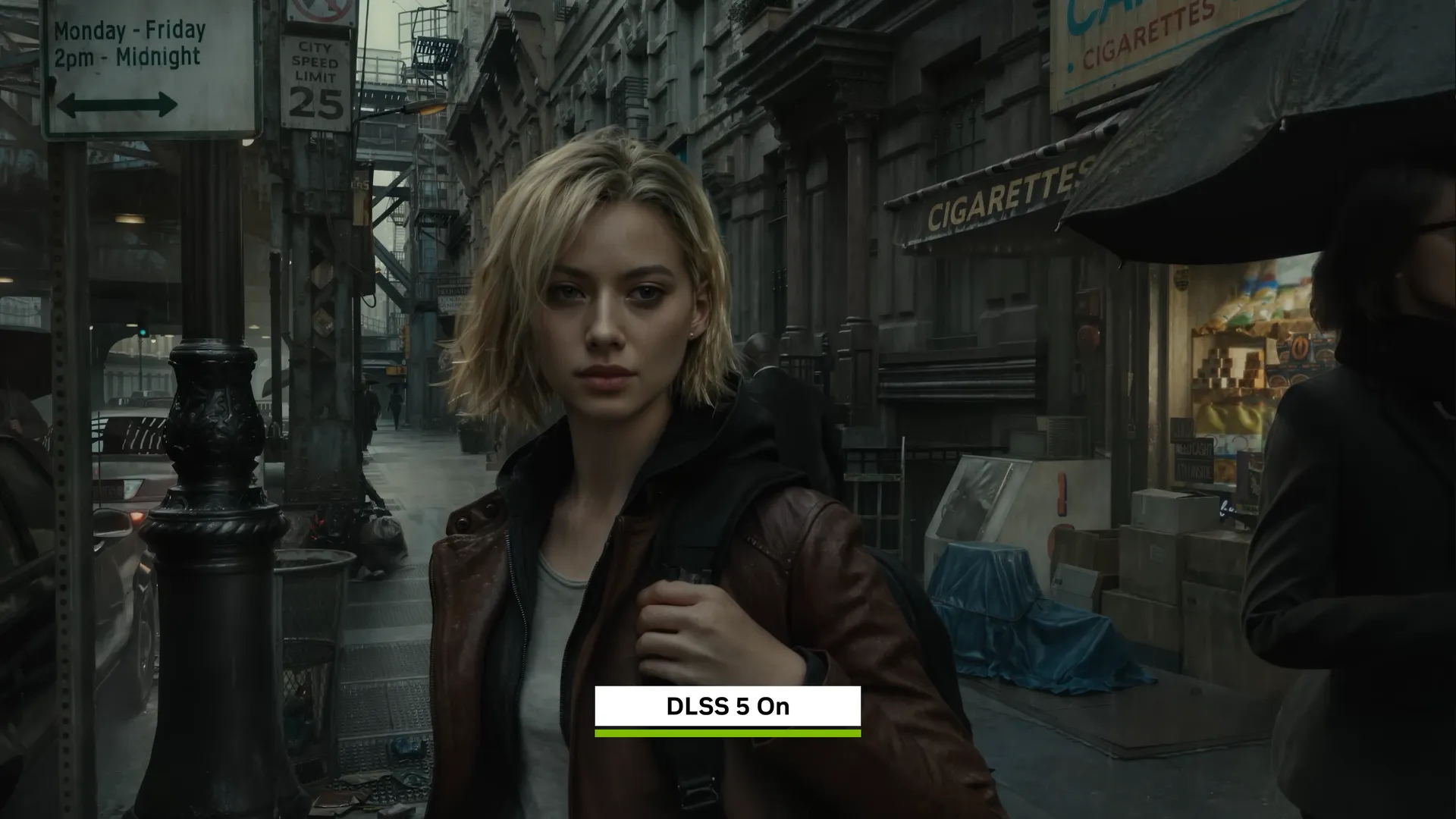
DLSS 5 has been a contentious ol' bit of tech, but with it launching in NBA 2K27, it's finally in actual games and not just in a ton of ReShade modded games. If, for some reason, you just really love the look, it turns out you can apply it to your entire desktop too, with a little bit of modding help.
Posted to GitHub by Perseval BLR, DLSS 5 NeuralScreen is free to download, and it has customisation features to change intensity and swap resolution on the fly (Via TweakTown). Interestingly, it works with RTX 30-series cards and up. To get it running, you simply have to download the latest version of the app via the GitHub releases tab and run the exe file.
You may be wondering why you would bother applying DLSS Neural Rendering to your entire desktop, especially when you consider that a screenshot of a DLSS 5 game as your wallpaper would be less intensive than running an app on it, and the answer is: for everyday use. You can apply DLSS NR while watching videos if you want to, you can apply it to any pictures you open up, and it will even run on any games that you run in borderless or windowed mode.
As well as this, the fact that it's a separate app that you can adjust and turn on or off in just a few moments means it's more efficient than going into the graphics settings of a game, changing them, and then waiting for them to save.
Now for the downsides. Other than the love it or hate it look of DLSS 5, NeuralScreen does not support HDR, cannot be run on fullscreen games, is locked to a max resolution of 2560 x 1440, and adds 40-60 ms of latency. That means you are probably better off not running DLSS on any competitive games, but Github page itself reckons running it on online competitive games could trigger anti-cheat software due to the software's nvngx.dll process and the fullscreen overlay anyway.
But in single-player games, or when watching movies, that added latency is theoretically fine. Though that's before mentioning the performance hit of actually running the app.
DLSS 5 off vs DLSS 5 on
This is on the most recent GTA 6 extended gameplay trailer


I gave it a try on my personal rig with an RTX 4070 Super, and though the app itself is quite slow, it is super easy to implement.
I don't really like the DLSS NR look and don't particularly like generative AI's effect on the games industry thus far (like the proliferation of AI-generated assets in games), so I won't be keeping the app, but if you're hungry for DLSS 5, you can get up and running in just a few moments.
If you were hoping it would make your email inbox look really realistic, you're out of luck, as it just sort of washed out the colours on mine. But if you're sent any pictures, you can bet DLSS 5 will work on those.
1. Best gaming laptop: Razer Blade 16
2. Best gaming PC: HP Omen 35L
3. Best handheld gaming PC: Lenovo Legion Go S SteamOS ed.
4. Best mini PC: Minisforum AtomMan G7 PT
5. Best VR headset: Meta Quest 3