You are now subscribed
Your newsletter sign-up was successful
Want to add more newsletters?

Every Friday
GamesRadar+
Your weekly update on everything you could ever want to know about the games you already love, games we know you're going to love in the near future, and tales from the communities that surround them.

Every Thursday
GTA 6 O'clock
Our special GTA 6 newsletter, with breaking news, insider info, and rumor analysis from the award-winning GTA 6 O'clock experts.

Every Friday
Knowledge
From the creators of Edge: A weekly videogame industry newsletter with analysis from expert writers, guidance from professionals, and insight into what's on the horizon.

Every Thursday
The Setup
Hardware nerds unite, sign up to our free tech newsletter for a weekly digest of the hottest new tech, the latest gadgets on the test bench, and much more.

Every Wednesday
Switch 2 Spotlight
Sign up to our new Switch 2 newsletter, where we bring you the latest talking points on Nintendo's new console each week, bring you up to date on the news, and recommend what games to play.

Every Saturday
The Watchlist
Subscribe for a weekly digest of the movie and TV news that matters, direct to your inbox. From first-look trailers, interviews, reviews and explainers, we've got you covered.

Once a month
SFX
Get sneak previews, exclusive competitions and details of special events each month!
If there's one piece of advice I would give everyone about upgrading your PC, it's this: don't cheap out on the power supply. In fact, if you've been running the same PSU for years now and are about to plug a powerful new graphics card into its connectors, I would seriously consider buying a new unit out of a sheer abundance of caution.
Even a very good PSU that's been overstretched by a power-sapping component will force a hard reboot if it tries to pull too much juice, while cheap ones... well, might do something much worse. The power supply is the one component in your rig that's capable of destroying all the others in one swift movement, so a cheap or under-specced one isn't worth risking your PC over, as far as I'm concerned.
- We're curating all the best Cyber Monday PC gaming deals over here
They do age out eventually as well, so I'd play things on the safe side and seriously consider one of these three Cyber Monday PSU deals to go with your new hardware purchase. Given that the new generation cards can be rather thirsty, I've started off this selection at 850 W. Sure, you can absolutely get away with something smaller if you've bought something relatively power efficient, like the RTX 5060 or the RX 9060 XT.
But for the sake of a few bucks more, I'd always go a bit bigger on the PSU than I think I really need. Plus, when great 850 W models can currently be found for $100, there's not much sense buying a 750 W unit for $80, if you ask me.
Below are three excellent PSUs we've installed in many of our own PC Gamer builds, and as a result I'd trust each one in my personal machine.
Quick links
- MSI MAG A850GL | 850 W | $100 at Amazon (save $30)
- MSI MPG A1000GS | 1000 W | $110 at Newegg (save $80)
- Be Quiet Pure Power 13 M | 1000 W | $112 at Amazon (save $88)
Cyber Monday PSU deals
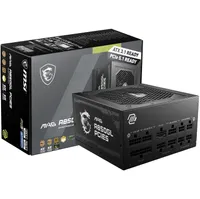

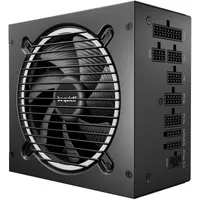
👉Check out all the Amazon PSU deals here👈
👉Take a look at all the Newegg PSU deals here👈
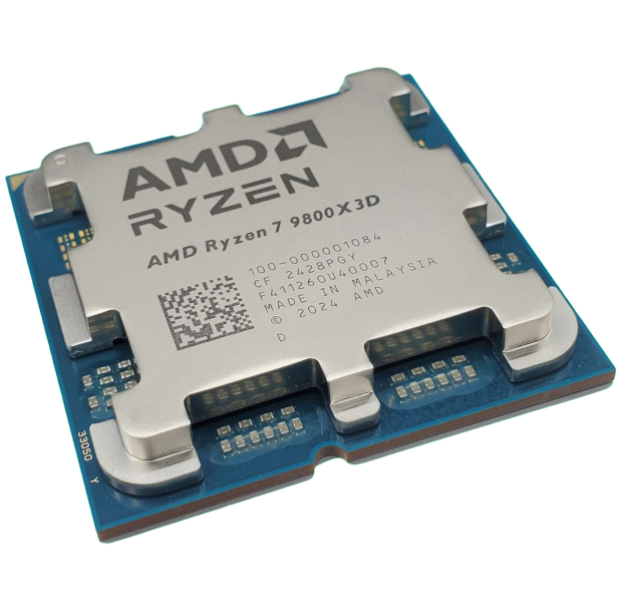
1. Best CPU: AMD Ryzen 7 9800X3D
2. Best motherboard: MSI MAG X870 Tomahawk WiFi
3. Best RAM: G.Skill Trident Z5 RGB 32 GB DDR5-7200
4. Best SSD: WD_Black SN7100
5. Best graphics card: AMD Radeon RX 9070

You must confirm your public display name before commenting
Please logout and then login again, you will then be prompted to enter your display name.