Everyone wants your data, so that means everyone would like you to make an account with them. I don't know about you, but more accounts simply means more passwords I'm bound to forget—at least there's multi-factor authentication methods like SMS codes, right? Well, soon that won't be the case for your personal Microsoft account.
Traditionally, codes sent via text to your phone have been deployed as an authentication method when you log in, or as a way to recover your Microsoft account when you inevitably forget your password. Unfortunately for forgetful folks such as myself, Microsoft has chosen to phase out SMS codes in both cases (via Windows Latest).
According to Microsoft, "SMS-based authentication is now a leading source of fraud, and by moving to passwordless accounts, passkeys, and verified email, we're helping you stay ahead of evolving threats while making account access simpler and more seamless."
So, if SMS codes are out and Microsoft truly believes "the future of authentication is passwordless," what does that leave? Primarily, Passkeys. These can take the form of a PIN, but biometric passkeys, like a face or fingerprint scan, avoid the whole 'a sequence of characters you can forget' problem. That said, it requires handing over yet more data that I'm personally reluctant to give up to big tech.
This isn't the first time the company has said it wants to completely ditch traditional passwords. As much as Motorola's 'password pill' captures the imagination, it was far from practical. As such, Microsoft is pitching Passkeys as a faster, "phishing-resistant" way to log in as this method uses your device's local, "built-in authentication (like Face ID, fingerprint, or PIN)."

This makes sense. For a start, SMS codes are displayed in plain text and sent over mobile networks that committed bad actors can fairly easily breach at a distance. On-device authentication cuts out that vulnerable network—though security researchers have already exposed how Windows Recall could be leveraged by bad actors to get around Microsoft's best security intentions, so, as always, it's important to remember that device security should be maintained across the board.
No authentication measure is 100% secure, but limiting a forgetful user's login options is a headache. I would use a password manager like LastPass, but security researchers argue such services are vulnerable to 'a cornucopia of practical attacks', though some of my colleagues swear by them (the two Jacobs swear by BitWarden).
At any rate, you won't be able to get auto-filling from a PWM before you log into the OS. At least if I forget a password, no one has a hope of retrieving it from my grey matter besides me.
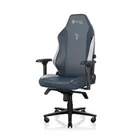
1. Best gaming chair: Secretlab Titan Evo
2. Best gaming desk: Secretlab Magnus Pro XL
3. Best gaming headset: Razer BlackShark V3
4. Best gaming keyboard: Asus ROG Strix Scope II 96 Wireless
5. Best gaming mouse: Razer Viper V4 Pro
6. Best PC controller: GameSir G7 Pro
7. Best steering wheel: Logitech G Pro Racing Wheel
8. Best microphone: Shure MV6 USB Gaming Microphone
9. Best webcam: Elgato Facecam MK.2