You are now subscribed
Your newsletter sign-up was successful
Want to add more newsletters?

Every Friday
GamesRadar+
Your weekly update on everything you could ever want to know about the games you already love, games we know you're going to love in the near future, and tales from the communities that surround them.

Every Thursday
GTA 6 O'clock
Our special GTA 6 newsletter, with breaking news, insider info, and rumor analysis from the award-winning GTA 6 O'clock experts.

Every Friday
Knowledge
From the creators of Edge: A weekly videogame industry newsletter with analysis from expert writers, guidance from professionals, and insight into what's on the horizon.

Every Thursday
The Setup
Hardware nerds unite, sign up to our free tech newsletter for a weekly digest of the hottest new tech, the latest gadgets on the test bench, and much more.

Every Wednesday
Switch 2 Spotlight
Sign up to our new Switch 2 newsletter, where we bring you the latest talking points on Nintendo's new console each week, bring you up to date on the news, and recommend what games to play.

Every Saturday
The Watchlist
Subscribe for a weekly digest of the movie and TV news that matters, direct to your inbox. From first-look trailers, interviews, reviews and explainers, we've got you covered.

Once a month
SFX
Get sneak previews, exclusive competitions and details of special events each month!
Hytale's multiplayer is much less complicated than it looks, though the lack of an option to invite friends right from the main menu doesn't make things obvious when starting out. Nevertheless, you can play the entire game alongside a group of friends, which makes all the difference when you're exploring a fresh world.
Below, I'll go over how to invite friends to your Hytale world. Take note that this is different from hosting a dedicated server; for that, you'll want Hypixel's complicated Hytale server manual, though most players won't ever need to worry about this.
How to play with friends in Hytale

To invite friends and play Hytale multiplayer, the host first needs to setup the world correctly. You need to:
- Create a world (yes, as if playing singleplayer)
- Open the pause menu and select 'online play'
- Enable the 'allow other players to join' option
- You can optionally set a password to restrict access to only those with the code, and have it automatically included in your share code
- Click 'save' to generate a share code (warning: this code includes your IP address, so don't share it with strangers)
- Copy the share code and send it to your friends
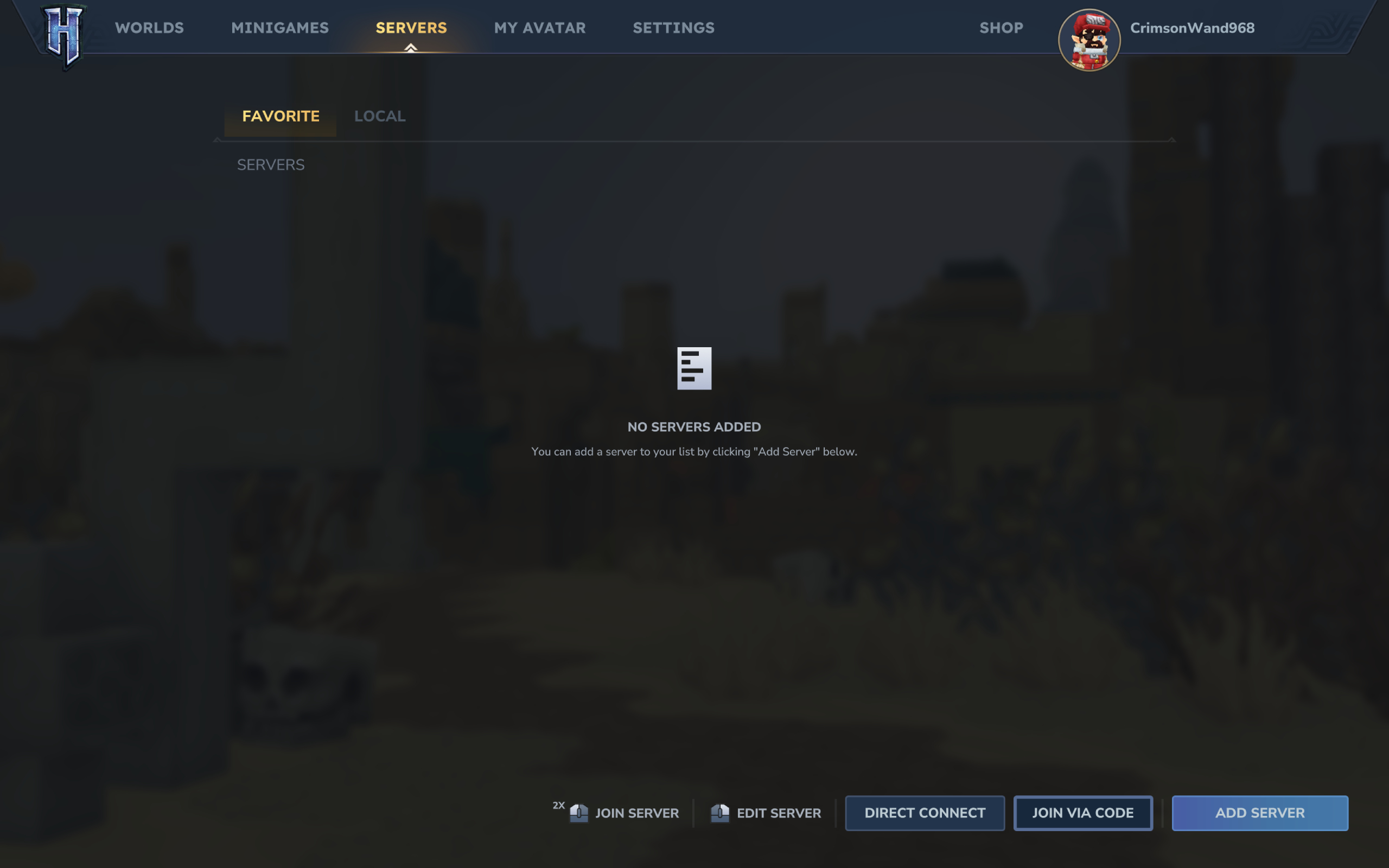
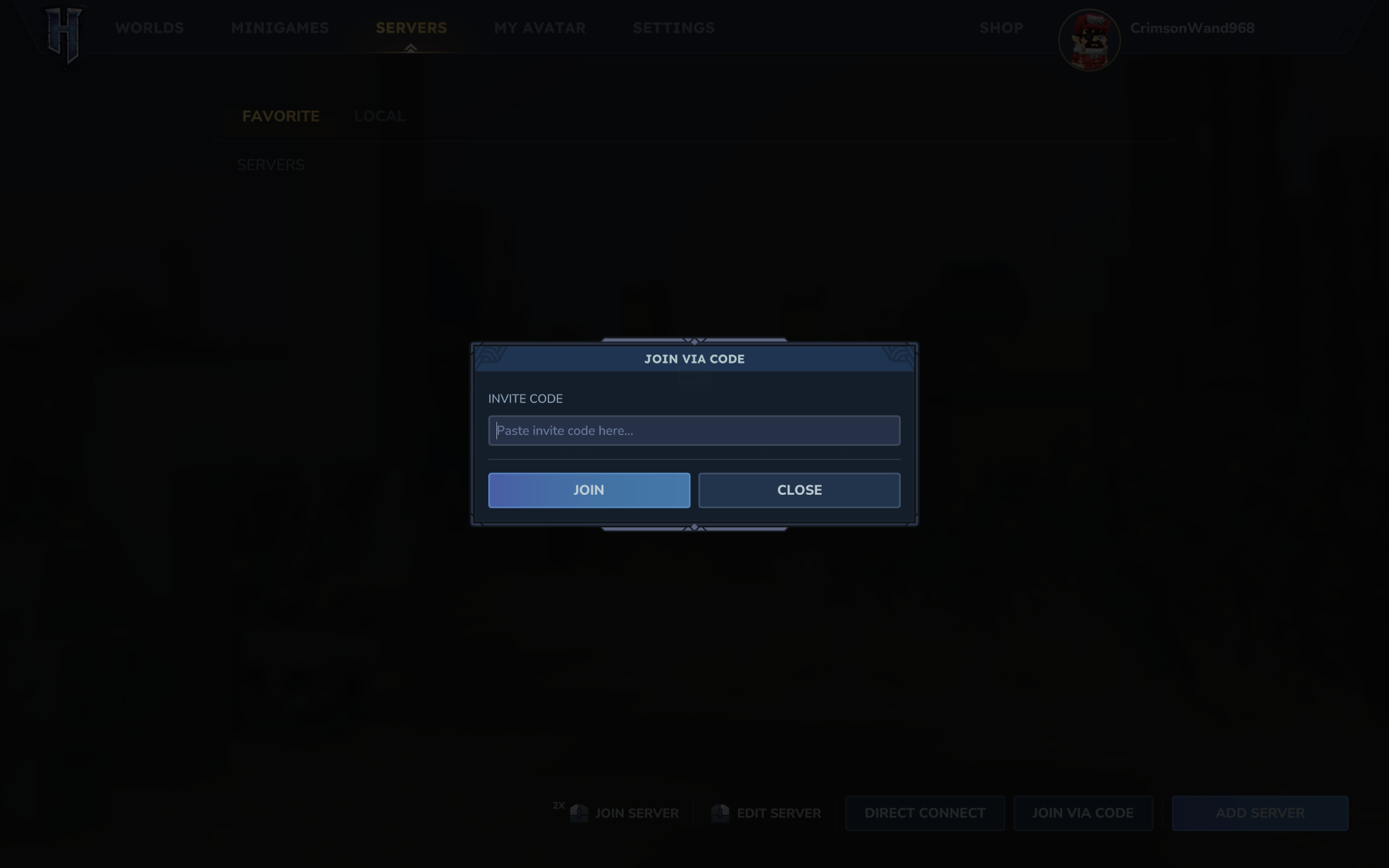
Then, you need your friends to use said share code to join your multiplayer world. Those joining need to:
- Enter the Server page on the main menu
- Click 'join via code' in the bottom right corner
- Paste the share code
- Enter the server password if one is set by the host and not set to automatically be included in the code
- Click 'connect' to join the world
Once you've set up the server correctly and your friends have entered the code in the main menu, you should be all good to go. You can enable and disable multiplayer at any point, too, so don't worry if you're a few hours into your world.

You must confirm your public display name before commenting
Please logout and then login again, you will then be prompted to enter your display name.