

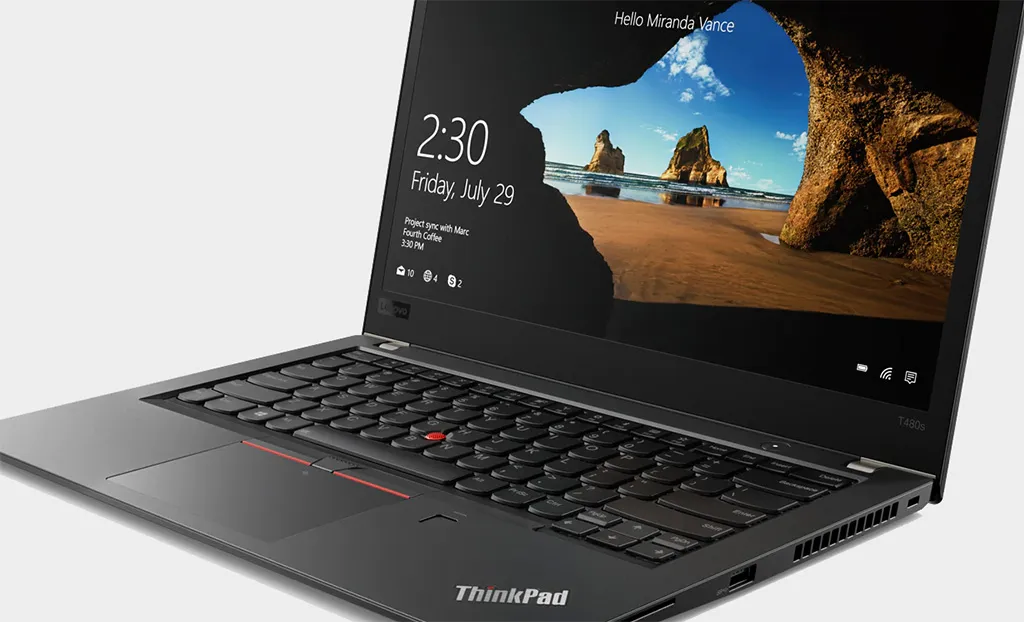
A Windows 10 update is crashing a bunch of Lenovo ThinkPad laptops
There is a temporary workaround available while Microsoft and Lenovo work on a permanent fix.
Keep up to date with the most important stories and the best deals, as picked by the PC Gamer team.
You are now subscribed
Your newsletter sign-up was successful
Want to add more newsletters?
Every Friday
GamesRadar+
Your weekly update on everything you could ever want to know about the games you already love, games we know you're going to love in the near future, and tales from the communities that surround them.
Every Thursday
GTA 6 O'clock
Our special GTA 6 newsletter, with breaking news, insider info, and rumor analysis from the award-winning GTA 6 O'clock experts.
Every Friday
Knowledge
From the creators of Edge: A weekly videogame industry newsletter with analysis from expert writers, guidance from professionals, and insight into what's on the horizon.
Every Thursday
The Setup
Hardware nerds unite, sign up to our free tech newsletter for a weekly digest of the hottest new tech, the latest gadgets on the test bench, and much more.
Every Wednesday
Switch 2 Spotlight
Sign up to our new Switch 2 newsletter, where we bring you the latest talking points on Nintendo's new console each week, bring you up to date on the news, and recommend what games to play.
Every Saturday
The Watchlist
Subscribe for a weekly digest of the movie and TV news that matters, direct to your inbox. From first-look trailers, interviews, reviews and explainers, we've got you covered.
Once a month
SFX
Get sneak previews, exclusive competitions and details of special events each month!
Sometimes it feels like Microsoft's efforts to continually update Windows 10 amounts to a comedy of errors, except those affected are not laughing. That's certainly true if you own a Lenovo ThinkPad laptop and are suddenly running into blue screen of death (BSOD) errors.
Rest assured, it's not anything you did wrong. The culprit is a recent cumulative update to Windows 10, and it apparently affects every ThinkPad model from 2019 onward.
As Lenovo outlines in a support document (via BetaNews), affected users are apt to run into a BSOD in several situations, including when booting their laptop, when starting Lenovo Vantage (a companion app), and when running a scan with Windows Defender, Windows 10's built-in antivirus software.
It's not just blue screen errors, either. The update is preventing users from logging in using Windows Hello, and is kicking out errors related to both the Intel Management Engine and IR camera.
Best gaming mouse: the top rodents for gaming
Best gaming keyboard: your PC's best friend...
Best gaming headset: don't ignore in-game audio
Microsoft is aware of the problem, and says affected laptops that apply the update "restrict how processes can access peripheral component interconnect (PCI) device configuration space under specific conditions. Processes that have to access PCI device configuration space must use officially supported mechanisms."
According to Microsoft, ThinkPad models built within the last year that have the Enhanced Windows Biometric Security option in the BIOS enabled will trigger the problematic behavior. In such cases, the blue screen error that is most likely to be displayed is SYSTEM_THREAD_EXCEPTION_NOT_HANDLED, for whatever that is worth.
A temporary workaround is to disable the Enhanced Windows Biometric Security option in the BIOS. Upon entering the BIOS, this can be found under the Security > Virtualization menu.
Keep up to date with the most important stories and the best deals, as picked by the PC Gamer team.
Paul has been playing PC games and raking his knuckles on computer hardware since the Commodore 64. He does not have any tattoos, but thinks it would be cool to get one that reads LOAD"*",8,1. In his off time, he rides motorcycles and wrestles alligators (only one of those is true).


