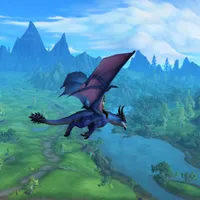
The Dragonflight pre-patch has arrived and class talent trees have returned to World of Warcraft. This gives us the chance to can get to grips with the class changes ahead of Dragonflight's full release on November 28—so we have a little over a month to play with the new system. Of course, if you're keen to try out the new Dracthyr Evoker, you'll need to wait for the second phase of the pre-patch which is set to arrive on November 15.
The fundamentals of each class will stay the same but talent trees offer a lot more choice when it comes to how you want to play your chosen specialisation. In this guide, I'll explain how the new Dragonflight talent trees work to help make your transition to the new system a little easier.
WoW Dragonflight talent trees: What's changed
The talent tree isn't new to World of Warcraft, though it hasn't been present in the game since the end of the Cataclysm expansion back in 2012. Talents have still been present, though in a much more limited form and tied to your chosen specialisation.
Originally, the specialisation you played was determined by the talents you picked—you could choose talents from all spec trees, provided you had the points to purchase them. Since Mists of Pandaria however, your talents have been limited by the spec you choose, and the number of talents available was massively reduced.
Dragonflight's talent trees are more like the pre-Mists of Pandaria version, though this time round, you will be limited by your spec.
Each class has a "base" talent tree, then an additional tree for your chosen specialisation. The talent points are split between the two as well, so you can't ignore the class tree and put all your points into your specialisation, or vice versa. Check out the screenshots below to see a comparison between the original talent trees, the rather limited current version, and the one arriving in Dragonflight.


How to save different talent set-ups
There's a chance you'll want different talents for different types of content, and you can save different profiles for whichever builds you think you might use.
To save your current talents, select New Loadout from the dropdown menu in the bottom left corner of the talent tree window then name it whatever you like. You can now select that profile—providing you're in a rest area—whenever you want to switch.

You can share your set-up too. Selecting Share from the dropdown menu allows you to copy/paste your talent data to something like Notepad so you can either back-up the loadout or share it with friends. If you want to copy someone else's talents, the Import option lets you paste the data and name the set-up too.
Finally, the search option is handy if you're having trouble locating a specific talent. Simply start typing the name in the search box then select it from the list. Hit enter and a blue magnifying glass will pinpoint its location.
Dragonflight talent calculator
If you'd like to experiment with different builds but don't want to mess with your character's talents, Wowhead has a dedicated talent calculators page.
Choose your class by clicking on its icon, then select your specialisation to see that talent tree. It works the same way as it does in-game so it's a great way to see which combinations work with the available talent points.