Join The Club






The humble power button on every desktop, laptop, and handheld gaming PC is nothing more than a device that joins two contacts and nothing more. But have you ever wondered if there was another way—a better way—to fire up your rig every day? What if you could boot your computer using something that is absolutely not meant to do that at all? Well, that's why one self-described tech tinker has done, and the result is surprisingly ingenious.
As I've already mentioned, PC power buttons aren't anything special: just a bit of metal that you press against two electrical contacts, creating a complete low-voltage circuit. The resulting current flow is detected by the motherboard, which then tells the power supply unit that it's time to get things going.


In theory, you can use any bit of metal to join those contacts, and if you look at a TRS/TRRS (tip-ring/ring-sleeve) connector, it's not hard to picture using this instead of a button. After all, it's just some piece of metal and plastic, so it should be easy, right? Well, it is, and Lee successfully boots up a PC this way within a few seconds of wiring up a connector to the appropriate header on the motherboard.
However, there is a small flaw in the design and one which Lee recognises immediately. Leaving the audio jack in the socket replicates the same function as holding down the power button for a few seconds, i.e. the PC powers off. That's because a power button only momentarily joins the contacts; the 'click' you hear is the mechanism releasing itself from the contacts.

Unfortunately, Lee doesn't create a solution to this problem in his video, and there's no indication as to whether the audio jack still retains its original functionality, though I suspect it probably does. As there is no mechanical movement in a TRS/TRRS socket, to break the contact, the only way to do this will be to have a little timing circuit that effectively drops the connection after a second or so.
But then you'd have the problem of how to power off the PC outside of Windows. Well, how about a separate stealth switch? If the audio jack is used to switch things on, how about something like a tube that you jam a peeled banana into, which a circuit then detects the current flow. Heck, if a squishy fruit can easily transmit an audio signal, it can surely be used to shut down a gaming rig.
For me, though, there's nothing like pressing a big metal button that's nicely damped and plush-feeling for getting my PC ready for a day of work and gaming, and I have to admit it's actually one of the main reasons why I use a Fractal Design North XL as my main chassis. It's a little bit of luxury that helps start my day in the right way, and we all need that in our lives, however small and simple it is.
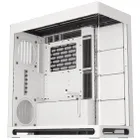
1. Best overall: Havn HS 420
2. Best budget: Phanteks G400A
3. Best midrange: Lian Li O11 Vision Compact
4. Best budget compact: Thermaltake S100 TG Snow Edition
5. Best high-end: NZXT H9 Flow RGB+
6. Best Mini-ITX: Fractal Design Terra
7. Best Micro-ATX: NZXT H3 Flow
8. Best full-tower: NZXT H7 Flow
9. Best pink: Hyte Y70
10. Best looking: Phanteks Evolv X2
11. Best for beginners: Be Quiet! Shadow Base 800 FX